
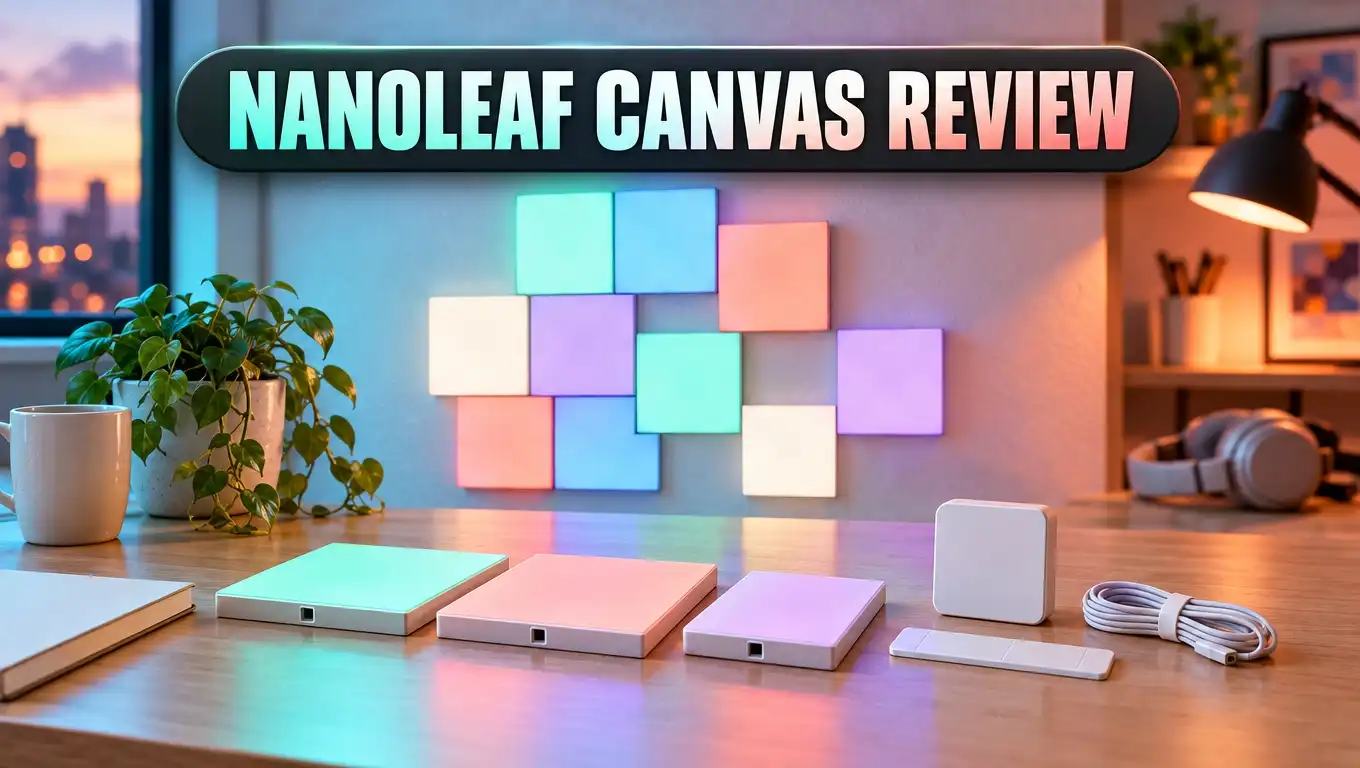
Nanoleaf Canvas Review: Touch Light Squares Worth It?
Want a wall that glows, reacts to your touch, and dances to your music? The Nanoleaf Canvas does all of this. It turns a blank wall into a piece of living light art.
Smart lights have become very common. Most of them are just bulbs or strips, though. The Canvas uses flat square panels that you arrange into any shape you like.
This Nanoleaf Canvas review covers setup, touch controls, music sync, the app, brightness, and value. We also look at three strong alternatives. By the end, you will know if the Canvas fits your room and your budget.
In a Nutshell
- Modular square design: The Canvas uses 6 inch square panels. You link them together to build your own layout. Each square shows four glowing sections, so patterns look detailed and rich.
- Touch control on every square: You can tap or swipe any panel to change the lights. This makes the Canvas fun for kids, guests, and anyone who loves interactive decor. You can even play simple light games on the wall.
- Built in music sync: The control square has a microphone inside. Your panels pulse and flow with the beat of your music. You do not need any extra module for this feature.
- Wide smart home support: The Canvas works with Apple HomeKit, Google Assistant, Amazon Alexa, and IFTTT. You can turn it on, dim it, or switch scenes with your voice. Schedules let it run on its own each day.
- Easy to expand: One controller can run up to 500 squares in theory. You need one power supply for every 25 squares. Expansion packs and flex linkers let your design grow over time.
- Price and limits: The kit costs more than most smart bulbs. It only connects to 2.4GHz WiFi, and it works better as mood lighting than as a main light source.
Nanoleaf Canvas Smarter Kit: What Is It?

- Modular LED square panels designed to add a stunning statement of artistic technology to your space.
- Enjoy touch-enabled experiences. Watch light panels respond dynamically to your touch or play interactive...
- Rhythm Module transforms your favorite songs into dancing symphonies of color and light.
Last update on 2026-11-01 / Affiliate links / Images from Amazon Product Advertising API
The Nanoleaf Canvas Smarter Kit is a set of smart LED light panels. Each panel is a thin square that mounts on your wall. You link the squares together to form any pattern you want.
Nanoleaf is a lighting company from Toronto. Its first panel system used triangles and was called Aurora. The Canvas came next and brought big upgrades in shape, touch control, and music sync.
The square shape makes design easier. Squares line up neatly, so you can build grids, staircases, crosses, or wild shapes. Many people say the Canvas feels like LEGO for grown ups.
Each square can show millions of colors. It can also show warm and cool white tones. This means the Canvas works for a party, a calm reading night, or a focused work session.
The kit is great for living rooms, bedrooms, gaming rooms, and home offices. It also makes a strong backdrop for streamers and video calls. People notice it the moment they walk in.
The Canvas is not a replacement for your ceiling light, though. It is accent lighting and wall art in one product. You buy it for the mood and the fun, not for raw brightness.
One quick tip: the Canvas panels do not connect to the old triangle panels. Both use the same app, but you cannot mix the panels together. Plan your purchase with that in mind.
What Comes in the Box
The standard Smarter Kit gives you everything you need to start. You do not need to buy extra parts for a basic setup. Here is what you get.
The box holds 8 Light Squares and 1 Control Square. The Control Square is the brain of the system. It has touch buttons for power, brightness, scene shuffle, and music mode.
You also get 9 Linkers. These are small, flat connectors with gold contacts. They slide into slots on the back of each panel and join two squares together.
Linkers carry both power and data. They are reversible, so you cannot insert them the wrong way. This small detail makes assembly much easier for beginners.
The kit includes about 28 pieces of double sided mounting tape. You stick three pieces on the back of each square. The tape holds the panels firmly on smooth walls.
Finally, you get a power supply with a long cord. It plugs into any free slot on any square. One power supply can handle up to 25 squares.
There is one thing to watch. The kit includes no spare linkers or spare tape. Handle these parts with care, and buy extras if you plan to move your layout often.
The free Nanoleaf app is the last piece. It works on both iPhone and Android. You download it before setup to pair and control your panels.
Design and Build Quality
The Canvas looks clean and modern. Each square measures 6 inches on each side. The panels are thin, so they sit close to the wall.
The front uses a soft, diffused cover. It feels a bit rubbery to the touch. This surface helps the touch sensors work well, and it also spreads the light evenly.
Each square has a thin cross line on its face. This splits the panel into four small squares of light. Some people love this look, while others prefer a single smooth surface.
The quadrants make patterns look more detailed. A layout of 9 squares can look like 36 small blocks. Certain scenes even create a spinning blade effect that looks very cool.
The back is made of hard plastic. Each square has slots on its edges for the linkers. This lets you join panels on any side you choose.
When the lights are off, the panels are plain white. They blend into most light colored walls. On a dark wall, they stand out more, even when they are off.
Build quality feels solid. Each square weighs about 160 grams, so the tape holds them well. The panels feel sturdy and do not bend or creak.
Overall, the design is simple, neat, and flexible. It suits both minimal rooms and colorful gaming spaces. The square shape gives you more freedom than you might expect.
Top 3 Alternative for Nanoleaf Canvas
The Canvas is great, but it is not the only choice. Some buyers want a different shape. Others want a lower price. Here are three strong alternatives.
1. Nanoleaf Shapes Hexagons

- [Build & Expand Your Designs] Create beautiful symmetry in any room, or get completely abstract - the...
- [Color-Changing Animations] Customize your lights with colors and motions; transition colors slowly for...
- [16M+ RGBW Colors] Virtually limitless color options. Select from or create your own color-changing...
Last update on 2026-11-01 / Affiliate links / Images from Amazon Product Advertising API
The Shapes Hexagons come from the same brand. They use six sided panels instead of squares. Each panel lights up as one smooth surface, with no cross lines.
Shapes also offer touch control and music sync. You can mix hexagons with triangles and mini triangles from the Shapes family. This gives you more design freedom than the Canvas.
2. Govee Glide Hexa Pro

- Innovative 3D Light Panels: H6066, an upgrade from H6061, is changing the lighting game by taking your...
- Expressive Scenes: Find the lighting that expresses your mood or celebrates your favorite holidays such...
- Customize Your Home Aesthetics: Our light panels are designed for those who think outside the box with...
Last update on 2026-11-01 / Affiliate links / Images from Amazon Product Advertising API
The Govee Glide Hexa Pro uses 3D style hexagon panels. Each panel can show several colors at once. This creates rich gradients across your wall.
Govee is often cheaper than Nanoleaf. The app includes music modes and many scenes. It is a smart pick if you want a bold look on a smaller budget.
3. Nanoleaf Lines

- [Build & Expand Your Designs] Design your own unique layouts for a stunning and futuristic ambient glow...
- [Color-Changing Animations] Customize your lights with colors and motions; transition colors slowly for...
- [16M+ RGBW Colors] Virtually limitless color options. Select from or create your own color-changing...
Last update on 2026-11-01 / Affiliate links / Images from Amazon Product Advertising API
Nanoleaf Lines use glowing light bars instead of panels. They cast a soft backlight onto the wall. The look feels sleek and futuristic.
Each bar has two color zones. Lines work well in gaming rooms and behind desks. Choose them if you want a lighter, more open design than solid panels.
Easy Setup and Installation
Setting up the Canvas is simple. The app guides you through every step. Most people finish a 9 square layout in under an hour.
First, you plan your layout. The app has a layout assistant that helps you test shapes on screen. This saves time and keeps you from sticking panels in the wrong place.
Next, you connect the squares with linkers. Slide each linker into the slot on one panel. Then slide the next panel onto it. The squares light up as soon as power flows.
Pairing is quick too. You can scan a QR code, tap with NFC, or type an 8 digit code. The code sits on a welcome card and on the back of the Control Square.
There is one common snag. The Canvas only works on 2.4GHz WiFi. It does not support 5GHz or Bluetooth.
If your router mixes both bands, setup may fail. You can turn off 5GHz for a few minutes during setup. After pairing, you can switch it back on.
Mounting comes last. Peel the tape and press each square on the wall. Hold each panel for a few seconds so the tape grips well.
For textured walls or ceilings, tape may not hold. Nanoleaf sells a screw mount kit for these surfaces. It gives you a much stronger hold.
Touch Controls That Feel Like Magic
Touch control is the star feature of the Canvas. Every single square reacts to your touch. This sets it apart from most other smart lights.
Tap a square, and it can change color. Swipe across the wall, and the light can ripple behind your hand. It feels playful and almost magical the first time you try it.
The app has special interactive scenes. Some create ripples. Others show color trails that follow your finger. Kids love these modes, and adults do too.
You can even play games on your wall. One popular game works like Simon. The panels flash a pattern, and you tap the squares to repeat it.
The Control Square has its own touch buttons. You can turn the lights on or off, adjust brightness, and shuffle scenes. You do not need your phone for basic control.
You can also assign actions to gestures. For example, a double tap or a swipe can trigger a certain scene. This turns your wall into a giant light switch.
There is a small downside. People sometimes brush the panels by accident. If your Canvas sits near a busy hallway, you may see random color changes.
Still, touch control is a big reason to choose the Canvas. It makes your lights feel alive. Few products at this price offer anything like it.
Rhythm Mode and Music Sync
The Canvas has a built in microphone in the Control Square. It listens to sounds in your room. Then it makes the lights move with the beat.
Older Nanoleaf panels needed a separate Rhythm module. The Canvas does not. Music sync works right out of the box.
To use it, you tap the music button on the Control Square. Or you pick a Rhythm scene in the app. The lights then pulse, flash, and flow with your songs.
There are many Rhythm scenes to choose from. Some are calm and slow. Others are fast and wild, which suits parties and dance music.
The effect looks best with strong bass. Songs with a clear beat create the most exciting patterns. Quiet music or soft talking may produce only small changes.
Some users wish the sensor had more control. You cannot fine tune it to follow treble over bass. Rhythm scenes mostly react by changing light intensity.
Placement matters too. The mic works best when your speaker is close to the Control Square. If the speaker sits far away, the response can feel weak.
Overall, music sync is fun and easy to use. It turns a normal night at home into a mini light show. Gamers and music fans will enjoy it the most.
Nanoleaf App and Scenes
The Nanoleaf app is your control center. It is free and works on iPhone and Android. The app is easy to use and full of features.
You can pick from millions of colors. You can choose a single color for the whole wall. Or you can paint each square a different shade.
The app offers several scene types. Color scenes show slow, gentle animations. Rhythm scenes react to music. Interactive scenes respond to your touch.
There is a big library of free scenes. Other users create and share them. You can find holiday themes, nature themes, and gaming themes with a few taps.
You can also build your own scenes. Choose colors, pick a motion style, and set the speed. It takes only a few minutes to create something unique.
Schedules are another useful tool. You can set the Canvas to turn on at sunset. You can also set a soft wake up light for the morning.
The app includes a color calibration tool. Sometimes one panel looks slightly off. The tool lets you adjust it so all squares match.
A nice bonus is offline use. The Canvas can run without WiFi or the app. You can still use the Control Square buttons to switch scenes and adjust brightness.
Smart Home and Voice Assistant Support
The Canvas fits well into most smart homes. It works with Apple HomeKit, Google Assistant, Amazon Alexa, and IFTTT. That covers almost every popular system.
Voice control feels natural. You can say, “Turn on the Canvas,” or “Set the Canvas to 50 percent.” You can also ask for a scene by name.
HomeKit users get extra perks. You can add the Canvas to scenes and automations in the Home app. For example, the panels can glow when you arrive home.
Google and Alexa users can do similar things. You can group the Canvas with other lights. One command can then control your whole room.
IFTTT opens even more options. You can link the Canvas to weather alerts, emails, or calendar events. The panels can flash a color when something happens.
Note that you need a smart speaker or phone assistant for voice control. The Canvas does not have a voice mic for commands. Its mic is only for music sync.
The Canvas also works with the Nanoleaf desktop app. This lets the panels mirror colors from your screen. Gamers and movie fans enjoy this extra layer of fun.
Overall, smart home support is a major strength. Setup with each platform is fast. Once linked, the Canvas feels like a natural part of your home.
Brightness and Color Quality
Colors on the Canvas look vivid and rich. Reds look deep, blues look bold, and greens look bright. Many reviewers say the colors look stronger than the older triangle panels.
The soft front cover spreads light evenly. You do not see harsh LED dots. Each quadrant glows smoothly from edge to edge.
White light is also good. You can pick warm white for a cozy evening. You can pick cool white for focus during work.
Brightness is where you should set clear expectations. Each square uses about 1 watt of power. At full white, one square gives about 50 lumens.
A 9 square kit is not as bright as a normal 60 watt style bulb. The diffused cover also softens the output a bit. This is why the Canvas works best as accent lighting.
In a dark room, the Canvas looks stunning. It can light up a whole wall with color. In a bright room during the day, the effect looks softer.
The low power use is a plus. Running the panels costs very little on your power bill. You can leave them on for hours without worry.
Our advice is simple. Use the Canvas for mood, style, and fun. Keep a lamp or ceiling light for reading and tasks.
Expansion and Large Layouts
The Canvas grows with you. You can start with a small kit. Then you can add more squares over time.
Nanoleaf sells expansion packs with extra squares. A 4 square pack was a popular add on. Larger packs let you build huge wall designs.
One Control Square can manage up to 500 squares in theory. In practice, power is the real limit. Each standard power supply runs up to 25 squares.
For bigger builds, you need more power supplies. A larger 75 watt adapter can support more squares from one outlet. Plan your outlets before you build a giant layout.
Flex linkers are another useful accessory. They bend, so you can wrap panels around a corner. This lets your design flow from one wall to another.
Screw mount kits help on ceilings and rough walls. They give you a safer hold than tape. This is important for large or overhead designs.
Nanoleaf also made a fun remote. It looks like a glowing 12 sided die. You turn it to pick a different scene for each face.
One note before you buy more parts. The Canvas line is older now, so stock can be limited in some stores. Check that expansion packs are available before you plan a very large build.
Pros and Cons
Every product has strong points and weak points. Here is a clear look at both sides of the Canvas.
Pros
- Touch control on every square: You can tap and swipe to change the lights. This makes the Canvas fun and interactive for the whole family.
- Built in music sync: The panels react to music without extra hardware. Parties and gaming nights feel more alive.
- Flexible square design: Squares make it easy to build neat layouts. You can create grids, steps, and creative shapes.
- Wide smart home support: It works with HomeKit, Google Assistant, Alexa, and IFTTT. Voice control is fast and reliable.
- Rich colors: The colors look bold and smooth. The four quadrants add extra detail to every scene.
- Works offline: You can use the Control Square buttons without WiFi. This is handy if your internet goes down.
- Low power use: Each square uses about 1 watt. Your power bill stays low.
Cons
- High price: The kit costs more than most smart bulbs or strips. Big layouts get expensive fast.
- Limited brightness: The Canvas is not bright enough to light a whole room. It works best as accent lighting.
- 2.4GHz WiFi only: Setup can be tricky on mixed band routers. You may need to change router settings.
- No spare parts in the box: You get no extra linkers or tape. Moving panels often may require buying more.
- Visible cross lines: Some people dislike the split quadrant look. Others prefer a single smooth panel.
Who Should Buy the Nanoleaf Canvas
The Canvas is not for everyone. But for certain people, it is a perfect match. Let us look at who will enjoy it most.
Gamers are a great fit. The panels add color and energy to any gaming setup. Screen mirroring and music sync make every session feel more immersive.
Streamers and content creators will love it too. A glowing wall makes a strong background on camera. It helps your channel look professional and memorable.
Families with kids get a lot of value. The touch scenes and games keep children busy and curious. It feels like a toy and a light at the same time.
Smart home fans will enjoy the deep platform support. The Canvas joins routines with ease. It responds to voice, schedules, and automations.
Design lovers will like the art side. You can create a unique wall feature that nobody else has. You can change the look anytime with a new scene.
Who should skip it? People who need bright task lighting should look elsewhere. Buyers on a tight budget may also prefer cheaper options.
Renters should think about walls too. The tape usually comes off cleanly, but results vary by paint. Test one panel in a hidden spot if you feel unsure.
If you want fun, interactive, and stylish lighting, the Canvas is a strong choice. It brings a sense of joy to everyday spaces.
Final Verdict
The Nanoleaf Canvas is one of the most fun smart lights you can buy. It mixes art, technology, and play in one product. Few lighting systems feel this personal.
Touch control is the highlight. Being able to tap your wall and watch it respond never gets old. Music sync adds another layer of excitement.
The square design is smart and flexible. You can build almost any pattern you can imagine. The four quadrant look adds detail and depth.
The app is strong and easy to use. Scenes, schedules, and calibration tools give you full control. Smart home support covers all the major platforms.
There are some trade offs. The price is high, and brightness is limited. The 2.4GHz WiFi rule can also cause setup headaches.
Still, the Canvas delivers on its main promise. It turns a plain wall into a glowing, living centerpiece. It makes your home feel more creative and more fun.
Our verdict is simple. If you want an interactive light display and you can handle the cost, the Canvas is well worth it. If you prefer a different shape or a lower price, check out the three alternatives above.
FAQs
Is the Nanoleaf Canvas worth the money?
Yes, for most people who want interactive accent lighting. Touch control, music sync, and smart home support make it feel premium. It costs a lot, though, so it suits buyers who care about style and fun.
Can the Nanoleaf Canvas light up a whole room?
No, it works best as accent lighting. Each square gives about 50 lumens at full white. A small kit will add mood, but you still need a lamp for reading.
Does the Nanoleaf Canvas work with 5GHz WiFi?
No, it only connects to 2.4GHz WiFi. If your router uses both bands, you may need to turn off 5GHz during setup. You can switch it back on after pairing.
Can I connect Canvas squares to Nanoleaf Shapes or old triangle panels?
No, the panels use different hardware. All of them work with the same Nanoleaf app. However, you cannot link the panels together physically.
Will the mounting tape damage my walls?
The tape usually comes off cleanly from smooth painted walls. Results can vary based on paint quality. Test one spot first if you rent or have delicate paint.
Does the Nanoleaf Canvas need the app to work?
You need the app for the first setup. After that, the Control Square buttons let you turn it on, dim it, and switch scenes. It can even run without WiFi.
How many squares can I add to one Canvas setup?
One controller can manage up to 500 squares in theory. Each standard power supply runs up to 25 squares. Large builds need extra power supplies and careful planning.
Does the Nanoleaf Canvas work with Alexa and Google Assistant?
Yes, it works with Alexa, Google Assistant, Apple HomeKit, and IFTTT. You can control power, brightness, and scenes with your voice. You need a smart speaker or a phone assistant for voice commands.

DK is the founder and lead writer at Smart Lighting Finds, where he helps readers discover the best lighting products through honest, hands-on reviews and in-depth comparisons. With a deep passion for home improvement and smart technology, DK is dedicated to making every lighting decision easier and brighter for his readers.


