Philips Hue Play Gradient Lightstrip Review: TV Backlight Worth It?
Your TV shows a great picture, but the wall behind it stays dark. The Philips Hue Play Gradient Lightstrip tries to fix that. It pushes the colors on your screen out onto the wall, so the picture seems bigger and the room feels alive.
Many people call it the best TV backlight you can buy. It is also one of the most expensive. In this review, we look at setup, sync speed, brightness, the app, and the full cost. By the end, you will know if this lightstrip suits your living room or if a cheaper option makes more sense.
In a Nutshell
- Smooth gradient colors: The strip shows several colors at once. Light from the top and sides of your TV matches the colors near each edge of the screen, so it looks natural and blends well.
- Bright and accurate: It puts out 1,100 lumens at 4000K. That is enough to use it as a room light, and Hue colors look rich and true.
- Needs extra gear: You need a Hue Bridge for TV sync. You also need either the Hue Play HDMI Sync Box or the Hue Sync TV app on a supported Samsung or LG TV.
- Fast and reliable sync: With the sync box, lag is close to zero. Games, movies, and music all feel immersive, and you can adjust intensity and brightness.
- Premium price: The strip alone costs roughly $250 to $300 at full price. Add the bridge and the sync box, and the total can pass $600.
- Best for Hue fans: If you already own Hue lights, this strip adds a lot to your setup. If you don’t, camera based kits from Govee or Nanoleaf cost much less.
Philips Hue Play Gradient Lightstrip Overview

- WHAT’S IN THE BOX - Includes one White and Color Ambiance 55" TV smart led light strip with mounting...
- REQUIRES A HUE BRIDGE AND SYNC BOX - In order to have your TV light strip and light play bars sync with...
- MILLION OF COLORS - The White and Color Ambiance range offers both warm-to-cool white and millions of...
Last update on 2026-11-02 / Affiliate links / Images from Amazon Product Advertising API
The Philips Hue Play Gradient Lightstrip is a flexible LED strip that sits on the back of your TV. It wraps around the top and both sides of the screen. It comes in 55 inch, 65 inch, and 75 inch sizes.
The key feature is the gradient. A normal LED strip shows one color at a time, while this one shows many. The left side can glow blue while the top turns orange and the right side turns green. The 65 inch version holds about 80 LEDs, and they work in separate zones.
This lets the strip copy what is on screen. When a sunset fills the left edge, the wall on the left turns warm. When a blue sky fills the top, the wall above turns blue. The effect makes your screen seem to spill onto the wall.
The strip uses Zigbee and Bluetooth. It works with Alexa, Google Home, Apple Home, SmartThings, and Matter through the Hue Bridge. It is rated for 25,000 hours and comes with a two year warranty.
Philips also sells a PC version for 24 to 27 inch monitors. But the TV models are the main event, and they are what this review covers.
In short, this is a premium light built to make movie night and gaming feel bigger. It gives you more than a simple accent light, but it also asks more of your wallet.
What Comes in the Box
Opening the box is simple and tidy. You get the gradient lightstrip, a power adapter, and a set of mounting brackets. The brackets are small plastic guides with sticky tape on the back.
You also get a short quick start guide. The guide relies mostly on pictures, so even beginners can follow it. The Hue app fills in the rest during setup.
Here is what you will not find in the box. There is no Hue Bridge and no HDMI sync box. Both are sold separately. This surprises many first time buyers, so plan for it before you order.
The strip has a 24V input and uses about 20 watts at full power. Standby power sits at just 0.5 watts, so leaving it plugged in costs very little.
The cable from the plug to the first LED runs about six inches. The power cord itself is roughly 1.5 meters long. That is fine for most TV stands, but wall mounted TVs may need an extension cord or a hidden outlet.
One more note. You cannot cut or extend this strip. Each size is made for its matching TV size. So measure your screen and pick the right model from the start.
Overall, the box contents feel premium and complete for the strip itself. The real shopping list just goes beyond the box.
Design and Build Quality
The Hue Play Gradient Lightstrip feels well made. The LEDs sit inside a soft silicone sleeve with a black finish. This sleeve spreads the light so you see a soft glow instead of harsh dots.
The strip is flexible but holds its shape. It slides into the mounting brackets easily. Once in place, it stays put and does not sag over time.
From the front, you cannot see the strip at all. It hides behind the TV and only the glow shows. This clean look is a big plus over cheap strips that peel off and droop.
The beam angle is 120 degrees. The light spreads wide across the wall instead of making a narrow line. This helps the gradient blend smoothly from one color to the next.
There is one design gap worth knowing. The strip covers the top and sides but not the bottom edge. Most TVs sit on a stand or close to furniture, so this rarely matters. Still, some users notice the missing bottom glow on wall mounted TVs.
The color temperature range runs from 2000K to 6500K. That covers warm candle tones up to cool daylight white. So the strip works as a nice lamp even when the TV is off.
The strip is rated IP20, which means indoor use only. That is expected for a TV light. Build quality matches the Hue brand: solid, clean, and made to last.
Top 3 Alternative for Philips Hue Play Gradient Lightstrip
The Hue strip is great, but it is not for everyone. Here are three strong options worth a look.
Govee Envisual TV LED Backlight T2

- Govee Patented Envisual Technology: Upgraded dual cameras provide more accurate color-matching along the...
- Unlimited TV Content Compatibility: Govee TV LED backlights adjust in real time to TV content playing on...
- DreamView Light Show: The DreamView feature takes the TV LED lights to new heights of personalization...
Last update on 2026-11-01 / Affiliate links / Images from Amazon Product Advertising API
The Govee Envisual T2 uses dual cameras mounted above your TV. The cameras watch the screen and match the colors on the strip. This means it works with any source, including built in smart TV apps and antenna TV.
It costs far less than the Hue setup, and you need no bridge or sync box. Color accuracy is a step below Hue, and the camera can be fussy to aim. For value, though, it is hard to beat.
Nanoleaf 4D TV LED Backlight

- 【TV LED Backlight】Enhance your home theater or gaming setup with this Nanoleaf 4D TV backlight...
- 【Versatile Compatibility】This LED TV backlight is compatible with TVs and monitors up to 85 inches...
- 【Sync+ Light Show】Sync+ is a feature of Nanoleaf TV Backlights that allows you to virtually connect...
Last update on 2026-11-01 / Affiliate links / Images from Amazon Product Advertising API
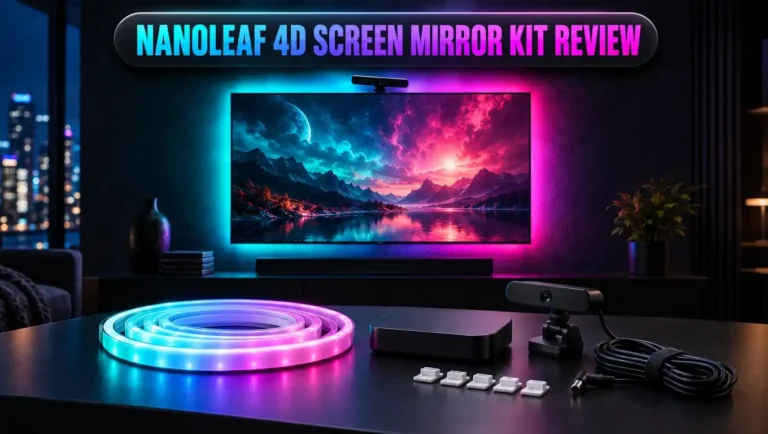
The Nanoleaf 4D also uses a camera to read your screen. It offers several mirror modes, from simple 1D to full 4D effects. It supports Matter and works with major smart home platforms.
Setup is quick, and the price sits well below the Hue bundle. It is a great pick for people who already use Nanoleaf panels.
Philips Hue Play Gradient PC Lightstrip

- WHAT'S IN THE BOX - Includes one White and Color Ambiance PC smart led light strip made for 24-27" PC...
- REQUIRES A HUE BRIDGE - Unlock the power of Hue and enjoy automations control from anywhere in the world...
- MILLIONS OF COLORS - Gradient-enabled lightstrips produce multiple colors of light at the same time...
Last update on 2026-11-01 / Affiliate links / Images from Amazon Product Advertising API
Do you game at a desk more than in the living room? Then the Hue Play Gradient PC Lightstrip fits better. It is built for 24 to 27 inch monitors.
It syncs through the free Hue Sync desktop app on your PC, so no sync box is needed. You get the same smooth gradient effect at a lower cost.
Setup and Installation
Setting up the strip takes about 20 to 30 minutes. Most people can do it without any tools.
First, clean the back of your TV. Dust stops the tape from sticking well. Then peel the backing off each bracket and press it along the top and sides of the TV. Place the brackets close to the edges so the light hits the wall evenly.
Next, slide the strip into the bracket grooves. Start at one bottom corner, run up the side, across the top, and down the other side. Then plug in the power adapter.
Now open the Hue app. Tap to add a new light, and the app finds the strip through your Hue Bridge. You can control it right away like any other Hue light.
For TV sync, you have two paths. With the HDMI Sync Box, plug your streaming stick, console, or cable box into the box. Then run one HDMI cable from the box to your TV. With the Hue Sync TV app, you just install the app on a supported Samsung or LG TV.
After that, you create an entertainment area in the Hue app. This tells the system where each light sits in your room. If you own other Hue bulbs, you can add them to the area too.
The process is friendly overall. The only tricky part is picking the right strip size. A strip that is too long will bunch at the corners, so measure first.
How TV Sync Works
The lightstrip cannot see your TV by itself. It needs a helper to read the picture. Philips gives you two main options.
The first is the Hue Play HDMI Sync Box. It sits between your devices and your TV. All video passes through it, so it knows exactly what is on screen. It then tells the lights which colors to show. The original box has four HDMI inputs and supports 4K, Dolby Vision, HDR10+, and Dolby Atmos. The newer 8K box adds HDMI 2.1 support for higher refresh rates.
There is one big catch with the sync box. It only works with content that comes in through HDMI. Built in smart TV apps and antenna channels skip the box, so the lights will not sync with them. If you stream on a Roku, Apple TV, Fire TV, or game console, you are fine.
The second option is the Hue Sync TV app. It runs on supported Samsung and LG TVs. It reads the screen directly, so it works with built in apps too. The app costs $129.99 one time or $2.99 per month.
For many buyers, the TV app is now the smarter and cheaper path. It removes the extra box and the HDMI limit.
Both methods need a Hue Bridge. The bridge links the sync source to your lights and keeps everything fast and stable.
Sync Performance in Movies, Games, and Music
This is where the Hue Play Gradient Lightstrip shines. With the sync box, lag is so low that you will not notice it. Colors change at the same moment the picture changes.
The Hue Sync app gives you three modes: video, game, and music. You can also set the intensity to subtle, moderate, high, or extreme. A brightness slider sits right on the main screen.
For movies, moderate intensity works best. Transitions are soft and gentle. The light pulls you into the scene without stealing focus from the film. Many reviewers say it also eases eye strain during dark scenes.
For gaming, switch to game mode and pick high or extreme intensity. Explosions flash across the wall. Green fields wash the room in soft green. This mode is where the strip feels most fun.
For music, the lights pulse with the beat instead of copying the screen. Beat matching is tight and accurate. It turns your living room into a small party space in seconds.
Cartoons and nature shows look especially good. Bright, bold colors bleed onto the wall in a way that feels magical.
Camera based kits often lag a little behind fast scenes. The Hue system rarely does. If quick, precise sync matters to you, Hue is the clear leader.
Brightness and Color Quality
The strip is bright. It puts out 1,100 lumens at 4000K and about 1,020 lumens at 2700K. That is close to a 75 watt bulb, spread out in a long ring.
This brightness means the strip doubles as a real room light. Many owners leave it on even when the TV is off. You can set warm white for evenings or cool white for daytime.
Color quality is a key reason people pick Hue. The strip has a color rendering index above 80. Colors look rich, deep, and accurate. Reds stay red, and blues stay blue, without odd tints.
The gradient blend is smooth. You do not see sharp lines between zones. Instead, one color fades softly into the next. This is what makes the effect look natural on the wall.
Brightness works well in both dark and lit rooms. In a dark room, keep the brightness low so the glow does not overpower the screen. In a bright room, push it higher for a stronger effect.
One tip helps a lot. Keep a gap of about 4 to 8 inches between your TV and the wall. This gives the light room to spread. Wall mounted TVs that sit flat against the wall show a tighter glow.
Overall, brightness and color are top class. Few TV backlights match Hue in this area.
Hue App and Smart Home Features
The Hue app is one of the best smart lighting apps out there. It is clean, fast, and easy to learn.
You can pick colors, set scenes, and adjust brightness in seconds. The gradient feature lets you choose up to five colors for the strip. The app then blends them across the strip for you.
Hue also offers dynamic scenes. These slowly shift colors over time, like a sunset or a calm ocean. They make great background light for a cozy evening.
You can set schedules and timers too. For example, the strip can fade on at sunset or turn off at bedtime. Automations make the strip feel like part of your home, not just a TV gadget.
Voice control works with Alexa, Google Assistant, and Siri. Matter support through the Hue Bridge adds even more options. You can say “turn the TV lights blue” and it happens.
There is one small annoyance. Older setups needed both the Hue app and a separate Hue Sync app. Some users found switching between them clunky. Philips has since moved more sync controls into the main Hue app, which helps.
If you already use Hue bulbs, the strip slots right into your rooms and scenes. That smooth fit is a big reason Hue owners love this product.
Price and Total Cost
Here is the honest truth. The Hue Play Gradient Lightstrip is expensive. At full price, it costs about $250 for the 55 inch, $270 for the 65 inch, and $300 for the 75 inch model.
Then add the extras. The Hue Bridge costs around $60. The original HDMI Sync Box costs about $250, and the 8K version costs around $350. All together, a new user can spend $600 or more.
That is more than many decent TVs cost. It puts this lightstrip firmly in luxury territory.
There are ways to save. The Hue Sync TV app costs $129.99 one time on supported Samsung and LG TVs. That replaces the sync box and cuts the total by a good amount.
Sales also help. The strip often drops in price at big retailers, and some sizes sell for well under full price on clearance. Bundles that pair the strip with the sync box can save money too.
Compare this to camera kits. Govee and Nanoleaf options often cost a third of the Hue bundle. They are less polished but cover the basics.
So is it worth the money? If you already own Hue gear, the value is strong. If you start from zero, think carefully about how much you will use it.
Pros and Cons
Every product has strengths and weak spots. Here is a clear breakdown to help you decide.
Pros
- Smooth gradient effect: The strip shows many colors at once, and they blend naturally across the wall for a true surround light feel.
- Near zero lag: With the sync box or TV app, colors match the screen almost instantly, which makes gaming and action movies feel exciting.
- Bright output: At 1,100 lumens, the strip works as a real room light even when the TV is off.
- Accurate colors: Hue colors look rich and true, with smooth fades between zones and no odd tints.
- Great smart home support: It works with Alexa, Google Home, Apple Home, SmartThings, and Matter through the bridge.
- Clean, hidden design: The strip sits out of sight behind the TV, and the brackets keep it neat and secure.
- Works with other Hue lights: You can add Hue bulbs around your room to extend the effect.
Cons
- High total cost: The strip, bridge, and sync box together can pass $600, which is far more than rivals.
- Extra gear required: TV sync does not work without a Hue Bridge plus a sync box or the paid TV app.
- HDMI limit with sync box: Built in smart TV apps and antenna TV do not sync through the HDMI box.
- No bottom edge light: The strip covers only three sides of the screen.
- Cannot cut or extend: You must buy the exact size for your TV.
Weigh these points against your budget and your current setup. For many buyers, the pros clearly win.
Who Should Buy It
The Philips Hue Play Gradient Lightstrip is not for everyone. But for the right person, it is a joy to own.
Hue owners are the best fit. You already have the bridge, the app, and maybe some bulbs. The strip adds a whole new layer to your setup at a smaller extra cost.
Gamers will love it too. Low lag and bold game mode effects make every match feel bigger. Pair it with a console through the sync box, and the room reacts to every explosion.
Movie fans with a dedicated media room get great value. The soft glow reduces eye strain and makes films feel more cinematic.
Samsung and LG TV owners should look at the Hue Sync TV app. It skips the sync box and works with built in apps. This makes the strip a much better deal.
Now, who should skip it? Budget shoppers will find better value in Govee or Nanoleaf camera kits. People who stream mostly through smart TV apps on unsupported brands should also pass, since the sync box will not help them.
Renters with wall mounted TVs flat against the wall may also see a weaker effect. A small gap behind the TV makes a big difference.
Think about how you watch TV, and the choice becomes clear.
Final Verdict
The Philips Hue Play Gradient Lightstrip is the best TV backlight we can recommend for quality. It looks great, syncs fast, and fits neatly into a smart home.

- WHAT’S IN THE BOX: Includes one White and Color Ambiance 65" TV smart led light strip with mounting...
- REQUIRES A HUE BRIDGE AND SYNC BOX: In order to have your TV light strip sync with movies, music or...
- MILLION OF COLORS: The White and Color Ambiance range offers both warm-to-cool white and millions of LED...
Last update on 2026-11-02 / Affiliate links / Images from Amazon Product Advertising API
The gradient effect is the star. Colors flow off the screen and fill the wall in a way that feels natural and fun. Movies feel bigger, games feel wilder, and music turns the room into a light show.
Brightness and color accuracy are top class. The strip even works as a stylish room light when the TV is off. Build quality matches the premium Hue name.
The downsides are real, though. The full setup costs a lot. The HDMI sync box skips built in TV apps. And the strip needs a bridge to do its best work.
So here is our advice. If you own Hue lights or a supported Samsung or LG TV, buy it. You will get a polished, reliable, and very fun upgrade.
If you start from scratch on a tight budget, look at the Govee T2 or Nanoleaf 4D first. They give you most of the magic for much less money.
Either way, once you try TV backlighting, a dark wall will never look the same again.
FAQs
Do I need a Hue Bridge for the Philips Hue Play Gradient Lightstrip?
Yes, for TV sync. Basic control may work without it, but syncing with your screen needs the Hue Bridge plus a sync box or the Hue Sync TV app.
Does the lightstrip work with built in smart TV apps?
Not with the HDMI Sync Box. The box only reads HDMI sources. The Hue Sync TV app on supported Samsung and LG TVs does work with built in apps.
Can I cut the Hue Play Gradient Lightstrip to fit my TV?
No. The strip cannot be cut or extended. Buy the size that matches your TV: 55, 65, or 75 inch.
How bright is the Hue Play Gradient Lightstrip?
It puts out 1,100 lumens at 4000K. That is bright enough to light a room on its own.
Does the strip cover the bottom of the TV?
No. It covers the top and both sides only. Most viewers do not miss the bottom glow.
How much does the Hue Sync TV app cost?
It costs $129.99 one time or $2.99 per month. It works on supported Samsung and LG TVs.
Can I use the strip as a normal light?
Yes. You can set any color or white tone in the Hue app. Many owners use it as a cozy room light every day.
Is the Hue Play Gradient Lightstrip good for gaming?
Absolutely. Game mode gives fast, bold effects with almost no lag, which makes gaming feel far more immersive.

DK is the founder and lead writer at Smart Lighting Finds, where he helps readers discover the best lighting products through honest, hands-on reviews and in-depth comparisons. With a deep passion for home improvement and smart technology, DK is dedicated to making every lighting decision easier and brighter for his readers.