Govee AI Sync Box 2 Review: HDMI 2.1 TV Light Kit Worth It?
Your TV shows bright explosions, sunsets, and neon city streets. The wall behind it stays dark and boring. That gap feels small until you see a good sync light kit at work. Then you can’t stop seeing it.
The Govee AI Sync Box 2 fixes that gap. It reads the HDMI signal directly and paints matching colors on your wall. It does this without a camera, so you get no fish eye issues and no lens sticking out above your screen.
In this review, we cover setup, gaming performance, color accuracy, the app, and value. We also compare it with top rivals. By the end, you will know if this box belongs in your living room.
In a Nutshell
- HDMI 2.1 support: The Govee AI Sync Box 2 passes through 8K at 60Hz and 4K at 144Hz. Your PS5, Xbox Series X, or gaming PC keeps full quality while the lights sync.
- Four inputs in one box: You get four HDMI 2.1 inputs and one eARC output. The box also works as a full HDMI switch for consoles and streaming sticks.
- Complete kit: The package includes an LED strip, two light bars, a power adapter, and HDMI cables. You don’t need to buy anything extra to get started.
- Better LEDs: The RGBWIC strip packs 75 LEDs per meter with separate white chips. Whites look clean, and colors look rich instead of washed out.
- Gaming friendly: It supports VRR, ALLM, FreeSync, and G Sync. AI CogniGlow adds special effects in games like Fortnite and Valorant.
- Some flaws remain: The box does not switch inputs automatically. The app needs the cloud, and connections can drop now and then.
What Is the Govee AI Sync Box 2?

- Latest HDMI 2.1 Interface: Govee AI Sync Box 2 adopts the latest HDMI 2.1 interface for data...
- Unique CogniGlow Technology: Govee Sync Box uses AI to automatically recognize images and text...
- RGBWIC Four-Color Mixing: An RGBWIC LED light strip ensures purer white light and accurate color blending...
Last update on 2026-11-01 / Affiliate links / Images from Amazon Product Advertising API
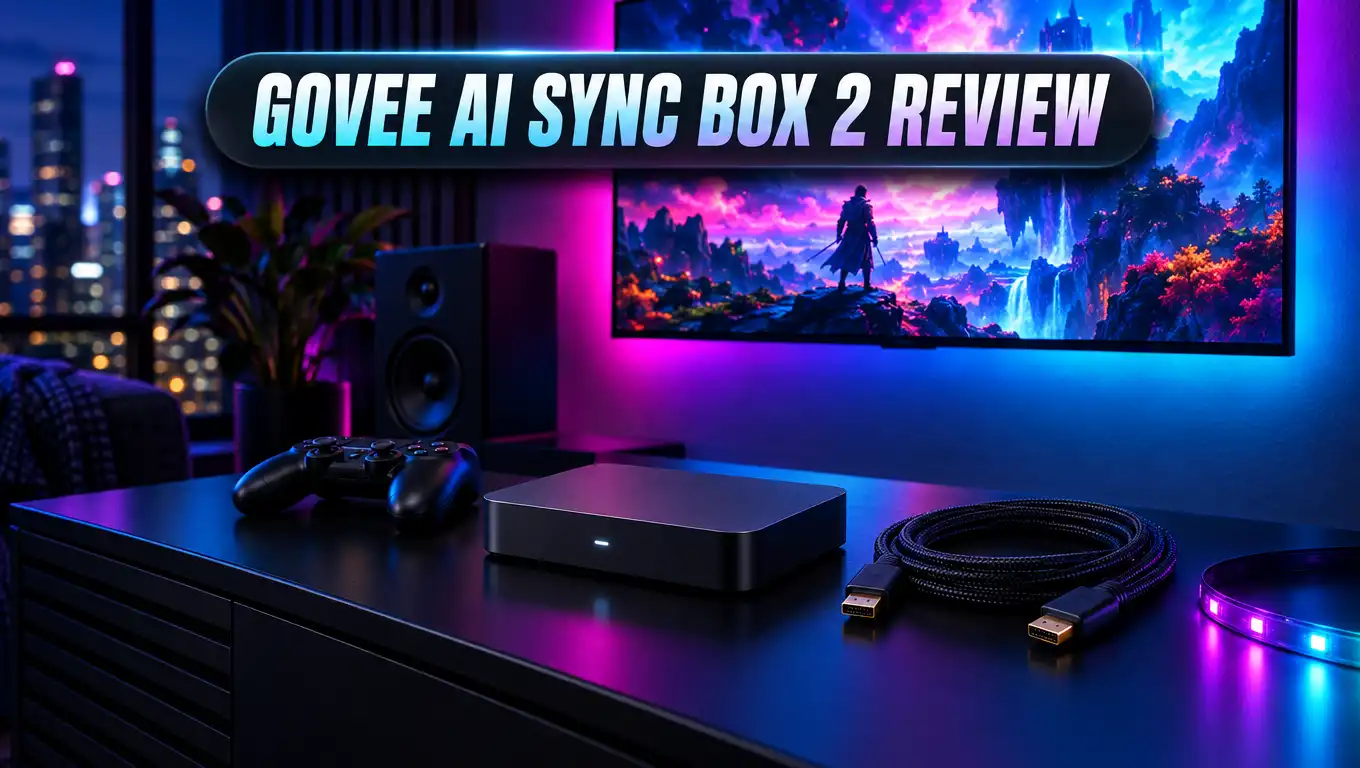
The Govee AI Sync Box 2 is an HDMI sync hub for TV backlighting. You plug your devices into the box, and the box sends the picture to your TV. As the picture passes through, it reads the colors on screen.
The box then sends those colors to LED strips behind your TV. The lights match the edges of your picture in real time. This creates a soft glow that makes your screen feel bigger and more immersive.
Most cheap TV backlights use a small camera. The camera sits on top of your TV and films the screen. That method works, but it struggles with glare, dark scenes, and odd angles.
The Sync Box 2 skips the camera completely. It reads the raw video signal instead. This gives more accurate colors and a much cleaner look on your TV.
This is the second version of the box. The first model got criticism for weak refresh rate support. It also struggled with HDR content and brightness.
Govee listened to that feedback. The new model adds HDMI 2.1, 4K at 144Hz, VRR, and better HDR handling. These upgrades make it a real option for serious gamers and movie fans.
The kit comes in two sizes. One fits 55 to 65 inch TVs, and the other fits 75 to 85 inch TVs. Pick the right size, since the strip is built for a specific screen range.
What Comes in the Box
Govee packs a lot into this kit. You get almost everything you need right away. That feels great at this price.
Here is what you will find inside the box. You get the main sync hub, a flexible RGBWIC LED strip, and two light bars. You also get a power adapter, HDMI cables, mounting clips, and a quick start guide.
The two light bars are a nice bonus. You can stand them on either side of your TV. They spread the glow wider across your room and add depth to the effect.
The LED strip uses a sticky backing. It goes around the back edge of your TV. The mounting clips help hold corners and tight bends in place.
The HDMI cables are a smart touch. Many brands make you buy your own HDMI 2.1 cables. Govee includes good quality ones, so you can connect devices on day one.
The 55 to 65 inch strip measures about 3.6 meters. It delivers around 450 lumens per meter. That is bright enough for a strong glow even in a lit room.
Compare this with the Philips Hue setup. Philips sells its box alone, and you buy lights separately. Govee gives you the full package in one purchase, which saves money and hassle.
One small note: the strip length is fixed for your TV size. Measure your TV before you order. A strip that is too short or too long will not look right.
Design and Build Quality
The sync hub looks sleek and modern. It has a black body with a small light strip across the middle. It sits nicely next to a console or soundbar.
The hub measures about 20 by 11 by 3 centimeters. It is larger than the first model. That extra size makes room for four HDMI 2.1 ports and better internal processing.
The ports sit on the back of the box. You get four inputs, one output to your TV, and an eARC port. The layout is clean, and the labels are easy to read.
Build quality feels solid in the hand. The plastic does not feel cheap or hollow. The box stays cool during long gaming sessions as well.
The LED strip is thin and flexible. It bends around the corners of most TVs without trouble. The white LEDs sit between the color chips for more accurate tones.
The two light bars have a slim tower design. They look modern and don’t steal attention. When they light up, they blend into the glow from the TV strip.
There are physical buttons on the hub. You can use them to switch inputs or change modes. This helps when your phone is out of reach.
The box is rated IP20. That means it is for indoor use only. Keep it away from water and damp spaces.
Overall, the design is a step up from the first generation. It looks premium enough for a nice living room. It doesn’t scream gamer gear, which many people will like.
Top 3 Alternative for Govee AI Sync Box 2
The Govee AI Sync Box 2 is a strong pick. Still, it may not suit every budget or setup. Here are three good alternatives worth a look.

- WHAT'S IN THE BOX - Includes one Hue Play HDMI Sync Box 8K, perfect for an immersive media experience...
- REQUIRES A HUE BRIDGE - Unlock the power of Hue and enjoy automations control from anywhere in the world...
- HDMI 2.1 CERTIFIED FOR THE HIGHEST QUALITY CONTENT - With an ultra-fast refresh rate, you can sync your...
Last update on 2026-11-01 / Affiliate links / Images from Amazon Product Advertising API
Philips Hue Play HDMI Sync Box 8K with Gradient Lightstrip is the premium rival. It supports 8K at 60Hz and 4K at 120Hz. It also works with the huge Hue ecosystem of smart lights.
The catch is the price. You also need a Hue Bridge for full control. This bundle suits people who already own Hue bulbs and want everything in one system.

- Govee Patented Envisual Technology: Upgraded dual cameras provide more accurate color-matching along the...
- Unlimited TV Content Compatibility: Govee TV LED backlights adjust in real time to TV content playing on...
- DreamView Light Show: The DreamView feature takes the TV LED lights to new heights of personalization...
Last update on 2026-11-01 / Affiliate links / Images from Amazon Product Advertising API
Govee Envisual TV LED Backlight T2 uses dual cameras instead of an HDMI box. It works with any content, including built in smart TV apps. That is a big plus if you stream on your TV directly.
The dual cameras give better color matching than single camera kits. It also costs much less than the Sync Box 2. It is a good choice for casual viewers on a budget.

- 【TV LED Backlight】Enhance your home theater or gaming setup with this Nanoleaf 4D TV backlight...
- 【Versatile Compatibility】This LED TV backlight is compatible with TVs and monitors up to 85 inches...
- 【Sync+ Light Show】Sync+ is a feature of Nanoleaf TV Backlights that allows you to virtually connect...
Last update on 2026-11-01 / Affiliate links / Images from Amazon Product Advertising API
Nanoleaf 4D TV Backlight is another camera based option. It offers smooth color mirroring and several sync modes. It fits well in homes that already use Nanoleaf panels.
Nanoleaf also supports Matter and Thread. That makes it easy to add to most smart home setups. It costs less than both HDMI options while still giving a fun effect.
Setup and Installation Experience
Setup is simple for most people. Plan for about 30 to 45 minutes. Most of that time goes to sticking the LED strip on your TV.
First, clean the back of your TV with a dry cloth. Dust can weaken the sticky backing. A clean surface helps the strip stay put for years.
Next, stick the strip around the back edge of the screen. Start at one corner and work your way around. Use the clips at the corners to keep the strip neat.
Then place the two light bars beside your TV. Connect them to the hub with the included cables. Keep the cables tidy to avoid a messy look.
Now plug your devices into the hub’s HDMI inputs. Run one HDMI cable from the hub to your TV. If you use a soundbar, connect it to the eARC port.
Finally, open the Govee Home app on your phone. The app needs Bluetooth and 2.4 GHz WiFi to find the box. Follow the steps to set your TV size and light layout.
The app walks you through color calibration. This step matters a lot. A good calibration makes the lights match your screen edges much better.
Larger TVs can make cable management harder. Plan your strip path before you peel the backing. A few minutes of planning saves a lot of frustration later.
One tip: test everything before you mount the strip for good. Make sure the lights work and the layout looks right. Then press the strip firmly in place.
HDMI 2.1 Performance and Gaming Features
This is where the Sync Box 2 shines brightest. It supports 4K at 144Hz and 8K at 60Hz. Your games keep their full smoothness while the lights run.
The first model was stuck at lower refresh rates. That was a real problem for PS5 and Xbox Series X owners. Both consoles can run games above 60 frames per second in 4K.
The new box fixes this issue. It also supports VRR, ALLM, FreeSync, and G Sync. These features cut screen tearing and lower input lag.
ALLM is especially handy. It tells your TV to switch to game mode automatically. You get low lag without digging through TV menus.
Gamers and reviewers report that VRR, 4K, and 120Hz work well through the box. HDR passthrough also works with HDR10+ content. Picture quality stays sharp and clean.
The box handles four devices at once. You can connect a PS5, an Xbox, a gaming PC, and a streaming stick. It acts as a quality HDMI 2.1 switch on its own.
There is one downside for PC gamers. The box has no DisplayPort input. You will need an HDMI connection from your graphics card.
Light timing is quick in most games. In very fast shooters, the lights can lag a tiny bit behind the screen. Most players will never notice this in normal play.
For console gamers, this box is a big upgrade. It brings ambient lighting without giving up next gen features. That balance is hard to find at this price.
Lighting Quality and Color Accuracy
Lighting quality is the heart of any sync kit. The Govee AI Sync Box 2 does a great job here. Colors look vivid, and the glow feels natural.
The strip uses RGBWIC LEDs with dedicated white chips. Older RGB strips mix red, green, and blue to fake white. That often looks bluish or pink.
With real white LEDs, whites look clean and neutral. Snowy scenes look crisp. Bright daytime shots feel more true to life.
The density of 75 LEDs per meter helps too. More LEDs mean smoother color blends along the strip. You see fewer hard edges between color zones.
HDR content looks much better than on the first model. Dark scenes keep their mood, and bright scenes pop. The color matching feels more accurate across the board.
Testers saw great results in games like Diablo IV. Warm forge fires glowed orange on the wall. Cold snowy areas filled the room with soft blue light.
HDR can sometimes need manual tweaks. You may need to adjust brightness or saturation in the app. Once set, the results stay consistent.
The light bars add an extra layer of depth. They spread color across a wider area of your wall. This makes the whole room feel part of the scene.
You can also pick different sync modes. Some modes are calm and subtle for movies. Others are bold and fast for gaming. Try a few to find your favorite.
AI CogniGlow and Game Effects
Govee calls its smart feature AI CogniGlow. It uses AI to read images and text on your screen. It then triggers special light effects for key moments.
Think of it like a light show for your game. When you score a kill, the lights may flash. When your health drops, the room might pulse red.
CogniGlow supports a list of popular games. These include Fortnite, League of Legends, Valorant, and PUBG. It also works with Final Fantasy 7 Rebirth and Mario Kart 8 Deluxe.
Other supported titles include Super Smash Bros. Ultimate and Sekiro. Govee adds more games through updates over time. Check the app for the current game list.
The effects add real fun to gameplay. They make big moments feel more exciting. Friends watching your screen will notice the difference right away.
The feature still has room to grow. Sometimes the AI misses a trigger or reacts late. It feels like a strong start rather than a finished feature.
You can turn CogniGlow off if you prefer. Standard sync mode works for all content, including unsupported games. Many people switch between both modes.
CogniGlow is a nice extra, not the main reason to buy. The core sync performance is the real star. Still, it gives this box a fun edge over rivals.
The box also supports DreamView. This lets you sync up to 10 more Govee lights. Your floor lamps and light bars can all join the show together.
Govee Home App and Smart Home Support
You control everything through the Govee Home app. It handles setup, modes, colors, and brightness. The app also lets you switch HDMI inputs.
The app has many options. That is good for people who love to tweak settings. New users may feel a bit overwhelmed at first.
Some users report connection drops. The app may lose contact with the box randomly. A quick restart of the app or hub usually fixes it.
There is another drawback. The box needs the cloud for app features. Without internet, you lose most app controls. This annoys people who want local control.
The biggest complaint is input switching. The box does not switch inputs automatically. You must change inputs through the app or the hub buttons.
This sounds minor, but it adds up. Imagine turning on your PS5 and seeing your streaming stick instead. You then need to grab your phone and switch.
On the bright side, smart home support is wide. The box works with Amazon Alexa and Google Assistant. You can turn lights on or change modes with your voice.
It also supports Matter and Samsung SmartThings. Matter makes it easy to add to most modern smart home systems. You can include it in routines and scenes.
HDMI CEC also works with the box. Your TV remote can control some connected devices. This keeps your coffee table less cluttered.
Overall, the app is powerful but not perfect. Govee keeps pushing firmware updates. Many small issues may improve over time.
Govee AI Sync Box 2 vs Philips Hue Sync Box 8K
This is the big matchup. Both boxes use HDMI to read your screen. Both support HDMI 2.1 and high end gaming features.
Let’s start with refresh rates. Govee supports 4K at 144Hz. Philips supports 4K at 120Hz. For most consoles, 120Hz is enough, but PC gamers may like the extra headroom.
Price is the biggest difference. The Philips box costs around $385 on its own. You still need lights and a Hue Bridge on top of that.
The Govee kit costs around $260 with lights included. You save a lot of money with Govee. That gap grows even wider once you add Hue lights.
Philips wins on ecosystem. Hue has a huge range of bulbs, lamps, and strips. If your home already runs on Hue, the Philips box fits right in.
Philips also has a more polished app. It feels cleaner and more stable. Govee’s app offers more features but feels busier.
Govee wins on gaming extras. AI CogniGlow gives special effects for supported games. Philips does not offer anything similar.
Both boxes share one weakness. They only sync HDMI sources. Apps built into your smart TV will not sync with either box.
Here is the simple takeaway. Choose Philips if you love Hue and don’t mind spending more. Choose Govee if you want the best value and strong gaming support.
Price and Value for Money
The Govee AI Sync Box Kit 2 sells for about $260 for the 55 to 65 inch kit. The larger 75 to 85 inch kit costs a bit more. Sales and deals often drop the price further.
That is not cheap. Still, you get a lot for your money. Let’s break down the value.
First, you get a full HDMI 2.1 switch with four inputs. A good HDMI 2.1 switch alone can cost $50 to $100. That adds real value to the kit.
Second, you get a bright RGBWIC LED strip and two light bars. Buying similar lights separately would cost a good amount. Govee bundles them all together.
Third, you get HDMI cables in the box. You don’t need to spend extra on new cables. That small detail saves money and time.
Compare this with Philips. You would pay about twice as much for a similar setup. That includes the box, a lightstrip, and a Hue Bridge.
Camera kits cost less, of course. The Govee Envisual T2 sells for much less. But camera kits can’t match the color accuracy of an HDMI box.
For gamers with modern consoles, the value is strong. You get full 4K at 144Hz passthrough, which many cheap options lack. That alone justifies much of the price.
If you only watch shows on built in TV apps, think twice. The box will not sync those apps. A camera kit may serve you better and cost less.
Pros and Cons
Every product has strengths and weaknesses. The Govee AI Sync Box 2 is no exception. Here is a clear look at both sides.
Pros
- Full HDMI 2.1 support lets you enjoy 4K at 144Hz and 8K at 60Hz without losing quality while the lights sync.
- Four HDMI inputs turn the box into a handy switch for consoles, PCs, and streaming devices.
- Complete kit includes the LED strip, two light bars, and HDMI cables, so you don’t need to buy extras.
- RGBWIC LEDs with real white chips give cleaner whites and richer colors than basic RGB strips.
- Gaming features like VRR, ALLM, FreeSync, and G Sync keep gameplay smooth with low lag.
- AI CogniGlow adds fun light effects in popular games like Fortnite and Valorant.
- Wide smart home support covers Alexa, Google Assistant, Matter, and SmartThings.
- Great value compared to the Philips Hue Sync Box 8K and its add on lights.
Cons
- No automatic input switching, so you must change sources by app or button each time.
- Cloud required for app features, which means you lose control without internet access.
- Occasional app drops can force you to restart the app or the hub.
- No DisplayPort input, which may disappoint some PC gamers.
- Doesn’t sync built in TV apps, since it only reads HDMI sources.
- HDR may need manual tweaks to get the best results.
Who Should Buy the Govee AI Sync Box 2?
This box is not for everyone. But for the right person, it feels like a dream upgrade. Let’s look at who benefits most.
Console gamers are the top audience. If you own a PS5 or Xbox Series X, this box fits perfectly. You keep 4K at 120Hz or higher while enjoying synced lights.
PC gamers who connect over HDMI will also love it. The 144Hz support gives plenty of headroom. Just remember there is no DisplayPort input.
Movie fans with streaming sticks are a good match too. Devices like Apple TV, Fire TV, or Roku plug right into the box. Movies feel more cinematic with the glow behind the screen.
People with many HDMI devices will enjoy the four inputs. The box replaces a separate HDMI switch. That keeps your setup cleaner.
Govee fans gain extra value. With DreamView, the box syncs up to 10 other Govee lights. Your whole room can join the action.
Now, who should skip it? If you mainly use smart TV apps, this box won’t help. It can’t see content from apps built into your TV.
People who hate apps and cloud services may feel frustrated. The box depends on the Govee Home app for most settings. Local control is very limited.
Deep Hue fans may also prefer Philips. Mixing ecosystems can feel messy. Sticking with one brand keeps things simple.
Final Verdict
The Govee AI Sync Box 2 is a big step up from the first model. It fixes the biggest problems gamers had. It also delivers a complete kit at a fair price.
HDMI 2.1 support is the headline feature. You get 4K at 144Hz, 8K at 60Hz, VRR, and ALLM. Your games stay smooth and sharp while the room glows around you.
Lighting quality is excellent. The RGBWIC strip shows clean whites and rich colors. The two light bars stretch the effect across your wall.
AI CogniGlow adds a fun twist. It still needs polish, but it makes gaming more exciting. No major rival offers the same feature.
The software holds it back a little. The lack of automatic input switching is the most annoying flaw. Cloud dependence and connection drops also hurt the experience.
Still, the positives win by a wide margin. For the price, no other HDMI sync kit offers this much. Philips costs far more for a similar result.
Our verdict is simple. If you game on modern consoles or use HDMI streaming devices, buy it. It turns your TV into a true centerpiece.
If you rely on smart TV apps, look at a camera kit instead. The Govee Envisual T2 or Nanoleaf 4D will serve you better. Both cost less and sync all content.
FAQs
Does the Govee AI Sync Box 2 work with smart TV apps?
No, it does not. The box only syncs content from HDMI devices plugged into it. Apps built into your TV, like Netflix on the TV itself, will not sync.
Does the Govee AI Sync Box 2 support 4K at 120Hz for PS5 and Xbox?
Yes, it does. The box supports up to 4K at 144Hz. It also supports VRR and ALLM for smooth, low lag gaming on both consoles.
Does the Govee AI Sync Box 2 switch HDMI inputs automatically?
No, it doesn’t. You must switch inputs through the Govee Home app or the buttons on the hub. Many users hope Govee adds auto switching in a future update.
Can I use the Govee AI Sync Box 2 with a soundbar?
Yes, you can. The box has an eARC port for audio. Connect your soundbar to this port for high quality sound.
Does the Govee AI Sync Box 2 need WiFi to work?
The box needs 2.4 GHz WiFi and Bluetooth for setup and app control. App settings rely on the cloud. Without internet, you lose most app features.
What TV sizes does the Govee AI Sync Box 2 fit?
Govee sells two versions. One fits 55 to 65 inch TVs, and the other fits 75 to 85 inch TVs. Measure your TV before you buy.
Does the Govee AI Sync Box 2 work with Alexa and Google Assistant?
Yes, it works with both. It also supports Matter and Samsung SmartThings. You can control your lights with voice commands and smart home routines.
Is the Govee AI Sync Box 2 better than the Philips Hue Sync Box 8K?
It depends on your needs. Govee offers better value, a higher refresh rate, and lights in the box. Philips offers a more polished app and the large Hue ecosystem.

DK is the founder and lead writer at Smart Lighting Finds, where he helps readers discover the best lighting products through honest, hands-on reviews and in-depth comparisons. With a deep passion for home improvement and smart technology, DK is dedicated to making every lighting decision easier and brighter for his readers.