Govee Floor Lamp Pro Review: Bright RGBICWW Worth Trying?
Smart lamps usually promise a lot and deliver very little. The Govee Floor Lamp Pro feels different the moment you switch it on. It throws 2100 lumens across your wall, plays your music through a speaker hidden in the base, and even hums rain sounds while you fall asleep.
I spent weeks living with this lamp in a corner of my living room. It replaced two separate gadgets on my shelf. That alone made me curious enough to dig deeper.
This review covers the real brightness, the color quality, the speaker, the app, the setup, and the parts Govee got wrong. By the end, you will know if this lamp deserves a corner in your home or not.
In a Nutshell
Here is the short version for readers who want answers fast.
- Brightness is the headline feature. The Govee Floor Lamp Pro (model H6079) pushes 2100 lumens at 6500K, which is genuinely bright enough to light a medium room on its own. The older Lyra model managed far less.
- The RGBICWW strip handles both color and white light well. You get 16 million colors, segmented control across multiple zones, and a white range from 2200K to 6500K. Warm whites look warm, not pink.
- The Bluetooth speaker is a fun bonus, not a reason to buy. It gets loud and sounds clear at low volume. Push it hard and the audio distorts. Treat it as a background speaker.
- 29 white noise scenes make it a sleep tool. Rain, rivers, forests, and nature sounds pair with matching light effects. My kid now falls asleep to the thunderstorm scene.
- 81+ scene modes plus DIY options give real variety. Music modes react through the lamp microphone or your phone microphone. The 300 degree rotating pole lets you aim light where you want it.
- The price is the main weakness. It launched near $199.99 and often sells closer to $139.99. Matter support was missing at launch, which bothers Apple Home users.
Govee Floor Lamp Pro

- Benchmark Lighting Experience: Govee floor lamp pro contains a denser distribution of lamp beads...
- High Brightness: With 162 RGB LEDs for brilliant colors and 162 white light LEDs for 2200k-6500k whites...
- Upgraded Music Sync: Play music from this LED floor lamp built-in bluetooth speaker and sync lighting to...
Last update on 2026-11-02 / Affiliate links / Images from Amazon Product Advertising API
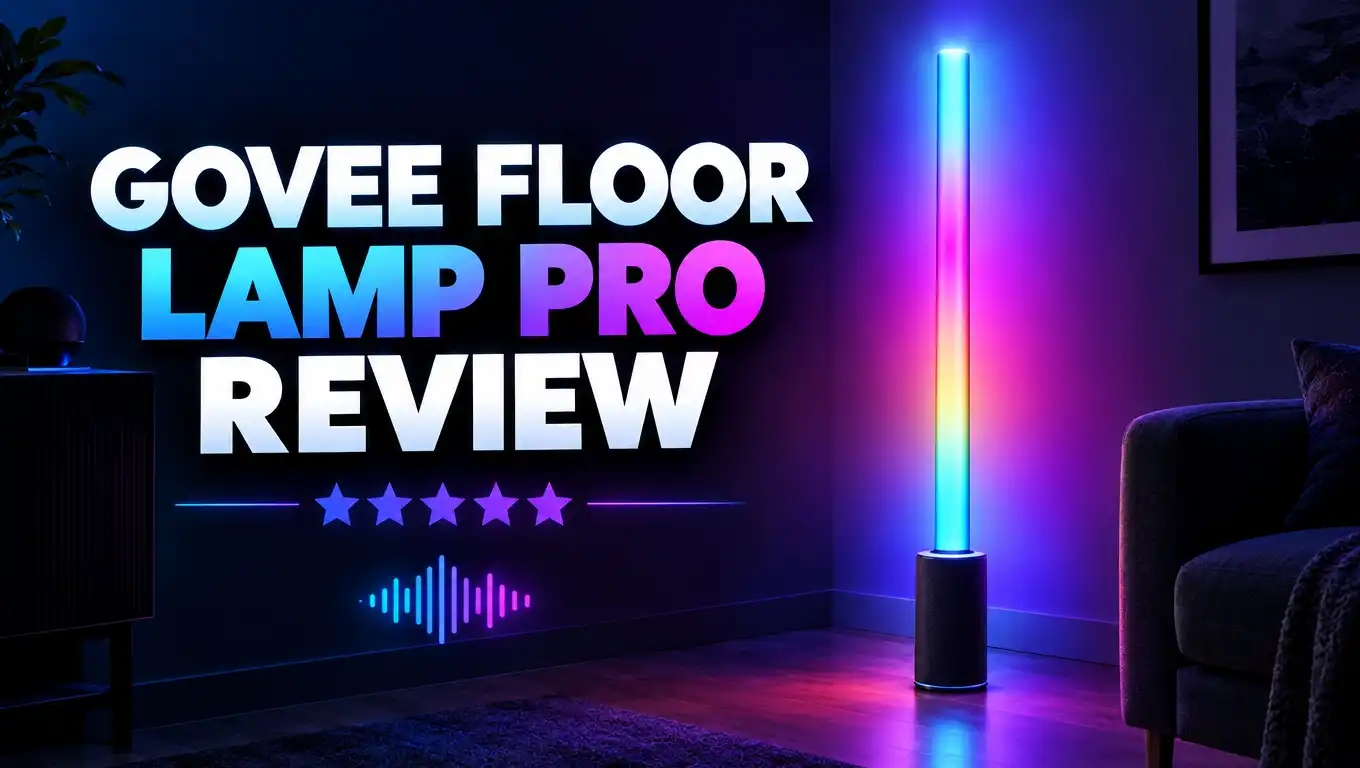
The Govee Floor Lamp Pro is a tall corner lamp that paints light onto your walls instead of pointing it at your face. It stands 66.9 inches tall and measures roughly 5.39 inches square at the base.
The light source is an LED strip wrapped in silicone. That silicone acts as a diffuser, so you never see harsh dots. The strip snaps into an anodized aluminum tube, which keeps the whole thing rigid.
What makes the Pro version special is the base. Govee wrapped it in fabric, added LEDs inside it, and dropped a Bluetooth speaker into the same housing. The base glows independently from the main pole.
Power comes through a 12 volt adapter, and the lamp draws up to 60W at full output. Connectivity runs on 2.4GHz WiFi plus Bluetooth, so you get app control from anywhere once it joins your network.
A small magnetic remote ships in the box and clips onto the metal section of the pole. It handles power, brightness, and scene cycling without your phone.
The lamp sells in black and gray fabric finishes. Both look clean next to a sofa, a desk, or a TV stand. Nothing about the design screams gamer gear, which I appreciate.
Govee positions this as the flagship of its floor lamp line. After weeks of use, that label holds up. The light quality sits a clear step above the cheaper Basic and Lyra models.
Design and Build Quality
The Govee Floor Lamp Pro feels sturdier than its price suggests. The aluminum tube has no flex, and the anodized coating resists fingerprints better than glossy plastic.
The fabric base is the standout design choice. It hides the speaker grille, softens the look, and stops the lamp from reading as a tech product. Govee’s cheaper Floor Lamp 2 uses glossy plastic instead, and the difference is obvious side by side.
Weight distribution works well. The base is heavy enough that a curious cat bumping into the pole will not topple it. I never had a tipping scare.
The acrylic diffuser deserves credit too. It uses high transmittance material, so colors look saturated rather than washed out. You see smooth gradients instead of visible LED pinpoints.
The pole rotates through 300 degrees. That means you can aim the light strip at a wall, a ceiling corner, or back into the room depending on your mood. This single feature solves the biggest complaint about older corner lamps, which only faced one direction.
Cable management is simple but basic. The power cord exits the base and runs along your floor with no clip or channel. A small tie would have helped.
One honest gripe: the lamp is tall. At 66.9 inches it dominates a small bedroom. Measure your corner before you order.
Overall build quality earns high marks. Materials feel premium, joints are tight, and nothing rattles when the speaker plays bass heavy tracks.
Brightness and Light Output
This is where the Pro model earns its name. 2100 lumens at 6500K puts it well ahead of most ambient smart lamps on the market.
For context, a typical 100W equivalent bulb delivers around 1600 lumens. This lamp beats that comfortably while spreading light across a wall instead of one hot spot.
The brightness is usable, not just decorative. I read a paperback in a chair six feet away with the lamp set to warm white at 70 percent. No eye strain and no squinting.
Dimming runs from 1 percent to 100 percent. The 1 percent setting is genuinely dim, which matters at night. Plenty of smart lights bottom out too bright, and this one does not.
Color temperature spans 2200K to 6500K. The low end gives you candle warmth for evenings. The top end gives you daylight white for working or cleaning.
The denser LED bead distribution is the technical reason behind the jump in output. Govee packed more nodes per strip than the older Lyra design, which improved both brightness and color blending.
Light dispersion depends heavily on your wall. A white or light gray wall reflects beautifully and fills the room. A dark navy wall swallows the glow, so expect weaker results there.
Placement matters more than specs. Push the lamp into a corner about six inches from both walls. That gap lets the light bounce and creates the wide wash effect Govee advertises in its photos.
Top 3 Alternative for Govee Floor Lamp Pro
Not everyone needs a speaker or 2100 lumens. These three alternatives cover the main reasons you might skip the Pro model.

- Upgraded Modern Design: This 60-in floor lamp body lights up a larger area, while the lighting effects of...
- Matter-Supported Smart Control: This modern floor lamp offers voice control and smart dimming...
- RGBICWW Technology and Brightness: Enjoy multi-color displays, 1725 lm brightness (higher than previous...
Last update on 2026-11-02 / Affiliate links / Images from Amazon Product Advertising API

- Dynamic RGBIC Color: Unleash your creativity with Govee RGBIC technology, you can customize each segment...
- Smart Control: Manage your LED floor lamp with simple voice commands via Alexa, Google Assistant. And...
- Sync with Music: Elevate your movie, party, gaming time or listening session with our modern floor lamps...
Last update on 2026-11-02 / Affiliate links / Images from Amazon Product Advertising API

- Tri-Zone Independent Lighting: Switch between upper ambient ripples, middle RGBIC light, 1000lm focused...
- DIY Dynamic Ripple Lighting: The floor lamp's 330° rotating lamp head casts customizable RGBWW water...
- Circadian Rhythm & Health-Centric Lighting: Mimic natural light with a color temperature ranging from...
Last update on 2026-11-02 / Affiliate links / Images from Amazon Product Advertising API
The Govee Floor Lamp 2 is the closest sibling. It delivers 1725 lumens, stands about seven inches shorter, and includes Matter support out of the box. You lose the Bluetooth speaker and the fabric base, but you save real money.
The Govee RGBIC Floor Lamp Basic suits tight spaces and small budgets. It reaches 1000 lumens at 53.7 inches tall. Think bedroom corner or desk side rather than main room lighting. It still gives you app control, voice control, and millions of colors.
The Govee Uplighter Floor Lamp takes a different approach entirely. Its 330 degree rotating head projects moving water ripple effects onto your ceiling. Coverage reaches roughly 215 square feet of wall and ceiling.
Pick the Floor Lamp 2 if you use Apple Home or want to save cash. Pick the Basic for small rooms. Pick the Uplighter if ceiling effects excite you more than wall washing.
Color Performance and RGBICWW Technology
RGBICWW sounds like alphabet soup, so here is the plain meaning. RGB covers red, green, and blue. IC means an integrated chip lets different sections show different colors at once. The two W letters stand for dedicated warm white and cool white LEDs.
That second W is the important part. Many cheap lamps fake white by mixing red, green, and blue, which produces a dull or slightly purple result. This lamp uses real white diodes, so whites look clean.
Color saturation impressed me most. Deep blues stay deep instead of fading to lavender. Reds hold their punch. Greens avoid that sickly neon tone common on budget strips.
Segmented control is the fun feature. The app lets you set up to four separate zones on the pole, plus independent control of the base. I run teal on top and amber at the bottom most evenings.
Gradient transitions look smooth thanks to the denser bead layout. You do not see the hard color boundaries that plague older strip lights.
Yellow and orange tones remain the weak point. That is a limitation of all RGB LED technology, not a Govee flaw. Pure yellow always looks slightly green on strips like this.
The base lighting adds a nice grounding effect. A soft glow under the lamp makes the whole fixture look like it floats slightly off the floor.
For parties, movies, and gaming, the color output genuinely delivers. This is the most vibrant lamp in Govee’s floor lamp lineup.
The Bluetooth Speaker in the Base
The speaker is the Pro model’s exclusive trick. Pair your phone over Bluetooth and the lamp works like any portable speaker.
Volume is not a problem. It fills a medium room easily and gets loud enough to annoy a neighbor. Clarity holds up well at low and medium levels.
Push past about 70 percent volume and things fall apart. Highs get harsh and bass turns muddy. Several owners on Reddit flagged the same issue, and my experience matched theirs.
Judge it fairly and it makes sense. This is a lamp with a speaker, not a speaker with a lamp. For podcasts, background music, and sleep sounds, it does the job.
One real limitation annoys me. You cannot pair two Floor Lamp Pros to the same device for simultaneous audio. Govee states this clearly. You can sync the lighting between two lamps, but not the sound.
The speaker also powers the music reactive lighting when you stream audio to it. The light responds to what plays rather than guessing through a microphone.
Latency between beat and flash felt tight enough for casual listening. It will not satisfy a professional, but nobody buys a lamp for studio work.
Bottom line: treat the speaker as a pleasant extra. If audio quality drives your purchase, buy a dedicated Bluetooth speaker and grab the cheaper Floor Lamp 2 instead.
White Noise Scenes and Sleep Support
This feature surprised me more than anything else. Govee built 29 white noise scenes into the app, and they pair with matching light effects.
The library covers rain, thunderstorms, flowing rivers, ocean waves, forest ambience, campfires, and gentle wind. Each one loops cleanly with no obvious seam.
The light and sound sync is what sells it. Pick the rain scene and the lamp pulses soft blue while water sounds play. Pick the campfire scene and you get flickering amber with crackling audio.
I now use the thunderstorm scene most nights. Combine it with the 1 percent brightness setting and the room feels genuinely calming.
The sleep timer makes it practical. Set the lamp to fade out over 30 minutes and it turns itself off after you drift away. No separate sound machine needed on the nightstand.
Volume control for white noise is independent from Bluetooth playback, which is a smart touch. You can set a quiet rain loop without hunting through menus.
Parents will find real value here. A nightlight, a sound machine, and a sunrise alarm replacement all live in one fixture.
The scenes are not customizable in depth. You cannot layer two sounds or upload your own audio file. That would have been a welcome addition.
Still, 29 scenes cover most needs, and the quality beats the cheap plastic sound machines sold for $30.
Scene Modes and Music Sync
Govee loads 81 plus scene modes into the app for this lamp. Names include Glacier, Sunset, Moonlit Night, Birthday, Romantic, and dozens more.
Most scenes animate. Colors shift, pulse, chase, and fade across the pole. The motion looks fluid rather than jerky.
Quality varies across the library. Maybe 20 scenes are genuinely good. Another 40 are decent. The rest feel like filler you will never touch twice.
Music modes are the crowd pleaser. The lamp reacts to sound through its built in microphone, your phone microphone, or the Bluetooth audio stream.
Microphone mode means your phone must sit nearby if you choose phone detection. The lamp microphone works independently, which I preferred for parties.
Different music modes change the reaction style. Some flash on bass hits. Others create flowing waves tied to tempo. Rhythm detection handled both hip hop and acoustic tracks accurately.
The DIY editor lets you build your own scenes from scratch. You pick colors, set the effect type, adjust speed, and choose direction. It takes five minutes to learn.
Scene sharing exists in the Govee community section. Other owners upload creations and you can import them with one tap. Some community scenes beat the official presets.
Grouping is another strength. Add other compatible Govee lights to a group and they all run the same effect together. My lamp syncs with a TV backlight for movie nights.
Govee Home App and Controls
The Govee Home app is the control hub, and it handles the basics well. Power, brightness, color, scenes, and timers all sit within two taps of the home screen.
Layout is clear. Each device gets a tile, and tapping it opens full controls. Separate tabs divide color, scene, music, and DIY sections.
Responsiveness over WiFi felt quick. Commands registered within a second during my testing, with no lag or dropped connections.
The app does push promotions. Expect banners for other Govee products and occasional notifications about sales. You can mute most of them in settings.
Account creation is required for WiFi features and remote access. Bluetooth only control works without an account, but you lose scheduling and voice control.
Automation options go reasonably deep. You can schedule on and off times, set sunrise and sunset triggers, and build routines with other Govee sensors.
The included magnetic remote covers daily use without your phone. It handles power, brightness up and down, and scene cycling. My family uses it far more than the app.
Firmware updates arrive through the app. Mine installed twice during testing with no issues, and one update improved music sync accuracy.
Four control methods total: app, remote, voice, and the physical button on the base. That redundancy matters when your phone battery dies or guests want to change the lights.
Smart Home and Voice Control
Voice control works through Alexa and Google Assistant. Setup runs through the standard skill linking process and takes about three minutes.
Commands handle power, brightness percentage, and color names. Saying “Alexa, set the floor lamp to warm white at 30 percent” works reliably.
Scene activation through voice is limited. You cannot call most Govee scenes by name directly. The workaround is creating routines in Alexa that trigger Govee scenes.
Matter support was missing at launch, which is the biggest integration gap. Govee promised it in a future update, while the cheaper Floor Lamp 2 shipped with Matter ready from day one.
That difference hurts Apple users most. Without Matter, the Pro model does not appear in Apple Home, so Siri control and HomeKit automations stay off the table.
Check current firmware notes before buying if Matter matters to you. Govee has added the feature to other products after launch, so the situation may have changed.
IFTTT support exists for advanced users who want cross platform triggers. Response times through IFTTT run slower than native control, as expected.
The lamp also integrates with Govee’s own sensor ecosystem. Pair it with a motion sensor and the light switches on when you walk into the room.
For Alexa and Google households, integration is solid. For Apple households, verify Matter status first.
Setup and Installation
Assembly took me under ten minutes with no tools. The box contains the base, the aluminum tube sections, the LED strip, the remote, and the power adapter.
The tube sections twist together. The LED strip then snaps into the channel along the tube with gentle pressure.
The strip insertion is the only fiddly step. Start at one end and work down slowly. Rushing it leaves bulges in the silicone.
The tube then seats into the base and locks with a twist. The connection feels secure and has not loosened once.
App pairing follows next. Download Govee Home, create an account, and the app finds the lamp over Bluetooth automatically. Then you hand it your 2.4GHz WiFi credentials.
The 2.4GHz requirement trips people up. The lamp cannot join a 5GHz network. If your router merges both bands under one name, you may need to split them temporarily.
The remote comes preloaded with a battery and pairs instantly. The magnetic clip attaches anywhere on the metal pole section.
Placement is the final step and the most important. Put the lamp six to twelve inches from both walls in a corner, then rotate the pole until the light hits the wall evenly.
Govee includes clear printed instructions with diagrams. Nothing about the process requires technical skill.
Govee Floor Lamp Pro vs Govee Floor Lamp 2
These two lamps launched together and confuse a lot of shoppers. Here is how they actually differ.
Brightness: The Pro delivers 2100 lumens. The Floor Lamp 2 delivers 1725 lumens. That 375 lumen gap is noticeable in larger rooms.
Height: The Pro stands 66.9 inches tall. The Floor Lamp 2 stands 59.84 inches. Seven inches changes how much wall gets covered.
Speaker: Only the Pro includes a Bluetooth speaker and the 29 white noise scenes. The Floor Lamp 2 has no audio hardware at all.
Matter: The Floor Lamp 2 shipped Matter ready. The Pro did not. This reverses the usual pattern where the expensive model wins every category.
Base finish: The Pro wraps its base in fabric. The Floor Lamp 2 uses glossy plastic. Both bases light up independently.
Rotation: The Pro rotates 300 degrees. That flexibility helps in awkward corners.
Price: The Pro costs more, though frequent sales narrow the gap considerably.
My recommendation splits by use case. Buy the Pro if you want maximum brightness, sleep sounds, and a speaker. Buy the Floor Lamp 2 if you need Matter support or want to spend less for nearly the same light quality.
For a bedroom, the white noise feature alone justifies the Pro. For a living room with existing speakers, the Floor Lamp 2 makes more financial sense.
Pros and Cons
Here is the honest breakdown after weeks of daily use.
Pros
- 2100 lumens of real brightness that lights a medium room rather than just decorating it
- Excellent color saturation with true RGBICWW white diodes covering 2200K to 6500K
- 29 white noise scenes paired with matching light effects, replacing a separate sound machine
- Built in Bluetooth speaker gets loud and sounds clean at moderate volume
- 81 plus scene modes plus a capable DIY editor and community scene sharing
- 300 degree rotating pole aims light exactly where you want it
- Fabric wrapped base and anodized aluminum body feel genuinely premium
- Magnetic remote, app, voice, and button control give four access methods
- Segmented zone control across the pole and independent base lighting
- Assembly takes under ten minutes with no tools
Cons
- No Matter support at launch, which locks out Apple Home users
- Speaker distorts at high volume and cannot pair two lamps for stereo audio
- Full price near $199.99 feels steep next to the cheaper Floor Lamp 2
- Requires 2.4GHz WiFi, so merged router networks may need adjustment
- At 66.9 inches tall it overwhelms small bedrooms
- Dark wall colors absorb the light wash and reduce the effect
- Many of the 81 scenes feel like filler you will never use
- White noise library cannot be customized or expanded
- No cable management clip for the power cord
- Voice control cannot trigger most scenes by name directly
Power Use and Running Cost
The Govee Floor Lamp Pro draws a maximum of 60W at full brightness with all LEDs firing. That figure represents the worst case, not daily reality.
Most of the time you will run it far lower. Color scenes typically pull 15W to 25W because only some diodes light up.
My average sat around 20W during evening use with warm white at 60 percent.
Here is simple math. Running at 20W for five hours daily consumes about 3 kWh per month. At roughly 16 cents per kWh, that costs under 50 cents monthly.
Even at full 60W output for five hours daily, you would spend about $1.44 per month. This lamp will not change your electricity bill.
Standby draw is minimal. The WiFi radio stays awake to receive commands, which pulls under 1W.
LED lifespan should reach well past 25000 hours of use. At five hours daily, that works out to roughly 13 years.
The strip is replaceable, which matters for longevity. If a section fails, you swap the strip rather than the whole lamp.
Heat output stays low. The aluminum tube feels warm after hours of full brightness but never hot. No fire concerns and no safety worries.
Who Should Buy the Govee Floor Lamp Pro
This lamp fits specific people very well and other people poorly. Here is how to tell which group you fall into.
Buy it if you want ambient lighting plus real illumination. The 2100 lumen output means you do not need a separate reading lamp in the same room.
Bedroom users get the most value. The white noise scenes, the 1 percent dimming, and the sleep timer turn it into a complete nighttime setup.
Gamers and streamers will love the color performance. Wall washing behind a desk looks excellent on camera, and music modes react well to game audio.
Renters benefit too. No wiring, no drilling, and no permanent changes. You plug it in and move it when you leave.
Skip it if you use Apple Home exclusively. The missing Matter support at launch is a genuine dealbreaker for HomeKit households.
Skip it if your room is small. A 66.9 inch pole in a tiny bedroom feels crowded, and the Basic model serves better there.
Audio enthusiasts should also look elsewhere for sound. The speaker is fine, not impressive.
Budget shoppers should watch for sales. The lamp regularly drops from $199.99 to around $139.99, and that discount changes the value equation completely.
Final Verdict
The Govee Floor Lamp Pro is the best floor lamp Govee has built. It takes the Lyra concept and fixes almost every weakness.
Brightness is the real win. 2100 lumens moves this from decoration to functional lighting, and the RGBICWW strip handles both vivid colors and clean whites.
The speaker and white noise scenes add genuine daily value in a bedroom. I use the thunderstorm scene more than any other feature on the lamp.
Build quality holds up. The fabric base, anodized aluminum, and high transmittance acrylic all feel like parts from a more expensive product.
The flaws are real but narrow. Missing Matter support at launch is the biggest one, and the speaker distortion at high volume is the second.
Price sits at the edge of reasonable. At full retail it asks a lot. On sale near $139.99 it becomes an easy recommendation.
CNET scored it 8.5 out of 10, and Amazon buyers average 4.6 stars. Both numbers match my experience closely.
My rating: 8.5 out of 10. Buy it for the light quality and the sleep features. Enjoy the speaker as a bonus. Check the Matter status first if you own Apple devices.
If you want atmosphere and usable light from one fixture, this lamp delivers both. Few competitors manage that balance.
FAQs
Is the Govee Floor Lamp Pro bright enough to light a whole room?
Yes, for most medium rooms. 2100 lumens at 6500K exceeds a standard 100W equivalent bulb. The light bounces off walls, so a light colored wall spreads it better than a dark one.
Does the Govee Floor Lamp Pro support Matter and Apple HomeKit?
It did not support Matter at launch. Govee promised the feature through a future firmware update. Check current product listings before buying if you use Apple Home. The cheaper Floor Lamp 2 shipped with Matter ready.
How good is the built in Bluetooth speaker?
It sounds clear and gets loud at low and medium volume. Audio distorts above roughly 70 percent. Treat it as a background speaker rather than a replacement for dedicated audio gear.
Can music sync work without my phone nearby?
Yes. The lamp has its own microphone in the base, so it reacts to room sound independently. You can also stream audio over Bluetooth and the lights respond to that signal directly.
Can I control different parts of the lamp separately?
Yes. RGBICWW segmented control lets you set up to four zones on the pole. The base lighting also works independently from the main strip.
Can I pair two Govee Floor Lamp Pro units together?
You can group two lamps in the Govee Home app to sync lighting effects. Audio does not sync. Govee confirms that playing sound on two paired lamps simultaneously is not supported.
Does it need 5GHz WiFi?
No. The lamp connects only to 2.4GHz WiFi. If your router broadcasts both bands under one name, split them temporarily during setup.
How tall is the Govee Floor Lamp Pro?
It stands 66.9 inches tall and measures about 5.39 inches square at the base. That makes it seven inches taller than the Govee Floor Lamp 2.
How much does it cost to run?
Very little. Maximum draw is 60W, and typical use sits near 20W. Five hours daily costs under one dollar per month in most areas.
Is assembly difficult?
No. It takes under ten minutes and needs no tools. The only tricky part is pressing the silicone LED strip into the aluminum channel evenly.

DK is the founder and lead writer at Smart Lighting Finds, where he helps readers discover the best lighting products through honest, hands-on reviews and in-depth comparisons. With a deep passion for home improvement and smart technology, DK is dedicated to making every lighting decision easier and brighter for his readers.