LIFX Beam Review: Magnetic Smart Light Bar Worth Your Money?
Do you want your walls to glow with moving color? The LIFX Beam promises exactly that. It is a modular smart light bar that sticks to your wall and lights up your room in style.
I spent time with the six piece kit to see if it lives up to the hype. Some parts impressed me. A few parts left me wanting more.
This review covers what you need to know before buying: setup, colors, the app, smart home support, price, and the best alternatives. By the end, you will know if the LIFX Beam belongs on your wall.
In a Nutshell
Here is a quick summary for busy readers. These are the main points from my time with the LIFX Beam.
- Easy modular design: The kit comes with six 12 inch bars and one corner piece. The bars connect with magnets and stick to the wall with 3M Command strips. You can build straight lines, L shapes, or creative patterns.
- 61 color zones: Each bar has 10 zones, and the corner adds one more. You can show several colors on one bar at once. This makes gradients and moving effects look smooth and rich.
- No hub required: The Beam connects straight to your 2.4 GHz WiFi network. You only need the LIFX app and your phone. Setup takes just a few minutes.
- Wide smart home support: It works with Apple Home, Amazon Alexa, Google Home, Samsung SmartThings, and Matter. You can control it by voice or add it to routines.
- Great mood lighting: The Beam is bright enough to tint a room with color. It is not meant to replace your main ceiling light. Think of it as an accent piece that adds personality.
- Fair price for the features: The six piece kit often sells for around $129 to $150. It comes with a two year warranty, and you can expand it later with more bars.
What Is the LIFX Beam?

- Easy set up. Beams click together end to end. Included command strips allow you to place them exactly...
- Built in Wi-Fi & LIFX cloud. Offers full Lighting control via Wi-Fi and cloud through our LIFX iOS...
- Adjustable and dimmable. Connected Lighting and scenes for your space, time of day, and mood. Choose from...

Last update on 2026-11-02 / Affiliate links / Images from Amazon Product Advertising API
The LIFX Beam is a modular smart light bar system. You stick the bars on a wall to make shapes and patterns. Each bar glows with color and can show more than one shade at a time.
LIFX is an Australian smart lighting brand. The company is known for bright, colorful WiFi bulbs that need no hub. The Beam takes that same idea and puts it into a wall light. It sits in the same category as Nanoleaf Lines and Govee Glide.
Each bar measures about 11.8 inches long, 1.38 inches wide, and 0.79 inches deep. The bars are slim and light, so they do not feel bulky on your wall. The front has a frosted diffuser that spreads the light nicely.
The Beam uses what LIFX calls Polychrome Technology. This feature lets you paint different colors inside a single bar. A bar can fade from purple to blue to pink without any hard lines.
The system offers 16 million colors and a white range from 1500K to 9000K. That means you can go from warm candle tones to cool daylight white. This flexibility makes the Beam useful for both work and play.
You can buy the Beam in a four piece kit or a six piece kit. Both kits include one corner connector, a WiFi controller, and a power supply. The six piece kit is the most popular choice because it gives you more freedom to build shapes.
The main use cases are TV backlighting, gaming setups, desk walls, and bedroom accents. If you want a wall that feels alive with light, the Beam fits that goal well.
What Comes in the Box
Opening the LIFX Beam box feels simple and tidy. Everything you need sits inside, so you do not need extra tools or a hub.
Here is what you get in the six piece kit. You get six Beam bars and one corner piece. You also get a WiFi controller, a plug in power supply, and a user manual. The manual includes a QR code for Matter or HomeKit pairing.
Each bar already has 3M Command strips on the back. This saves you time because you do not need to cut or place adhesive yourself. You just peel the backing and press the bar on the wall.
The corner piece is a three way connector. It lets you turn your line at an angle or branch off in a new direction. One corner opens up many more layout options than a straight line alone.
The WiFi controller sits on the power cable. It has small buttons that let you turn the lights on or off without your phone. You can also use these buttons to reset the system or detect new bars.
You will need a few things of your own. You need a smartphone running iOS 18 or Android 8.1 or newer. You also need the LIFX app and a 2.4 GHz WiFi network.
I suggest you lay out all the pieces on the floor before you open any adhesive. This step helps you plan the shape and check where the power cable will reach. A power outlet must sit close to one end of your layout.
The packaging feels premium without too much waste. Overall, the unboxing is clean and gives you confidence that setup will be easy.
Top 3 Alternative for LIFX Beam
The LIFX Beam is great, but it is not the only choice. Here are three strong alternatives worth a look.
1. Nanoleaf Lines

- [Build & Expand Your Designs] Design your own unique layouts for a stunning and futuristic ambient glow...
- [Color-Changing Animations] Customize your lights with colors and motions; transition colors slowly for...
- [16M+ RGBW Colors] Virtually limitless color options. Select from or create your own color-changing...
Last update on 2026-11-02 / Affiliate links / Images from Amazon Product Advertising API
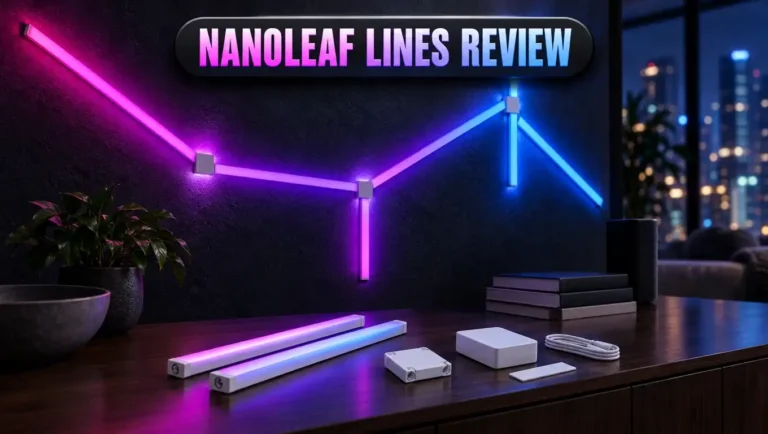
Nanoleaf Lines use thin backlit bars that connect at angles. The light shines onto the wall behind them, which creates a soft halo effect. Each line has two color zones. Nanoleaf also offers screen mirroring and music sync. The bars snap into connectors that let you build hexagons and other shapes. Lines cost more than the Beam, but they look very artistic on a large wall.
2. Govee Glide Wall Lights

- Smart App and Voice Control: Govee wall decorations indoor light bar adjust RGBIC Gaming lights...
- Adjustable Multi-Color Lightings: With patented RGBIC tech, Govee Glide lively Light makes glide display...
- 11 Upgraded Music Modes: Let your LED Wall Sconces music sync to your favorite audio and create an...
Last update on 2026-11-02 / Affiliate links / Images from Amazon Product Advertising API
The Govee Glide is a budget friendly option. It uses RGBIC technology, so each segment can show a different color. Govee packs in many preset scenes and a strong music mode. The app is fun and full of effects. The build feels a bit less premium than LIFX, but the price is often much lower. This makes it a great pick for gamers on a budget.
3. Philips Hue Play Light Bar

- WHAT’S IN THE BOX - Includes two White and Color Ambiance smart LED play light bar base kit with plug...
- REQUIRES A HUE BRIDGE - Unlock the power of Hue and enjoy automations, control from anywhere in the...
- MILLIONS OF COLORS - The White and Color Ambiance range offers both warm-to-cool white and millions of...
Last update on 2026-11-02 / Affiliate links / Images from Amazon Product Advertising API
The Hue Play is a different style of product. It sits behind your TV or monitor instead of mounting flat on the wall. It throws a wash of color onto the wall. It works best with a Hue Bridge and links with the Hue Sync app for TV and game syncing. If you already use Philips Hue, the Play bars fit right into your system. Each bar shows one color at a time, though, so you lose the multi zone effects.
Design and Build Quality
The LIFX Beam looks clean and modern on the wall. The bars have a white frosted front and a slim profile. When the lights are off, they blend in with most wall colors.
The bars feel light but solid. They do not flex or creak when you hold them. The frosted diffuser spreads light evenly, so you rarely see single LED dots. This gives the Beam a smooth, polished glow.
The bars connect with magnetic ends. You can feel when two bars line up correctly. They do not fully click like a puzzle, but the magnets pull them into place. This makes it easy to create neat, straight lines.
Weight matters with wall lights. Long LED strips often fall off over time because all their weight hangs on thin tape. The Beam spreads its weight across wider bars with several adhesive strips each. This makes it feel much more secure on the wall.
The corner piece matches the bars in style. It adds a single extra color zone, so the light flows nicely around turns. Your shapes look connected rather than broken.
There are a few design limits to know about. The Beam is for indoor use only. It should not go in bathrooms or damp spaces. You also must mount it on a vertical surface, not on a ceiling or floor.
The power cable is visible at one end of the layout. You may want a cable cover if you care about a clean look. Plan your power outlet position before you stick anything down.
Overall, the design is simple, sturdy, and attractive. It looks good with both modern and cozy room styles.
Installation and Setup
Installing the LIFX Beam is easy, but it rewards a little planning. Most people finish in under 30 minutes.
Step one is to plan your layout. Lay all the bars and the corner piece on the floor. Try a few shapes until you find one you love. Check that your power cable will reach an outlet.
Next, clean your wall with isopropyl rubbing alcohol. LIFX says to use only rubbing alcohol, not other cleaners. Let the surface dry fully. The Beam sticks to painted walls, glass, metal, tile, wood, and plaster. The surface must be flat, clean, and hard.
Then peel the backing off each Command strip. Press each bar firmly on the wall for about 30 seconds. A laser level or a simple spirit level helps you get perfect straight lines. Crooked lines stand out once the lights glow.
Be careful with placement because the adhesive does not hold well if you remove and reapply it. Get it right the first time to avoid buying new strips.
After mounting, plug in the power cable. Open the LIFX app and follow the steps. The app uses Bluetooth and WiFi to find the light. LIFX says setup can be ready in about 90 seconds.
iPhone users will see an Apple Home prompt first. You can scan the QR code in the manual for quick pairing. If you want Alexa or Google instead, you can add those services after setup.
The app detects how many bars you have. You can recheck this count if you add more bars later. Overall, the setup feels smooth and friendly for beginners.
LIFX App and Light Effects
The LIFX app is where the Beam really shines. It is clean, colorful, and easy to use.
On the main screen, you can turn the Beam on or off and change brightness. You can pick a single color or a white tone. The real fun starts with the zone painting tool. You can tap and paint colors onto each zone of every bar.
This painting feature feels like coloring a picture with light. You can make sunset gradients, rainbow lines, or team colors for game night. The app saves your designs as scenes, so you can call them up later.
The app also includes animated effects. These effects make colors move and flow across the bars. Some effects drift slowly for relaxing evenings. Others pulse faster for parties or gaming sessions.
Polychrome Technology makes the effects look rich and deep. Colors blend smoothly between zones instead of jumping from one block to the next.
You can set schedules in the app. For example, the Beam can fade on with warm light at sunset. It can switch off at bedtime without you lifting a finger. Schedules help the Beam feel like part of your daily routine.
The app also supports themes and day and dusk modes. These options shift your lights through the day to match natural light patterns.
There are a few small downsides. Some advanced effects take a little time to explore. The app also has many menus, which may confuse new users at first. Still, most people learn the basics within a few minutes.
Color Quality and Brightness
Color quality is one of the best parts of the LIFX Beam. LIFX has a strong reputation for vivid colors, and the Beam keeps up that tradition.
The colors look bold and saturated. Reds feel deep, blues feel cool, and purples look rich. Pastel shades also look soft and pleasant. The frosted diffuser keeps colors smooth with no harsh spots.
The white range runs from 1500K to 9000K. At 1500K, the light looks like warm candlelight. At 9000K, it looks like crisp, cool daylight. This range is wider than many rivals offer.
The CRI rating is 80. This is fine for accent lighting, though it is not ideal for color critical tasks like photo editing. For mood lighting, the color accuracy is more than good enough.
Brightness is solid for an accent light. The Beam can tint a whole room with color in the evening. It works well as a backlight behind a TV or around a desk. However, it is not bright enough to replace your main room light.
I liked the Beam most in low light. At night, the glow creates a cozy and calm mood. During movies, it reduces eye strain by softening the contrast between a bright screen and a dark wall.
Dimming is smooth across the full range. You can drop the brightness very low for a gentle night light effect. This makes the Beam a good fit for bedrooms too.
Overall, the color and brightness hit the right balance for a decorative wall light.
Smart Home Compatibility
The LIFX Beam plays nicely with almost every major smart home platform. This is a big plus for anyone with mixed devices at home.
It works with Apple Home, Amazon Alexa, Google Home, and Samsung SmartThings. You can also use Matter, which is the new universal smart home standard. LIFX says Matter support arrives through a free firmware update in the app.
Matter makes the Beam more future proof. As more platforms adopt Matter, your Beam should keep working with new systems.
Voice control works well. You can say, “Turn the Beam blue” or “Set the Beam to 50 percent.” The lights respond quickly in most cases.
You can also add the Beam to routines. For example, your morning routine can turn the Beam to a bright cool white. Your movie routine can dim it to a soft purple. Routines make the Beam part of your bigger smart home setup.
There is one setup quirk to know. If you use an iPhone, the app defaults to Apple Home first. If you want to link with Alexa or Google instead, you may need to wait for the HomeKit request to time out. This takes about 15 minutes.
The Beam needs a 2.4 GHz WiFi network. It does not connect to 5 GHz networks. Most routers broadcast both bands, so this is usually not a problem. Still, check your router before you buy.
Overall, smart home support is a major strength. Few wall lights offer this much flexibility without a hub.
Performance in Daily Use
After the novelty fades, how does the LIFX Beam hold up day to day? In my experience, it holds up very well.
The lights respond quickly to app taps and voice commands. There is little lag in most cases. Schedules run on time, and scenes load fast.
The Beam stayed firmly on the wall. None of the bars sagged or peeled off during my testing. This is a big win over long LED strips, which often fall down after a few weeks.
I used the Beam most in the evening. I set it to a warm amber glow while reading or relaxing. During gaming, I switched to bright moving effects. For movie nights, a soft blue behind the TV worked best.
The Beam works well for work too. A cool white tone on the wall behind a desk keeps the space bright and focused. It also looks great on video calls as a colorful background.
WiFi stability was good overall. A few smart home users report occasional disconnects with LIFX products. Placing your router close to the Beam helps keep the connection strong.
The physical buttons on the controller are handy. If your phone is not nearby, you can still turn the lights on or off. You can also cycle through basic settings.
Power use is modest. The six piece kit draws roughly 27 to 33 watts at full brightness. Most people run it at lower brightness, so the real cost is small.
Overall, the Beam feels reliable and fun for daily use.
Expandability and Layout Options
One of the best things about the LIFX Beam is how you can grow it over time. You do not have to build your dream setup on day one.
A single run supports up to eight Beam bars and two corner pieces. Both the four piece and six piece kits can expand to this limit. You can buy extra bars later to make your design bigger.
This flexibility lets you start small and upgrade when your budget allows. Many owners start with a six piece kit and add a second corner later.
The corner piece opens the door to creative shapes. You can make an L shape under a TV. You can build a frame around a monitor. You can even create zigzag lines or a step pattern on a bedroom wall.
Popular layouts include TV framing, desk backlighting, and headboard accents. A long straight line above a bed creates a hotel style look. A frame around a gaming desk feels bold and immersive.
When you add a new bar while the power is on, you need to refresh the system. Press all buttons on the controller together for four seconds. The system will then detect the full length.
There are a few limits. The eight bar cap means the Beam cannot cover a huge wall. Nanoleaf Lines can grow much larger with extra power supplies. If you want a massive wall installation, the Beam may feel small.
Still, eight bars cover around eight feet of space. For most rooms, this is plenty of light and room for creativity.
Price and Value
Price matters when you shop for smart lights. The LIFX Beam sits in the middle of the market.
The six piece kit often sells for around $129 to $150. The four piece kit costs less and suits smaller spaces. Prices change often, so watch for sales during big shopping events.
For the price, you get 61 color zones, wide smart home support, and no hub fee. Many rivals need a bridge, which adds extra cost. LIFX skips that expense entirely.
Compared with Nanoleaf Lines, the Beam usually costs less. Nanoleaf Lines offer a more artistic halo effect, but you pay more for it. Compared with Govee Glide, the Beam costs more. However, the LIFX build quality and color richness feel more premium.
LIFX backs the Beam with a two year warranty. If you buy directly from LIFX, you also get a 30 night trial window. This gives you peace of mind if the Beam does not suit your space.
Long term value looks strong. The Matter update helps the Beam stay useful as smart home standards change. The modular design also means you can expand instead of replacing the whole kit.
Is it cheap? No. But is it fair for what you get? Yes, I think so. For people who want quality color and easy setup, the Beam offers solid value.
If you are on a tight budget, the Govee Glide may suit you better. If you want premium style and wide compatibility, the LIFX Beam is worth the money.
Pros and Cons
Every product has strengths and weaknesses. Here is an honest look at both sides of the LIFX Beam.
Pros
- Rich, vivid colors: The Beam shows 16 million colors with smooth gradients. Colors look bold and blend nicely between zones.
- 61 color zones: Each bar can show several colors at once. This makes effects look deep and lively.
- No hub needed: The Beam connects directly to WiFi. You save money and avoid extra devices.
- Wide platform support: It works with Apple Home, Alexa, Google Home, SmartThings, and Matter.
- Easy installation: Magnetic bars and preapplied adhesive make mounting quick and simple.
- Secure on the wall: The weight spreads across wide bars, so they stay put for a long time.
- Expandable design: You can grow your setup up to eight bars and two corners.
- Two year warranty: LIFX covers the hardware for two full years.
Cons
- Only 2.4 GHz WiFi: The Beam does not support 5 GHz networks, which may annoy some users.
- Not a main light: It works as accent lighting but cannot light a whole room on its own.
- Limited size: The eight bar cap means it cannot cover very large walls.
- One time adhesive: The strips do not stick well if you move a bar after mounting.
- Visible power cable: You may need a cable cover for a tidy look.
- HomeKit setup quirk: iPhone users may wait about 15 minutes to link other platforms.
Overall, the pros clearly outweigh the cons for most buyers. The weak points are small and easy to work around.
Who Should Buy the LIFX Beam?
The LIFX Beam is not for everyone. But for the right person, it is a joy to own. Let us look at who will love it most.
Gamers will get a lot out of the Beam. The bold colors and moving effects make a gaming setup feel exciting. You can match your lights to your favorite game or team colors.
Movie lovers will enjoy it as a TV backlight. An L shape or frame around the TV adds depth to your viewing. The soft glow also reduces eye strain during long movie nights.
Remote workers can use it to brighten a desk area. Cool white tones keep you focused. Warm tones help you relax after work. It also adds a fun touch to video call backgrounds.
Apple Home users will find the Beam very easy to set up. It pairs quickly with a QR code. Siri voice control works well too.
Renters will like the damage free adhesive. The Command strips do not need drilling. Just remember that you cannot reposition the bars without new strips.
Who should skip it? If you want a light to fill a big room, choose ceiling lights or bright bulbs instead. If you need a huge wall installation, Nanoleaf Lines may suit you better. If your budget is tight, the Govee Glide offers similar fun for less money.
For most people who want stylish accent light, the Beam is an easy choice to recommend.
Final Verdict on the LIFX Beam
- Easy set up. Beams click together end to end. Included command strips allow you to place them exactly...
- Built in Wi-Fi & LIFX cloud. Offers full Lighting control via Wi-Fi and cloud through our LIFX iOS...
- Adjustable and dimmable. Connected Lighting and scenes for your space, time of day, and mood. Choose from...
Last update on 2026-11-02 / Affiliate links / Images from Amazon Product Advertising API
The LIFX Beam is one of the best modular wall lights you can buy. It looks great, works with almost every smart home platform, and sets up with ease.
The color quality is the standout feature. With 61 zones and Polychrome Technology, the Beam creates smooth, flowing effects. Few rivals match its color depth at this price.
The no hub design is another big win. You save money and skip the extra setup steps. The Matter support also helps keep the Beam useful for years.
The Beam does have a few limits. It only works on 2.4 GHz WiFi. It cannot cover a huge wall, and it will not replace your main room light. The adhesive also needs careful placement.
Still, these issues are minor for most buyers. The Beam does exactly what it promises: it turns a plain wall into a colorful, living display.
If you want a premium accent light with simple setup, the LIFX Beam deserves a spot on your wall. It is fun, reliable, and easy to love.
My rating: 4.5 out of 5 stars. It is a smart buy for gamers, movie fans, and anyone who wants more color in their home.
Frequently Asked Questions
Does the LIFX Beam need a hub?
No, the LIFX Beam does not need a hub. It connects directly to your 2.4 GHz WiFi network. You control it with the LIFX app or your voice assistant.
Does the LIFX Beam work with Alexa and Google Home?
Yes, it works with both Amazon Alexa and Google Home. It also supports Apple Home, Samsung SmartThings, and Matter.
How many bars can I connect to one LIFX Beam setup?
You can connect up to eight Beam bars and two corner pieces in one run. Both the four piece and six piece kits can expand to this limit.
Can I install the LIFX Beam on a ceiling?
No, LIFX says to mount the Beam on vertical surfaces only. It is not designed for ceilings or floors.
Can I use the LIFX Beam in a bathroom or outdoors?
No, the Beam is for indoor use only. You should keep it away from moisture, dust, and outdoor areas.
Does the LIFX Beam work with 5 GHz WiFi?
No, it only connects to 2.4 GHz WiFi. Most routers broadcast both bands, so this is usually not a problem.
How bright is the LIFX Beam?
The Beam is bright enough to tint a room with color and works well as a backlight. However, it is an accent light and will not replace your main ceiling light.
Can I remove and reposition the LIFX Beam bars?
You can remove them, but the adhesive will not hold well if you reuse it. You will need fresh 3M Command strips to mount the bars again.
What warranty comes with the LIFX Beam?
The LIFX Beam comes with a two year hardware warranty. Buying direct from LIFX also gives you a 30 night trial period.
Is the LIFX Beam good for gaming?
Yes, the Beam is great for gaming setups. Its bold colors, moving effects, and multi zone control make any battlestation look exciting.

DK is the founder and lead writer at Smart Lighting Finds, where he helps readers discover the best lighting products through honest, hands-on reviews and in-depth comparisons. With a deep passion for home improvement and smart technology, DK is dedicated to making every lighting decision easier and brighter for his readers.