Philips Hue Essential Bulbs Review: Budget Hue Bulb Worth It?
Do you want smart lights but hate the high price of Philips Hue? You are not alone. For years, Hue bulbs cost a lot more than most smart bulbs. Many people loved the brand but could not justify the price.
Now Philips has a fix. The Philips Hue Essential bulbs give you color, dimming, and smart control for much less money. A 4 pack costs about the same as one regular color Hue bulb.
But is there a catch? Do you lose quality? We tested the features, checked the specs, and read real user feedback. Keep reading to find out if these bulbs belong in your home.
In a Nutshell
- Big savings: The Philips Hue Essential 4 pack costs around $69.99. That works out to about $17 per bulb, which is much less than regular Hue color bulbs.
- Full color and white light: Each bulb shows 16 million colors and white tones from 2200K warm to 6500K cool. Colors look bright and rich for daily use.
- Flexible setup: You can control the bulbs with Bluetooth and your phone. You can also add a Hue Bridge to unlock automations, remote control, and more features.
- A few tradeoffs: The bulbs dim down to 2% instead of 0.2%. Warm whites can look a little pink, and the brightness tops out at 800 lumens.
- Full ecosystem support: The bulbs work with Alexa, Google Assistant, Apple Home, and Matter through the Hue Bridge. They also mix with all other Hue products.
- Best for beginners: These bulbs suit first time smart home users, bedrooms, porches, and anyone who wants Hue quality on a budget.
What Are Philips Hue Essential Bulbs?

- SWITCH TO SMART LIGHTING: Simply screw in your new smart bulb, download the award-winning Hue app, then...
- CREATE AMBIANCE WITH COLOR: Find the right light with the LED lights for any mood with millions of colors...
- SMOOTH DIMMING: Easily dim your smart light bulbs from full brightness all the way down to 2% using the...

Last update on 2026-11-02 / Affiliate links / Images from Amazon Product Advertising API
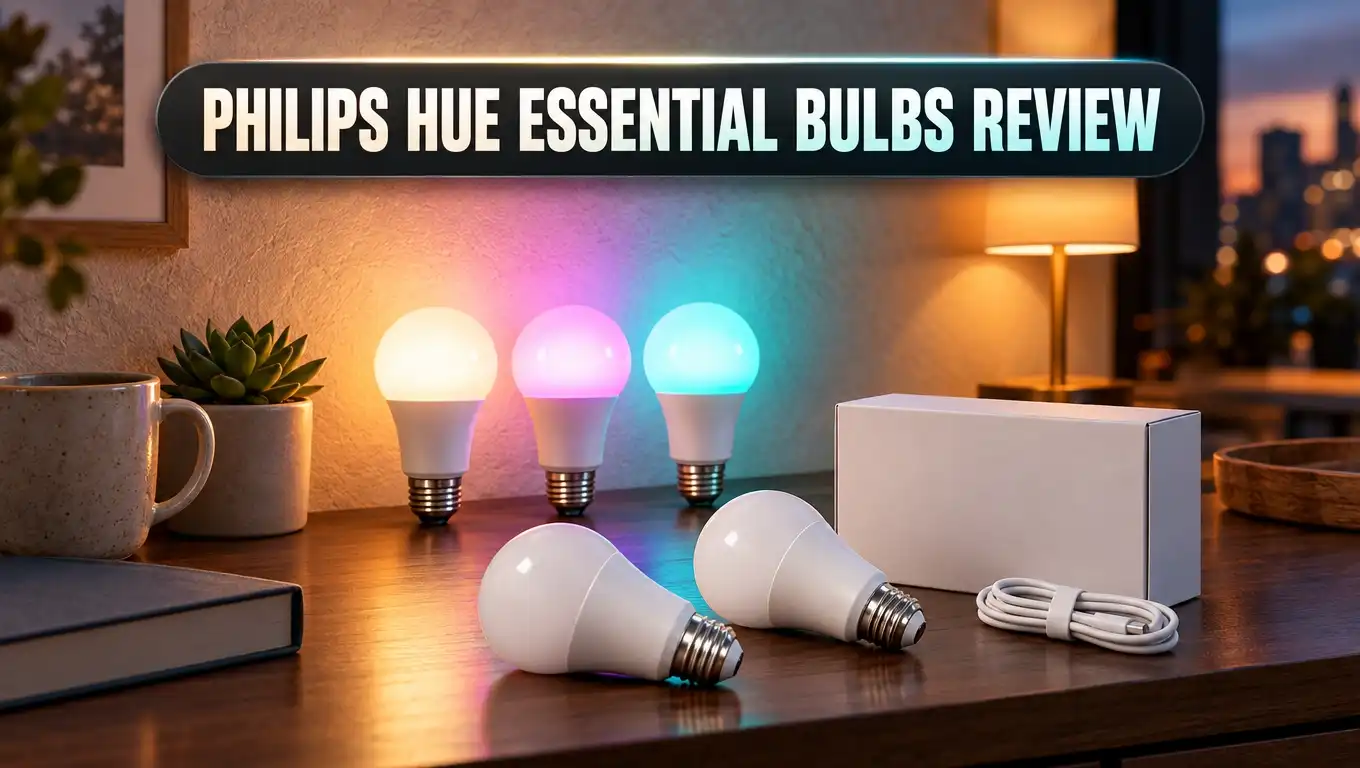
Philips Hue Essential is a newer, cheaper line of Hue smart bulbs. Philips launched it in September 2025. The goal is simple: make Hue easy and affordable for new users.
The A19 bulb is the star of the line. It uses a standard E26 base, so it fits most US lamps and fixtures. Each bulb gives off 800 lumens, about the same as an old 60 watt bulb.
Philips calls these bulbs White and Color Ambiance. That means they do both full color and white light. You can pick soft warm light for the evening or bright cool light for work.
The bulbs connect in two ways. You can use Bluetooth straight from your phone, or you can pair them with a Hue Bridge through Zigbee. You don’t need a bridge to get started.
Philips keeps the Essential line separate from its main “flagship” Hue range. The flagship bulbs have deeper dimming, a wider white range, and better color matching. The Essential bulbs give you the core features at a lower price.
The good news is that both lines work together. You can put Essential bulbs and regular Hue bulbs in the same app. You can upgrade parts of your home later without starting over.
For many homes, the Essential bulbs cover what you need day to day. They change color, dim, follow schedules, and respond to voice commands. Most casual users will not miss the premium extras.
Key Features and Specs
Here are the numbers before we get into real use. They help you see what you get for your money.
The bulb puts out 800 lumens at both 2700K and 4000K. It uses about 8.8 watts of power, and it draws only 0.2 watts on standby. That is very efficient for a color smart bulb.
The white light ranges from 2200K to 6500K. That covers warm candle tones up to crisp daylight. The color range offers 16 million colors for parties, movies, and holidays.
The color rendering index (CRI) is 80 or higher. That is a normal score for home lighting, and objects look natural under the light. The beam angle is a full 360 degrees, so light spreads evenly around the room.
Philips rates each bulb for 25,000 hours of life. That is many years of normal use. The bulb also handles 50,000 on and off cycles.
The bulbs work in temperatures from minus 4°F to 113°F. That makes them fine for covered porches and garages. Philips backs them with a 2 year warranty.
Philips also promises software support for at least 60 months from purchase. Firmware updates arrive through the Hue app, so the bulb can gain new features over time.
On paper, these specs look solid. The main limits are the 800 lumen cap and the 2% minimum dimming level. Everything else matches what most people expect from a smart bulb.
Design and Build Quality
The Philips Hue Essential A19 looks like a classic light bulb. It has a white base and a frosted round top. It fits right into table lamps, ceiling fixtures, and floor lamps.
The bulb measures about 2.4 inches wide and 4.3 inches tall. It weighs only about 50 grams, so it feels light in your hand. It will not look out of place in any standard fixture.
The build quality feels good for the price. The plastic is smooth and the base screws in firmly. You can’t tell it apart from a regular Hue bulb at first glance.
One reviewer noticed a small detail. A slightly dark line appears where the white base meets the clear top. You can only see it if you look very closely at low brightness.
In real life, this detail barely matters. Most bulbs sit behind a lampshade or inside a fixture. At normal brightness, the line almost disappears.
The bulb turns on instantly at full brightness. There is no warm up delay like with some cheaper LEDs. You flip the switch and the light is ready.
Heat is not a problem either. LED bulbs stay much cooler than old incandescent bulbs. You can safely use them in enclosed fixtures that allow LEDs.
Overall, the design is simple and practical. Philips did not cut obvious corners on looks. The savings come from the light engine, not the shell.
Top 3 Alternative for Philips Hue Essential Bulbs
The Hue Essential bulbs are a great deal, but they are not the only option. Some people want more features. Others want an even lower price or no hub at all. Here are three strong choices.

- WHAT’S IN THE BOX - Includes three White and Color Ambiance smart 60W-equivalent A19 color-changing...
- UNLOCK THE FULL POWER OF HUE - Add a Hue Bridge to enjoy automations, manage from anywhere in the world...
- MILLIONS OF COLORS - The White & Color Ambiance range offers both warm-to-cool white and millions of...
Last update on 2026-11-02 / Affiliate links / Images from Amazon Product Advertising API
The regular Philips Hue White and Color Ambiance A19 is the premium step up. It dims much lower and offers better color matching between bulbs. Pick it if you want the best light quality and don’t mind paying more.

- 16 Million DIY Colors: Govee smart light bulbs own millions of color and 54 preset scene modes, you can...
- Music Sync: Our smart light bulbs change color and brightness simultaneously when sounds are detected by...
- Smart Control: Govee color changing light bulbs make it possible to control your bulbs with simple voice...
Last update on 2026-11-02 / Affiliate links / Images from Amazon Product Advertising API
The Govee Smart A19 bulb connects over WiFi and supports Matter. It also has music sync and fun scene effects. It is a good pick for gamers and people who love colorful setups.

- CONVENIENT SMART LIGHTING: Manage WiZ lights using the WiZ app, the WiZ remote, or with voice commands to...
- SPACESENSE TECHNOLOGY: Smart bulb that detects motion and turns on automatically, this technology senses...
- CUSTOMIZABLE: Adjust schedules with wifi light bulbs and choose from 16 million colors or shades of warm...
Last update on 2026-11-02 / Affiliate links / Images from Amazon Product Advertising API
The WiZ Connected Color A19 works over WiFi with no hub needed. Signify, the same company behind Philips Hue, makes WiZ. It even offers motion detection through its SpaceSense feature.
Each alternative has its own strengths. Govee and WiZ are easy if you never want a bridge. However, WiFi bulbs can crowd your home network when you use many of them.
The Hue Essential bulbs use Zigbee with a bridge. This keeps your WiFi free and makes the system very stable. Many longtime users say Hue bulbs rarely need a reset, while WiFi bulbs sometimes do.
Think about how many bulbs you plan to buy. For two or three lamps, WiFi bulbs work fine. For a whole house, the Hue system scales better.
Easy Setup With Bluetooth or Hue Bridge
Setting up Philips Hue Essential bulbs is quick. You don’t need any tech skills. Most people finish in under five minutes per room.
Bluetooth setup is the simplest path. Screw in the bulb and turn on the switch. Open the Hue app, tap add a light, and follow the steps.
With Bluetooth, you control lights from your phone when you are nearby. You can change colors, dim lights, and set basic timers. It is a great way to test smart lighting before you spend more.
Bluetooth has limits, though. You can only control a small number of bulbs, usually up to 10. You also cannot control lights when you leave home.
Hue Bridge setup unlocks the full system. The bridge plugs into your router and talks to bulbs through Zigbee. It supports many more lights and accessories.
With a bridge, you get remote control from anywhere. You can also use advanced automations, motion sensors, and smart switches. The bridge also links your lights to Matter and most voice assistants.
Adding the bulbs to an existing bridge is easy. The app finds them automatically in most cases. You can then place them in rooms and zones.
If you already own Hue gear, the Essential bulbs feel like any other Hue light. They appear in the same app with the same controls. Owners of a bridge will notice no difference in setup.
Brightness and Dimming Performance
Brightness matters a lot in daily life. The Hue Essential bulb gives you 800 lumens at full power. That is enough for bedrooms, hallways, lamps, and porches.
For big rooms, 800 lumens may feel a bit low. Regular Hue bulbs come in 1100 and 1600 lumen versions. The Essential A19 does not offer those brighter options.
There is an easy fix for this. Use more bulbs in fixtures with two or three sockets. One user swapped one regular bulb for two Essential bulbs on a porch, and the light was plenty bright.
Dimming is the biggest difference from premium Hue bulbs. The Essential bulb dims down to 2% brightness. Flagship Hue bulbs go all the way down to 0.2%.
Does this matter to you? It depends on your habits. If you use lamps as night lights in a fully dark room, you may notice it.
At 2%, the light still glows clearly. It works well for relaxing evenings and movie nights. It is just not as close to darkness as premium bulbs.
The dimming itself feels smooth. Brightness changes without flicker or sudden jumps. Users say the dimming range feels wide and responsive.
Wake up routines still work nicely. The bulbs can slowly brighten in the morning like a sunrise. For most people, the dimming is more than good enough.
Color Quality and White Light
Color quality is where many cheap smart bulbs fail. The Hue Essential bulbs surprised a lot of reviewers here. Colors look vibrant and rich.
Red, blue, green, orange, and pink all look bold. Hue experts noted that only dark purple looks a little weak. For party scenes and holidays, the colors shine.
White light covers 2200K to 6500K. Warm white helps you relax at night. Cool white helps you focus while you work or read.
Users report the whites look very accurate between 2700K and 4000K. That covers the most common everyday settings. Many people live in this range most of the time.
There is one small weakness. At the warmest settings, the light can look slightly pinkish instead of orange. People who love very warm candle light late at night may notice this.
Color matching between bulbs is another factor. Premium Hue bulbs use Chromasync technology. It keeps colors and brightness identical across many bulbs.
The Essential bulbs lack Chromasync. Bulbs might show tiny differences in tone. One owner with 25 Essential bulbs said they all look the same to him, though.
A simple tip helps here. Keep Essential bulbs grouped in the same room. Don’t mix them with premium bulbs in one fixture, and the differences become hard to spot.
Hue App and Smart Features
The Hue app is one of the best smart lighting apps available. The Essential bulbs get access to nearly all of it. That is a big win at this price.
You can pick from a large library of expert designed light scenes. Scenes copy sunsets, forests, oceans, and more. You can also make your own scenes with your favorite colors.
Schedules are simple to set. Your lights can turn on at sunset and off at sunrise. One user runs porch lights on this schedule every day without problems.
Effects add movement to your lights. You can choose candle, fireplace, or sparkle effects. The Essential bulbs support these effects fully.
Color blending works too, but at a basic level. Philips calls it essential color blending. Premium bulbs blend colors more smoothly, but most users will find the Essential version enjoyable.
With a Hue Bridge, the features expand further. You can add motion sensors, smart buttons, and dimmer switches. You can also sync lights with music, movies, and games using compatible gear.
The app updates the bulbs automatically. New firmware can improve speed and add features. Your bulbs get better over time instead of aging out.
The app runs on Android 10 and up and iOS 16 or later. The layout is clean and easy for beginners to learn.
Voice Control and Matter Support
Voice control makes smart bulbs feel magical. You just say “turn off the bedroom lights” and it happens. The Hue Essential bulbs support all the big assistants.
With a Hue Bridge, you can use Amazon Alexa, Google Assistant, and Apple Home. Samsung SmartThings and Sonos also work. You can control lights from smart speakers, phones, and watches.
Apple users will like the HomeKit support. You can add lights to the Home app and use Siri. You can also build scenes that mix Hue lights with other smart devices.
Matter support is another strong point. Matter is a newer standard that helps devices from different brands work together. The Hue Bridge shares your Essential bulbs with any Matter platform.
There is also a hidden bonus. A Hue expert found a Matter code printed on the bulb itself. This points to Matter over Thread support with a Thread border router.
Philips lists Matter as working “via Hue Bridge or 3rd party hubs.” That gives you more ways to connect. However, the bridge still gives the most complete experience.
The bulbs also work with IFTTT for custom automations. For example, your lights could flash when your favorite team scores.
Overall, compatibility is excellent. These bulbs fit into almost any smart home setup. You won’t get stuck with one brand of speaker or hub.
Philips Hue Essential vs Regular Hue Bulbs
Many buyers ask the same question. Should I buy Essential or regular Hue bulbs? Here is a clear comparison.
Price is the biggest difference. A 4 pack of Essential bulbs costs about the same as one regular color Hue bulb. That is a huge saving for whole home setups.
Dimming goes to 2% on Essential and 0.2% on regular Hue. Night owls and nursery owners may prefer the deeper dimming of regular bulbs.
White range differs too. Essential covers 2200K to 6500K. The newest regular Hue A19 covers a massive 1000K to 20000K range for full spectrum daylight.
Brightness tops out at 800 lumens on Essential. Regular Hue offers 1100 and 1600 lumen options. Bright living rooms and kitchens may need those stronger bulbs.
Color quality is very good on Essential. Regular Hue adds Chromasync for perfect matching across bulbs. Design lovers who want perfect consistency should pick regular Hue.
Light types also vary. Essential only comes in White and Color Ambiance. Regular Hue offers white only, white ambiance, and color options.
So which should you buy? Choose Essential for bedrooms, hallways, porches, and kids’ rooms. Choose regular Hue for main living spaces where light quality matters most.
Many people use both. Since both lines work together, you can mix them across rooms. Spend big where you care and save money everywhere else.
Philips Hue Essential Bulbs Price and Value

- SWITCH TO SMART LIGHTING: Enjoy smart lighting instantly: screw in your smart bulb, download the Hue app...
- CREATE AMBIANCE WITH COLOR: Find the right light for any mood with millions of colors and a packed...
- SMOOTH DIMMING: Easily dim your smart light bulbs from full brightness all the way down to 2% using the...
Last update on 2026-11-02 / Affiliate links / Images from Amazon Product Advertising API
Value is the main reason to buy these bulbs. The 4 pack sells for about $69.99 in the US. That puts each bulb at around $17.50.
A single Essential bulb costs about $24.99. The 4 pack is clearly the better deal. If you need more than two bulbs, always grab the multipack.
Compare this with regular Hue color bulbs. A single premium color bulb often costs around $50 or more. You get four Essential bulbs for close to that price.
Remember the cost of the Hue Bridge. You don’t need it at first, but it unlocks the best features. Factor it in if you plan to grow your system.
Running costs stay low. Each bulb uses under 9 watts at full power. Standby power is just 0.2 watts.
Lifespan adds even more value. With 25,000 hours of rated life, these bulbs can last over 20 years at about three hours a day. You won’t replace them often.
The 2 year warranty gives extra peace of mind. Philips also commits to at least five years of software support. That long support window beats many budget brands.
When you add it all up, the value is excellent. You get trusted Hue reliability at a near budget price. Few smart bulbs offer this mix of quality and savings.
Pros and Cons
No product is perfect. Here is an honest look at the strengths and weaknesses of the Philips Hue Essential bulbs.
Pros
- Great price: The 4 pack costs about the same as one premium Hue color bulb, so whole home setups become affordable.
- Vibrant colors: Reds, blues, greens, and pinks look rich and bold for scenes, parties, and holidays.
- No bridge needed to start: Bluetooth lets you test smart lighting right away with only your phone.
- Full Hue ecosystem support: The bulbs work with all Hue products, scenes, effects, and accessories.
- Wide compatibility: Alexa, Google Assistant, Apple Home, SmartThings, and Matter all work through the bridge.
- Long lifespan: The rated 25,000 hours means years of use before you need a replacement.
- Reliable connection: Zigbee keeps the system stable and keeps the bulbs off your WiFi.
Cons
- Limited dimming: The 2% minimum is not as dim as the 0.2% on premium Hue bulbs.
- Warm whites look slightly pink: The warmest settings may not look as golden as regular Hue.
- Only 800 lumens: There is no brighter option for large rooms in the A19 Essential line.
- No Chromasync: Colors may not match perfectly when you mix them with premium bulbs.
- Weak dark purple: Deep purple shades look less intense than other colors.
The pros clearly outweigh the cons for most people. The weaknesses mainly matter to lighting enthusiasts.
Final Verdict
The Philips Hue Essential bulbs are one of the best smart bulb deals right now. They bring real Hue quality to a much wider audience. Philips found a smart balance between price and performance.
You get vibrant colors, solid white light, and smooth dimming. You also get the excellent Hue app and strong voice assistant support. All of this comes at roughly a third of the usual Hue cost.
The tradeoffs are real but small. Dimming stops at 2%, and warm whites can lean pink. Brightness also tops out at 800 lumens.
For most rooms, these limits barely matter. Bedrooms, hallways, porches, offices, and kids’ rooms are perfect fits. Outdoor covered fixtures work great too.
Lighting perfectionists may still prefer regular Hue for main living spaces. The deeper dimming and Chromasync matching make a difference there. You can mix both lines across your home.
First time smart home users should start here. The Essential line is the easiest and cheapest way into the Hue system. You can always add a bridge or premium bulbs later.
Our recommendation is simple. If you want trusted smart lighting without the high price, buy the Philips Hue Essential 4 pack. It is a smart choice that most homes will love.
Frequently Asked Questions
These quick answers cover the questions buyers ask most often.
Do Philips Hue Essential bulbs need a Hue Bridge?
No, they don’t. You can control them with Bluetooth and the Hue app. A bridge adds remote access, more bulbs, and advanced automations.
Are Philips Hue Essential bulbs compatible with regular Hue bulbs?
Yes, they are. Both lines work in the same app and system. You can add Essential bulbs to rooms and scenes with your existing Hue lights.
How bright are Philips Hue Essential bulbs?
Each A19 bulb produces 800 lumens. That equals an old 60 watt incandescent bulb. It suits most lamps and small to medium rooms.
Do Hue Essential bulbs work with Alexa and Google Assistant?
Yes, they do. They work with Alexa, Google Assistant, and Apple Home. A Hue Bridge gives you the best voice control experience.
Can I use Philips Hue Essential bulbs outdoors?
You can use them in covered outdoor fixtures. They work from minus 4°F to 113°F. Keep them away from direct rain because they are not waterproof bulbs.
What is the main difference between Hue Essential and regular Hue?
The main differences are dimming, white range, and color matching. Essential dims to 2% while regular Hue dims to 0.2%. Regular Hue also offers brighter versions and Chromasync.
How long do Philips Hue Essential bulbs last?
Philips rates them for 25,000 hours. With average use, they can last many years. They also come with a 2 year warranty.
Do Philips Hue Essential bulbs support Matter?
Yes, through the Hue Bridge. The bulbs can also connect through third party Thread border routers. This makes them easy to use with many smart home platforms.

DK is the founder and lead writer at Smart Lighting Finds, where he helps readers discover the best lighting products through honest, hands-on reviews and in-depth comparisons. With a deep passion for home improvement and smart technology, DK is dedicated to making every lighting decision easier and brighter for his readers.