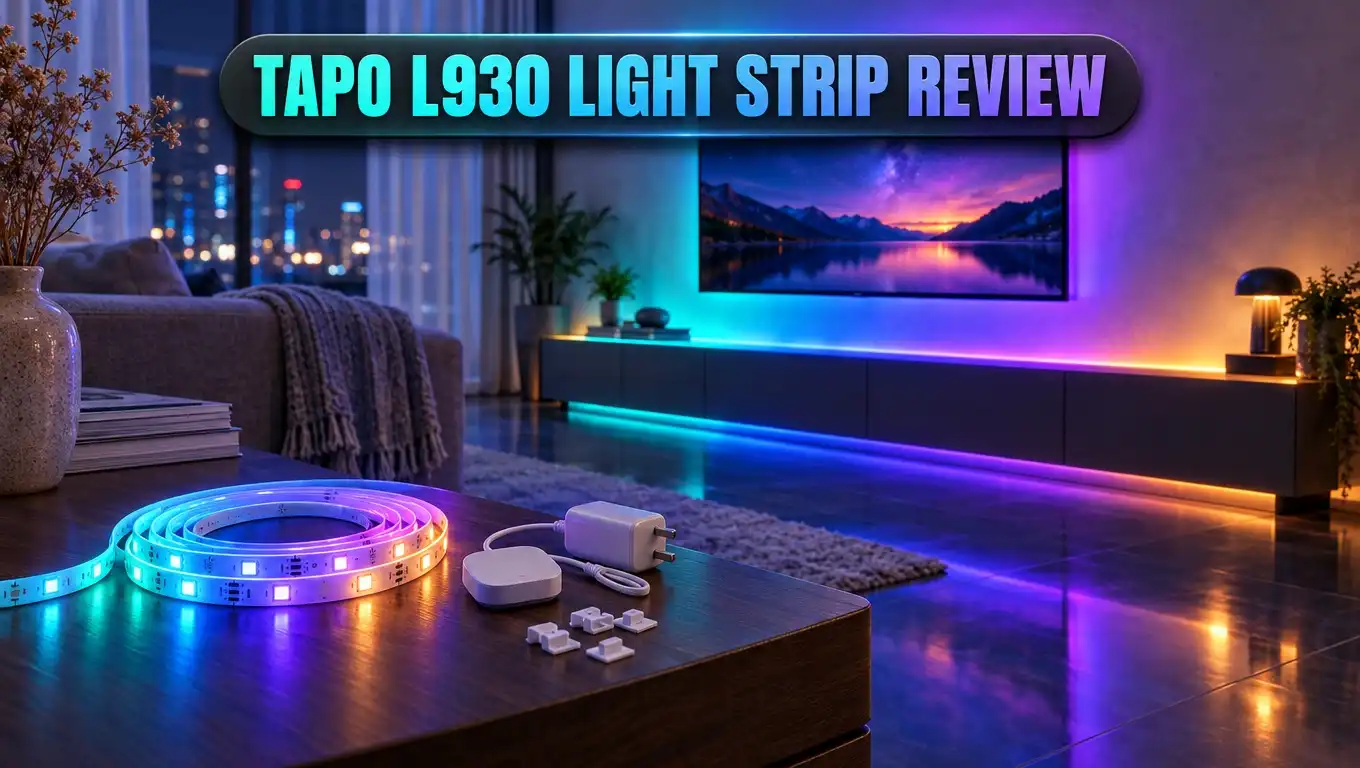
Tapo L930 Light Strip Review: Bright & Smart Worth Buying?
Are you looking for a light strip that does more than glow in one color? The Tapo L930 Light Strip could be the upgrade your room needs. It gives you multiple colors on one strip, a bright white light, and music sync, all at a fair price.
Many cheap strips look good on day one and then disappoint. This review shows you what the Tapo L930 does well and where it falls short. Keep reading before you spend your money.
In a Nutshell
- Multiple colors at once: The Tapo L930 uses RGBWIC technology. You can show several colors on one strip because it has 50 separate color zones across 16.4 feet.
- Bright white light: The strip has extra white LED beads. They produce up to 1,000 lumens, so the strip works as real task lighting and not only as decoration. You can set the white from warm 2,500K to cool 6,500K.
- Smart home support: The strip works with Amazon Alexa, Google Assistant, and Apple HomeKit. That covers most homes. You control everything through the free Tapo app with no hub needed.
- Fun features: You get music sync, animated effects, scheduling, and sunrise and sunset modes. The music sync uses your phone microphone, so the app has to stay open.
- Some limits to know: The strip only connects to 2.4GHz WiFi. It is for indoor use only, and any part you cut off cannot be used again.
- Good value: The launch price was $49.99. That is less than many premium brands charge for similar features.
Tapo L930 Light Strip Overview

- Brighter White Light: The Tapo L930-5 LED light strip provides 1000 lumens of bright, clean white light...
- Premium Lighting: This LED strip light is 20% brighter and lasts 50% longer than other LED light strips...
- Colorful Effects: With 50 color zones, you can create a variety of animated lighting effects like...

Last update on 2026-11-26 / Affiliate links / Images from Amazon Product Advertising API
The Tapo L930 is the top light strip in the Tapo lineup. Tapo is a smart home brand owned by TP-Link. The L930 sits above the L900 and L920 models in features and price.
The strip is 16.4 feet long, which is 5 meters. It packs 16 million colors with brightness you can dim from 1 to 100 percent. It also includes extra white LEDs, which the cheaper Tapo strips do not have.
TP-Link calls its technology RGBWIC. That stands for RGB plus White with Independent Chips. In simple words, each section of the strip can show its own color. The white LEDs add a clean, bright light for everyday use.
Here are the main specs in plain terms:
- Length: 16.4 feet (5 meters)
- Color zones: 50 zones, each about 10 cm with 3 LEDs
- White brightness: Up to 1,000 lumens
- Color temperature: 2,500K to 6,500K
- CRI: Above 80
- Coating: IP44 PU coating against splashes and dust
- Connection: 2.4GHz WiFi
TP-Link says its strips are 20 percent brighter and 50 percent longer lasting than other LED strips. That is a strong claim. In everyday use, the brightness really does stand out against basic strips.
The L930 targets people who want both mood lighting and useful light. You can light up a gaming desk in rainbow colors at night. Then you can switch to bright white for reading the next morning.
Unboxing and Design
The box is simple and tidy. Inside you find the light strip roll, a small controller, a power adapter, and a quick start guide. Nothing feels cheap or flimsy.
The strip is about 10mm wide and 3mm thick. It is a bit wider than some budget strips. That extra width holds the white LEDs and colored LEDs side by side.
The PU coating is a nice touch. It gives the strip an IP44 rating. This means it can handle splashes and dust. It makes the strip a good fit for kitchens, under cabinets, or behind a bathroom mirror.
Do not take it outside, though. Tapo says all its strips are indoor only. The controller and connector are not weatherproof. Outdoor use will shorten the lifespan.
The controller has a physical button. You can use it to turn the strip on and off without your phone. This helps when your phone is in another room or the WiFi drops.
The coating also makes the strip a little stiff. It bends, but a sharp 90 degree corner is hard. If you want a clean look around corners, plan your layout first. Some users buy aluminum channels with diffuser covers. This gives a smooth, professional finish and hides the individual LED dots.
Overall, the design feels solid. The strip looks neat when off and bright when on.
Setup and Installation
Setting up the Tapo L930 is easy. Most people finish in about 10 to 15 minutes. You do not need any tools or a smart hub.
First, download the Tapo app on your phone. Create a free account or log in. Tap the plus icon and pick the L930 from the device list.
Next, plug in the strip. The app finds it and walks you through each step. You connect the strip to your home WiFi, give it a name, and pick a room.
One key point: the strip only works with 2.4GHz WiFi. Many modern routers combine 2.4GHz and 5GHz into one network. Most of the time this works fine. If setup fails, split the bands for a few minutes and then try again.
Now comes the physical install. The strip uses 3M adhesive tape on the back. Clean the surface first with a dry cloth. The tape sticks best on smooth surfaces like painted walls, glass, and metal.
Here are some tips for a strong hold:
- Clean off dust and grease before you stick it.
- Press firmly along the full length.
- Do not move the strip once it sticks.
- Support the controller so it does not pull the strip down.
- Use extra clips on rough or textured surfaces.
Rough surfaces like unfinished wood or textured paint cause trouble. The tape may peel off after a few weeks. A few mounting clips solve this problem fast.
Top 3 Alternative for Tapo L930 Light Strip
The Tapo L930 is a strong pick, but it is not your only choice. Some people want a lower price. Others want a different app or brand. Here are three solid alternatives.
Tapo L920 RGBIC Light Strip

- High Brightness & Saturation: The smart LED strip lighting features customization up to 16 million colors...
- Animated Effects: The Tapo smart wireless light strip features advanced animated lighting effects, with...
- Sync to Sound: Pick up sound through your mobile device and set up the perfect party atmosphere. The...
Last update on 2026-11-26 / Affiliate links / Images from Amazon Product Advertising API
The Tapo L920 is the younger sibling of the L930. It also has 50 color zones and the same PU coating. It uses the same Tapo app and supports music sync.
The big difference is the white light. The L920 has no extra white LEDs. It gives about 500 lumens, which is half of the L930. It also lacks HomeKit support. If you only want colorful mood lighting, the L920 saves you money.
Kasa Smart LED Light Strip KL420L5

- VERSATILE SMART LIGHTING: Measuring 16.4 ft. in length the KL420L5 smart LED light strip can add color to...
- 16 MILLION COLORS & SCHEDULING - Choose from 16 million colors and dim from 1–100% to match any mood or...
- ANIMATED EFFECTS WITH 50 COLOR ZONES - Customize 50 individual color zones to create unique combinations...
Last update on 2026-11-26 / Affiliate links / Images from Amazon Product Advertising API
The Kasa KL420L5 comes from TP-Link too, but it uses the Kasa app. It offers 50 color zones, 16 million colors, and a PU coating. It works with Alexa, Google Home, and SmartThings.
This strip is a great choice if you already own Kasa plugs or switches. Keep in mind it has no music sync. It also lacks adjustable white color temperature.
Govee RGBIC LED Strip Lights 16.4ft

- Smart RGBIC Effects: RGBIC LED Strip lights for bedroom display multiple colors on one line at a time...
- Smart APP Control: You can unlock various features to personalize smart LED strip lighting via Govee Home...
- DIY with Inspiration: You can choose from a variety of lighting effects (16 million colors) and share...
Last update on 2026-11-26 / Affiliate links / Images from Amazon Product Advertising API
Govee is a popular name in LED strips. This 16.4 foot RGBIC strip shows multiple colors at once. It has a large library of scenes and effects in the Govee app.
Govee strips are often cheaper than the L930. They work well for gaming rooms and bedrooms. However, this model has no dedicated white LEDs, so the white light is weaker.
Tapo App Features
The Tapo app is the control center for the L930. It is free and works on both Android and iPhone. The layout is clean and easy to follow, even for beginners.
On the main screen, you can turn the strip on and off. You can also change brightness with a simple slider. Tap the color wheel to pick from 16 million colors.
The real fun starts with the color zones. You can paint each of the 50 zones with its own color. This lets you build rainbow effects, sports team colors, or soft gradients.
The app also includes many ready made lighting effects. Some favorites are:
- Aurora: Gentle moving colors like the northern lights
- Rainbow: A flowing color loop across the strip
- Candlelight: A warm, flickering glow
- Ocean: Calm blue and green waves
You can adjust the speed and brightness of each effect. You can also create your own effects and save them for later.
Groups are another handy feature. You can group the L930 with other Tapo bulbs and plugs. Then one tap controls all of them together.
The app also offers away mode. It turns the lights on and off at random times. This makes it look like someone is home while you travel.
Overall, the Tapo app is simple and reliable. It may not have as many effects as some rival apps. But it covers what most people need, and it rarely crashes.
Color Performance and RGBWIC Technology
Color is where the Tapo L930 shines. The RGBWIC technology lets each zone glow in a different color. Basic RGB strips can only show one color at a time across the whole length.
With 50 zones on a 16.4 foot strip, each zone is about 10 cm long. Every zone has 3 LEDs. This gives smooth color changes without big jumps between sections.
The colors look rich and saturated. Reds look deep, blues look bold, and greens look bright. Purple and pink tones also come through clean and strong.
Mixed colors, like orange and teal, look good too. Some cheap strips struggle with these shades. The L930 handles them without a strange tint.
The RGBWIC design also means colors and white can work together. You can add white to a color to make soft pastel shades. This gives you more options than a plain RGB strip.
One small note: without a diffuser, you can see the individual LED dots. This is normal for most LED strips. If the strip points at a wall, the light blends nicely. If it faces you directly, an aluminum channel with a cover gives a smoother glow.
You may notice the strip looks a little brighter after you cut it. This is normal. Fewer LEDs means each LED gets slightly more power.
For TV backlighting, gaming desks, and bedroom headboards, the color quality is excellent. It makes rooms feel warm, fun, and personal.
White Light Quality and Brightness
This is the feature that sets the L930 apart. Most RGB strips make white by mixing red, green, and blue. The result often looks bluish or uneven.
The L930 has dedicated white LED beads. They run along the full strip. These beads produce up to 1,000 lumens of clean white light.
That is double the L920 at 500 lumens. It is more than double the L900 at 400 lumens. The jump in brightness is easy to see.
You can adjust the color temperature from 2,500K to 6,500K. Here is what that range means:
- 2,500K to 3,000K: Warm, cozy light like an old bulb
- 4,000K: Neutral white for kitchens and work areas
- 6,500K: Cool daylight white for focus and reading
The CRI is above 80. CRI measures how true colors look under a light. A score above 80 is good for home use. Food on your counter and clothes in your closet will look natural.
This bright white makes the L930 useful as real lighting. Many people install it under kitchen cabinets. It lights up the counter well enough for chopping and cooking.
It also works great in closets, hallways, and home offices. You get one strip that handles both party colors and practical light. That is a strong reason to pick the L930 over cheaper models.
Music Sync Mode
Music sync turns your room into a mini light show. The strip changes color and rhythm to match the beat of your music. It is great for parties, games, and movie nights.
Here is how it works. The Tapo app listens through your phone’s microphone. It turns the sound into signals and sends them to the strip. The lights then pulse and shift with the music.
The strip reacts best to strong, hard beats. Pop, electronic, and hip hop music look amazing. Soft acoustic songs create gentler effects.
There are a few limits you should know about:
- The app must stay open. If you close the app or switch to another app, music sync stops. Your phone blocks the microphone in the background.
- No group control yet. You cannot sync music across several strips at once right now.
- Idle blinking is normal. The strip plays a loop even when there is no sound. Once it hears music, it starts to react.
The phone microphone setup is a bit of a drawback. Some rival strips have a built in microphone in the controller. That lets them work without your phone.
Still, the effect looks fun and lively. The 50 color zones make the show feel dynamic. Colors move along the strip instead of flashing all at once.
For casual use, music sync is a great bonus. Just keep your phone near the speaker and leave the app open.
Smart Home and Voice Control
The Tapo L930 works with all three major smart home platforms. It supports Amazon Alexa, Google Assistant, and Apple HomeKit. Many strips at this price skip HomeKit, so this is a big plus.
Linking the strip to Alexa or Google is quick. You open the Alexa or Google Home app and add the Tapo skill or service. Then you log in with your Tapo account. Your strip shows up in seconds.
Voice commands feel natural. You can say things like:
- “Alexa, turn on the desk lights.”
- “Hey Google, set the kitchen strip to blue.”
- “Hey Siri, dim the bedroom lights to 30 percent.”
The strip responds fast in most cases. Commands usually take effect within a second or two.
HomeKit support is great news for iPhone users. You can add the strip to the Apple Home app. Then you can use it in scenes and automations with other HomeKit devices.
You can also build routines in Alexa or Google Home. For example, the strip can turn on when you get home. It can also dim slowly when you say “good night.”
One thing to remember: voice assistants do not control every feature. Things like custom zone colors and music sync still need the Tapo app. Voice control works best for on, off, brightness, and basic colors.
Overall, the smart home support is wide and reliable. The L930 fits into almost any smart home setup.
Scheduling and Automation
Schedules make the Tapo L930 feel truly smart. You set them once, and the strip runs on its own. This saves time and energy every day.
In the Tapo app, you can create schedules by time and day. For example, the strip can turn on at 7 PM on weekdays. It can turn off at midnight automatically.
The L930 also supports sunrise and sunset modes. These follow your local sunrise and sunset times. The light changes slowly, which feels natural and calm.
The sunrise feature is great for waking up. The strip fades in gently before your alarm. This feels much nicer than a loud alarm in a dark room.
The sunset mode helps you wind down at night. The light grows warmer and dimmer over time. This can make it easier to relax before bed.
Other handy tools include:
- Timers: Turn the strip off after a set number of minutes.
- Countdowns: Schedule a single on or off action.
- Away mode: Random on and off times while you travel.
- Smart actions: Link the strip to other Tapo devices.
Smart actions are very useful. You can pair the strip with a Tapo motion sensor or camera. When motion appears, the strip turns on. This works well in hallways at night.
These features turn a fun gadget into a helpful tool. You spend less time tapping your phone and more time enjoying good light.
Cutting, Length and Placement Limits
The Tapo L930 can be cut to fit your space. This helps when 16.4 feet is too long for your desk or TV. You just cut along the marked cut lines with scissors.
However, there is an important catch. Once you cut the strip, the extra piece cannot be used. Tapo states this clearly on its website. The leftover part has no controller, so it stays dark.
The strip also uses special connectors. They are not the same as standard 4 pin RGB connectors. This means normal corner connectors and extension kits will not fit. Some buyers find this out only after they order extra parts.
So plan your layout before you cut. Measure your space with a tape measure. Mark where the strip will start and stop.
You also cannot extend the L930 beyond 16.4 feet. If you need more length, you must buy a second strip. Each strip needs its own power outlet.
Corners take some care. The strip bends, but sharp folds can stress it. Here are a few ways to handle corners:
- Make a soft, gentle curve instead of a sharp fold.
- Use aluminum channels with diffuser covers.
- Let the strip loop slightly around the corner.
Placement also matters for the WiFi signal. The strip needs a solid 2.4GHz connection. Very thick walls or a far away router can cause slow responses.
These limits are not deal breakers. They just call for a little planning before you install.
Pros and Cons
Every product has strengths and weak spots. Here is a clear look at both sides of the Tapo L930.
Pros
- Up to 1,000 lumens of white light makes the strip useful for real tasks, not just mood lighting.
- 50 color zones let you show many colors at once for rich and lively effects.
- Adjustable white from 2,500K to 6,500K covers warm, neutral, and cool tones.
- Works with Alexa, Google Assistant, and Apple HomeKit, so it fits nearly every smart home.
- IP44 PU coating protects against splashes and dust in kitchens and bathrooms.
- Easy setup with no hub takes only a few minutes in the Tapo app.
- Sunrise and sunset modes create gentle, natural lighting changes.
- Fair price for the features compared to premium brands.
Cons
- Music sync needs the app open because it uses your phone microphone.
- Only works with 2.4GHz WiFi, which can cause setup trouble on some routers.
- Cut pieces cannot be reused, so you lose any extra length.
- Non standard connectors do not fit regular corner or extension kits.
- Indoor use only, even with the PU coating.
- Visible LED dots without a diffuser channel.
As you can see, the pros clearly outweigh the cons for most people. The weak points mostly matter for DIY fans who want to cut and rebuild the strip. For normal home use, the L930 delivers great value.
Who Should Buy the Tapo L930
The Tapo L930 is not for everyone. But it is a great fit for many types of users. Here is who will enjoy it most.
Gamers and streamers will love the color zones. The strip adds a cool glow behind a monitor or desk. Music sync and effects make the setup feel alive.
Home cooks benefit from the bright white light. Under cabinet lighting makes chopping and cooking much easier. The PU coating also handles kitchen splashes.
Apple users get a strong pick here. Many budget strips skip HomeKit. The L930 works with the Apple Home app and Siri right away.
Movie fans can use it as TV backlighting. Soft light behind the screen reduces eye strain in a dark room. It also makes the picture feel bigger.
Light sleepers may enjoy the sunrise and sunset modes. Gentle light changes help you wake up and wind down.
Families with kids can use the strip as a night light. Set a warm, dim color and a timer. The strip turns off after the kids fall asleep.
However, some people should look elsewhere:
- Outdoor users need a weatherproof strip.
- DIY builders who want to cut and reconnect pieces will feel limited.
- Party hosts who want phone free music sync may prefer a strip with a built in microphone.
If you fit the first group, the L930 is an easy choice. It gives you color, brightness, and smart features in one product.
Final Verdict
The Tapo L930 Light Strip is one of the best value smart strips around. It combines 50 color zones with a bright 1,000 lumen white light. Few strips at this price offer both.
Setup is quick and simple. The Tapo app is clean and reliable. Support for Alexa, Google Assistant, and HomeKit means it works in almost any home.
The white light is the real star. It turns the strip into useful lighting for kitchens, closets, and offices. The adjustable color temperature adds even more flexibility.
There are some drawbacks. Music sync needs your phone app open. The strip only connects to 2.4GHz WiFi. Cut pieces cannot be reused, and the connectors are not standard.
Still, these issues are small for most buyers. They mainly affect DIY fans and people who want outdoor lighting.
If you want one strip that handles both fun color effects and everyday light, the Tapo L930 is easy to recommend. It costs less than premium brands and still feels high quality.
Our rating: 4.5 out of 5 stars. It is a smart, bright, and colorful upgrade for any room.
FAQs
Is the Tapo L930 worth buying?
Yes, for most people. It offers 50 color zones, 1,000 lumens of white light, and HomeKit support. These features are hard to find at this price.
Can I use the Tapo L930 outdoors?
No. The strip is for indoor use only. The PU coating helps against splashes, but the controller and connector are not weatherproof.
Does the Tapo L930 work with 5GHz WiFi?
No. The strip only connects to 2.4GHz WiFi. If setup fails, split your router bands for a short time during setup.
Can I cut the Tapo L930 light strip?
Yes, you can cut it along the marked lines. However, the extra piece you cut off cannot be used again.
How bright is the Tapo L930?
The white light reaches up to 1,000 lumens. That is double the Tapo L920 and much brighter than the Tapo L900.
Does the Tapo L930 work with Apple HomeKit?
Yes. It also works with Amazon Alexa and Google Assistant. You can control it with Siri and the Apple Home app.
Why does music sync stop when I close the app?
Music sync uses your phone microphone. Your phone blocks the microphone when the app runs in the background. Keep the app open to use this feature.
Can I connect two Tapo L930 strips together?
No. You cannot extend one strip into another. Each strip needs its own controller and power outlet. You can group them in the app for joint control.
What is the difference between the Tapo L930 and L920?
Both have 50 color zones and a PU coating. The L930 adds dedicated white LEDs, 1,000 lumens of brightness, adjustable white temperature, and HomeKit support.

DK is the founder and lead writer at Smart Lighting Finds, where he helps readers discover the best lighting products through honest, hands-on reviews and in-depth comparisons. With a deep passion for home improvement and smart technology, DK is dedicated to making every lighting decision easier and brighter for his readers.