Sengled Zigbee Bulb Starter Kit Review: Smart Lighting Worth It?
Smart lighting does not have to cost a fortune. The Sengled Zigbee Bulb Starter Kit has been one of the cheapest ways to start for years. It gives you a hub and two soft white bulbs in one small box. But is it still a smart buy today?
A lot has changed for Sengled. The brand had cloud outages, and Amazon removed its Alexa skill. Still, the Zigbee bulbs in this kit can work without Sengled’s servers. That one detail changes everything.
In this review, I explain what you get, how it performs, and who should buy it. I also cover the problems and three good alternatives. By the end, you will know if this kit fits your home.
In a Nutshell
- Budget friendly entry point: The kit includes one Sengled Zigbee hub and two A19 soft white bulbs. Each bulb gives 800 lumens and uses only 8.6 watts. That matches a classic 60 watt bulb. It is one of the cheapest ways to try smart lighting.
- Zigbee works locally: The bulbs talk over Zigbee, not WiFi. They do not clog your router. They can pair directly with an Echo that has a built in Zigbee hub. They also work with SmartThings, Hubitat, and Home Assistant.
- Simple setup: Most people finish setup in about 10 minutes. You plug the hub into your router, screw in the bulbs, and add them in the app. No wiring or special tools needed.
- Cloud trouble is real: Sengled had long server outages in 2025. Amazon dropped the Sengled Alexa skill on August 1, 2025. The Sengled app and hub rely on the cloud, so they are less reliable now.
- Best for tinkerers and Echo owners: If you own a Zigbee Echo or a third party hub, these bulbs still shine. If you want a plug and play app experience, look at the alternatives below. Your current gear decides if this kit is a win.
Sengled Smart Light Bulb Starter Kit

- 【Flexible Set Up】Hub required. Easily pair Sengled multicolor smart light bulb directly to a...
- 【Voice Control】Smart light bulbs that work with Alexa and Google Home. Control your smart light bulb...
- 【Wake Up & Sleep Mode】Easily setup via using Sengled Home App (iOS and Android). Schedule your smart...

Last update on 2026-11-03 / Affiliate links / Images from Amazon Product Advertising API
The Sengled Smart Light Bulb Starter Kit is a basic smart lighting bundle. It pairs a small Zigbee hub with two dimmable soft white bulbs. The goal is simple: control your lights with your phone or your voice.
Sengled made a name with low cost smart bulbs. This kit, part of the Element line, became popular for one reason. It cost far less than a Philips Hue starter kit. Many people bought it as their first smart home product.
The bulbs use Zigbee. Zigbee is a low power wireless standard built for smart home devices. It forms a mesh network, so each bulb can pass signals to the next. This keeps your WiFi network free for phones, laptops, and TVs.
The hub acts as the bridge between your bulbs and the internet. It connects to your router with an Ethernet cable. Then the Sengled Home app lets you turn lights on and off, dim them, and set schedules.
The kit is aimed at beginners. You do not need an electrician. You do not need to learn any code. If you can change a light bulb, you can install this kit.
Today, the story is a bit more complex. The Sengled cloud had serious problems in 2025. But the bulbs themselves are standard Zigbee devices. That means they are not tied to Sengled forever. You can move them to other hubs, which I cover later in this review.
So think of this kit in two parts. The bulbs are still useful and flexible. The hub and app are the weaker link right now.
What Comes in the Box
Opening the box is quick and simple. Sengled keeps the packaging small and clean. You get everything you need to start right away.
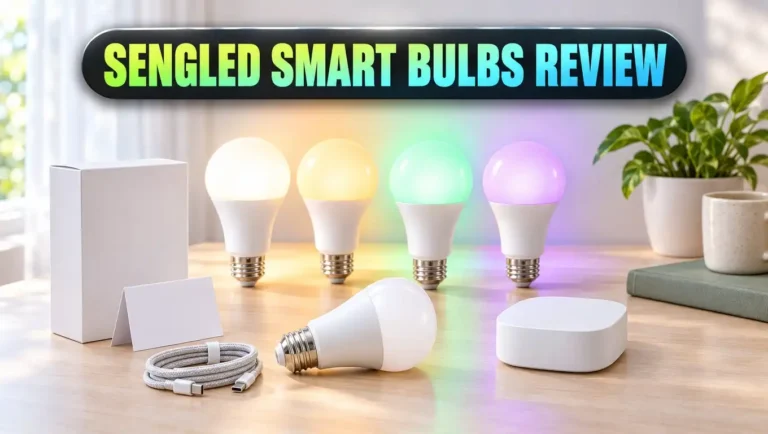
Here is what you find inside. First, there is the Sengled Zigbee smart hub. It is a small white plastic box. It comes with a power adapter and an Ethernet cable. The hub is light and easy to hide behind your router.
Next, you get two A19 smart bulbs. They use the standard E26 base, so they fit most lamps and ceiling fixtures in the US. Each bulb shows soft white light at 2700K. That is the warm glow most people like in living rooms and bedrooms.
You also get a quick start guide. It covers setup in a few short steps and comes in several languages. Many users like that Sengled skips the thick manuals. The guide is short, clear, and gets you going fast.
There is no remote, no smart switch, and no motion sensor. This is a true starter kit. You get the basics and nothing extra. If you want more, Sengled sold extra bulbs, plugs, and sensors separately.
One thing to note is the Ethernet cable. The hub does not connect over WiFi. It needs a free port on your router. Check that you have an open port before you buy. If your router sits in a closet or awkward spot, plan where the hub will go.
Overall, the box contents match the price. You get a working hub and two good bulbs. That is enough to light one room or two lamps and see if smart lighting suits you.
Key Specs at a Glance
Specs help you compare this kit with others. Here are the main numbers that matter. They show a simple, efficient, and practical lighting kit.
Each bulb gives 800 lumens of light. That is the same brightness as a classic 60 watt bulb. But each Sengled bulb uses only 8.6 watts. That is a big drop in power use.
The color temperature is 2700K. This is soft white, a warm and cozy tone. The bulbs are white only. They do not change color or shift to cool daylight tones. If you want color, you need a different Sengled model or another brand.
The bulbs are fully dimmable through the app or voice commands. You can set them anywhere from very low to full brightness. You do not need a dimmer switch on the wall. In fact, you should not use them with a wall dimmer.
The bulb shape is A19 with an E26 base. This is the most common bulb size in American homes. Sengled rates the bulbs for about 25,000 hours of life. Used a few hours a day, that can last many years.
The hub supports up to 64 bulbs. That is plenty for most homes. Sengled lists a range of up to about 35 meters in ideal conditions. Walls and floors cut that number, but the Zigbee mesh helps.
The hub connects with Ethernet and needs a 2.4GHz network for your phone during setup. The bulbs speak Zigbee, so they also work with other Zigbee hubs. That is the most important spec in this whole list.
Top 3 Alternative for Sengled Zigbee Bulb Starter Kit
The Sengled kit is cheap, but its cloud problems make some buyers nervous. Here are three strong alternatives. Each one covers a different need and budget.

- WHAT’S IN THE BOX: Includes one Hue Bridge that unlocks the full potential of your Philips Hue system...
- SECURE AND STABLE CONNECTION: With Zigbee advanced technology, the bridge ensures a reliable connection...
- CONTROL LIGHTS FROM ANYWHERE: The Hue hub enables out-of-home control, control your lights with the Hue...
Last update on 2026-11-03 / Affiliate links / Images from Amazon Product Advertising API
The first pick is the Philips Hue Smart Light Starter Kit. It includes a Hue Bridge and two 800 lumen white bulbs. Hue also uses Zigbee, so it works much like Sengled. But Hue has a far more reliable app and long term support. The bridge also runs your lights locally. It costs more, but many people see it as the gold standard.

- Zigbee 3.0 Standard: Requires a Zigbee hub. Works with compatible Zigbee hubs or Echo devices with Zigbee...
- Zigbee Repeater: THIRDREALIT Smart Color Bulb also functions as a Zigbee repeater, significantly...
- Energy Efficiency: Zigbee smart bulbs consume less power compared to Wifi smart lighting, helping reduce...
Last update on 2026-11-03 / Affiliate links / Images from Amazon Product Advertising API
The second pick is the THIRDREALITY Zigbee Smart Color Bulb ZL1 four pack. These are Zigbee bulbs with full color and tunable white from 2700K to 6500K. Each gives 800 lumens. They pair directly with Echo devices that have a built in hub. They also work with Home Assistant, SmartThings, Hubitat, and Aeotec. This is the closest swap for Sengled bulbs, and you get four of them.

- 【Matter-Certified】 Matter devices work with any certified platform such as Apple Home, Alexa, Google...
- 【Extra Bright 1100-Lumen Light】Tapo L535E provides 1100 lumens of crisp, high-quality lighting, which...
- 【Millions of Colors & Dimmable】 Easily design scenarios with various vivid colors for your daily...
Last update on 2026-11-03 / Affiliate links / Images from Amazon Product Advertising API
The third pick is the Tapo L535E two pack. These are WiFi bulbs with Matter support. They need no hub at all. Each bulb gives 1100 lumens, which is brighter than a 60 watt bulb. They offer 16 million colors and a CRI above 90 for accurate colors. Matter lets them run locally with Alexa, Google Home, and Apple Home.
Pick Hue for the best overall system. Pick THIRDREALITY for a cheap Zigbee upgrade. Pick Tapo if you want no hub and easy setup.
Design and Build Quality
The Sengled bulbs look like normal light bulbs. That is a good thing. Guests will not notice anything strange in your lamps. The white frosted dome spreads light evenly with no harsh hot spots.
The base has a slim aluminum heat sink area. This helps the LEDs stay cool. Cooler LEDs last longer and keep their brightness over time. The bulbs feel solid and well made for the price.
The bulbs are about the same size as standard A19 bulbs. They fit in most lamp shades and enclosed fixtures. Some smart bulbs are taller or wider, which causes fit problems. Sengled kept the size close to normal.
The hub is a small, rounded white box. It has a status light on the front. The light tells you if the hub is online, pairing, or having trouble. It is simple and easy to read. It looks clean enough to sit next to your router in plain view.
The hub is made of light plastic. It does not feel premium, but it does not need to. It sits in one spot and stays there. There are no buttons to press often, except a reset button for rare cases.
One small design issue is the wired connection. Since the hub needs Ethernet, it must sit near your router. This limits where you can place it. Hubs with WiFi give you more freedom.
Overall, the build quality is fair for a budget kit. The bulbs are the stars here. They look normal, feel sturdy, and give a nice, even light. The hub is plain and functional.
Setup Process
Setup is one of the best parts of this kit. Most people finish in about 10 minutes. You do not need any tech skills.
Start with the hub. Plug the Ethernet cable into the hub and your router. Then plug in the power adapter. Wait for the status light to show it is ready. This part takes just a minute or two.
Next, screw the bulbs into your lamps or fixtures. Turn on the switch. The bulbs power up and wait to pair. Make sure the wall switch stays on, because smart bulbs need constant power.
Then open the Sengled Home app on your phone. Create an account and add the hub. The app finds the hub on your network. After that, you add each bulb. The app walks you through each step with clear prompts.
Once paired, you can name each bulb and place it in a room. Names like “Living Room Lamp” make voice control easier later. You can also group bulbs together.
If you skip the Sengled hub, setup is even simpler. With a Zigbee Echo, just screw in the bulb and say, “Alexa, discover my devices.” Alexa finds the bulb and adds it in seconds. Many users now choose this path because it skips the Sengled cloud.
If a bulb will not pair, you can reset it. The usual method is to flip the power on and off several times quickly until the bulb flashes. Then try pairing again.
Overall, setup is fast and friendly. It is a great first smart home project for beginners.
The Sengled Home App
The Sengled Home app is your main control center when you use the Sengled hub. It works on both Android and iPhone. The layout is clean and easy to learn.
The home screen shows all your bulbs. Tap a bulb to turn it on or off. Slide your finger to dim it. Every action happens with one or two taps. You can control bulbs one at a time, in groups, or all at once.
Schedules are a handy feature. You can set lights to turn on at sunset or turn off at bedtime. This helps when you travel, because your home looks lived in. It also saves energy when you forget to switch off a lamp.
The app also shows energy use for each bulb. Not every budget brand offers this. It helps you see how much power your lights use over time.
Scenes let you save a lighting setup. For example, a “Movie” scene can dim the living room to 20 percent. One tap brings that mood back anytime.
Now the hard part. The app relies on Sengled’s cloud servers. In 2025, those servers went down for long stretches. Many users could not control their lights from the app at all. Some reported the app stopped working for days.
This is the biggest weakness of the kit today. The app has good features, but it is only useful when the servers are up. For steady control, many owners now move their bulbs to an Echo or another Zigbee hub. That way, the app becomes optional rather than required.
Light Quality and Brightness
Good smart features mean little if the light looks bad. Thankfully, Sengled gets this part right. The light is warm, soft, and pleasant.
At 2700K, the bulbs give a cozy yellow white glow. This tone feels relaxing in the evening. It is a great fit for living rooms, bedrooms, and dining areas. It feels just like an old incandescent bulb.
The 800 lumen output is bright enough for most rooms. It works well in table lamps, floor lamps, and ceiling lights. For a large room, you may want two or more bulbs.
The frosted cover spreads light evenly. You do not see bright spots or LED dots. This makes the bulbs comfortable to look at, even in open fixtures.
Dimming is smooth across most of the range. You can go very low for a soft night light. There is little to no visible flicker at normal levels. At the very lowest settings, some users notice a slight jump, but it is minor.
The main limit is color. These bulbs are white only. You cannot pick blue, red, or green. You also cannot switch to cool daylight for reading or working. If you want color or tunable white, this kit is not for you.
For many people, that is fine. Most lights in a home stay warm white anyway. Sengled focused on doing one thing well. The result is a clean, reliable, warm light that feels natural.
Zigbee Performance and Range
Zigbee is the hidden strength of this kit. It makes the bulbs fast, stable, and flexible. Here is why it matters.
Zigbee runs on a separate network from your WiFi. Your router does not have to manage each bulb. This keeps your WiFi faster and less crowded. If you plan to add many bulbs, this is a big plus.
Zigbee also creates a mesh. Each powered bulb acts as a repeater. It passes signals along to bulbs farther away. So the more bulbs you add, the stronger your network gets.
Sengled lists a range of up to 35 meters in ideal conditions. In real homes, walls, floors, and metal reduce that. Still, the mesh fills gaps well. Most users in normal homes report solid coverage.
Response time is quick. When you tap the app or speak to Alexa, the bulbs react in about a second. Local Zigbee control through an Echo or hub tends to feel even faster. It does not need to reach the cloud first.
Another benefit is low power use. Zigbee radios use very little energy. The bulbs sip power even when waiting for commands.
There is one catch. Zigbee devices need a hub or a Zigbee capable device. You cannot connect these bulbs straight to your phone. That is why the kit includes a hub. But you are not locked to the Sengled hub, which is the key point.
Smart Home Compatibility
Compatibility decides how useful a smart bulb is. Sengled Zigbee bulbs work with many platforms, even without the Sengled hub.
The best match today is Amazon Echo with a built in Zigbee hub. Examples include the Echo 4th generation, the Echo Plus, some Echo Show models, and the Echo Hub. Some Eero routers also act as Zigbee hubs. Pairing here skips Sengled’s servers completely.
Samsung SmartThings also supports Sengled Zigbee bulbs. You pair them to a SmartThings hub or an Aeotec SmartThings hub. Then you control them in the SmartThings app with routines and automations.
Hubitat is another option. It runs automations locally in your home. Many power users love it for speed and privacy.
Home Assistant users can also add these bulbs. You need a Zigbee USB stick or a Zigbee hub for Home Assistant. This gives you full local control with no cloud at all.
Google Assistant used to work through the Sengled hub and cloud. Now, that link depends on Sengled’s servers, so it is less reliable. A better path is pairing the bulbs to SmartThings and then linking SmartThings to Google.
Apple HomeKit does not support these bulbs directly. You would need a bridge like Home Assistant to bring them into Apple Home.
The big lesson is simple. Zigbee keeps these bulbs useful. Even if Sengled fades away, your bulbs can live on in another system.
The 2025 Cloud Outage and What It Means for You
This section is important. Any honest review of this kit must cover the 2025 outages.
In mid 2025, Sengled’s cloud servers went down several times. Some outages lasted days. Many users could not control their lights from the app or through Alexa. Some lights would not even respond to normal commands.
Amazon took action. Starting August 1, 2025, Amazon removed the Sengled Alexa skill. Amazon said the outages were long and unresolved. Sengled also stayed mostly silent with customers during this time.
So what does this mean for you? It depends on how you connect the bulbs.
If you use the Sengled hub and app, you depend on Sengled’s cloud. That path is now risky. The app may work some days and fail on others.
If you pair the bulbs directly to a Zigbee Echo, the skill shutdown does not affect you. The bulbs talk to the Echo locally. You may need to reset and set them up again, but they work.
If you use SmartThings, Hubitat, or Home Assistant, you are also fine. These systems control the bulbs without Sengled’s servers.
Wi-Fi models from Sengled are a different story. They depend fully on Sengled’s cloud. Thankfully, this starter kit uses Zigbee, not WiFi.
My advice is clear. If you buy this kit, plan to use the bulbs with a Zigbee Echo or a third party hub. Treat the Sengled hub as a backup, not your main system. Also note that things may have changed since this review, so check recent buyer reviews first.
Energy Use and Bulb Lifespan
Smart bulbs should save money over time. The Sengled bulbs do a good job here.
Each bulb uses 8.6 watts. An old incandescent bulb with the same brightness uses 60 watts. That means the Sengled bulb uses about 85 percent less energy. Over a year, the savings add up across a home.
Let us do a simple example. Say you run one bulb for 5 hours a day. The Sengled bulb uses about 15.7 kWh per year. A 60 watt bulb uses about 109.5 kWh per year. That is a drop of roughly 94 kWh per bulb each year.
Smart features help save even more. Schedules turn off lights you forget. Dimming cuts power use too. A bulb at half brightness uses less energy than one at full power.
The bulbs do draw a tiny bit of power when off. This standby power keeps the Zigbee radio ready for commands. The amount is very small and barely affects your bill.
Sengled rates these bulbs for about 25,000 hours. At 3 hours a day, that is over 20 years in theory. Real life results vary with heat and usage. Still, you should not need to replace them often.
LED bulbs also produce less heat than old bulbs. This makes them safer in lamps and closed fixtures. It also helps keep rooms cooler in summer.
Overall, these bulbs are efficient and long lasting. They pay back part of their cost through lower power bills.
Pros and Cons
Every product has strengths and weaknesses. Here is a clear look at both sides. This helps you decide quickly.
The positives center on price, light quality, and Zigbee flexibility. The negatives mostly come from Sengled’s cloud problems and limited features. Read both lists with your own setup in mind.
Pros
- Low price: The kit is one of the cheapest ways to start with smart lighting. You get a hub and two bulbs for much less than Hue.
- Warm, pleasant light: The 2700K soft white tone feels cozy and natural. The frosted dome spreads light evenly with no harsh spots.
- Energy efficient: Each bulb uses only 8.6 watts for 800 lumens. That saves about 85 percent compared to a 60 watt incandescent.
- Zigbee flexibility: The bulbs work with Zigbee Echo devices, SmartThings, Hubitat, and Home Assistant. You are not locked to Sengled.
- Fast setup: Most people finish setup in about 10 minutes. No tools or wiring are needed.
- Keeps WiFi clear: Zigbee runs on its own mesh. Your router does not get crowded with bulbs.
Cons
- Cloud reliability issues: Sengled’s servers had long outages in 2025. The Sengled app and hub depend on that cloud.
- No official Alexa skill: Amazon removed the Sengled skill on August 1, 2025. You must pair bulbs directly to a Zigbee Echo instead.
- White only: The bulbs do not change color or shift to cool white tones.
- Wired hub: The hub needs an Ethernet port on your router. This limits where you can place it.
- Uncertain brand future: Sengled has been quiet with customers. Long term support is unclear.
Weigh these lists against your current devices. If you already own a Zigbee hub, most cons fade away.
Who Should Buy the Sengled Zigbee Bulb Starter Kit
This kit is not for everyone. But for the right person, it is still a great deal. Let us break down who fits best.
First, Echo owners with a built in Zigbee hub. If you have an Echo 4th generation, an Echo Hub, or a similar device, these bulbs are a perfect match. You can skip the Sengled hub and app completely. Alexa controls them locally and quickly.
Second, smart home tinkerers. If you use Home Assistant, Hubitat, or SmartThings, these bulbs slot right in. They are cheap Zigbee bulbs that also strengthen your mesh network.
Third, budget buyers who only want warm white light. If you do not care about color, these bulbs give great value. They look good and save energy.
Fourth, people who find the kit on deep discount. If the price drops low, even the bulbs alone are worth it. You can treat the hub as a bonus.
Now, who should skip it? Beginners who want a simple app with no extra hardware may struggle. The Sengled app is unreliable now. A new user may get frustrated fast.
People who want color lighting should also look elsewhere. The THIRDREALITY or Tapo bulbs make more sense.
Apple HomeKit users should skip it too, unless they run Home Assistant. These bulbs do not join Apple Home directly.
In short, buy it if you have a Zigbee home already. Skip it if you want a fully guided, cloud based experience.
Final Verdict
The Sengled Zigbee Bulb Starter Kit was once an easy recommendation. Today, it is a smart buy only for certain people.
The bulbs are still very good. They give warm, even light. They use little power. They last a long time. Most of all, they speak Zigbee, which keeps them flexible.
The weak spot is Sengled itself. The 2025 cloud outages hurt trust. The loss of the Alexa skill made the Sengled hub less useful. The company’s silence did not help either.
But here is the good news. You do not need Sengled’s cloud to use these bulbs. Pair them with a Zigbee Echo, SmartThings, Hubitat, or Home Assistant. Then they work locally and reliably.
If you already own one of these hubs, this kit is a cheap way to add smart lights. If you find it on sale, it is even better.
If you are brand new to smart homes, I suggest the alternatives. The Philips Hue Starter Kit gives the best overall experience. The THIRDREALITY bulbs give the best Zigbee value. The Tapo L535E gives easy setup with no hub.
My final score for this kit is 3.5 out of 5. It is a great bulb wrapped in an uncertain ecosystem. Choose it with your eyes open, and it can still light up your home nicely.
FAQs
Does the Sengled Zigbee Bulb Starter Kit still work in 2026?
Yes, the bulbs can still work. The best way is to pair them with a Zigbee Echo or another Zigbee hub. The Sengled hub and app depend on Sengled’s cloud, which has had outages.
Do Sengled Zigbee bulbs need a hub?
Yes, they need a Zigbee hub. This can be the Sengled hub, an Echo with built in Zigbee, SmartThings, Hubitat, or Home Assistant with a Zigbee radio.
Can I use Sengled Zigbee bulbs with Alexa without the skill?
Yes. Pair the bulbs directly to an Echo with a built in Zigbee hub. Say, “Alexa, discover my devices.” This skips the Sengled skill and cloud.
Do Sengled bulbs work with Google Home?
They can, but not directly. A reliable method is pairing them to SmartThings and then linking SmartThings to Google Home.
Are Sengled Zigbee bulbs compatible with Apple HomeKit?
Not directly. You need a bridge like Home Assistant to bring them into Apple Home.
How do I reset a Sengled Zigbee bulb?
Turn the bulb off and on quickly several times until it flashes. Then pair it again with your hub or Echo.
How bright are the Sengled bulbs in this kit?
Each bulb gives 800 lumens. That matches a 60 watt incandescent bulb while using only 8.6 watts.
Can Sengled bulbs change color?
No. The bulbs in this kit are soft white at 2700K only. You need a color model or another brand for color lighting.
How many bulbs can the Sengled hub support?
The Sengled hub supports up to 64 bulbs. That is plenty for most homes.
What is the best alternative to the Sengled starter kit?
The Philips Hue Starter Kit is the best overall alternative. THIRDREALITY Zigbee bulbs are the best budget Zigbee choice. Tapo L535E bulbs are best if you want no hub.

DK is the founder and lead writer at Smart Lighting Finds, where he helps readers discover the best lighting products through honest, hands-on reviews and in-depth comparisons. With a deep passion for home improvement and smart technology, DK is dedicated to making every lighting decision easier and brighter for his readers.