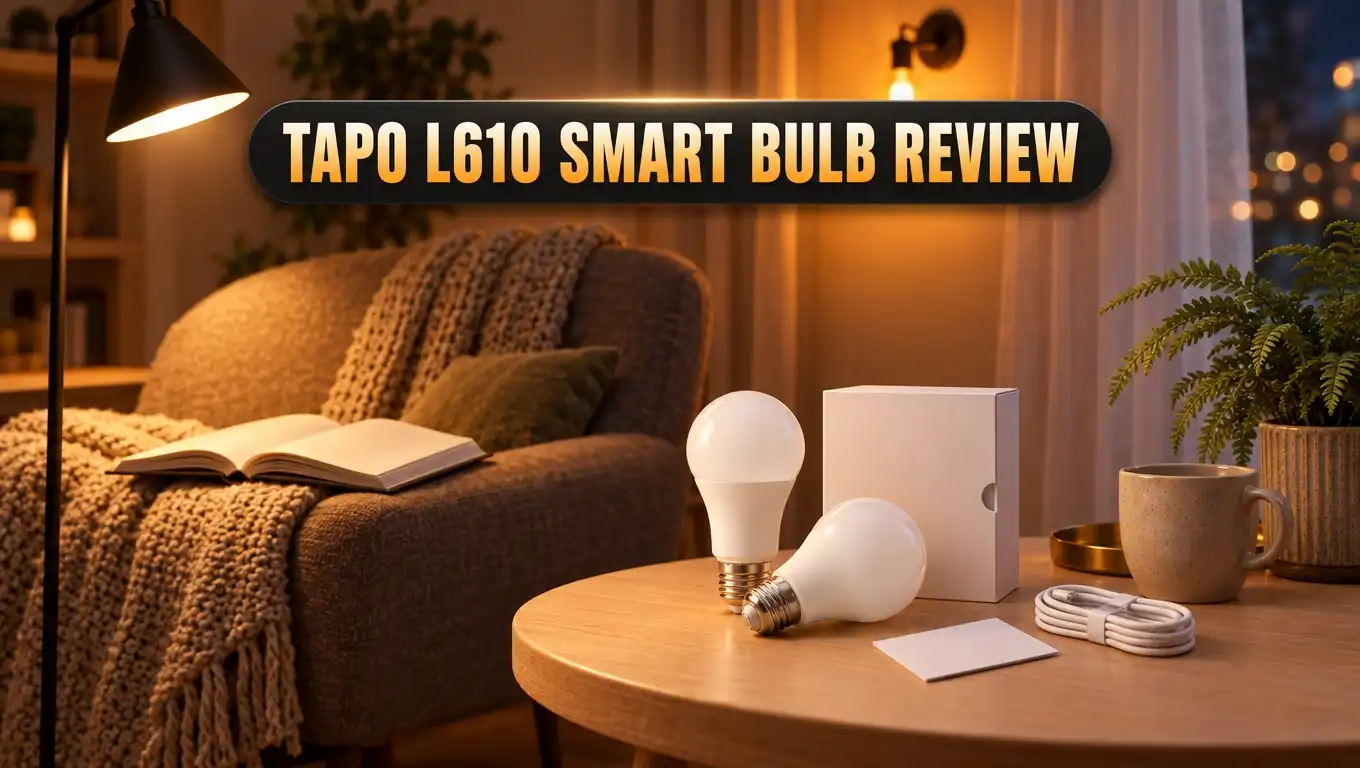
Tapo L610 Smart Bulb Review: Budget GU10 Spotlight Worth It?
Your kitchen downlights do one job. They turn on, and they turn off. What if they could dim, follow a schedule, and respond to your voice?
That is what the Tapo L610 offers. It is a small GU10 smart spotlight from TP-Link, and it costs very little.
We tested its setup, brightness, app, and daily use. Read on to see if this budget bulb belongs in your ceiling.
In a Nutshell
- Simple GU10 upgrade: The Tapo L610 fits any standard GU10 fitting. You swap your old bulb for this one and connect it to your WiFi in about two minutes. You do not need a hub.
- Warm white only: The bulb gives a fixed 2700K warm white light. It does not change color or white tone. This keeps the price low and the light cozy.
- 350 lumens with deep dimming: The bulb puts out 350 lumens, which is close to a 50W halogen. You can dim it from 1% to 100% in the app. At its lowest setting it gives a soft 7 lumen glow.
- Very low power use: The L610 draws only 2.9W at full brightness and under 0.2W on standby. The Tapo app also shows how much energy it uses.
- Smart features on a budget: You get schedules, timers, sunrise and sunset triggers, Away Mode, and group control. Alexa and Google Assistant both work with it.
- Some limits: It works only on 2.4GHz WiFi. It does not work with wall dimmer switches. It also lacks IFTTT, SmartThings, and fade on or off effects.
Tapo L610 Smart Bulb Overview

- 【Matter-Certified】 Matter devices work with any certified platform such as Apple Home, Alexa, Google...
- 【Extra Bright 1100-Lumen Light】Tapo L535E provides 1100 lumens of crisp, high-quality lighting, which...
- 【Millions of Colors & Dimmable】 Easily design scenarios with various vivid colors for your daily...

Last update on 2026-11-26 / Affiliate links / Images from Amazon Product Advertising API
The Tapo L610 is a smart WiFi spotlight from TP-Link’s Tapo range. It replaces a standard GU10 bulb, the kind you find in recessed ceiling downlights.
Most smart bulbs use screw or bayonet fittings, so people with downlights had few cheap options for a long time. The L610 fills that gap at a very friendly price.
The bulb gives one type of light: soft warm white at 2700K. You can change its brightness, but you cannot change its color.
That might sound basic, but it suits a lot of homes. Warm white is the most popular tone for living rooms, bedrooms, and hallways.
TP-Link designed the L610 for both homes and display spaces. Its focused beam works well over artwork, shelves, kitchen counters, and craft displays.
The bulb connects straight to your home router over WiFi, so you do not need to buy a bridge or hub. Everything runs through the free Tapo app.
TP-Link also sells a sister bulb called the Tapo L630. That model adds 16 million colors and tunable white light from 2200K to 6500K, and it costs a little more.
The L610 is the simpler, cheaper, and more efficient choice of the two. If you just want smart dimming in your downlights, this is the one to look at.
The bulb came out in 2022 and still sells well today, especially in the UK and Europe. It often appears in four packs, which makes fitting a whole room cheaper.
Design and Build Quality
The Tapo L610 looks like a normal GU10 bulb. It measures about 55 x 55 x 50 mm, so it fits standard fittings without any trouble.
The body is white plastic with a clear lens on the front. Behind the lens you can see small orange LEDs when the bulb is off.
It is quite clever how much TP-Link packs inside. The mains power supply, the WiFi chip, and the LEDs all fit into this tiny shell.
The plastic body feels light but solid. It does not creak or flex when you push it into a fitting.
Halogen GU10 bulbs used glass and metal and got very hot. The L610 uses plastic because LEDs run much cooler.
In testing, the L610 stayed cool to the touch. It even ran cooler than the standard LED downlight it replaced.
That matters for two reasons. Cooler bulbs last longer, and they are safer in enclosed ceiling spaces.
The bulb has a 40 degree beam angle. This is a standard spread for a downlight, so you get a clear pool of light without too much spill.
There are no buttons or switches on the bulb itself. You control it through your wall switch, the app, or your voice.
One small point: the bulb has no visible branding on the front. Once it sits in the ceiling, it looks exactly like any other downlight bulb.
Guests will never guess your ceiling lights are smart until you dim them with a voice command.
Overall, the design is simple and practical. It does what a GU10 bulb should do and adds smart features in the same body.
Key Specifications at a Glance
Before you buy, it helps to know the numbers. Here are the main specs of the Tapo L610.
The bulb uses a GU10 base, so it fits most recessed downlights and track lights that use this fitting.
Brightness is 350 lumens. This roughly matches a 50W halogen spotlight, which is a common output for kitchen and bathroom downlights.
Color temperature is fixed at 2700K warm white, which gives a soft, yellow-tinted glow similar to old incandescent bulbs.
The dimming range is 1% to 100%. At its lowest point, the bulb gives about 7 lumens of gentle ambient light.
Power draw is 2.9W at full brightness. Standby power stays below 0.2W, and the bulb carries an EU energy class D rating.
For connection, it uses WiFi 802.11b/g/n on 2.4GHz. It does not support 5GHz networks.
It works with Amazon Alexa and Google Assistant for voice control, and it needs no hub.
App features include schedules, timers, sunrise and sunset modes, Away Mode, groups, and energy monitoring. You manage all of them in the Tapo app.
These specs paint a clear picture. The L610 is a modest, efficient bulb built for everyday comfort lighting rather than bright task lighting.
If your current GU10 bulbs give out more than 350 lumens, check them first. A swap could make your room look a little dimmer.
Most standard LED GU10 bulbs sit between 300 and 400 lumens, though. For many homes, the L610 will feel like a direct match.
Top 3 Alternative for Tapo L610 Smart Bulb
The L610 is a great value pick, but it is not the only GU10 smart bulb out there. Here are three strong alternatives for different needs.

- 【16M Colors & True-White】Choose from 16 millions of colors or set the bulb from warm to cool...
- 【Superior Lighting Performance】Enjoy a truly superior lighting performance with these a 220° beam...
- 【Voice & App Control】These are smart bulbs that work with Alexa and Google Home, so you can simply...
Last update on 2026-11-26 / Affiliate links / Images from Amazon Product Advertising API
The Tapo L630 is the closest match. It shares the same size, 350 lumen output, and Tapo app.
The big difference is color. The L630 offers 16 million colors and tunable white from 2200K to 6500K.
It also adds Party and Relax themes, plus a gradual fade on and off. It uses a little more power at 3.7W and costs slightly more.
Pick the L630 if you want color without leaving the Tapo app.

- WHAT’S IN THE BOX - Includes two White and Color Ambiance smart 60W-equivalent GU10 color-changing...
- UNLOCK THE FULL POWER OF HUE - Add a Hue Bridge to enjoy automations, control from anywhere in the world...
- MILLIONS OF COLORS - The White & Color Ambiance range offers both warm-to-cool white and millions of...
Last update on 2026-11-26 / Affiliate links / Images from Amazon Product Advertising API
The Philips Hue White GU10 is the premium choice. Hue has the most mature smart lighting system on the market.
It works over Bluetooth on its own, or with a Hue Bridge for full features. With the Bridge, you get Apple Home support, physical remotes, and motion sensors.
It costs much more than the Tapo L610. But if you want a bigger system that grows with your home, Hue is hard to beat.
No products found.
The Govee GU10 Smart Bulb is the fun option. It gives out 400 lumens, which is brighter than the Tapo bulbs.
It also offers millions of colors, warm and cool white, and dozens of animated scene modes. It works with Alexa and Google Assistant too.
Choose Govee if you want more brightness and lots of color effects for a fair price.
Each of these alternatives costs more than the L610. That is why the Tapo bulb remains a smart pick for simple warm white dimming.
Setup and Installation Process
Setting up the Tapo L610 is one of its best points. Most people can finish in a few minutes.
First, turn off the power to your light fitting. Wait for the old bulb to cool down if it was on.
Next, remove the old GU10 bulb. You usually push it in and twist it to release it.
Here is one important tip. Some downlights have sealed bulbs that you cannot remove. Check your fittings before you buy.
If your fittings are sealed, you will need new GU10 fittings. Call an electrician if you do not feel confident with wiring.
Once the old bulb is out, push the L610 in and twist it to lock. Turn the power back on at the wall.
Now open the Tapo app on your phone. Tap the plus symbol and pick the L610 from the device list.
The app asks for your WiFi name and password. Make sure your phone is on the 2.4GHz network, because the bulb cannot see 5GHz.
The app then connects the bulb and checks for firmware updates. This whole step takes about one or two minutes.
After that, you can give the bulb a name like “Kitchen Spot 1.” This helps a lot when you set up voice control later.
If you have several bulbs, repeat the steps for each one. Then group them into a room, such as “Kitchen” or “Hallway.”
No hub, no bridge, and no extra cables. The bulb talks straight to your router, which keeps setup cheap and simple.
Many users say the L610 is one of the easiest smart bulbs they have installed. Even beginners can get it working on the first try.
Tapo App Experience
The Tapo app is where you control everything. It is free on Android and iOS, and it is clean and easy to use.
When you open the app, you see all your Tapo devices on the home screen. Tap the L610 to open its control page.
The control page shows a large bulb icon. Tap the base of the icon to turn the light on or off.
To change brightness, drag your finger along the bulb icon. The light responds almost instantly.
Below the icon, you find a set of brightness presets. You can save your favorite levels and pick them with one tap.
For example, you might save 100% for cooking and 20% for late night snacks.
The app also lets you create groups. A group controls several bulbs at once, so you can dim a whole room with one slider.
You can also create Smart Actions. These link your bulbs to other Tapo devices, such as plugs, cameras, or sensors.
For example, a Tapo motion sensor could turn on your hallway spotlights at night. This makes the L610 more useful if you already own other Tapo gear.
The app also shows energy usage. You can see how much power each bulb uses over days and months.
There are a few gaps. The app has no geofencing, so lights cannot turn on when you arrive home.
It also has no IFTTT support, which limits links to other apps and services.
Still, for daily use, the app covers almost everything most people need. It feels polished, fast, and simple.
Brightness and Light Quality
The Tapo L610 gives out 350 lumens at full power. This is enough for most living rooms, bedrooms, hallways, and bathrooms.
In a normal room with several downlights, the light feels bright and even. The 40 degree beam spreads well across the floor and walls.
However, this is not the brightest GU10 bulb you can buy. Some powerful GU10 bulbs reach about 1,000 lumens.
That means the L610 may feel too dim in some spaces. High ceilings, offices, and workshops may need brighter bulbs.
The light color is fixed at 2700K warm white. It looks soft and yellow, much like a classic incandescent bulb.
This warm tone creates a cozy feel in the evening. It is great for relaxing, eating dinner, or watching TV.
The bulb does not offer cool white or daylight tones. If you like crisp white light for reading or work, this could be a drawback.
The light looks clean and steady to the eye. Testers reported no visible flicker during normal use.
The bulb also stays completely silent. Some cheap smart bulbs hum or buzz when dimmed, but the L610 does not.
Silence matters more than you think, especially in a quiet bedroom at night.
For art displays and shelves, the focused beam works very well. It draws attention to objects without lighting the whole room.
Overall, the light quality is pleasant and comfortable. Just make sure 350 lumens fits your space before you buy a full set.
Dimming Performance
Dimming is the main smart feature of the Tapo L610. Since it has no color options, dimming needs to work well, and it does.
You can dim the bulb from 1% to 100% in the app. The steps feel smooth, with no sudden jumps in brightness.
At 1%, the bulb gives about 7 lumens. This creates a soft glow that works as a night light.
Imagine walking into a dark kitchen at 2 a.m. without blinding yourself. That is where this low setting shines.
You can also dim by voice. Just say, “Alexa, set kitchen lights to 30 percent.”
There is one important rule, though. Do not use the L610 with a wall dimmer switch.
The bulb dims only through the app and voice control. A traditional dimmer switch can cause flicker or even damage the bulb.
If your fittings sit on a dimmer circuit, set the dimmer to full. Better still, replace it with a standard switch.
The wall switch should always stay on. If you turn it off, the bulb loses power and the app cannot reach it.
This is a common issue with all smart bulbs. A smart switch cover or a small sign can remind family members to leave the switch on.
One more small point: the L610 does not offer a gradual fade when turning on or off. The light just snaps on and off.
The L630 offers this fade feature, but the L610 does not. It is a minor gap, but some people like the soft fade effect.
Overall, dimming on the L610 is smooth, quiet, and responsive. It is the star feature of this bulb.
Schedules, Timers and Away Mode
The Tapo L610 has strong automation features for such a cheap bulb. These features make your lights work for you without any taps.
Schedules let the bulb turn on or off at set times. You can also pick a brightness level for each schedule.
For example, your hallway lights could turn on at 30% every evening at 7 p.m. They could then switch off at 11 p.m.
You can repeat schedules on certain days of the week. Weekday mornings and weekend mornings can follow different routines.
The bulb also supports sunrise and sunset modes. These use your time zone to switch lights on at dusk and off at dawn.
This is handy because sunset times change through the year. You never need to update your schedule by hand.
Timers work like a countdown. You can set the bulb to turn off in 30 minutes, which is great for bedtime.
Away Mode is a clever security feature. It turns your lights on and off at random times when you are not home.
This makes your home look lived in. Would be burglars see lights changing and think someone is inside.
You can set Away Mode for certain hours, such as evenings only. This keeps the pattern looking natural.
All these features run in the cloud and on the bulb. They work even when your phone is off or away from home.
For a bulb at this price, the automation tools feel generous. They give you real value beyond simple on and off control.
Voice Control with Alexa and Google
The Tapo L610 works with both Amazon Alexa and Google Assistant. This makes hands free control easy.
To set it up, open the Alexa or Google Home app. Add the Tapo skill or service, then sign in with your Tapo account.
Your bulbs then appear in the voice app automatically. Any groups you made in the Tapo app also show up.
Now you can control your lights with simple commands. Say, “Hey Google, turn off the bedroom lights,” and they switch off.
You can also set brightness by voice. “Alexa, dim the living room to 20 percent” works quickly and reliably.
Voice control feels most useful when your hands are full. Think of cooking, carrying groceries, or holding a baby.
You can also add the L610 to routines in Alexa or Google Home. A “Good Night” routine could turn off all lights and lock your smart door.
A “Movie Time” routine could dim your spotlights to 10%. These routines make your home feel more connected.
There is one gap to know about. The L610 has no Apple HomeKit or Siri support and does not use Matter.
If you use an iPhone with the Apple Home app, you cannot add this bulb directly. You would need the Tapo app or Siri Shortcuts.
The bulb also lacks SmartThings support. For most Alexa and Google users, though, voice control works smoothly.
Energy Efficiency and Running Costs
The Tapo L610 is very efficient. It uses just 2.9W at full brightness.
Compare that with a 50W halogen GU10 bulb. The L610 gives similar light while using about 94% less power.
Even against standard LED GU10 bulbs, it holds up well. Many standard LEDs use 4W to 5W for the same output.
Standby power stays below 0.2W. Smart bulbs always draw a little power to stay connected, but this amount is tiny.
Let us do some quick math. Ten L610 bulbs at full power use only 29W combined.
If you run them for five hours a day, that is about 53 kWh per year. At typical electricity prices, this costs very little.
The L610 also beats its sister bulb on efficiency. The L630 uses 3.7W, so ten L630 bulbs use about 8W more than ten L610 bulbs.
TP-Link says the L610 supports grouping of 20 to 30 spotlights with low energy use. This makes it practical for large rooms or open plan spaces.
The Tapo app includes energy monitoring. You can track daily and monthly use for each bulb.
This helps you spot waste. Maybe the hallway lights stay on longer than you thought.
Dimming also saves power. A bulb at 50% brightness draws less power than one at full output.
Schedules and timers add more savings. Lights turn off on their own, even when you forget.
For an eco friendly and budget friendly home, the L610 is a smart buy. It cuts bills without cutting comfort.
Real World Performance and Reliability
Specs are useful, but daily use tells the real story. So how does the Tapo L610 hold up over time?
In testing, the bulb responded quickly to app and voice commands. There was no noticeable lag or loss of connection.
The light turned on within a second of each command. Dimming changes showed up almost instantly.
Stable WiFi makes a big difference here. A strong 2.4GHz signal near your ceiling helps the bulb stay connected.
Some users of Tapo bulbs have reported random resets or dropouts. These issues often link to weak WiFi or router settings.
If you face problems, try a few fixes. Move your router closer, add a mesh node, or give the bulbs a fixed IP address.
Power cuts can also affect smart bulbs. After a power cut, the L610 turns back on and reconnects to your network.
The bulb stays cool during long use. This helps protect the internal parts and should extend its life.
No buzzing, no humming, and no visible flicker showed up during testing. That is a big plus for bedrooms and quiet rooms.
For smart home hobbyists, there is one note. Home Assistant support for the L610 has been unclear, while the L630 is listed in the official integration.
If you plan to use Home Assistant, check the latest integration notes first. Most regular users will never need to worry about this.
Overall, the L610 feels reliable for daily use. It does its job quietly and consistently.
Pros and Cons
Every product has strengths and weaknesses. Here is a clear look at the Tapo L610.
Pros
- Very affordable price: The L610 is one of the cheapest smart GU10 bulbs from a trusted brand. Four packs make it even cheaper per bulb.
- No hub required: The bulb connects straight to your WiFi router. You save money and avoid extra devices.
- Easy setup: Most people can install and connect it in a few minutes. The Tapo app guides you through each step.
- Excellent efficiency: It uses only 2.9W at full brightness. Standby power stays under 0.2W.
- Smooth deep dimming: You can dim from 1% to 100%. The lowest setting works as a gentle night light.
- Strong automation: Schedules, timers, sunrise and sunset modes, and Away Mode all come included.
- Quiet and cool: The bulb makes no noise and stays cool during long use.
- Alexa and Google support: Voice control works smoothly with both major assistants.
Cons
- Warm white only: The color is fixed at 2700K. You cannot switch to cool white or colors.
- Not very bright: At 350 lumens, it may feel dim in large rooms or spaces with high ceilings.
- 2.4GHz WiFi only: It cannot connect to 5GHz networks, which can make setup tricky on some routers.
- No wall dimmer support: You must dim through the app or voice, never with a traditional dimmer switch.
- Limited platform support: It lacks HomeKit, Matter, IFTTT, and SmartThings support.
- No fade effect: The light snaps on and off with no gradual transition.
The pros clearly outweigh the cons for most buyers. Just make sure the limits do not clash with your needs.
Who Should Buy the Tapo L610?
The Tapo L610 suits a lot of people, but not everyone. Here is who will love it most.
First time smart home users are a perfect match. The bulb is cheap, easy to set up, and simple to use.
If you want to try smart lighting without spending much, start here. You can test one bulb before buying a full room set.
Homeowners with many downlights will also benefit. Kitchens and hallways often have six to ten GU10 fittings.
Buying premium bulbs for all of them gets expensive fast. The L610 keeps the total cost low.
People who love warm, cozy light will feel right at home. The 2700K tone suits living rooms, bedrooms, and dining areas.
Existing Tapo users get extra value. The L610 links with Tapo plugs, cameras, and sensors for smart automations.
Renters can use it too. You just swap bulbs and take them with you when you move.
Who should skip it? If you want colors or cool white light, look at the L630 or Govee instead.
If you use Apple Home, the lack of HomeKit support could frustrate you. Philips Hue or a Matter bulb may suit you better.
If your room has high ceilings or needs bright task lighting, 350 lumens may not be enough. A brighter bulb will serve you better in those spaces.
For everyone else, the L610 delivers great value. It turns ordinary downlights into smart lights for very little money.
Final Verdict
The Tapo L610 does one thing, and it does it well. It brings smart dimming and scheduling to your GU10 downlights at a very low price.
Setup takes minutes, and you need no hub. The Tapo app is clean, fast, and full of useful features.
The light is warm, steady, and silent. Dimming feels smooth, from a bright 350 lumens down to a gentle 7 lumen glow.
Energy use is impressively low at just 2.9W. Your electricity bill will barely notice a whole room of these bulbs.
Of course, it has limits. You only get warm white, and the brightness suits normal rooms better than large spaces.
It also lacks HomeKit, Matter, and IFTTT support. Wall dimmer switches are off limits too.
But at this price, those limits feel fair. TP-Link kept the bulb simple so more people can afford it.
If you want color, the Tapo L630 is the easy upgrade. If you want a bigger ecosystem, Philips Hue is worth the extra cost.
For simple warm white smart lighting, though, the L610 is hard to beat. It is one of the best value GU10 smart bulbs you can buy.
Our rating: 4.3 out of 5. It is a smart, affordable, and reliable choice for most homes.
Frequently Asked Questions
Does the Tapo L610 need a hub?
No, the Tapo L610 does not need a hub. It connects directly to your 2.4GHz WiFi router.
Can the Tapo L610 change colors?
No, the L610 only offers warm white light at 2700K. For colors, choose the Tapo L630 instead.
How bright is the Tapo L610?
The bulb gives out 350 lumens at full brightness. This roughly equals a 50W halogen GU10 spotlight.
Does the Tapo L610 work with a dimmer switch?
No, you should not use it with a wall dimmer switch. Dim the bulb through the Tapo app or with voice commands.
Does the Tapo L610 work with Alexa and Google Home?
Yes, it works with both Amazon Alexa and Google Assistant. You can control power and brightness by voice.
Does the Tapo L610 support Apple HomeKit?
No, the L610 does not support HomeKit or Matter. iPhone users can still control it through the Tapo app.
Can I use the Tapo L610 on a 5GHz WiFi network?
No, it only supports 2.4GHz WiFi. Most dual band routers broadcast both, so you can usually connect without trouble.
How much power does the Tapo L610 use?
It uses 2.9W at full brightness and less than 0.2W on standby. This makes it very energy efficient.
What happens if I turn off the wall switch?
The bulb loses power and goes offline. Keep the wall switch on so the app and voice control keep working.
Is the Tapo L610 worth buying?
Yes, for most people it is great value. It offers easy setup, smooth dimming, and strong automation at a low price.

DK is the founder and lead writer at Smart Lighting Finds, where he helps readers discover the best lighting products through honest, hands-on reviews and in-depth comparisons. With a deep passion for home improvement and smart technology, DK is dedicated to making every lighting decision easier and brighter for his readers.