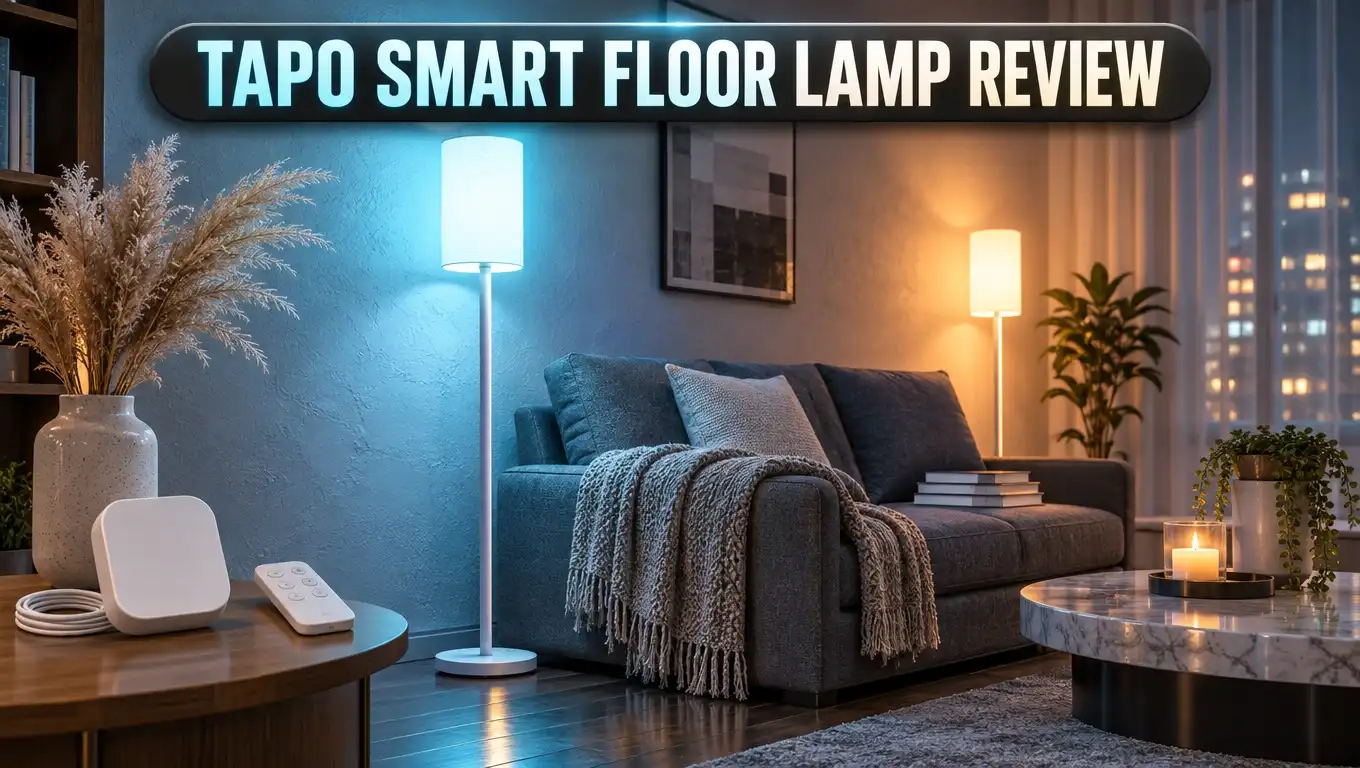
Tapo Smart Floor Lamp Review: Is a Tapo Setup Worth It?
Your floor lamp is probably the most boring light in your home. It sits in the corner. You walk over to it. You click it on, then you click it off. That’s all it does.
But what if your phone or your voice could control it? What if it could glow warm amber at night and bright white in the morning? A Tapo smart floor lamp setup does this for very little money.
In this review, I’ll explain how a Tapo floor lamp works and how bright it gets. You’ll see what the app can do, plus the problems you should know about. By the end, you’ll know if this setup fits your room and your budget.
In a Nutshell
- No dedicated Tapo floor lamp exists yet. You build one with a Tapo L535E smart bulb or a Tapo P135 dimmer plug kit. Both turn the floor lamp you already own into a smart light, so you skip buying new furniture.
- The L535E bulb is the star. It gives about 1,100 lumens, 16 million colors, and whites from 2,500K to 6,500K. That’s bright enough to light a reading corner or fill a living room with mood color.
- Matter support makes it flexible. The bulb works with Alexa, Google Home, Apple Home, and SmartThings. You don’t need a hub, and setup takes only a few minutes in the Tapo app.
- The P135 kit is for plain lamps. It dims regular dimmable bulbs and gives you a wireless dimmer button. It handles up to 300W across two outlets, so one kit can run two lamps.
- The price is very low. A Tapo setup often costs less than $35, while premium smart floor lamps can cost $150 to $300. That gap matters for most buyers.
- There are some limits. You get no RGBIC gradient effects and only a few built in themes. The bulb also uses 2.4GHz WiFi only, so it suits buyers who want smart control more than a light show.
What Is the Tapo Smart Floor Lamp Setup?
Let’s clear up one thing first. TP-Link sells many Tapo lights, but it does not sell a standalone Tapo floor lamp. You won’t find a tall Tapo tower lamp on the shelf.
So what do people mean by a “Tapo smart floor lamp”? They mean a regular floor lamp that runs on Tapo smart gear. You keep your lamp and swap the brains.
There are two simple ways to do this. The first is a Tapo smart bulb, which you screw into your lamp like any normal bulb. The bulb holds the WiFi chip, so it controls color, brightness, and schedules.
The second is a Tapo smart dimmer plug kit. You plug the lamp into the smart plug, and the plug controls the power. A small wireless button lets you dim the light by hand.
Both options make your lamp respond to your phone, your voice, and schedules. Neither needs an electrician, tools, or a hub.
I like this approach for one big reason. You probably already own a floor lamp you love. It might be a brass arc lamp or a simple linen shade lamp, and you don’t want to throw it out.
A Tapo setup keeps your style and adds smart features. It’s also cheaper than buying a new smart lamp, and it takes about five minutes.
In the next sections, I’ll review both products in detail. Then I’ll compare them with three ready made smart floor lamps.
Tapo L535E Smart Bulb: The Heart of the Lamp

- 【Matter-Certified】 Matter devices work with any certified platform such as Apple Home, Alexa, Google...
- 【Extra Bright 1100-Lumen Light】Tapo L535E provides 1100 lumens of crisp, high-quality lighting, which...
- 【Millions of Colors & Dimmable】 Easily design scenarios with various vivid colors for your daily...

Last update on 2026-11-27 / Affiliate links / Images from Amazon Product Advertising API
The Tapo L535E is the best way to make your floor lamp smart. It’s a standard A19 bulb with an E26 base, which fits most floor lamps in the United States.
This bulb is bright. It delivers about 1,100 lumens, which equals a 75W old style bulb. Many smart bulbs stop at 800 lumens, so the L535E gives you about a third more light.
Brightness matters a lot in a floor lamp. A lamp shade blocks some light, and a tall lamp spreads light over a big area. A weak bulb makes a floor lamp feel dim and sad. The L535E fixes that.
The bulb is RGBW, so it shows over 16 million colors plus true white tones. The white range goes from 2,500K to 6,500K. At 2,500K, the light feels like a cozy candle. At 6,500K, it feels like crisp daylight.
The L535E also supports Matter. That means it works with Alexa, Google Home, Apple Home, and SmartThings. You can even connect it to more than one platform at the same time.
Price is a big plus. A single bulb often sells for around $18. A two pack costs around $30, and a four pack costs around $50. Prices drop often during sales.
One warning matters here. Do not use this bulb on a dimmer switch or a dimmer plug. The bulb does its own dimming inside, so a dimmer can cause flicker or damage. Keep your lamp switch fully on and control everything from the app.
Design and Build: How It Looks in Your Room
Because you use your own lamp, the design is up to you. This is a hidden advantage of the Tapo approach. Ready made smart lamps often look like glowing sticks, and that doesn’t suit every home.
The L535E bulb looks like a regular white frosted bulb. Once it sits under a shade, nobody can tell it’s smart. Your guests just see a nice lamp with lovely light.
The frosted cover spreads light evenly. I saw no hot spots or harsh glare through linen and paper shades. Under an open globe shade, the light still looks soft and clean.
The bulb measures about 4.5 inches tall and 2.3 inches wide. That’s close to a standard bulb, so it fits most lamp harps and sockets. Check very tight glass shades before you buy, but most floor lamps will be fine.
The P135 dimmer kit has a small plug and a round wireless button. The plug hides behind furniture. You can stick the button to a wall or leave it on a side table, so it feels like a modern light switch without any wiring.
One small note: a smart bulb is heavier than a basic LED bulb. Very thin or wobbly sockets may not like the extra weight. Most sturdy floor lamps handle it with no issue.
Overall, the design score is high, because the setup blends into your existing decor. You get smart features without the “gamer lamp” look. For many living rooms and bedrooms, that’s exactly what people want.
Tapo P135 Smart Dimmer Plug Kit: The Other Path

- 【Matter-Certified】Matter devices work with any certified platform such as Apple Home, Alexa, Google...
- 【Wireless Button Dimming】Use the dimmer button to instantly dim and brighten two lamps simultaneously...
- 【Dual Outlets】Two outlets on the left and right allow simultaneous control of two lamps with ease...
Last update on 2026-11-27 / Affiliate links / Images from Amazon Product Advertising API
What if you don’t want colored light? What if your lamp holds three or four bulbs? In these cases, the Tapo P135 Smart Dimmer Plug Kit may be a better choice.
The kit includes a smart dimmer plug and a wireless dimmer button. You plug your floor lamp into the plug and leave the lamp switch on. The plug then controls brightness for every bulb in the lamp at once.
The plug has two outlets and handles up to 300W total. You could run two floor lamps from one kit. For a living room with matching lamps, that’s handy.
The wireless button is my favorite part. It lets anyone in your home dim the lamp without a phone. Kids, guests, and grandparents can all use it easily, and that makes the whole family happier with smart lighting.
The P135 also has a smooth fade on and fade off feature. The light rises gently instead of snapping on, which feels calm in a bedroom at night.
Like the bulb, the P135 supports Matter. It works with Apple Home, Alexa, and Google Home, and it uses 2.4GHz WiFi.
You must use dimmable bulbs with this kit. Basic dimmable LED bulbs work well, but non dimmable bulbs may buzz or flicker.
And remember the rule from earlier: never pair the P135 with the L535E bulb. Choose one path. Pick the bulb for color, or pick the plug for simple dimming with a button.
Top 3 Alternative for Tapo Smart Floor Lamp
Maybe you want a true all in one smart floor lamp. Here are three strong alternatives with features a Tapo setup can’t match.
1. Govee RGBIC Floor Lamp Basic

- Note: This floor lamp is 53.7 inches tall and offers a maximum brightness of 1,000 lumens, making it best...
- Dynamic RGBIC Color: Unleash your creativity with Govee RGBIC technology, you can customize each segment...
- Smart Control: Manage your LED floor lamp with simple voice commands via Alexa, Google Assistant. And...
Last update on 2026-11-27 / Affiliate links / Images from Amazon Product Advertising API
This is a hugely popular corner lamp. It stands about 53.7 inches tall and gives up to 1,000 lumens. It uses RGBIC lights, so several colors can glow at once along the tower. It also has music sync and works with Alexa and Matter. It suits corners, bedrooms, and gaming setups.
2. Govee Floor Lamp 2

- Upgraded Modern Design: This 60-in floor lamp body lights up a larger area, while the lighting effects of...
- Matter-Supported Smart Control: This modern floor lamp offers voice control and smart dimming...
- RGBICWW Technology and Brightness: Enjoy multi-color displays, 1725 lm brightness (higher than previous...
Last update on 2026-11-27 / Affiliate links / Images from Amazon Product Advertising API
This is the step up model. It stands about 60 inches tall and reaches 1,725 lumens. It uses RGBICWW lights, which means separate white LEDs give cleaner white light. It also has a glowing ring in the base and Matter support. One downside: the light base can tip over on thick carpet.
3. Lepro OE1 AI Corner Floor Lamp
No products found.
The Lepro OE1 is an RGBICW corner lamp with 1,000 lumens. Its standout feature is an AI lighting designer that creates scenes from your ideas. It also offers music sync, app control, and Alexa and Google support.
All three lamps give you rainbow gradient effects. The Tapo setup gives you a classic lamp look with smart control. Pick the style that fits your room.
Setup and Installation
Setup is where Tapo really shines. The whole process takes about five minutes. You don’t need tools, a hub, or tech skills.
For the L535E bulb, start by downloading the free Tapo app. Create an account if this is your first Tapo device. Then tap the plus icon and choose “Add Device.”
Next, pick Lights and select the L535 model. Turn off your lamp, screw in the bulb, and switch the lamp back on. The bulb will start blinking, which means it’s ready to pair.
The app usually finds the bulb right away. You enter your WiFi password, name the lamp, and pick a room. That’s it. Your floor lamp is now smart.
For the P135 kit, the steps are similar. Plug in the smart plug, add it in the Tapo app, and connect it to WiFi. The wireless button comes paired out of the box.
To add the light to Alexa, Google Home, or Apple Home, use the Matter setup code. You’ll find it in the device settings inside the Tapo app. Scan or enter that code in your smart home app, and you’re done.
A tip from experience: your phone must be on 2.4GHz WiFi during setup. Tapo devices do not support 5GHz. If your router mixes both bands under one name, setup usually still works. If it fails, a short move closer to the router often helps.
Brightness and Color Quality
Let’s talk about the light itself. This is where the L535E surprised me most.
At full power, the bulb puts out about 1,100 lumens. In a floor lamp with a light linen shade, that’s enough to read a book comfortably in a corner chair, and enough to light a small bedroom by itself.
The colors look rich and well saturated. Reds look deep, not pinkish. Blues look strong, not washed out, and greens look vivid and clean. That’s not always true with cheap smart bulbs.
The white tones are also excellent. Low temperatures near 2,500K look warm and golden, like a sunset. High temperatures near 6,500K look cool and crisp, like a bright office.
I like to use warm white after 8 pm. It feels relaxing and helps the room wind down. In the morning, I switch to cool white for energy and focus.
Dimming is smooth across the range. You can drop the brightness very low for a soft night light, which works well in a nursery or hallway.
There’s one limit to know. The L535E colors the whole bulb in one shade at a time. You cannot show several colors at once. Lamps with RGBIC tech, like Govee towers, can show gradients and moving rainbows.
For a classic floor lamp, single color light is usually fine. Most people want nice white light and the odd mood color. The L535E nails both of those jobs.
Tapo App Features
The Tapo app is clean and easy to use. You won’t get lost in confusing menus. Every device shows as a simple tile on the home screen.
Tap your lamp tile to open its controls. You can turn it on or off, adjust brightness, and switch between color and white modes. In color mode, you pick any shade from a color wheel, and in white mode, you slide between warm and cool.
Below the main controls, you’ll find four handy tools. Theme runs light effects. Schedule sets on and off times. Timer turns the lamp off after a set period, and Away turns the lamp on and off at random times.
Away mode is great for safety. It makes your home look busy while you travel. Burglars see lights changing and assume someone is home.
The bulb has two themes: Party and Relax. Party cycles through colors quickly, and Relax shifts colors slowly. That’s a small list compared with Govee or Lepro, which offer dozens of scenes.
The app also offers Smart Actions. These link your lamp to other Tapo devices. For example, the lamp can turn red when a Tapo camera spots motion. You can also have the lamp switch on when you arrive home.
Overall, the app favors simple and reliable over flashy. If you want endless scenes, look elsewhere. If you want a lamp that just works every day, Tapo delivers.
Voice Control and Matter Support
Voice control makes a smart floor lamp feel magical. You walk into a dark room, say one sentence, and the lamp glows. No fumbling for a switch behind a chair.
Thanks to Matter, the L535E works with all major voice assistants. You can use Alexa, Google Assistant, or Siri. Samsung SmartThings works too.
Simple commands work well. Try “Alexa, turn on the floor lamp.” Or try “Hey Google, set the floor lamp to 30 percent.” You can even say “Siri, make the floor lamp blue.”
The bulb responds quickly and reliably to voice commands. It also works smoothly inside routines and scenes. You can build a “Movie Night” routine that dims the lamp and turns off the ceiling lights.
Matter also lets you use multiple platforms at once. Your partner can use Siri while you use Alexa. Both control the same lamp with no conflict.
There’s one small catch. Matter controls only the basics: on, off, brightness, and color. Themes and Away mode stay inside the Tapo app. That’s normal for Matter lights from every brand.
For most people, the basics cover daily use. You’ll rarely need the app once routines are set. Your voice and schedules handle almost everything.
If you use Apple Home, this is great news. Many cheap smart lights skip Apple support. With Tapo, iPhone users get full Home app and Siri control without extra hubs.
Energy Use and Running Costs
Smart bulbs are LEDs, so they use very little power. The L535E uses far less energy than the old incandescent bulb it replaces.
This is my favorite hidden feature: the L535E has built in energy monitoring. The app shows how many hours the bulb has run and how much energy it used. You can see daily, weekly, and monthly readings.
That data helps you spot waste. Maybe your floor lamp stays on all night by accident. The app will show it clearly. Then you can fix it with a schedule or timer.
Running costs are tiny. A floor lamp on this bulb for five hours a day costs just a few dollars a year in most homes. The bulb pays back its price over time compared with old bulbs.
Schedules save even more money. Set the lamp to turn off at midnight every night, and you’ll never waste power on a forgotten light again.
Standby power is also low. The bulb draws a tiny amount to stay connected to WiFi. It’s a very small cost for always on smart control.
The P135 kit keeps energy use low too. It dims your bulbs, and dimmed bulbs use less power. Its fade feature also feels gentle on the eyes.
In short, a Tapo floor lamp setup is cheap to buy and cheap to run. That’s a rare combo in smart home gear.
Who Should Buy This Setup?
The Tapo smart floor lamp setup isn’t for everyone. Here’s who will love it most.
Budget buyers will love it. A Tapo bulb costs a fraction of a premium smart floor lamp. You can make your lamp smart for under $20. That’s a great entry point for smart home beginners.
People with nice lamps will love it. Maybe you own a vintage brass lamp or a designer arc lamp, and a glowing plastic tower would ruin your room. Tapo lets you keep your favorite lamp.
Apple, Google, and Alexa users will love it. Matter support means the bulb fits any ecosystem, and you don’t have to worry about switching phones later.
Renters will love it. There’s no wiring and nothing to mount. When you move, you just unscrew the bulb and take it with you.
Families will love the P135 kit. The wireless button means everyone can control the lamp, even without a phone.
Now, who should skip it? Gamers and party lovers might want more. If you crave flowing rainbows and music sync, an RGBIC lamp like the Govee Floor Lamp 2 suits you better.
People with only 5GHz WiFi should also take note. Tapo needs a 2.4GHz network, but most home routers still offer it.
For everyone else, this setup offers the best value in smart floor lighting today.
Pros and Cons
Every product has strengths and weaknesses. Here’s an honest breakdown of the Tapo smart floor lamp setup.
Pros
- Very bright output of about 1,100 lumens, which fills a room easily.
- Rich colors and great whites, with a warm to cool range from 2,500K to 6,500K.
- Matter support works with Alexa, Google Home, Apple Home, and SmartThings at once.
- No hub needed, so setup takes about five minutes in the Tapo app.
- Built in energy monitoring shows hours used and power consumed.
- Away mode makes your home look busy while you travel.
- Very low price, often under $20 per bulb and less in multipacks.
- You keep your own floor lamp, so your decor stays the same.
- The P135 kit adds a wireless button for easy dimming without a phone.
Cons
- No dedicated Tapo floor lamp exists, so you must supply your own lamp.
- Only two themes in the bulb, which feels limited next to Govee and Lepro.
- No RGBIC gradients, so the bulb shows one color at a time.
- 2.4GHz WiFi only, which can confuse setup on some routers.
- The bulb cannot be used with dimmers, so you can’t pair it with the P135.
- Matter exposes only basic controls, so themes and Away mode stay in the app.
- No music sync for parties or gaming.
Overall, the pros clearly outweigh the cons for everyday home use. The cons mostly matter to people who want a show lamp, not a living lamp.
Final Verdict
So, is a Tapo smart floor lamp worth it? For most homes, yes, absolutely.
The Tapo L535E bulb turns any standard floor lamp into a bright, colorful, and voice controlled light. It costs little, and it works with every major smart home platform thanks to Matter.
The light quality impressed me most. The bulb is brighter than most smart bulbs in its price range. Its warm whites feel cozy, its cool whites feel crisp, and its colors look rich.
Setup is fast and painless. The app is simple, and energy monitoring is a nice bonus you rarely see at this price.
The P135 dimmer kit is a smart second option. Pick it if your lamp has several bulbs or if your family wants a physical button. It’s simple and reliable.
Still, this setup has clear limits. Two themes is a short list. You get no gradient effects and no music sync. If those matter to you, a Govee or Lepro lamp is the better buy.
Here is my simple advice. If you want a beautiful lamp with smart control, choose the Tapo L535E. If you want a light show tower, choose an RGBIC alternative.
For value, reliability, and style, the Tapo setup is hard to beat. It’s one of the easiest and cheapest smart home upgrades you can make this year.
Frequently Asked Questions
Does TP-Link make a dedicated Tapo floor lamp?
No, TP-Link does not currently sell a standalone Tapo floor lamp. People build one with a Tapo smart bulb or a Tapo smart dimmer plug kit. Both turn a regular lamp into a smart lamp.
Which Tapo bulb is best for a floor lamp?
The Tapo L535E is the best choice for most floor lamps. It gives about 1,100 lumens, 16 million colors, and Matter support. Its brightness suits tall lamps with shades.
Can I use the Tapo L535E with a dimmer switch?
No, you should not use the L535E with any dimmer. The bulb dims itself through the app. A dimmer switch or dimmer plug can cause flicker or damage.
Does the Tapo smart bulb need a hub?
No, the Tapo smart bulb connects straight to your WiFi. You only need the free Tapo app. No hub or bridge is required.
Does the Tapo floor lamp setup work with Apple Home?
Yes, the L535E and the P135 kit both support Matter. You can add them to Apple Home with the Matter code, and Siri will control them.
Can a Tapo bulb show multiple colors at once?
No, the L535E shows one color at a time across the whole bulb. For gradient and rainbow effects, choose an RGBIC lamp like the Govee Floor Lamp 2.
Does Tapo work on 5GHz WiFi?
No, Tapo smart lights work only on 2.4GHz WiFi. Most home routers support 2.4GHz, so this is rarely a problem.
How much does a Tapo smart floor lamp setup cost?
A single L535E bulb often costs around $18. Multipacks lower the price per bulb. The P135 dimmer kit costs a bit more but controls two lamps.
Can I control my Tapo floor lamp when I am away from home?
Yes, the Tapo app works from anywhere with internet. You can turn the lamp on, set schedules, or use Away mode to make your home look busy.

DK is the founder and lead writer at Smart Lighting Finds, where he helps readers discover the best lighting products through honest, hands-on reviews and in-depth comparisons. With a deep passion for home improvement and smart technology, DK is dedicated to making every lighting decision easier and brighter for his readers.