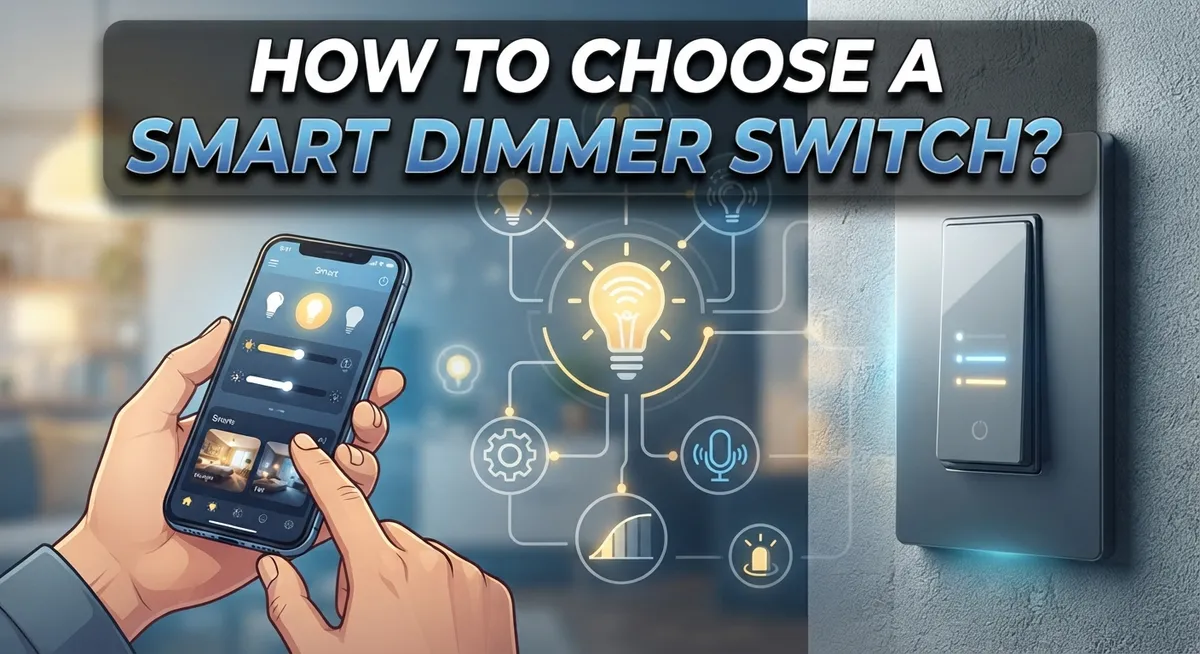
How to Choose a Smart Dimmer Switch: Complete Buyer’s Guide
Smart dimmer switches change how you use light at home. They let you set the mood and save energy at the same time.
But picking the right one is not always simple. Many people install a dimmer only to find their bulbs flicker or refuse to dim.
This happens because not every bulb works with every dimmer. LED lights need special compatibility checks. Your wiring also matters more than you think.
Some homes lack a neutral wire. This single detail can limit your options completely.
You also need to think about how many switches you want to upgrade. Do you need one smart switch or several working together?
Wifi connectivity adds another layer to consider. Some brands only work within their own ecosystem.
This guide walks you through everything you need to know. We cover bulb compatibility, wiring requirements, and app setup basics.
You will also learn common mistakes to avoid. By the end, you will feel confident choosing a smart dimmer that fits your home perfectly.
Let us help you make a smart choice, literally.
In a Nutshell
Choosing a smart dimmer switch does not need to feel hard. Here is a quick summary to help you decide fast.
-
Check your bulb type first. LED, incandescent, and CFL bulbs behave differently with dimmers. Always confirm the bulb says “dimmable” on its packaging.
-
Look for a neutral wire. Most smart dimmers need one to work properly. If your home lacks this wire, your options become limited.
-
Count your switches. Decide how many light switches you plan to upgrade. This affects the type of dimmer and setup you need.
-
Think about multi-switch control. Some rooms use two or three switches for one light. You need a dimmer built for this setup.
-
Test your WiFi connection. Smart dimmers rely on a stable connection. Weak WiFi can cause lag or dropped commands.
-
Match your ecosystem. Some brands work better with specific smart home systems. Research this before you buy to avoid app conflicts later.
Keep these points in mind. They will save you time and prevent common installation headaches.
What Is a Smart Dimmer Switch and How Does It Work?
A smart dimmer switch is a device that controls your lights through an app, voice command, or automation schedule. It replaces your standard wall switch and lets you adjust brightness wirelessly from anywhere in your home.
How it works is straightforward. The switch contains a small computer chip and wireless receiver inside. When you send a command through your phone or smart speaker, the receiver picks up the signal. The chip then adjusts the electrical current flowing to your bulbs. Less current means dimmer light. More current means brighter light.
Smart dimmers offer real benefits beyond just convenience. You save energy by using less power when you don’t need full brightness. Many people dim their lights to 50 percent and cut energy use significantly. You also create different moods in each room without buying new bulbs.
The dimmer communicates with your home network using WiFi, Bluetooth, or other wireless protocols. This connection lets you control lights from your couch, office, or even while traveling. You can set schedules so lights turn on automatically at sunset or dim gradually in the evening.
Installation happens at your wall switch location. The dimmer replaces your existing switch and connects to the wires behind it. Most dimmers need a neutral wire, which is a specific wire in your electrical box. Some newer models work without one, but this is less common.
One important thing to know: not all bulbs work with all dimmers. LED bulbs need special dimmers designed for them. Incandescent bulbs work with most dimmers. CFL bulbs have specific compatibility needs. Installing the wrong bulb type causes flickering or the dimmer won’t work at all.
The dimmer also needs compatible bulbs to function properly. You cannot just grab any bulb from a store shelf. The bulb package will tell you if it works with dimmers.
Checking Bulb Compatibility Before You Buy
Before you buy a smart dimmer switch, you must verify that your bulbs will actually work with it. This step prevents frustration and wasted money.
Start by identifying your current bulbs. Look at what you have installed right now. Are they LED, incandescent, halogen, or CFL? Each type responds differently to dimming technology. This matters because some dimmers only work with specific bulb types.
Check the dimmer’s compatibility list. Manufacturers provide detailed information about which bulbs their dimmers support. You will find this in the product documentation or on their website. Look for phrases like “dimmable LED compatible” or “works with incandescent bulbs.” If your bulb type is not listed, that dimmer will not work for you.
Verify your bulbs are actually dimmable. Not all bulbs in a category are dimmable. Many standard LED bulbs cannot dim at all. Check the packaging or bulb specifications. The packaging usually says “dimmable” clearly. If it does not mention dimming, assume it cannot dim.
Count how many bulbs you have. Smart dimmers have wattage limits. They can only handle a certain total power load. Add up the wattage of all bulbs on that switch. Make sure the dimmer’s maximum wattage exceeds your total. For example, if you have four 15 watt LED bulbs, that is 60 watts total. Your dimmer must handle at least that much.
Test one bulb if possible. Some people buy a single compatible bulb and test it with a dimmer before upgrading all their bulbs. This confirms everything works before you commit to a full installation.
Taking time for these checks ensures your smart dimmer switch will function properly from day one.
Understanding Wiring Requirements and Neutral Wires
A neutral wire is an electrical conductor that completes the circuit path in your home’s wiring system. Most modern smart dimmers require a neutral wire to function properly. This wire allows the dimmer to stay powered even when the light switch is in the off position.
Your wall switch box contains several wires. The hot wire brings power to the switch. The load wire carries power to your light fixture. The neutral wire returns unused electricity back to the electrical panel. Without it, many smart dimmers cannot operate.
To check if you have a neutral wire, turn off power at your breaker box first. Remove your current switch plate and gently pull out the switch. Look inside the box behind the switch. You should see multiple colored wires. Black wires are typically hot. Red wires are often load wires. White wires are neutral wires. Bare copper wires are ground wires.
Some older homes do not have neutral wires in every switch box. This is a common issue in houses built before the 1980s. If your switch box lacks a neutral wire, you have limited options. Some smart dimmers work without a neutral wire, but they are less common and may have reduced features. Always verify your specific dimmer model’s requirements before installation.
The neutral wire also affects dimmer performance with different bulb types. LED bulbs work better with dimmers that have proper neutral wire connections. This reduces flickering and extends bulb life. Incandescent bulbs are more forgiving but still benefit from correct wiring.
If you discover missing neutral wires in your home, consult a licensed electrician. They can assess your electrical system and recommend safe solutions. Attempting electrical work without proper knowledge creates serious safety hazards. A professional can determine if rewiring is feasible for your specific situation.
Evaluating WiFi Connectivity and Smart Home Ecosystem Fit
Your home network is the backbone of any smart dimmer switch. WiFi connectivity determines how reliably your dimmer responds to commands from your phone or voice assistant.
Start by checking your WiFi signal strength in the rooms where you plan to install dimmers. Walk around with your phone and note areas with weak signals. Smart dimmers need consistent connection to function properly. Dead zones in your home may cause delays or failed commands.
Next, identify which smart home ecosystem you already use. Common systems include Amazon Alexa, Google Home, Apple HomeKit, and others. Your dimmer must support your chosen platform. Some dimmers work with multiple ecosystems, while others only support one or two. This compatibility directly affects how you control your lights.
Research the specific communication protocol each dimmer uses. Some use WiFi directly, others use Bluetooth, and many use Zigbee or Z-Wave protocols. Each approach has different range and reliability characteristics. WiFi dimmers communicate straight to your router. Zigbee and Z-Wave dimmers may need a separate hub device to connect to your network.
Consider your existing smart home devices too. If you already own smart speakers or hubs, check whether they support the dimmer you’re considering. A hub device can extend wireless range throughout your home and improve reliability. This becomes especially important if you have multiple rooms to control.
Test your WiFi network speed before purchasing. Slow internet can cause lag in light response. A quick speed test on your phone gives you baseline data. Faster networks generally provide snappier dimmer performance.
Finally, read user reviews specifically about connectivity. Real customers report whether dimmers maintain stable connections or frequently disconnect. Pay attention to comments about setup difficulty and app reliability. These insights help you avoid frustrating installation experiences and ongoing connectivity problems with your smart dimmer switches.
Planning for Multi-Switch and Multi-Location Control
When you plan to control lights from multiple locations, you need a different approach than installing a single dimmer. Multiple switch control means you can adjust the same light from different rooms or areas in your home.
Start by mapping out where you want control points. Draw a simple diagram of your home and mark each location where you’d like to dim lights. This helps you understand the scope of your project before you begin.
Understand your current wiring first. Some homes use 3-way or 4-way switches that already allow control from multiple locations. These setups have specific wiring patterns. If your home already has this configuration, upgrading becomes easier because the infrastructure exists.
Smart dimmers offer two main approaches for multi-location control. The first uses a primary dimmer at the main switch location and wireless remote controls or secondary switches elsewhere. The second uses WiFi connectivity so any device in your home can control the lights through an app.
Decide which method fits your needs. Wireless remotes work without WiFi and require no new wiring. WiFi enabled dimmers give you control from anywhere but need reliable network coverage in those areas.
Count how many control points you actually need. You might want dimming control in a bedroom and hallway, but simple on/off control elsewhere. This distinction affects which dimmer type you should choose.
Consider the physical layout of your spaces. Long hallways or multi-room areas may need different solutions than compact rooms. Some dimmers work better for certain configurations.
Test your plan before committing fully. Install one dimmer with remote controls in one area first. This lets you see if the system works for your home’s layout and your daily habits. You can then expand to other locations with confidence that you’ve chosen the right approach for your specific situation.
Step-by-Step Guide to Selecting the Right Smart Dimmer
Start by identifying your light type. LED bulbs, incandescent bulbs, and halogen bulbs all behave differently with dimmers. Check your current bulbs to see what you have installed.
Next, count how many switches you want to upgrade. Smart dimmers work best when you start small. Many people upgrade one room first to test compatibility before expanding further.
Check your home’s electrical setup. Look inside your switch box to see what wires are present. The neutral wire is critical for most smart dimmers to function properly. If you’re unsure about your wiring, take a photo and ask a licensed electrician to review it.
Research compatibility between your bulbs and potential dimmers. Not all dimmers work with all bulbs. Some LED bulbs are non-dimmable and will flicker or fail with dimmer switches. Read the specifications on both your bulbs and dimmer options.
Evaluate your WiFi network next. Smart dimmers need reliable internet connection to work remotely. Test your WiFi signal strength in the rooms where you plan to install dimmers. Weak signals cause connection drops and frustrating performance issues.
Identify your smart home ecosystem. Do you use a specific brand’s platform already? Some dimmers integrate better with certain systems than others. Check if the dimmer you’re considering works with your existing devices.
Map out your control needs. Will you control lights from one location or multiple locations? Do you want voice control capability? These decisions affect which dimmer features you actually need.
Finally, read user reviews specifically about installation and performance. Real users share common problems and solutions. Pay attention to comments about setup difficulty and long-term reliability. This research step saves you frustration during installation.
Common Mistakes to Avoid When Choosing a Smart Dimmer Switch
Many people make simple errors that lead to frustration and wasted money. Understanding these mistakes helps you pick the right dimmer the first time.
The biggest mistake is buying non dimmable LED bulbs and expecting them to work with your new smart dimmer. Non dimmable LEDs will flicker, buzz, or stop working entirely when paired with dimmers. Always check your bulb packaging before you buy anything. Look for the word “dimmable” on the label.
Another common error involves ignoring compatibility between your bulbs and the dimmer brand you choose. Different dimmer manufacturers work better with certain bulb types. Some dimmers handle incandescent bulbs perfectly but struggle with LEDs. Others work great with specific LED brands only. Do your research before making a purchase.
People often overlook their home’s actual wiring situation. Assuming your electrical setup matches standard installations causes real problems. Older homes especially have different configurations than newer ones. Check what you actually have before ordering anything.
Skipping the compatibility check with your smart home system is another frequent mistake. A dimmer that works perfectly might not connect to your existing devices or app. You could end up with a dimmer that sits in a drawer because it doesn’t integrate with your setup.
Many buyers also ignore their WiFi quality and strength. A smart dimmer needs reliable connection to work properly. If your WiFi signal is weak in certain rooms, your dimmer may disconnect or respond slowly. Test your network first.
Finally, people rush into buying without reading user reviews about actual installation and performance. Real users share what works and what doesn’t. Their experiences reveal problems that product descriptions never mention. Spend time reading these reviews before you decide.
Final Thoughts
Choosing a smart dimmer switch does not need to feel overwhelming. When you break it down into small steps, the process becomes simple.
Start with the basics. Check your bulb type first. Then confirm your dimmer supports that bulb.
Your home’s wiring matters too. Neutral wire presence determines which dimmers will work safely in your space. Skipping this check often leads to installation problems later.
Think about how many switches you want to upgrade. Single switch setups differ from multi-location control needs. Map out your rooms before you buy anything.
WiFi strength plays a bigger role than most people expect. A weak signal can make even a great dimmer feel unreliable. Test your connection in the room where you plan to install the switch.
Your smart home ecosystem matters as well. Some dimmers work better within specific brand systems. Others offer broader compatibility across different platforms.
Take time to research before you commit to a purchase. Compatibility issues cause most of the frustration people experience with smart dimmers. A few minutes of checking specs can save hours of troubleshooting.
Remember the common mistakes covered earlier. Non dimmable bulbs, ignored neutral wires, and skipped compatibility checks all lead to the same outcome. Wasted money and wasted time.
The good news is that avoiding these mistakes is easy once you know what to look for. Simple planning leads to a smooth setup.
Smart dimmers offer real benefits when chosen correctly. You get better control over your lighting. You also save energy over time.
Take your time with each step. Check your wiring, confirm bulb compatibility, and test your WiFi. These small actions make a big difference.
With the right approach, your smart dimmer will work smoothly for years. Careful selection today prevents frustration tomorrow.
Frequently Asked Questions
Can I use any LED bulb with a smart dimmer switch?
No, not all LED bulbs work with smart dimmers. You need dimmable LED bulbs specifically. Regular LED bulbs may flicker, buzz, or not dim at all when paired with a dimmer. Always check the bulb packaging for “dimmable” labels before buying.
Incandescent and halogen bulbs work with most dimmers without issues. The problem occurs because non-dimmable LEDs lack the internal circuitry to handle dimming signals. This mismatch causes the bulb to malfunction rather than smoothly adjust brightness.
Do I need a neutral wire to install a smart dimmer?
Most smart dimmers require a neutral wire in your wall switch box. This wire provides a return path for electrical current and powers the dimmer’s smart features.
Some newer dimmers work without a neutral wire, but they have limitations. Check your specific dimmer’s requirements before installation. If you’re unsure whether your home has neutral wires, a licensed electrician can inspect your switches quickly.
Will a smart dimmer work with my brand of smart home system?
Compatibility depends on the dimmer brand and your ecosystem. Some dimmers connect to major platforms like WiFi networks or popular smart home systems. Others work only within their own brand’s ecosystem.
Research the dimmer’s connectivity options before purchasing. Check if it supports your existing smart home setup. Reading user reviews helps clarify real world compatibility experiences.
Can I control lights from multiple switches with one smart dimmer?
Yes, but setup varies by product type. Some smart dimmers allow you to add wireless remote controls or additional switches to the same light fixture. Others require separate dimmers at each switch location that communicate wirelessly.
Plan your control points before installation. Determine which rooms need multi-switch control for your lifestyle and space layout.

DK is the founder and lead writer at Smart Lighting Finds, where he helps readers discover the best lighting products through honest, hands-on reviews and in-depth comparisons. With a deep passion for home improvement and smart technology, DK is dedicated to making every lighting decision easier and brighter for his readers.