Yeelight Pro Ceiling Light Review: Slim Smart Light Worth It?
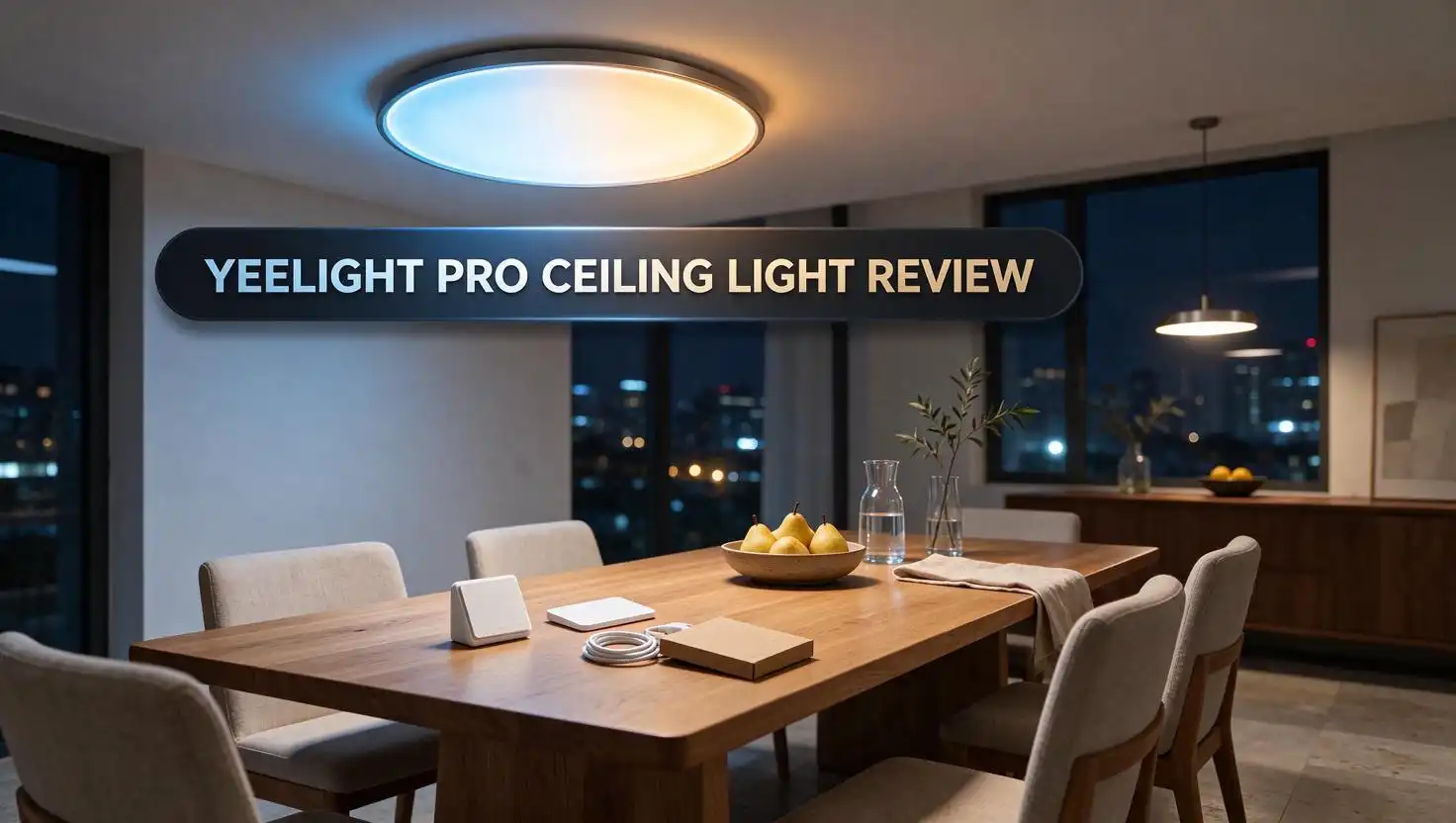
Your ceiling light is the one lamp you use every day. Most people still have a plain, dull fixture up there. It turns on, it turns off, and that is all it does. The Yeelight Pro Ceiling Light changes that. It gives you soft white light for daily tasks and a colorful glow ring for mood lighting, all in one slim panel.
I spent time digging into this light’s specs, setup steps and owner feedback. This review covers what it does well and where it falls short. It also covers who should buy it and who should skip it. By the end, you will know if this light fits your home.
In a Nutshell
- Two lights in one body: The main light gives tunable white light from warm 2700K to cool 6500K. A separate RGB ambient ring adds up to 16 million colors. You control each light on its own, so you can mix bright white light with a soft color glow.
- Ultra slim 35mm profile: The panel sits very close to the ceiling. It suits rooms with low ceilings and gives a clean, modern look. You get three sizes: 12 inch, 16 inch and 20 inch.
- Matter over Thread connection: The light works with Apple Home, Google Home, Alexa and SmartThings. You do need a Matter controller with a Thread border router. A HomePod mini, a newer Apple TV or a compatible hub can do this job.
- Remote in the box: You get a physical remote. Guests and kids can use the light without opening an app. The remote pairs in under a minute.
- Brightness by size: The light gives 1200, 1700 or 2900 lumens depending on size. It dims smoothly from 100% down to 1%. Daylight, Moonlight and Night Light modes come built in.
- Fair price: The 12 inch model often sells for around $60 on sale. That is a low price for a Matter ceiling light with a color ring and a remote.
Yeelight Pro Ceiling Light Overview

- Main Light + RGB Ambient Backlight - Bring layered lighting to your home with a bright white main light...
- Dimmable Light for Every Moment - Adjust brightness and colour temperature from warm 2700K to cool 6500K...
- Smart Home Control with Matter - This smart ceiling light works with Matter and supports compatible...
Last update on 2026-11-25 / Affiliate links / Images from Amazon Product Advertising API
The Yeelight Pro Ceiling Light in this review is the newest Yeelight Smart Ceiling Light E1. It is the brand’s top pick for modern smart homes right now. Yeelight is a smart lighting brand that started in Qingdao, China. It is known for good looking lights at fair prices.
Older Yeelight ceiling lights used WiFi. This new model uses Matter over Thread instead. That is a big shift. Thread is a low power mesh network. It keeps your lights fast and local, even when your internet goes down.
The light has two parts. The first part is a tunable white main light. It covers warm, cozy tones and cool daylight tones. The second part is an RGB+IC ambient ring around the edge. It throws color onto your ceiling and can show flowing, multicolor effects.
Here are the key specs at a glance. The panel is 35mm thick. The color temperature runs from 2700K to 6500K. Dimming goes from 1% to 100% with no steps. The 16 inch model draws 28 watts and gives 1700 lumens. The light also carries an IP50 dust rating and an RG0 low blue light rating.
Yeelight sells this light in three sizes. The 12 inch model gives 1200 lumens. The 16 inch model gives 1700 lumens. The 20 inch model gives 2900 lumens. Pick your size based on room size, and you will get the best results.
The 16 inch model holds a 4.1 star rating from over 50 buyers. That is a solid early score for a new light. Most buyers praise the slim look and the color ring. Most complaints focus on the hub requirement, which I explain below.
Design and Build Quality
The first thing you notice is how thin this light is. At just 35mm thick, it looks more like a panel than a fixture. It sits flush against the ceiling. From below, it looks clean and simple.
The face is a smooth white diffuser. It spreads light evenly with no harsh hot spots. When the light is off, it blends into a white ceiling. You will not see a bulky dome or a dated glass shade.
The color ring sits around the outer edge. It points light up and out onto the ceiling. This creates a soft halo effect. The ring stays hidden when it is off, so the light looks plain and tidy during the day.
The slim design matters most in rooms with low ceilings. A deep fixture can make a small bedroom feel cramped. This light gives you more head room and a more open feel. It also works well in hallways and kids’ rooms.
The build feels solid for the price. The body uses a fast mount base that twists into place. You hear a click when it locks. There are no loose clips or wobbly parts once it is up.
The light comes in white only. That suits most homes, but it limits your style options. If you want a black or wood finish, you will need to look at other brands.
There is one point to keep in mind. The light has an IP50 rating. That means it blocks dust but has no water protection. Do not install it in a bathroom, over a shower or in a damp laundry room. It belongs in dry indoor spaces like bedrooms, living rooms, offices and halls.
Brightness and Light Quality
Brightness is the first thing to check in any ceiling light. The Yeelight Pro gives you three choices. The 12 inch model gives 1200 lumens. The 16 inch model gives 1700 lumens. The 20 inch model gives 2900 lumens.
So which size do you need? The 12 inch model suits small bedrooms, hallways and closets. The 16 inch model suits standard bedrooms and mid size rooms. The 20 inch model suits living rooms and larger open spaces.
Be honest about your room size before you buy. A 1700 lumen light works great in a bedroom. It may feel a bit dim in a large living room with dark walls. In that case, go with the 20 inch model or add a floor lamp.
The color temperature range runs from 2700K to 6500K. At 2700K, the light feels warm and cozy, like an old bulb. At 6500K, it feels crisp and bright, like daylight. Most people use warm tones at night and cool tones during the day.
Dimming is smooth across the full range. You can drop the light to 1% for a gentle glow. You can push it to 100% for cleaning or homework. There is no visible jump between levels.
The color rendering index is above 80. This is a standard score for home lighting. Colors look natural and true. Food, skin tones and fabrics all look fine. It is not a pro photo grade light, though. Some rival lights score CRI 90 or higher.
The light also carries an RG0 rating. This means it poses no photobiological risk from blue light. Your eyes stay comfortable, even after long hours under it. This is a nice touch for bedrooms and home offices.
Top 3 Alternative for Yeelight Pro Ceiling Light
The Yeelight Pro is a great pick, but it is not the only choice. Some buyers want more brightness. Others want to skip the Thread hub. Here are three strong options worth a look.
No products found.
The Aqara LED Ceiling Light T1M is a step up in brightness. It gives 3450 lumens from 40 watts. It also has a tunable white main light from 2700K to 6500K. Its side ring offers RGB+IC gradient effects with 16 million colors. The catch is that it needs an Aqara Zigbee 3.0 hub. It connects to Matter through that hub. It also costs more, at around $150. Pick this one if you already use Aqara gear.
No products found.
The SwitchBot RGBICWW Ceiling Light 12 Inch is the best pick if you hate hubs. It is Matter certified and needs no hub. It gives 2000 lumens and covers 2700K to 6500K. It also has a CRI score above 90, which beats the Yeelight. It works with Apple Home and Alexa. It often sells for a low price on sale, too.

- Planar Colorful Lighting Effects: Featuring independent control for each light and a total of...
- High Brightness Lighting: With 4300lm at your disposal, this smart ceiling light offers 80% brighter...
- Fast and Convenient Installation: Simply mount the back plate to the ceiling, rotate the ceiling light...
Last update on 2026-11-25 / Affiliate links / Images from Amazon Product Advertising API
The Govee Smart Ceiling Light 15 Inch is the brightness king of this group. It gives 4300 lumens at a 15 inch size. It has 121 segments for detailed color effects across the whole face. It is a great pick for gamers and people who love bold color scenes. It runs from 2700K to 6500K for normal daily use.
My quick take: Choose SwitchBot for no hub setup. Choose Govee for raw brightness and effects. Choose Aqara if you live in the Aqara world.
RGB Ambient Ring and Light Modes
The color ring is the fun part of this light. It turns a plain ceiling fixture into a mood light. You can pick from up to 16 million colors. The ring uses RGB+IC tech, so it can show more than one color at a time.
This means you can create flowing effects. Colors can move and blend around the ring. A soft purple can fade into blue. A warm orange can shift into red. It looks great for movie nights and parties.
The best part is control. You can run the main light and the ring separately. You can keep the white light on for reading. You can add a soft blue glow from the ring at the same time. You can also turn off the white light and use only the ring at night.
The light also has built in modes. Here is what each one does:
Daylight Mode gives bright, cool light. It helps you stay alert during work or study. It suits home offices and kitchens.
Moonlight Mode gives a very soft, dim glow. It is perfect for late night trips to the bathroom. It will not wake up your partner.
Night Light Mode gives a low, gentle light for kids’ rooms. It helps little ones feel safe without keeping them awake.
You can also build your own scenes. Set a warm scene for dinner. Set a bright scene for cleaning. Set a color scene for game night. Then trigger each one with your voice or a tap.
One thing is missing, though. There is no music sync mode. The ring will not dance to your music. Govee lights do this well. If music sync matters to you, check the Govee alternative above.
Smart Home Setup with Matter over Thread
This is the most important section in this review. Read it before you buy. The Yeelight Pro uses Matter over Thread. It has no WiFi radio. This gives you big benefits, but it also adds one step.
So what is Matter? Matter is a shared smart home standard. It lets one device work with many platforms. This light works with Apple Home, Google Home, Alexa and SmartThings. You do not get locked into one brand.
What is Thread? Thread is a low power mesh network. Each Thread device can pass signals to the next one. This makes your network stronger as you add more devices. It also keeps control local, so lights respond fast.
Here is the catch. You need a Matter controller with a Thread border router. Without one, the smart features will not work. The good news is that many people already own one.
Apple users can use a HomePod mini or a newer Apple TV 4K. Google users can use a Nest Hub (2nd gen) or Nest Hub Max. Alexa users can use some newer Echo models with Thread built in. SmartThings users can use a SmartThings hub.
If you want to use the Yeelight app, you also need a Yeelight gateway. The app gives you extra effects and settings. But you can skip it and use your main smart home app instead.
Home Assistant fans will like this light, too. Since it uses Matter, Home Assistant can control it directly. You get local control with no cloud needed.
My advice is simple. Check your current gear first. If you own a Thread border router, this light is a great buy. If you do not, add the hub cost to your budget.
Installation Process
Installing this light is simple for most people. Yeelight uses a fast mount system. It saves time and reduces frustration. Most people finish in under 30 minutes.
Here are the basic steps. First, switch off the breaker. Do not rely on the wall switch alone. Safety always comes first with electrical work.
Next, mount the fast mount base to your ceiling junction box. Connect the L (live) and N (neutral) wires to the matching terminals. Make sure each wire sits firmly in place.
Then attach the light body to the base. Rotate it clockwise until you hear a click. That click means the light is locked in. Finally, restore power at the breaker.
Pairing the remote takes just a few seconds. Within one minute of power on, press the OFF and M buttons on the remote at the same time. The light blinks once when pairing works. Now you can use the remote right away.
Need to reset the light? Turn the wall switch on and off five times. Keep each state for about two seconds. The light will reset and be ready to pair again.
A few tips will help. Keep your wall switch on after setup. If you turn off the wall switch, the smart features stop working. You can tape a small cover over the switch to stop family members from using it.
If you are not comfortable with wiring, hire an electrician. The job is quick, so the cost is usually low. Also check local rules, since some areas require a licensed pro for new fixtures.
Remote Control and App Experience
Many smart lights skip the remote. Yeelight includes one in the box. This is a big win for daily use. Not every person in your home wants to open an app.
The remote sits in its own foam slot in the box. It pairs with the light in seconds. Once paired, it works with no phone and no hub. This means you get basic control even if your network has problems.
You can use the remote to turn the light on and off. You can change brightness and color temperature. You can also switch between modes. Kids and older family members find it easy to use.
The app experience depends on your platform. In Apple Home, the light shows up with on and off, brightness and color controls. You can add it to scenes and automations. You can also use Siri to control it.
In Google Home and Alexa, you get similar controls. Voice commands work well. You can say things like “dim the bedroom light to 30%.” You can also set schedules, like a slow wake up light in the morning.
The main light and the ring may show up as two separate lights in your app. This gives you full control over each one. It does take a little time to set up your scenes, though.
The Yeelight app adds extra effects and settings. It requires a Yeelight gateway. For most people, the main smart home app is enough. Power users who want every effect may want the gateway.
Overall, the control options are flexible. You get a remote for quick use, voice for hands free use and apps for deeper control.
Eye Comfort and Safety Ratings
You spend hours under your ceiling light every day. So eye comfort matters. Yeelight put some thought into this area.
The light carries an RG0 low blue light rating. RG0 means “exempt risk group.” It is the safest rating in the blue light safety scale. The light poses no photobiological risk to your eyes during normal use.
This matters most in bedrooms and offices. Harsh blue light can cause eye strain and make it harder to sleep. With warm tones at night and RG0 safety, this light supports better rest.
The smooth dimming also helps. You can drop the light down to 1% before bed. This gives your brain a gentle signal that sleep time is near. Many people pair this with a sunset automation.
The diffuser spreads light evenly. You will not see bright dots or harsh glare when you look up. This makes the light comfortable even at full brightness.
The IP50 rating covers dust protection. Dust will not build up inside the light and dim it over time. This keeps the light looking clean and bright for years.
As noted, the light has no water protection. Keep it out of bathrooms and damp areas. This is a safety rule, not just a performance tip.
The color rendering index sits above 80. It is fine for daily life. If you do makeup, art or photo work under this light, you may want a higher CRI light. The SwitchBot alternative offers CRI 90 or higher.
Price and Value
Price is where the Yeelight Pro really shines. The 12 inch model lists at $79.99. It often drops to around $59.99 on sale. That is a low price for what you get.
The 16 inch model sells for around $79.99. The 20 inch model costs more, as you would expect. Sales and coupons appear often, so watch for deals.
Now think about what you get for that price. You get a slim ceiling light with tunable white light. You get an RGB color ring. You get a remote in the box. You get Matter support for four major platforms. Few lights offer all this at this price.
The real cost depends on your current setup. If you own a Thread border router, you pay only for the light. That makes it one of the best values on the market. If you do not own one, you need to add a hub. That can add $50 to $130 or more to your total.
Compare this to the alternatives. The Aqara T1M costs around $150 and needs a Zigbee hub. The SwitchBot often costs less and needs no hub. The Govee costs more but gives far more brightness.
Warranty coverage from the Yeelight store is one year on all products. Some sellers list longer coverage, so check the listing before you buy.
My verdict on value is clear. For Apple, Google or Alexa users with a Thread hub, this light is a steal. For buyers starting from zero, the total cost is still fair, but compare it with no hub options first.
Pros and Cons
Every light has strengths and weak spots. Here is an honest breakdown of the Yeelight Pro Ceiling Light. Use it to see if the good points outweigh the trade offs for your home.
Pros
- Ultra slim 35mm design sits flush against the ceiling and suits low ceilings well.
- Two separate light sources let you mix white task light with a colorful ambient glow.
- Tunable white from 2700K to 6500K covers both cozy evenings and bright work hours.
- Smooth dimming down to 1% gives you a gentle night glow with no harsh jumps.
- Matter over Thread works with Apple Home, Google Home, Alexa and SmartThings.
- Remote included in the box, so anyone can use the light without an app.
- RG0 low blue light rating keeps your eyes comfortable during long use.
- Fast mount installation makes setup quick and simple.
- Low sale price gives great value for the features.
Cons
- Needs a Thread border router for smart control, which adds cost if you lack one.
- No WiFi radio, so you cannot connect it straight to your router.
- 1700 lumens on the 16 inch model may feel dim in large rooms.
- No water resistance, so it cannot go in bathrooms.
- No music sync mode for the color ring.
- CRI above 80 is good but not as high as some rivals.
- White finish only, with no other color choices.
Overall, the pros clearly win for most buyers. The cons mainly affect people without a Thread hub or with very large rooms.
Who Should Buy the Yeelight Pro Ceiling Light
This light is not for everyone. But for the right buyer, it is close to perfect. Here is who will love it most.
Apple Home users are the best match. If you own a HomePod mini or a newer Apple TV, you already have a Thread border router. Setup is smooth, and the light works great with Siri and Home automations.
Google Home and Alexa users with Thread hubs will also enjoy it. A Nest Hub (2nd gen) or a Thread enabled Echo is all you need. You get voice control and routines right away.
Renters and people with low ceilings will like the slim design. The light takes up very little space. It makes small rooms feel more open.
Families will appreciate the remote. Kids, guests and older family members can use the light without a phone. The Night Light mode is great for kids’ rooms.
Mood lighting fans will enjoy the color ring. It adds a soft glow for movies, games and relaxing evenings. It turns a boring ceiling into a feature.
Now, who should skip it? If you have no Thread hub and do not want to buy one, look at the SwitchBot instead. If you need very bright light for a big room, go with the Govee or the Aqara. If you want music sync effects, Govee is the better pick.
Also skip it for bathrooms. The lack of water protection rules it out for damp spaces. For a bedroom, office, hallway or living room, it is a smart choice.
Final Verdict
The Yeelight Pro Ceiling Light is a smart, stylish and fairly priced upgrade. It replaces a dull fixture with a light that does much more. You get bright white light for daily tasks and a colorful ring for mood lighting.
The 35mm slim body looks modern and clean. The tunable white range covers every part of your day. The smooth dimming works well for both work and rest. The remote keeps things simple for the whole family.
The move to Matter over Thread is a smart one. It makes the light work across all major platforms. It also keeps control fast and local. This light should stay useful for years as smart homes grow.
The main drawback is the hub requirement. You need a Thread border router for smart features. If you already have one, this is an easy buy. If you do not, factor in the hub cost before you decide.
Brightness is good for bedrooms and mid size rooms. Larger rooms need the 20 inch model or a brighter alternative. The lack of music sync and water protection are minor points for most buyers.
So, is it worth it? Yes, for most smart home users. It offers a rare mix of slim design, color effects, Matter support and a remote at a low price. If you have a Thread hub and a dry room that needs better light, this is one of the best ceiling lights you can buy right now.
Frequently Asked Questions
Does the Yeelight Pro Ceiling Light need a hub?
Yes. It needs a Matter controller with a built in Thread border router for smart control. A HomePod mini, newer Apple TV 4K, Nest Hub (2nd gen) or a Thread enabled Echo can do this. The remote works without a hub.
Does the Yeelight Pro Ceiling Light work with WiFi?
No. This model has no WiFi radio. It uses Matter over Thread instead. This gives you faster, local control and a stronger mesh network.
Can I control the main light and the color ring separately?
Yes. The white main light and the RGB ring work independently. You can use one, the other or both together. This lets you build many different scenes.
How bright is the Yeelight Pro Ceiling Light?
Brightness depends on size. The 12 inch model gives 1200 lumens. The 16 inch model gives 1700 lumens. The 20 inch model gives 2900 lumens.
Can I install the Yeelight Pro Ceiling Light in a bathroom?
No. The light has an IP50 rating, which only covers dust. It has no water protection. Install it in dry rooms like bedrooms, offices, halls and living rooms.
Does the Yeelight Pro Ceiling Light come with a remote?
Yes. A remote comes in the box. To pair it, press the OFF and M buttons together within one minute of turning on the light. The light blinks once when pairing is done.
How do I reset the Yeelight Pro Ceiling Light?
Turn the wall switch on and off five times. Keep each state for about two seconds. The light will reset and be ready for setup again.
Does the Yeelight Pro Ceiling Light support music sync?
No. The light does not have a music sync mode. If you want lights that react to music, the Govee alternative is a better choice.
Does it work with Home Assistant?
Yes. Since the light uses Matter, Home Assistant can control it directly. You get local control with no cloud needed.

DK is the founder and lead writer at Smart Lighting Finds, where he helps readers discover the best lighting products through honest, hands-on reviews and in-depth comparisons. With a deep passion for home improvement and smart technology, DK is dedicated to making every lighting decision easier and brighter for his readers.