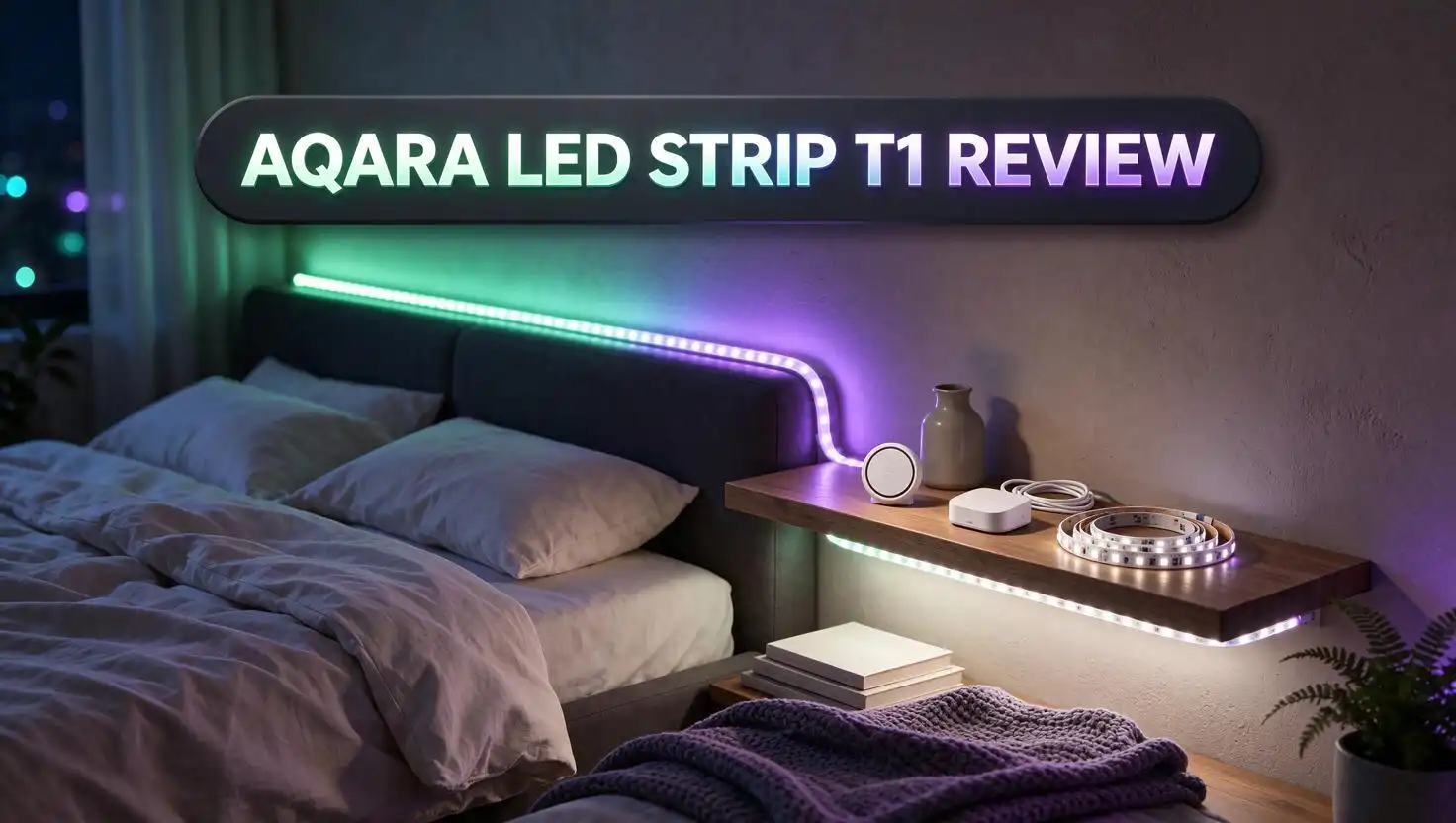
Aqara LED Strip T1 Review: Smart Gradient Lighting Worth It?
Want lights that do more than glow one boring color? The Aqara LED Strip T1 paints your room with gradient colors, tunable whites, and smart automations. It also plays well with Apple Home, Alexa, Google, and Matter.
But is it the right strip for you? Brightness, hub needs, and segment count all matter. This review covers the good, the bad, and who should buy it.
In a Nutshell
- Ten color segments on a two meter strip: The base strip has 10 segments that you control one by one. Each 1 meter extension adds five more. You can make static gradients or animated effects without much effort.
- Zigbee 3.0 with a hub requirement: The strip uses Zigbee and needs an Aqara Zigbee 3.0 hub to work. For Matter support, you need a Matter compatible Aqara hub. Without a hub, the strip will not connect to your phone at all.
- Wide smart home support: It works with Apple HomeKit, Alexa, Google Home, Matter, and IFTTT. Home Assistant users can add it through the HomeKit Controller integration. HomeKit users also get Adaptive Lighting.
- RGB plus dedicated white LEDs: The strip shows 16 million colors and tunable white from 2700K to 6500K. It uses separate warm and cool white LEDs for cleaner whites.
- Flexible length and placement: You can cut it every 20 cm (7.9 inches) and extend it up to 10 meters. The strip itself is IP44 rated. The controller and power supply must stay indoors.
- Good accent light, not a main light: Most users love the colors and effects. Some say the whites are dimmer than expected. Think of it as mood lighting, not room lighting.
Aqara LED Strip T1 Overview

- [NOTES] :An Aqara Zigbee 3.0 Hub is required and sold separately (Except Camera Hub G2H. Not support hubs...
- [Compatibility and Matter Support] :With an Aqara Zigbee 3.0 hub, the LED Strip T1 features...
- [RGB+IC with Gradient Effects & DIY- Friendly] :With the ability to individually configure each of the...

Last update on 2026-11-27 / Affiliate links / Images from Amazon Product Advertising API
The Aqara LED Strip T1 is a smart RGBIC light strip from Aqara. Aqara is known for affordable sensors, hubs, and smart home gear. This strip brings that ecosystem to accent lighting.
The base kit is 6.5 feet (2 meters) long. It packs RGB LEDs and separate warm and cool white LEDs. This mix gives you both vivid colors and nice tunable whites.
The big selling point is gradient lighting. The strip splits into 10 segments, and each segment can show its own color. You can make a rainbow, a sunset fade, or your team colors.
Aqara also added a microphone to the controller. This lets the strip react to music without your phone nearby. It is a small touch, but party lovers will enjoy it.
The strip runs on Zigbee 3.0, not WiFi. That means it stays off your crowded home network. It also means you need an Aqara hub to use it.
Here are the key specs in plain terms:
- Power: 5W per meter at 24V DC
- LEDs per meter: 30 RGB LEDs and 60 white LEDs
- Color temperature: 2700K to 6500K
- Size: 12 mm wide and 2.8 mm thick
- Operating temperature: 14°F to 104°F
If you already own an Aqara hub, this strip slots right in. If not, factor the hub into your budget.
What Comes in the Box and Design
The packaging is simple and clean. Aqara keeps its minimal style here too. The box clearly says you need a Zigbee 3.0 Aqara hub.
Inside you get the following items:
- One 2 meter LED strip with adhesive backing
- One power adapter with a barrel connector
- One inline controller with three buttons
- Two plug adapters for your region
- A user manual
The strip feels flexible and well made. Each section shows clear cut marks with copper pads. You can see the RGB LED with a cool white and warm white LED next to it.
The controller is a nice surprise. It has three large buttons that do real work. The first button turns the strip on and off.
The middle button cycles through cool, warm, and neutral white. It then jumps to your last color or gradient mode. The third button turns music sync on and off.
Holding the power button for more than five seconds resets the strip. This removes it from your hub and Apple Home. It is handy when you move or troubleshoot.
The strip is slim and low profile. It hides well under cabinets, behind TVs, and along shelves. The controller is small enough to tuck behind furniture.
Overall, the build quality matches the price. Nothing feels cheap or flimsy. It looks like a premium product without a premium price tag.
Installation and Setup Process
Setting up the Aqara LED Strip T1 is simple. Most people finish in under 20 minutes. The hardest part is planning where the strip will go.
First, clean the surface where you want to stick it. Dust and grease weaken the adhesive backing. A quick wipe with rubbing alcohol works well.
Next, connect the strip to the controller. Then plug the controller into the power adapter. Test the strip before you peel the backing.
Now open the Aqara Home app on your phone. Tap to add a device and pick the LED Strip T1. Choose your Aqara hub and follow the pairing steps.
Pairing is fast because Zigbee is reliable and local. The strip shows up in the app within seconds. You can then name it and place it in a room.
If you use Apple Home, the strip appears there through your hub. You can also link Alexa or Google through the Aqara skill. Matter users add it via a Matter compatible Aqara hub.
Here are a few quick tips for a clean install:
- Measure first so you know if you need an extension
- Avoid sharp corners that can crack the strip
- Keep the controller indoors and away from water
- Set the strip length in the app if you cut or extend it
That last tip matters a lot. The app needs the correct length to map segments properly. Skip it, and your gradients will look off.
Top 3 Alternative for Aqara LED Strip T1
The Aqara strip is great, but it is not for everyone. Some people do not want a hub. Others need brighter light or more color zones.
Here are three solid alternatives worth a look.
Philips Hue Lightstrip Plus

- WHAT’S IN THE BOX - Includes one 6-feet, color-changing single-color effect light strip plus base kit...
- UNLOCK THE FULL POWER OF HUE - Add a Hue Bridge to enjoy automations, control from anywhere in the world...
- MILLIONS OF COLORS - These light strips produce a single color light effect. It can dim, brighten, and...
Last update on 2026-11-27 / Affiliate links / Images from Amazon Product Advertising API
The Philips Hue Lightstrip Plus is a long time favorite. It offers bright, rich whites and accurate colors. It works over Bluetooth alone or with a Hue Bridge for full features.
Hue has the most polished app and a huge ecosystem. It costs more than Aqara, though. It also shows one color at a time on this model, not gradients.
Nanoleaf Essentials Matter Lightstrip

- [Matter-enabled] Compatible with all major smart home ecosystems to help futureproof your home.
- [16M+ RGBW Colors] Virtually limitless color options. Enjoy the brightest white lighting with extended...
- [Simple Setup] Scan the Matter QR code to pair your bulb and easily add it to your home.
Last update on 2026-11-27 / Affiliate links / Images from Amazon Product Advertising API
The Nanoleaf Essentials Matter Lightstrip uses Thread and Matter. It needs no brand hub if you have a Thread border router. Many Apple TV and HomePod owners already do.
It supports Adaptive Lighting and connects fast. Its whites are brighter than the Aqara strip. The app experience is a bit less stable, though.
Govee COB LED Strip Light Pro

- Next-Gen COB Technology: Govee LED strip lights are crafted with integrated packaging technology and...
- Spotless and Diffused: Govee COB LED Strip Lights encased in a soft silicone sleeve for continuous and...
- Govee RGBIC with Warm White: Govee LED lights for Bedroom offer RGBIC light with white lamp beads...
Last update on 2026-11-27 / Affiliate links / Images from Amazon Product Advertising API
The Govee COB LED Strip Light Pro uses COB tech for a smooth, dotless glow. It runs on WiFi and supports Matter. You do not need any hub at all.
Govee offers tons of effects and strong music sync. It is great for gaming rooms and TV backlights. However, WiFi devices can crowd your network.
Hub Requirement and Connectivity
This is the biggest talking point with the Aqara LED Strip T1. It does not connect directly to your phone. It needs an Aqara Zigbee 3.0 hub.
Compatible hubs include the Aqara Hub M2, M3, and Camera Hub G3. Some other Aqara devices act as hubs too. Check the Aqara list before you buy.
The box says the strip supports Matter. That is true, but with a catch. You need a Matter compatible Aqara hub to bridge the strip into Matter.
Some buyers felt this was misleading. Still, it works the same way as Philips Hue bulbs. Those also need a bridge for full smart home features.
So why does Aqara use Zigbee? There are real benefits:
- Less WiFi clutter: Your router handles fewer devices
- Faster response: Local control means quick on and off
- Mesh network: Zigbee devices can strengthen each other
- Low power use: Zigbee is efficient and stable
In daily use, the connection is rock solid. Commands from the app or Siri respond almost instantly. Drop outs are rare in most homes.
If you already run an Aqara system, the hub is not a problem. You likely have one already. If you are new to Aqara, the hub adds cost but opens a big ecosystem.
That ecosystem is a hidden bonus. You can pair the strip with Aqara motion sensors, door sensors, and buttons. This makes smart lighting automations very easy.
Smart Home Compatibility
Compatibility is where the Aqara LED Strip T1 shines. It works with almost every major platform. This makes it a safe pick for mixed smart homes.
Here is the full list of supported platforms:
- Apple HomeKit with Siri and Adaptive Lighting
- Amazon Alexa through the Aqara skill
- Google Home with voice control
- Matter through a Matter compatible Aqara hub
- IFTTT for custom applets
- Home Assistant through the HomeKit Controller integration
Apple users get a special treat. The strip supports HomeKit Adaptive Lighting. Few light strips offer this feature.
Adaptive Lighting shifts the white tone through the day. It gives warm light in the morning, cooler light at midday, and warm light at night. This helps you feel relaxed before bed.
There is one limit to know about. Apple Home, Alexa, and Google only show one solid color at a time. They cannot show gradients directly.
Aqara found a smart fix for this. You can build a gradient scene in the Aqara Home app. Then you export that scene to Apple Home with a few taps.
Once exported, the scene acts like any HomeKit scene. You can trigger it with Siri or use it in automations. Alexa and Google users can also discover Aqara scenes.
One small quirk exists here. The exported scene shows up in the same room as your hub. If you cannot find it, check that room first.
Colors, Whites, and Brightness
Color quality is a strong point. The strip shows 16 million colors with good accuracy. Reds, greens, blues, and pinks all look rich and clean.
The strip uses separate white LEDs. This is often called RGB plus CCT. It gives you real warm and cool whites instead of mixed color whites.
The white range goes from 2700K to 6500K. That covers cozy candle tones up to crisp daylight. Neutral white sits nicely in the middle.
Now for the honest part. Brightness is the most common complaint. Some users say the whites look much dimmer than expected.
The strip draws about 5W per meter. That is fine for accent lighting. It is not enough to light a whole room.
Brighter options exist from Nanoleaf and Eve. Their whites look stronger side by side. If you want task lighting, the T1 may disappoint you.
Here is where the T1 works best:
- Under kitchen cabinets for soft glow
- Behind TVs for bias lighting
- Along shelves to show off decor
- Under beds for night lighting
- Along stair edges for safe walking
In these spots, the brightness feels just right. The light spreads softly without glare. Colors look vivid in dim rooms.
You can also set a custom dimming range in the app. This helps you fine tune the lowest and highest levels.
RGBIC Segments and Lighting Effects
The RGBIC feature is the heart of this strip. RGBIC means each segment has its own chip. So each segment can show a different color.
The base 2 meter strip has 10 segments. Each segment holds six LEDs. Every 1 meter extension adds five more segments.
You get two effect types in the app:
- Static effects: Paint each segment a fixed color with no movement
- Dynamic effects: Animated patterns that move along the strip
Static effects are a standout feature. Many rival strips only offer animated gradients. With Aqara, you can simply paint the strip how you like.
Want red, white, and blue for a holiday? Easy. Want every other segment blue and the rest off? Also easy.
Dynamic effects include eight animation types. These are Breathing, Rainbow, Chasing, Flash, Jumping, Rainbow 2, Flapping, and Running. You can change colors and speed for each one.
You can copy presets and edit them. You can also build your own from scratch. It is fun and simple.
Now a small downside. Ten segments on 2 meters is a bit low. Some rivals pack 20 segments into the same length.
With fewer segments, animations look less smooth. Each color block is wider. For static gradients, this barely matters.
Also note that RGBIC effects only work with color modes. Tunable white stays as one solid tone across the strip.
Aqara Home App and Music Sync
The Aqara Home app gives you full control. It does far more than Apple Home or Alexa. This is where the strip shows its true power.
The main screen shows power, brightness, and preset scenes. You also see music sync and grouping options. Everything is easy to find.
Color control comes in three styles:
- RGB Palette: Pick from preset color boxes
- RGB Spectrum: Choose any exact color you want
- Tunable White: Set the exact white temperature
The settings page offers useful extras. You get power memory after an outage. You also get dimming range and strip length settings.
Automations are a big plus. You can link the strip to Aqara sensors and buttons. For example, a motion sensor can turn the strip on at night.
Now let us talk about music sync. The controller has a built in microphone. It listens to sound and moves the lights to the beat.
You can start music sync from the app, a scene, or the controller button. You do not need your phone near the speaker. That is a real advantage.
Music sync settings include mic sensitivity and four effect styles. It works well for parties and movie nights.
Still, music sync is basic compared to Govee. Govee offers more modes and tighter beat tracking. If music sync is your main goal, Govee may suit you better.
For most people, the Aqara music mode is a fun bonus. It adds life to gatherings without extra gear.
Extending and Cutting the Strip
Flexibility is a big reason to choose this strip. You can make it longer or shorter. This helps it fit almost any space.
The strip can be cut every 20 cm (7.9 inches). Look for the marked cut lines with copper pads. Always cut right on the line.
To make it longer, buy the 1 meter extension kits. Each kit adds five segments. You can extend the strip up to 10 meters total.
Extension kits are sold separately. They connect with simple clips. The process takes just a few minutes.
You can also reattach cut pieces. This works well for corners, stairs, and shelves. You need 5 pin connectors and 5 core wires for this.
Aqara does not include these connectors. You must buy them on your own. Make sure they match the 5 pin layout.
Keep these important points in mind:
- Cut pieces lose their IP44 rating once reattached
- Update strip length in the app after any change
- Keep the controller indoors since it is not weatherproof
- The power supply must stay dry and indoors too
The strip itself is IP44 rated. It can handle splashes and light moisture. This makes it fine for covered patios and bathrooms.
However, IP44 is not fully waterproof. Do not use it in heavy rain or underwater. The controller and power adapter should never go outside.
This flexibility makes the T1 great for custom projects. Home theater builders and DIY fans will love it.
Pros and Cons
Every product has strengths and weak spots. The Aqara LED Strip T1 is no different. Here is a clear breakdown to help you decide.
Overall, the pros outweigh the cons for most buyers. This is especially true for Aqara and Apple Home users.
Pros
- Reliable Zigbee 3.0 connection: The strip responds fast and stays connected. It also keeps your WiFi network free of extra devices.
- Wide platform support: It works with HomeKit, Alexa, Google, Matter, IFTTT, and Home Assistant. This makes it great for mixed smart homes.
- HomeKit Adaptive Lighting: Few strips offer this feature. Your whites shift naturally through the day.
- Static gradient painting: You can color each segment by hand. Many rival strips only offer animated effects.
- Scene export to Apple Home: You can send gradient scenes straight to HomeKit. Siri can then trigger them.
- Built in microphone: Music sync works without your phone nearby. This is great for parties.
- Separate white LEDs: Whites look cleaner than mixed RGB whites. The range covers 2700K to 6500K.
- Flexible length: Cut it every 20 cm or extend it up to 10 meters. It fits many spaces.
Cons
- Hub required: You cannot use it without an Aqara hub. This adds cost for new users.
- Limited brightness: Whites look dimmer than some rivals. It works as accent light, not main light.
- Only 10 segments per 2 meters: Animations look less smooth than strips with more zones.
- Gradients not native in other apps: Apple Home, Alexa, and Google show one color only. You need scene exports for gradients.
- Connectors not included: Reattaching cut pieces needs extra parts you must buy.
Final Verdict: Should You Buy the Aqara LED Strip T1?
- [NOTES] :An Aqara Zigbee 3.0 Hub is required and sold separately (Except Camera Hub G2H. Not support hubs...
- [Compatibility and Matter Support] :With an Aqara Zigbee 3.0 hub, the LED Strip T1 features...
- [RGB+IC with Gradient Effects & DIY- Friendly] :With the ability to individually configure each of the...
Last update on 2026-11-27 / Affiliate links / Images from Amazon Product Advertising API
The Aqara LED Strip T1 is a smart, flexible, and fun light strip. It does gradients well and supports almost every platform. For the price, it offers strong value.
It is best for people who already use Aqara gear. If you own an Aqara hub, buying this strip is an easy choice. You get fast Zigbee control and deep automation options.
Apple Home users also get a lot here. Adaptive Lighting and scene export set it apart from many rivals. Few strips give HomeKit fans this much control.
Here is who should buy it:
- Aqara ecosystem owners who want matching lights
- HomeKit fans who want Adaptive Lighting
- Decor lovers who want static gradients
- DIY builders who need custom lengths
Here is who should skip it:
- People with no hub who want simple plug and play setup
- Users who need bright task lighting for work areas
- Gamers who want ultra smooth effects with many zones
If you fall in the skip group, look at Govee or Nanoleaf. They need no Aqara hub and offer different strengths.
For everyone else, the T1 is a solid buy. It turns plain spaces into cozy, colorful zones. It also grows with your smart home over time.
Our final take is simple. The Aqara LED Strip T1 is a great accent light with smart extras. Just know its limits before you buy.
FAQs
Does the Aqara LED Strip T1 need a hub?
Yes, it needs an Aqara Zigbee 3.0 hub. Popular options include the Hub M2, Hub M3, and Camera Hub G3. The strip will not work alone.
Does the Aqara LED Strip T1 work with Matter?
Yes, but only through a Matter compatible Aqara hub. The hub bridges the strip into Matter. The strip itself uses Zigbee.
Can I use the Aqara LED Strip T1 outdoors?
The strip itself is IP44 rated for splashes. The controller and power supply must stay indoors. Use it only in covered outdoor spots.
How many color segments does the strip have?
The 2 meter base strip has 10 segments. Each 1 meter extension adds five more. Each segment can show a different color.
Can I cut the Aqara LED Strip T1?
Yes, you can cut it every 20 cm (7.9 inches). Cut only on the marked lines. Update the strip length in the app after cutting.
Does it support Apple HomeKit Adaptive Lighting?
Yes, it supports Adaptive Lighting in Apple Home. The white tone shifts through the day. This is a rare feature for light strips.
Is the Aqara LED Strip T1 bright enough for a room?
No, it works best as accent lighting. It draws about 5W per meter. Use it under cabinets, behind TVs, or along shelves.
How long can I extend the strip?
You can extend it up to 10 meters with 1 meter extension kits. The kits are sold separately. Each kit adds five color segments.
Does the strip work with Home Assistant?
Yes, Home Assistant supports it through the HomeKit Controller integration. You can also use it with Zigbee setups in some cases. Check your hub setup first.

DK is the founder and lead writer at Smart Lighting Finds, where he helps readers discover the best lighting products through honest, hands-on reviews and in-depth comparisons. With a deep passion for home improvement and smart technology, DK is dedicated to making every lighting decision easier and brighter for his readers.