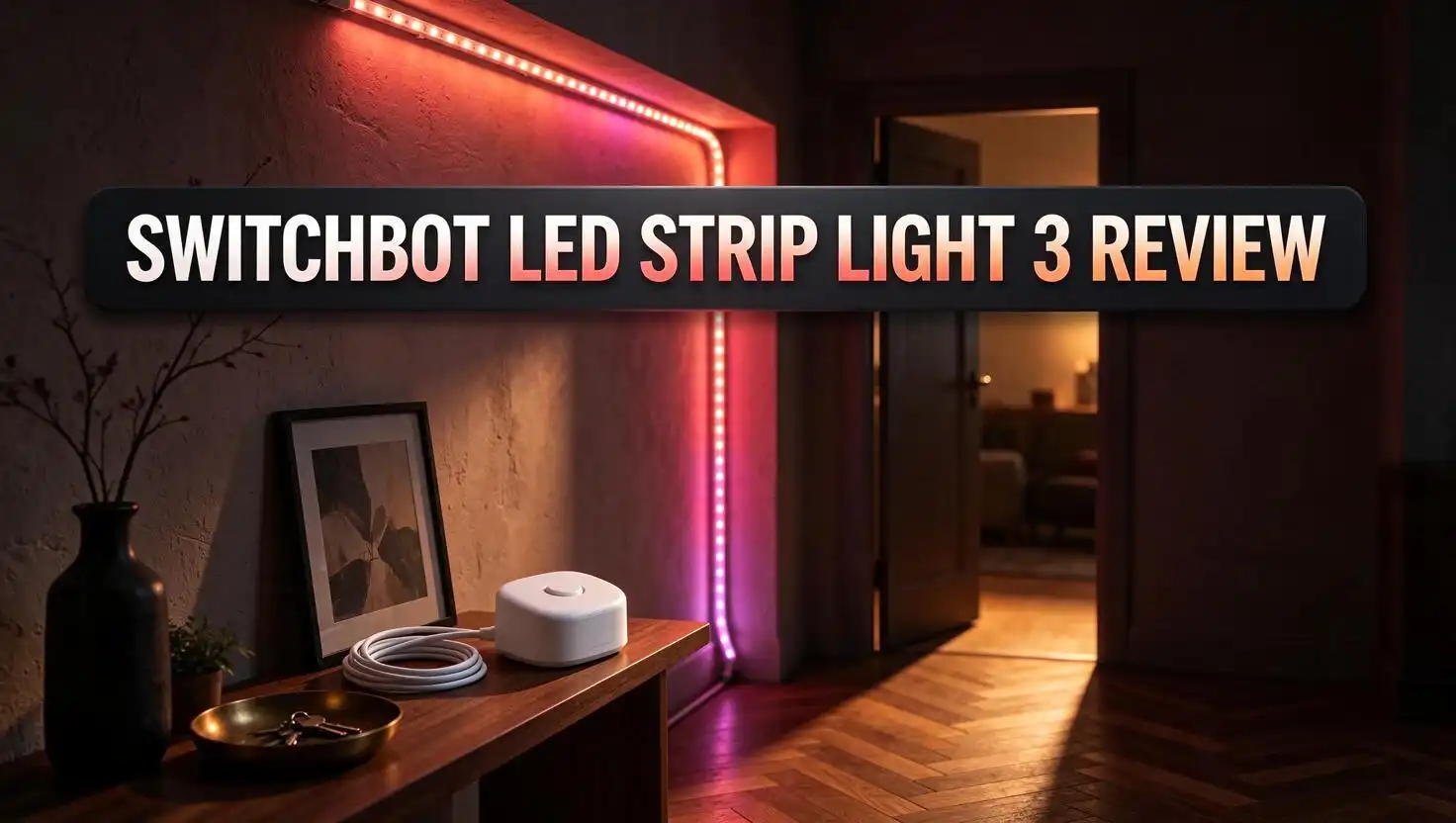
SwitchBot LED Strip Light 3 Review: Matter Smart Lighting?
Want your room to glow without paying a premium price? The SwitchBot LED Strip Light 3 promises a lot for little money. It offers Matter support, 16 million colors, and real warm and cool white light.
You may wonder if a budget strip can really keep up. I wondered the same thing. So in this review, I cover the setup, brightness, app, smart home support, and real value.
By the end, you will know if this strip fits your home. Stick around, because one small detail could change your buying choice.
In a Nutshell
Short on time? Here are the key points of this SwitchBot LED Strip Light 3 review.
- Matter certified for easy pairing: The strip works with Apple Home, Amazon Alexa, Google Home, and SmartThings over Matter. You do not need a SwitchBot hub. It connects over 2.4 GHz WiFi and also uses Bluetooth.
- Real tunable white light: It has dedicated warm and cool white LEDs. White light runs from 2700K to 6500K. That gives you cozy amber or crisp daylight with no strange color tint.
- One color at a time: This is not an RGBIC strip. The whole strip shows one color at once. It cannot show rainbow gradients or moving color segments.
- Handy remote in the box: The kit includes a handheld remote, a wired controller, an 18W power supply, and screw clips. The remote is a big plus for bedrooms.
- Bright enough for accent light: SwitchBot rates the full five meter kit at up to 1,200 lumens. That is great for glow lighting, but it is not meant to be task lighting.
- Very budget friendly: The list price is $44.99, but sales often drop it to the $25 to $34 range. At that price, it is one of the cheapest Matter strips you can buy.
SwitchBot LED Strip Light 3 at a Glance

- 🔌 Seamless Matter & Multi-Platform Integration Certified with Matter over Wi-Fi, the SwitchBot Floor...
- 🎨 3-in-1 RGBCCT Lighting Upgraded with RGB + Cold White + Warm White LEDs (72/m), offering 16 million...
- 🌓 Smart Dimming & Adaptive Lighting Enjoy smooth 1–100% brightness adjustment and full-spectrum...

Last update on 2026-11-27 / Affiliate links / Images from Amazon Product Advertising API
The SwitchBot LED Strip Light 3 is a five meter (16.4 ft) smart LED strip. It is made for simple, steady accent lighting. Think of a warm glow behind your TV, under a bed, or along a shelf.
The strip uses RGB LEDs plus separate warm and cool white LEDs. SwitchBot calls this setup RGBCCT. It means you get colors and true white light from one strip.
Here are the main specs at a glance:
- Length: 5 meters (16.4 ft)
- Width: 12 mm
- Colors: 16 million RGB colors
- White range: 2700K to 6500K
- Brightness: Up to 1,200 lumens for the full kit
- Dimming: 1% to 100%
- Power: 18W, 12V supply
- Connection: Matter over WiFi (2.4 GHz) and Bluetooth
- Water rating: IP44, indoor use only
- Cut points: Every 8 cm
The strip works with Apple Home, Alexa, Google Home, and SmartThings. You can control it with your voice, the SwitchBot app, or the remote in the box.
This strip does a few basic things very well. It does not try to be a flashy gaming light. It aims to be a reliable, low cost light that fits any smart home. For many people, that is exactly what they need.
What Comes in the Box
Opening the box feels simple and tidy. SwitchBot packs everything you need to get started. You do not need to buy extra parts for a basic install.
Inside the box, you will find:
- One 5 meter LED strip with adhesive backing
- One wired controller with buttons
- One handheld remote
- One 18W power adapter
- Six screw clips for extra hold
- A user manual
The handheld remote is the star here. Many newer strips skip the remote and push you to the app. SwitchBot kept it, and I am glad it did.
A remote matters more than you think. Picture yourself in bed late at night. You want to dim the lights, but your phone is across the room. The remote solves that problem in one click.
The wired controller sits on the cable near the strip. It lets you turn the light on or off and switch modes by hand. That gives you a backup even if your WiFi drops.
The screw clips are another nice touch. Adhesive tape can lose its grip over time, especially on rough or warm surfaces. The clips add support in key spots like corners.
One thing to note: there are no corner connectors or extension cables in the box. If your layout has sharp turns, you will need to bend the strip gently. Plan your route before you peel off the backing.
Top 3 Alternative for SwitchBot LED Strip Light 3
The SwitchBot LED Strip Light 3 is a great value pick. But it is not perfect for everyone. If you want multicolor effects or a different ecosystem, these three strips are worth a look.

- Matter Certified Work With Alexa — Certified with Matter over Wi-Fi, SwitchBot RGBICWW LED Strip Light...
- RGBICWW Lighting Effects: Powered by RGB + IC independent chips, SwitchBot Strip Light can display...
- True Dual White Light for Tasks & Ambience — Independent white LEDs deliver up to 1200 lm with tunable...
Last update on 2026-11-27 / Affiliate links / Images from Amazon Product Advertising API
SwitchBot RGBICWW Strip Light is the closest upgrade. It adds RGBIC support, so it shows many colors at once along the strip. It keeps the same 2700K to 6500K white range and Matter support. It often costs only a few dollars more. The catch is that it ships with a wired controller but no handheld remote.

- Smart RGBIC Effects: RGBIC LED Strip lights for bedroom display multiple colors on one line at a time...
- Smart APP Control: You can unlock various features to personalize smart LED strip lighting via Govee Home...
- DIY with Inspiration: You can choose from a variety of lighting effects (16 million colors) and share...
Last update on 2026-11-27 / Affiliate links / Images from Amazon Product Advertising API
Govee 16.4ft RGBIC LED Strip Lights is a strong pick for gamers and color lovers. Govee strips offer segment control, lots of animated scenes, and a fun app. They work well with Alexa and Google Assistant. It is a solid choice if you care more about effects than true white light.

- [Matter-enabled] Compatible with all major smart home ecosystems to help futureproof your home.
- [16M+ RGBW Colors] Virtually limitless color options. Enjoy the brightest white lighting with extended...
- [Simple Setup] Scan the Matter QR code to pair your bulb and easily add it to your home.
Last update on 2026-11-27 / Affiliate links / Images from Amazon Product Advertising API
Nanoleaf Essentials Matter Lightstrip is a good fit for Apple Home fans. It uses Thread and Matter, so it responds fast in a Thread network. It offers RGB and white light with a polished design. It costs more, but it feels premium.
Each alternative has its own strengths. Still, the SwitchBot LED Strip Light 3 wins on price and the included remote.
Design and Build Quality
The SwitchBot LED Strip Light 3 has a clean and simple design. The strip is 12 mm wide, which is a common size. It fits behind most desks, TVs, and cabinets with no trouble.
The strip has a splash resistant coating with an IP44 rating. That means it can handle light splashes, like steam in a kitchen. However, it is not an outdoor light. The circuit board on the back is not sealed, so keep it indoors and away from direct water.
The adhesive backing feels strong out of the box. It sticks well to clean, smooth surfaces like painted wood and metal. On rough walls, the screw clips help a lot.
You can cut the strip every 8 cm. This helps if your space is shorter than five meters. But here is the key detail: the part you cut off will not work. You cannot turn one strip into two lights for two shelves.
The LEDs are visible when you look straight at the strip. You will see small dots of light. For the best look, hide the strip behind furniture or use a diffuser channel.
The controller and power brick feel solid for the price. The cables are long enough for most setups. Overall, the build quality is good for a budget strip. It does not feel cheap, and it does the job well.
Installation and Setup
Setting up the SwitchBot LED Strip Light 3 is easy. Most people can finish the whole job in under 30 minutes. You do not need any tools for a basic install.
Follow these simple steps for the best result:
- Plan the route. Measure your space and find the nearest power outlet.
- Clean the surface. Wipe it with rubbing alcohol and let it dry fully.
- Test the strip first. Plug it in and make sure all the LEDs light up.
- Peel and stick slowly. Press the strip down firmly as you go.
- Add the clips. Use screw clips at corners and weak spots.
Testing before you stick is a smart habit. It saves you from pulling up a strip that has a problem.
Next comes the app setup. Download the SwitchBot app and add the strip as a new device. The app finds it over Bluetooth and walks you through the WiFi steps.
For Matter, you can skip the SwitchBot app entirely. Just scan the Matter code with Apple Home, Google Home, Alexa, or SmartThings. The strip shows up as a normal light in your platform.
Remember that the strip only works on 2.4 GHz WiFi. If your router uses one combined name for both bands, setup usually still works. If it fails, try turning on a separate 2.4 GHz network for a short time.
Overall, the setup feels smooth and beginner friendly.
Color and White Light Performance
Light quality is where this strip surprises people. Many cheap strips make white by mixing red, green, and blue. That often looks bluish or a bit pink. The SwitchBot LED Strip Light 3 avoids that problem.
It uses dedicated warm and cool white LEDs. This gives you clean white light from 2700K to 6500K. At 2700K, the light feels warm and cozy, like an old bulb. At 6500K, it looks crisp and bright, like daylight.
This makes the strip much more useful in daily life. You can use warm white in the evening to relax. You can use cool white in the morning to wake up.
Colors look rich and bright. Reds, blues, and purples pop nicely on white walls. Greens are strong too. You get 16 million colors to choose from in the app.
Brightness tops out at 1,200 lumens for the full five meter run. That is plenty for backlighting and mood light. But it is not enough to light up a full room or a kitchen counter for cooking.
Dimming is smooth from 1% to 100%. At low levels, the light stays steady with no clear flicker. That makes it great for night lights.
Keep one limit in mind. The whole strip shows one color at a time. You cannot make a rainbow or a moving gradient. If you want those effects, look at the RGBICWW model.
Matter and Smart Home Compatibility
Matter support is the biggest selling point of the SwitchBot LED Strip Light 3. Matter is a shared smart home standard. It lets one device work with many platforms at once.
With Matter, this strip works with:
- Apple Home
- Amazon Alexa
- Google Home
- Samsung SmartThings
You do not need a SwitchBot hub for any of this. The strip connects straight to your WiFi. You only need a Matter controller from your chosen platform. That might be an Apple TV, a HomePod, an Echo, or a Nest speaker.
Through Matter, you can control the basics. You can turn the light on or off, set the brightness, pick a color, and change the white temperature. These are the controls most people use every day.
Voice control works well. Just say “Hey Siri, set the desk light to warm white” or “Alexa, turn the bedroom strip blue.” The response feels quick in most homes.
You can also add the strip to scenes and automations. For example, the light can turn on at sunset. It can also dim when your movie scene starts.
One thing to know: special effects stay in the SwitchBot app. Matter does not handle music sync or animated scenes. So you might use your smart home app for daily control and the SwitchBot app for fun extras.
For a budget strip, this level of smart home support is excellent.
SwitchBot App and Remote Control
The SwitchBot app is clean and easy to use. You get a color wheel, a white temperature slider, and a brightness slider on the main screen. Everything is just one tap away.
The app also offers scene presets. These are ready made light moods like reading, relaxing, or party. You can make your own scenes too and save your favorite colors.
Schedules and timers are simple to set. You can have the light turn on at 7 PM and off at midnight. You can also set a sleep timer so the light fades out while you drift off.
The app shines if you own other SwitchBot devices. You can link the strip to motion sensors, door locks, and contact sensors. For example, the strip can glow when someone opens the front door. It can also flash red as a security alert.
The app also handles firmware updates. These updates can fix bugs and add new features over time.
Now, let us talk about the remote again. The handheld remote gives you quick control of power, brightness, colors, and modes. No phone, no app, and no voice command needed.
This makes the strip friendly for everyone in your home. Kids, guests, and older family members can all use it with ease. Not every smart light is this simple for the whole family.
The wired controller adds a third way to control the light. Between the app, the remote, voice, and buttons, you are never stuck.
Music Sync and Scenes
The SwitchBot LED Strip Light 3 includes a Music Sync mode. In this mode, the strip reacts to sound in the room. The lights change and pulse to the beat of your music.
This feature makes parties and game nights more fun. Play your favorite playlist, and the room comes alive with color. It works with any music source, since it listens to the room sound.
Since this is not an RGBIC strip, the whole strip changes color together. The effect is simple but still lively. It works best for casual fun, not for a full light show.
Music Sync lives in the SwitchBot app. You can change how strongly the strip reacts to sound. A higher setting makes it react to soft sounds. A lower setting makes it react only to loud beats.
The app also offers dynamic scenes. These include slow color fades, breathing effects, and smooth color jumps. They add some motion to your room without much effort.
Here are a few ways people use these modes:
- Movie night: A soft blue glow behind the TV
- Gaming: Bright, punchy colors that match the mood
- Bedtime: A slow, warm fade to sleep
- Parties: Music Sync with bold colors
The scenes are not as wild as some gaming strips. But they cover most everyday needs. If you mainly want mood lighting with a little fun, these modes are more than enough.
Price and Value
Price is where the SwitchBot LED Strip Light 3 truly stands out. The list price is $44.99. But this strip is on sale very often.
During sales, the price usually drops to around $25 to $34. At that price, it is one of the cheapest Matter certified light strips you can buy. That is a great deal for a five meter strip with a remote.
Let us compare it to the competition. A Philips Hue lightstrip often costs much more, and it may need a Hue Bridge for full features. A Nanoleaf Matter strip also costs more for a shorter length in some kits.
The main competitor is SwitchBot’s own RGBICWW Strip Light. It adds multicolor RGBIC effects. Often it costs only a few dollars more. So which one should you pick?
Here is a simple guide:
- Pick the Strip Light 3 if you want warm and cool white, simple colors, and a remote.
- Pick the RGBICWW if you want rainbow effects and do not need a remote.
Both are strong values. The right choice depends on how you plan to use the light.
Keep in mind that shipping costs may apply when you buy from some stores. Amazon is often the easiest place to grab a deal with fast delivery. Watch for big sales like Prime Day and Black Friday for the lowest prices.
Overall, the value here is excellent. You get many premium features at a budget price.
Pros and Cons
Every product has its strong points and weak points. Here is a fair look at the SwitchBot LED Strip Light 3.
Pros
- Matter certified, so it works with Apple Home, Alexa, Google Home, and SmartThings.
- No hub needed, since it connects straight to your WiFi.
- True tunable white light from 2700K to 6500K, with dedicated white LEDs.
- Handheld remote included, which is rare at this price.
- Very affordable, especially during frequent sales.
- Smooth dimming from 1% to 100% with no clear flicker.
- Easy install with strong adhesive and extra screw clips.
- Music Sync and scenes add fun extras in the SwitchBot app.
- Works with other SwitchBot devices for smart automations.
Cons
- Not RGBIC, so it shows only one color at a time.
- Cut pieces do not work, so you cannot split it into two lights.
- Indoor use only, even with the IP44 rating.
- 1,200 lumens total is not bright enough for task lighting.
- 2.4 GHz WiFi only, which can slow setup on some routers.
- Visible LED dots if you do not hide or diffuse the strip.
- No corner connectors in the box for sharp turns.
The pros clearly outweigh the cons for most buyers. The main limit is the single color design. If you can live with that, this strip offers great value.
Who Should Buy the SwitchBot LED Strip Light 3
The SwitchBot LED Strip Light 3 is not for everyone. But it is a perfect fit for many people. Let us see if you are one of them.
This strip is great for you if:
- You want simple, cozy accent light behind a TV, desk, or bed.
- You care about clean white light for daily use.
- You use Apple Home, Alexa, Google Home, or SmartThings.
- You want a remote for quick control without your phone.
- You are on a tight budget but still want Matter support.
- You already own other SwitchBot devices and want to link them.
Bedrooms are a perfect spot for this strip. The warm white glow and the bedside remote make nights relaxing and easy.
You may want another option if:
- You want rainbow gradients and moving color effects.
- You plan to light up a gaming setup with lots of motion.
- You need outdoor lighting for a patio or deck.
- You need bright task lighting for a kitchen counter.
For gamers and effect lovers, the SwitchBot RGBICWW or a Govee RGBIC strip makes more sense. For outdoor spaces, pick a strip built for wet locations.
If you already have a Strip Light 3 that works well, there is no need to replace it. The newer RGBICWW model only adds color effects, not better white light or more brightness.
In short, this strip suits anyone who wants smart, reliable mood light at a low price.
Final Verdict
After testing every part of it, I can say the SwitchBot LED Strip Light 3 is a smart buy. It does the basics very well, and it costs much less than most rivals.
The Matter support is the biggest win. It lets the strip join almost any smart home with no extra hub. Setup is quick, and voice control works smoothly.
The dedicated white LEDs set it apart from many cheap strips. You get real warm and cool white light that looks natural. That makes the strip useful every day, not just for parties.
The included remote is a small detail with a big impact. It makes the light easy to use for the whole family. Many pricier strips do not even include one.
Of course, it has limits. It shows only one color at a time. It is meant for indoor use only. It is also not bright enough for task lighting. These are fair trade offs at this price.
So, should you buy it? If you want simple, smart, and stylish accent lighting on a budget, yes. It is one of the best value Matter strips you can find right now.
If you crave flashy rainbow effects, spend a little more on the RGBICWW model. But for cozy, everyday glow, the SwitchBot LED Strip Light 3 is hard to beat.
My rating: 4.3 out of 5. It delivers great value, easy setup, and true smart home freedom.
Frequently Asked Questions
Does the SwitchBot LED Strip Light 3 need a hub?
No, it does not need a hub. The strip connects straight to your 2.4 GHz WiFi. For Matter control, you need a Matter controller from your smart home platform, like an Apple TV, HomePod, Echo, or Nest speaker.
Is the SwitchBot LED Strip Light 3 an RGBIC strip?
No, it is not RGBIC. The whole strip shows one color at a time. If you want many colors at once, choose the SwitchBot RGBICWW Strip Light instead.
Can I cut the SwitchBot LED Strip Light 3?
Yes, you can cut it every 8 cm. However, the part you cut off will not work. You cannot use the leftover piece as a second light.
Can I use the SwitchBot LED Strip Light 3 outdoors?
No, it is made for indoor use only. It has an IP44 splash resistant surface, but the circuit board underneath is not sealed. Choose a strip built for wet locations for outdoor use.
How bright is the SwitchBot LED Strip Light 3?
The full five meter strip gives up to 1,200 lumens. That is great for accent and mood lighting. It is not bright enough to replace a main room light or kitchen task light.
Does the SwitchBot LED Strip Light 3 work with Apple Home?
Yes, it works with Apple Home through Matter. It also works with Amazon Alexa, Google Home, and Samsung SmartThings. You can control power, brightness, color, and white temperature from these apps.
Does it come with a remote?
Yes, the kit includes a handheld remote. It also has a wired controller on the cable. You can control the light without your phone at any time.
Does the SwitchBot LED Strip Light 3 support music sync?
Yes, it offers a Music Sync mode in the SwitchBot app. The strip reacts to sound in the room and changes color with the beat. Since it is not RGBIC, the whole strip changes color together.

DK is the founder and lead writer at Smart Lighting Finds, where he helps readers discover the best lighting products through honest, hands-on reviews and in-depth comparisons. With a deep passion for home improvement and smart technology, DK is dedicated to making every lighting decision easier and brighter for his readers.