Govee Neon Rope Light 2 Review: Smart Neon Light Worth It?
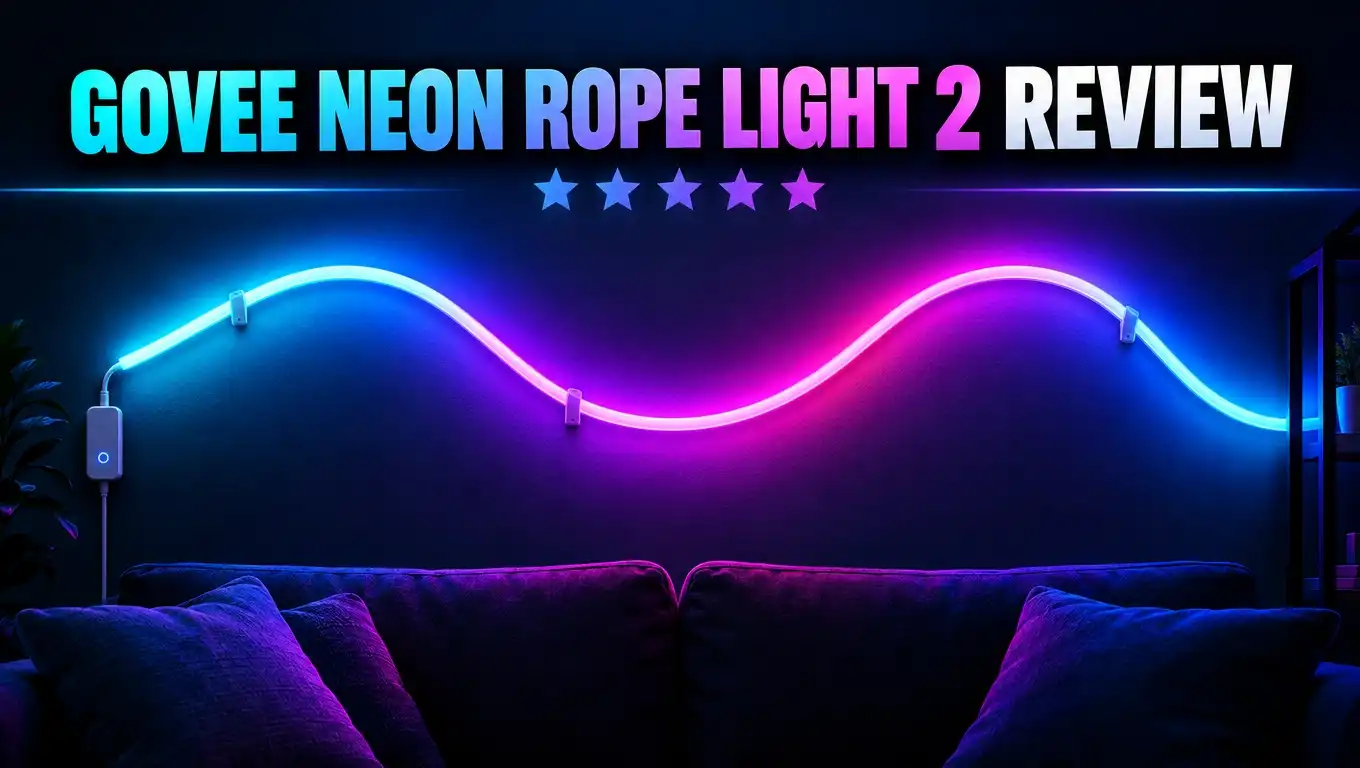
A plain wall can make a room feel empty. A good piece of light art can fix that fast. The Govee Neon Rope Light 2 lets you bend one soft glowing rope into almost any shape you like.
It can be a wave, a mountain, a cat, or your name. It also works with Matter, Alexa, and Google Assistant. That sounds great on paper, but does it hold up in a real home?
In this review, I cover setup, light quality, the app, smart home support, and price. I also share the pros, the cons, and three good alternatives. By the end, you will know if this light fits your space.
In a Nutshell
Short on time? Here are the key points of this review:
- Creative wall art light: The Neon Rope Light 2 is a flexible RGBIC rope that you bend into custom shapes. It comes in 9.8 ft and 16.4 ft lengths, in black or white.
- Softer and more flexible: The silicone is 14% more flexible than the first model. New metal bend clips hold tight curves and sharp corners well.
- Smart shape mapping: You take a photo of your design in the Govee Home app. The app then matches its lighting effects to your shape, so animations look natural.
- Matter support: You can add it to Apple Home, Google Home, Alexa, or SmartThings. Matter only gives you on/off, brightness, and one solid color, though.
- Great value on sale: The list price is about $70 and $100, but sales often drop it to around $50 and $70.
- Main challenge: Planning a good design from one long line takes time and patience. You also cannot link two ropes together.
Govee Neon Rope Light 2 Overview

- Softer Material: Our new Neon Rope Light features a 14% more flexible, softer material than its...
- Improved RGBIC Lighting Effects: This updated neon lights includes 64 preset lighting effects with...
- Shape Mapping: This new generation of Govee neon lights incorporates a new way to customize lighting...
Last update on 2026-11-03 / Affiliate links / Images from Amazon Product Advertising API
The Govee Neon Rope Light 2 (model H61D3) is the second version of Govee’s popular neon rope. It is a soft silicone tube with RGBIC LEDs inside. You mount it on a wall with clips and shape it into a design.
RGBIC means the light can show many colors at the same time. A normal RGB strip shows only one color across its whole length. This rope can show a rainbow, a flowing gradient, or a moving pattern.
The rope comes in two sizes. The 9.8 ft version has 252 LEDs. The 16.4 ft version has 420 LEDs. Both use a density of 84 LEDs per meter, which is high for a light like this.
The LEDs sit in groups called segments. The 16.4 ft model has about 70 segments with 6 beads each. You can control each segment by itself, and that is where the fun starts.
Here are the main specs at a glance:
- Lengths: 9.8 ft (3 m) or 16.4 ft (5 m), so you can pick the size that fits your wall.
- Power: About 48W for the 16.4 ft model, through the included adapter.
- Connection: 2.4GHz WiFi and Bluetooth, with Matter support over WiFi.
- Colors: A white or black rope body, so it blends with your wall when turned off.
- Effects: 64 preset scenes, music modes, DIY mode, and Sketch mode.
- Warranty: One year from Govee.
This light is meant for indoor use only. Govee sells a separate outdoor rope for patios and gardens. This one belongs on your bedroom, office, or gaming room wall.
What’s New Compared to the Original
If you know the first Govee Neon Rope Light, you may wonder what changed. The good news is that Govee fixed many small issues. The Neon Rope Light 2 feels like a real upgrade, not just a new box.
The first big change is Matter support. The original rope only worked with the Govee app, Alexa, and Google Assistant. The new model joins Apple Home and other Matter platforms too. Apple users finally get native control.
The second change is the softer material. Govee says the new silicone is 14% more flexible. In use, this means tighter curves without kinks. You can bend the rope into small loops and it stays smooth.
The third change is the metal bend clips. The old model only had plastic clips. The new metal clips bend by hand and lock the rope into sharp angles. This helps with letters, stars, and other pointed shapes.
The fourth change is shape mapping. You take a photo of your finished design, and the app learns its shape. Then effects follow your design, not just the line from start to end.
For example, a fire effect can rise from the bottom of your design to the top. On the old rope, that effect would just run along the cable. This one feature makes a huge difference in how good your wall looks.
Govee also added an AI Lighting Bot in the app. You can describe a mood by text or voice, and it creates a matching effect. It is a fun extra, even if you will mostly use the presets.
Top 3 Alternative for Govee Neon Rope Light 2
The Neon Rope Light 2 is great, but it is not the only choice. Your space, budget, and style may suit a different product better. Here are three solid alternatives worth a look.
Govee Outdoor Neon Rope Light

- Delicate Lighting Effects: The improved design of the Govee outdoor rope lights can better radiate...
- Vivid RGBIC Lighting: Govee Outdoor lights uses RGBIC technology, allowing you to set separate light...
- Waterproof and Durable: This outdoor decor is IP67 waterproof with an IP67 control box and IP65 adapter...
Last update on 2026-11-03 / Affiliate links / Images from Amazon Product Advertising API
This is the best pick if you want neon style outside your home. It has an IP67 waterproof rating, so rain and dust are no problem. The 32.8 ft length works well along fences, decks, and roof lines.
It offers 64 scene modes and music sync, just like the indoor rope. It works with Alexa and Google Assistant. It does not offer the same shape mapping trick, but it shines on patios and at parties.
Nanoleaf Lines

- [Build & Expand Your Designs] Design your own unique layouts for a stunning and futuristic ambient glow...
- [Color-Changing Animations] Customize your lights with colors and motions; transition colors slowly for...
- [16M+ RGBW Colors] Virtually limitless color options. Select from or create your own color-changing...
Last update on 2026-11-03 / Affiliate links / Images from Amazon Product Advertising API
Nanoleaf Lines uses straight backlit bars instead of a bendy rope. You connect the bars at 60 degree angles to build geometric shapes. The result looks clean, modern, and very sharp.
Lines is much easier to plan than a freeform rope. It also supports screen mirroring and music sync. The downside is price, since it costs more per foot of light than the Govee rope.
Govee RGBIC Neon Rope Lights for Desks

- Segmented RGBIC Lighting: These Govee gaming lights contain 42 controllable segments for customizable...
- Glare-free Diffusion: Innovative inverted illuminated lighting technology eliminates light spots and gaps...
- Cuttable: The gaming strip lights can be cut on 20 specific cutting points and resized to ensure a...
Last update on 2026-11-03 / Affiliate links / Images from Amazon Product Advertising API
This rope is made for gaming desks and setups. It runs 16.4 ft, has 42 segments, and syncs with Razer Chroma. You can also cut it to fit the edge of your desk.
It is a smart choice if you want light around your desk, not wall art. It is usually cheaper than the Neon Rope Light 2. It does not have Matter support, though.
Design and Build Quality
The Govee Neon Rope Light 2 feels well made in your hands. The silicone is thick, soft, and smooth. It does not feel cheap or thin like many no name neon strips.
When the light is off, the rope looks like a clean white or black line. The white version hides well on light walls. The black version suits dark walls or gaming rooms with dark paint.
The rope has a controller box at one end. This box holds the power button and a small microphone for music modes. You also get a power cable from the controller to the adapter.
Plan your design around this controller. The power end must be close to an outlet. Many people forget this step and then must restart the design. Think about where the cable will hang before you mount anything.
The rope is fairly heavy for its size. The 16.4 ft model weighs about 687 grams. That weight helps it sit firmly in the clips. It also means long straight runs can sag slightly between clips.
One limit stands out. You cannot cut the rope to a custom length, and you cannot link two ropes into one. You get exactly 9.8 ft or 16.4 ft. Pick your size carefully based on your wall and design.
Overall, the build quality feels solid and premium for the price. The rope bends without cracking, and it keeps its shape well. After weeks of use, it still looks new.
What’s in the Box
Govee packs this kit with almost everything you need. You do not need to buy any extra parts before you start. Here is what you will find inside.
First, you get the rope light itself, neatly coiled. It comes with the controller already attached at one end. The rope arrives clean and ready to use.
Next, you get the power adapter. It plugs into a standard wall outlet. Make sure your design starts near that outlet, as noted earlier.
Then you get a big bag of mounting clips. There are two types. The plastic clips hold straight lines and gentle curves. The metal bend clips hold tight turns and sharp corners.
Each clip has a strong adhesive pad on the back. You also get screws and anchors if you want a more permanent install. Screws work better on textured walls where tape may fail.
You also get a quick start guide. It explains how to connect the light to the app. The app also shows design ideas once you add the device, which helps a lot.
One thing is missing. There is no printed Matter QR code in the box or on the controller. You must get the code from the Govee app. More on that in the smart home section.
My tip: count your clips before you begin. Lay them out by type. This simple step saves you from running short halfway through a design.
Installation Experience
Installing the rope is not hard. Planning the design is the tricky part. With good prep, you can finish in under an hour. Without prep, you may peel clips off more than once.
Start by measuring your wall. Then sketch a design that uses the full rope length. A design that is too small leaves extra rope. A design that is too big runs out of rope.
Many users trace their design on the wall with painter’s tape first. Others use a mini projector to show the design on the wall. Both methods make clip placement much easier.
Here are some simple tips that help:
- Go with flowing curves. Perfectly straight lines are hard, because the rope can sag a little between clips.
- Lay the design out on the floor first. This lets you test the shape before you stick anything on the wall.
- Ask a friend to help. Holding 16.4 ft of rope alone while placing clips is awkward.
- Search for one line art. Single line drawings make great ideas for a rope design.
The adhesive works well on smooth painted walls. In one test, clips came off without pulling chunks of drywall. You can move a clip a few times before the tape weakens.
Once the clips are up, you press the rope into them. The rope snaps in firmly. Freeform designs can take as little as five minutes. Detailed designs like text or logos take much longer.
Light Quality and Brightness
This is where the Neon Rope Light 2 really shines. The light looks smooth, soft, and even. The silicone spreads the light well, so you do not see harsh dots from each LED.
You can still tell where one segment ends and the next begins. That is normal for segmented lights. From a few feet away, though, the glow looks like real neon tubing.
Brightness is strong for a decorative light. At full power, the 16.4 ft model can light up a small room. Reviewers estimate output at around 170 lumens per meter. That is plenty for an accent light.
Still, think of this as wall art, not a main room light. It creates mood and color. It will not replace your ceiling light for reading or cooking.
The colors look rich and saturated. Reds, blues, and purples look especially bold. Whites are decent, but a dedicated white light still looks cleaner.
Dimming works well. You can lower the brightness to a gentle glow for night time. This is great for bedrooms or for movie nights in the living room.
The real magic comes from multicolor effects. Gradients move smoothly along the rope. Fire effects flicker naturally. Rainbow effects flow without stutter. With shape mapping turned on, these effects look even more lifelike on your wall.
Govee Home App and Shape Mapping
The Govee Home app controls almost everything. It is free on iOS and Android. Setup is quick. You open the app, tap the plus button, and the rope usually shows up right away.
The app offers several modes. You get Music, Color, Scene, DIY, and Sketch modes. Each one gives you a different way to play with light.
The Scene mode offers 64 preset effects. You will find calm options like sunrise and ocean. You will also find bold ones like fireworks and party lights.
The Music mode uses the mic in the controller. The light reacts to the beat of your songs. There are about 12 music effects, from gentle pulses to energetic bursts.
The DIY mode lets you build your own effects. You pick colors, motion, and speed. The Sketch mode lets you paint colors directly onto segments.
The star feature is shape mapping. After you mount the rope, you take a photo of the design. You then calibrate a few points in the app. The app now knows the shape of your art.
This changes how effects look. A rising effect now rises from bottom to top on your wall. A spreading effect grows out from the center. It feels like the light understands your design.
The app also includes timers and schedules. You can set the rope to turn on at sunset and off at bedtime. You can also browse designs and effects shared by other users.
Matter and Smart Home Support
Matter support is one of the biggest selling points here. Matter is a shared smart home standard. It lets one device work with Apple Home, Google Home, Alexa, and SmartThings.
The rope connects to Matter over WiFi. It does not use Thread. That means you do not need a Thread border router. Any home with a 2.4GHz WiFi network will work.
Pairing is a bit awkward, though. There is no QR code printed on the box. You must open the device settings in the Govee app and tap Matter. The app then shows the QR code and a setup number.
If you only have one phone, this gets tricky. You can screenshot the code or copy the number with text recognition. Then you scan or enter it in your smart home app.
There is one more catch. You must pair within 15 minutes of powering on the light. If you spend time testing scenes first, the window may close. Just unplug the rope, plug it back in, and try again.
Once paired, control is simple. You can turn the light on and off, change brightness, and pick one solid color. You cannot run scenes or music modes through Matter. Those still need the Govee app.
Even with these limits, Matter is very handy. You can add the rope to routines and automations. For example, the light can turn off when you say goodnight to Siri. That alone makes daily use much easier.
DreamView and Gaming Sync
Gamers will love this part. The Neon Rope Light 2 works with Govee’s DreamView system. DreamView links several Govee lights so they react to your screen together.
The easiest method for PC users is the Govee Desktop app. You map each segment of the rope to an area of your screen. Then the colors on your screen show up on your wall in real time.
This creates a fun, immersive feel. Explosions flash across the wall. Calm scenes bathe the room in soft color. It makes games and movies feel bigger than the screen.
To use the desktop app, you must turn on LAN Control in the Govee Home app. You will find this option in the device settings, just above the Matter option. Many users miss it at first.
You can also pair the rope with Govee sync devices. The AI Gaming Sync Box and the TV Backlight products can extend the effect to TVs and consoles. Note that these add on products do not support Matter.
DreamView lets you group the rope with other Govee lights in the room. Light bars, strips, and panels can all move together. The result feels like a full gaming setup instead of one lonely light.
If you mainly want light that reacts to games, this rope is a strong pick. Just remember that a desk rope or TV backlight may suit pure gaming needs better. The Neon Rope Light 2 is at its best as wall art that also syncs.
Price and Value
The Govee Neon Rope Light 2 has a list price of about $70 for the 9.8 ft model and $100 for the 16.4 ft model. Prices change often, so check the current deal before you buy.
Govee runs sales very often. You can frequently find the rope for around $50 and $70. At those prices, the value is hard to beat for a Matter ready RGBIC light.
Compare that with other wall light options. Nanoleaf Lines and similar panel kits usually cost much more. They look great, but you pay a premium for the brand and the modular design.
Generic neon rope lights cost less. Most of them lack segment control, shape mapping, and Matter support. Many also have weak apps and uneven light.
With the Govee rope, you get a polished app, strong light quality, and wide smart home support. You also get a generous set of clips and screws in the box. You do not need to spend more on extras.
The main value question is length. The 16.4 ft model gives you much more room for big designs. If you have a large wall, it is worth the extra money. For a small desk area or a single shape, the 9.8 ft model is enough.
Overall, this light offers excellent value, especially on sale. It costs less than most premium wall lights and does more than cheap ones.
Pros and Cons
Every product has strengths and weak spots. Here is a clear look at both sides of the Neon Rope Light 2.
Pros
- Smooth, even glow: The silicone spreads light well, so the rope looks like real neon without harsh LED dots.
- More flexible rope: The softer material and metal bend clips make tight curves and sharp angles much easier.
- Shape mapping: Effects follow your actual design on the wall, which makes animations look natural and polished.
- Matter support: You can control it from Apple Home, Google Home, Alexa, or SmartThings without extra hubs.
- Rich app features: You get 64 scenes, music modes, DIY mode, Sketch mode, timers, and an AI Lighting Bot.
- DreamView sync: It works with other Govee lights and the desktop app for screen reactive gaming effects.
- Great value on sale: Frequent discounts make it cheaper than most premium wall light kits.
Cons
- Design planning takes effort: Making a good shape from one single line is harder than it looks.
- Limited Matter controls: Matter only offers on/off, brightness, and one solid color, with no scenes.
- Awkward Matter pairing: There is no printed QR code, and you must pair within 15 minutes of power on.
- Cannot cut or link ropes: You are stuck with 9.8 ft or 16.4 ft, with no way to extend a design.
- Indoor only: It is not waterproof, so you need a different product for outdoor spaces.
- Straight lines can sag: Long straight runs may droop a little between clips.
Who Should Buy It
The Govee Neon Rope Light 2 is not for everyone. It suits some people very well. Let’s look at who will get the most out of it.
Creative decorators will love it. If you enjoy DIY projects, this rope is a blank canvas. You can make art that no one else has. Your wall becomes a personal statement.
Gamers and streamers will also enjoy it. The rope looks great behind a desk or on camera. DreamView sync adds screen reactive effects. Your stream background instantly looks more professional.
Apple Home users should take a close look. Few neon style lights support Matter. This one fits right into your Apple routines and Siri commands.
Families with teens may find it a great gift. A name, a favorite animal, or a sports logo on a bedroom wall feels special. The app is simple enough for most teens to use.
Now, who should skip it? If you want a quick, no planning install, look at panels or Nanoleaf Lines instead. If you need outdoor light, get Govee’s outdoor rope. If you need bright main lighting, buy normal smart bulbs.
Also, renters should test the adhesive on a small area first. Most walls handle it well. Still, textured or freshly painted walls can cause problems.
Final Verdict
The Govee Neon Rope Light 2 is one of the best decorative smart lights you can buy right now. It takes a fun idea and makes it better in almost every way.
The softer rope and metal clips solve the bending problems of the first model. Shape mapping makes effects look natural on your design. Matter support finally brings it to Apple Home and other platforms.
The light quality is excellent. The glow is soft and even. Colors look rich. The app gives you more scenes and tools than most people will ever use.
It is not perfect. Matter pairing feels clunky. Matter controls are limited. You cannot cut or link ropes. And planning a great design takes time.
Still, these issues are small next to what you get. For the price, few products turn a blank wall into art this easily. On sale, it is an easy recommendation.
My advice is simple. Measure your wall, plan your design, and grab a friend to help. With a little prep, the Neon Rope Light 2 can become the favorite feature of your room.
FAQs
Does the Govee Neon Rope Light 2 work with Apple HomeKit?
Yes. It supports Matter, so you can add it to Apple Home. You get on/off, brightness, and solid color control. Scenes and music modes still need the Govee Home app.
Can I cut the Govee Neon Rope Light 2?
No. You cannot cut this rope to a custom length. You also cannot link two ropes together. Choose the 9.8 ft or 16.4 ft model based on your design size.
Is the Govee Neon Rope Light 2 waterproof?
No. This model is for indoor use only. For patios, decks, or gardens, choose the Govee Outdoor Neon Rope Light, which has an IP67 rating.
How many LEDs does the Neon Rope Light 2 have?
The 9.8 ft model has 252 LEDs. The 16.4 ft model has 420 LEDs. Both use a density of 84 LEDs per meter.
Does it need a hub or Thread border router?
No. The rope connects over 2.4GHz WiFi and Bluetooth. It uses Matter over WiFi, so you do not need a Thread border router or a separate hub.
Why won’t my Neon Rope Light 2 pair with Matter?
You must pair within 15 minutes of powering on the light. If the window closes, unplug the rope at the outlet and plug it back in. Then get the QR code from the Matter section in the Govee app.
Will the adhesive clips damage my walls?
On smooth painted walls, the clips usually come off cleanly. Results vary by paint and wall texture. For textured walls or a permanent install, use the included screws instead.
Can I use the Neon Rope Light 2 for gaming sync?
Yes. It works with Govee’s DreamView system and the Govee Desktop app. Turn on LAN Control in the app settings to sync the rope with your screen.

DK is the founder and lead writer at Smart Lighting Finds, where he helps readers discover the best lighting products through honest, hands-on reviews and in-depth comparisons. With a deep passion for home improvement and smart technology, DK is dedicated to making every lighting decision easier and brighter for his readers.