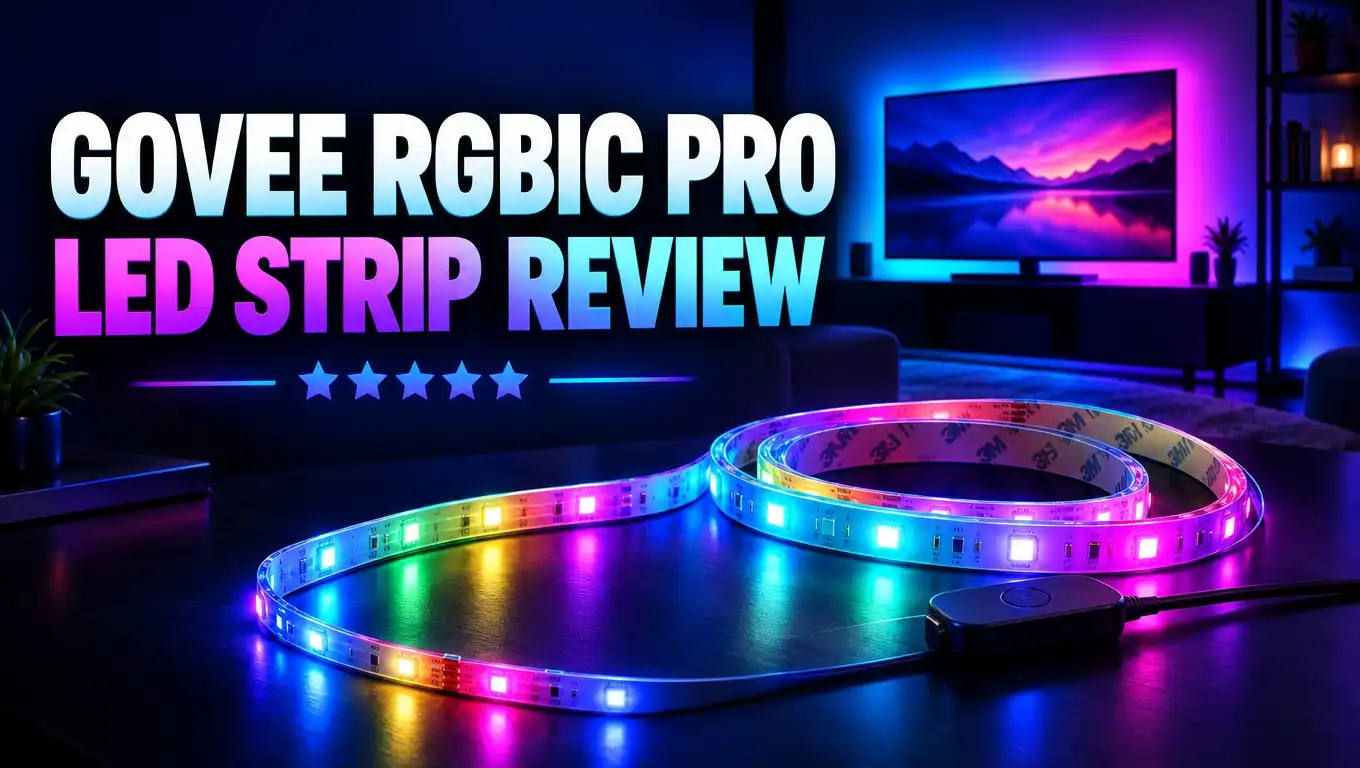
Govee RGBIC Pro LED Strip Review: Smart Color for Every Room
Do you want your room to look like a cozy lounge, a gaming den, or a party space with one tap? The Govee RGBIC Pro LED Strip says it can do all three. It is cheap, colorful, and easy to control from your phone.
But does it really deliver? I dug into the specs, owner feedback, and real use reports to find out. This review covers what works, what does not, and who should buy it. Keep reading before you spend a single dollar.
In a Nutshell
Here is the quick summary if you are short on time. These points cover the most important things you need to know about this strip.
- RGBIC technology shows many colors at once. Each segment of the strip can show its own color. You get rainbow flows, color waves, and smooth gradients instead of one flat shade.
- The protective coating adds durability. A clear epoxy layer covers the LEDs. It guards them against dust and light bumps. It is not waterproof, so keep it indoors and away from sinks.
- Smart control is simple. The strip works with the Govee Home app over 2.4GHz WiFi and Bluetooth. It also works with Alexa and Google Assistant for voice commands.
- Music sync makes parties fun. An internal microphone in the control box picks up sound. The lights pulse and change with the beat of your music.
- Installation is quick, but the adhesive is weak. You peel and press the strip in place. Some owners report peeling after a few months, so use the mounting clips.
- Value is strong. The price stays low for the features you get. It is a great choice for beginners and budget shoppers who want smart lighting without a big bill.
Govee RGBIC Pro LED Strip Lights: Product Overview

- Protective Coating: The LED strips light are covered with protective coating, which is highly durable and...
- Smart RGBIC Effects: Unlike RGB, RGBIC LED strip lights present stunning segmented colors on a line. The...
- Alexa Compatible LED Lights: Connect smart LED strip lights directly to your WiFi router, Alexa/Google...
Last update on 2026-11-03 / Affiliate links / Images from Amazon Product Advertising API
The Govee RGBIC Pro LED Strip is a smart light strip for indoor decor. Its model number is H619A for the 16.4 ft roll. Govee also sells longer kits, including 32.8 ft, 65.6 ft, and 100 ft versions.
The “Pro” name points to one key upgrade. This strip has a clear protective coating over the LEDs. Basic Govee strips leave the LEDs bare. The coating makes the Pro version tougher and easier to clean.
The strip runs on 24 volts. That higher voltage helps keep brightness even along the full length. Cheaper 12 volt strips often get dim near the far end. This is a small detail that makes a big visual difference.
You control the lights in three ways. You can use the control box buttons, the Govee Home app, or your voice. The app offers 16 million colors and more than 64 preset scenes. You can also build your own effects in DIY mode.
The target buyer is clear. This strip suits bedrooms, living rooms, gaming desks, TV backs, and kitchen cabinets. It is made for people who want fun, colorful lighting at a low cost.
Govee is one of the biggest names in smart lighting. The brand has a large user base and a busy online community. That means you can find setup tips and scene ideas easily. For a first smart lighting purchase, this matters a lot.
What Is RGBIC Technology and Why Does It Matter
RGBIC stands for Red, Green, Blue, and Independent Control. The “IC” part is the key. Small chips sit along the strip and control each segment on its own.
A standard RGB strip shows only one color at a time. If you pick blue, the whole strip turns blue. That looks fine, but it gets boring fast.
An RGBIC strip works differently. Each segment can show a different color at the same moment. One end can glow red while the middle glows purple and the other end glows blue. The result looks like a moving rainbow.
This opens up many creative effects. You can create chasing lights, flowing waves, and gradient fades. The colors can roll across your wall like water. Music mode also looks far better because different segments react to the beat.
Think of it like a choir. A standard RGB strip is one singer. An RGBIC strip is a full group where each member sings a different note. The harmony is what makes it special.
Govee was one of the first brands to make RGBIC strips cheap. Today, many brands copy the idea. Still, Govee’s app gives you strong control over each segment. You can tap a segment and assign its own color in seconds.
If you only want a single soft color, RGBIC may feel like overkill. But if you love variety, this feature is the main reason to buy. Once you see a flowing gradient, a plain strip feels flat.
Key Specifications at a Glance
Before you buy, it helps to know the core numbers. Here are the main specs for the 16.4 ft H619A model.
The strip measures 5 meters or 16.4 feet per roll. It runs on 24 volts. Govee lists brightness at about 130 lumens per meter. That is bright enough for accent lighting but not for main room lighting.
Connection uses 2.4GHz WiFi plus Bluetooth. The strip does not support 5GHz WiFi. Most home routers send out both bands, so this is rarely a problem. You just need to pick the 2.4GHz network during setup.
Voice control works with Amazon Alexa and Google Assistant. You can turn the lights on and off, change colors, and dim them by voice.
Special features include a timer, dimming, DIY mode, and music sync. The control box has an internal microphone for sound reactive effects. The app also offers a video mode and newer AI lighting tools that create scenes from text prompts.
The strip is rated for indoor use only. The epoxy coating protects against dust, but it is not water resistant. Do not install it in a shower, outdoors, or near open water.
The package weighs about 14 ounces. It ships with the strip, control box, power adapter, mounting clips, and alcohol wipes. Everything you need comes in the box.
Top 3 Alternative for Govee RGBIC Pro LED Strip
The Govee RGBIC Pro is a great value pick. Still, it is not perfect for everyone. Here are three strong alternatives to consider.

- Self-Developed LuminBlend Integrated Solution: Govee LuminBlend color system upgrades the self-developed...
- 5-in-1 RGBIC Technology: Independent IC chips create multiple colors simultaneously on one strip light...
- Diverse Lighting Effects: With 21 LuminBlend lighting effects and 100+ preset scene modes on Govee Home...
Last update on 2026-11-03 / Affiliate links / Images from Amazon Product Advertising API
The Govee Strip Light 2 Pro is the natural upgrade. It packs 60 LEDs per meter and about 340 lumens per meter. That is more than double the brightness of the RGBIC Pro. It also adds warm and cool white LEDs and works with Matter. Choose this if you want a brighter, more modern strip from the same brand.

- WHAT’S IN THE BOX - Includes one 6-feet, color-changing single-color effect light strip plus base kit...
- UNLOCK THE FULL POWER OF HUE - Add a Hue Bridge to enjoy automations, control from anywhere in the world...
- MILLIONS OF COLORS - These light strips produce a single color light effect. It can dim, brighten, and...
Last update on 2026-11-03 / Affiliate links / Images from Amazon Product Advertising API
The Philips Hue Lightstrip Plus is the premium option. Hue is known for very accurate colors and soft, even light. It works with Alexa, Google Home, and Apple HomeKit. It costs much more per foot, and full features work best with a Hue Bridge. Pick this if you already own Hue bulbs.

- [300 Addressable LEDs] Watch multiple colors appear all at once along your addressable lightstrip for a...
- [Dynamic Color-Changing Animations] Create & customize your own colorful lighting effects with over 16M...
- [Screen Mirror] Watch the colors on your screen reflect seamlessly onto your lightstrip! Screen mirror...
Last update on 2026-11-03 / Affiliate links / Images from Amazon Product Advertising API
The Nanoleaf Smart Multicolor Lightstrip is a good middle choice. It offers WiFi and Bluetooth control and works with Apple and Google Home. Nanoleaf also has a polished app with nice preset scenes. It suits users who want clean design and strong smart home support.
Each alternative beats the Govee RGBIC Pro in one area. But none matches its price for the length and features. Think about your budget and your smart home system before you choose.
Unboxing and What Comes in the Box
The Govee RGBIC Pro arrives in a compact box. The packaging is simple and well organized. Nothing feels cheap or loose inside.
Inside, you get the LED strip on a plastic reel. The strip is already attached to the control box. You also get a detachable power adapter, a set of mounting clips, alcohol wipes, and a short instruction guide.
The control box is small and light. It has three physical buttons. One button turns the lights on and off. The second cycles through solid colors. The third turns on music mode. You can use the strip without the app if you want.
One owner who reviewed the 32.8 ft kit noted the power plug is fairly wide. It may block nearby outlets on a power strip or UPS. A short extension cord solves this problem easily.
The alcohol wipes are small. If your surface is dusty, use a larger cloth with rubbing alcohol instead. A clean surface is the secret to strong adhesion.
The instructions are short and clear. Most people can skim them and get started. The app does most of the guiding during setup anyway.
Overall, the unboxing feels complete. You do not need to buy any extra parts to get going. That is a nice touch for a budget product.
Installation Experience
Installing the Govee RGBIC Pro is easy. Most people finish in 15 to 30 minutes. You do not need tools or wiring skills.
First, plan your layout. Measure the area and decide where the control box will sit. Keep the control box near an outlet and in an open spot with air flow.
Next, clean the surface. Wipe it with alcohol and let it dry fully. Dust and oil are the main enemies of the adhesive tape.
Then peel the backing and press the strip in place. Work in small sections. Press firmly along the full length. Avoid sharp bends at corners, because they can damage the strip.
Here is the weak point. Several owners report the adhesive peels after a few months. This happens more on ceilings and the underside of shelves, where gravity pulls on the strip. The included mounting clips help a lot. Use them from day one.
Do not leave extra strip coiled on the reel while it runs. One owner left the extra length rolled up. The coiled part overheated, yellowed, and burned out faster. Cut the strip at the marked lines or hide the extra length flat.
If you cut the strip, cut only on the marked cut points. The piece you remove will not work on its own without extra connectors. So measure twice and cut once.
Govee Home App and Setup
The Govee Home app is the brain of this strip. It is free on iOS and Android. Setup takes about five minutes.
Open the app, create an account, and tap the plus button to add a device. The app finds the strip over Bluetooth. Then you connect it to your 2.4GHz WiFi network. After that, you can control it from anywhere.
The app is packed with features. You get a color wheel, a brightness slider, and a long list of scenes. Scenes include sunrise, aurora, forest, rainbow, and many seasonal themes. Some scenes even come with matching ambient sounds.
The segment control tool is the star. You can tap any segment and give it its own color. This is where RGBIC really shines. You can build a custom gradient in under a minute.
DIY mode lets you design your own animated effects. You can share them with the Govee community or download scenes others made. New users love browsing this library for ideas.
There are a few downsides. The app is large and asks for location permission to find devices. It also shows a built in shop for Govee products. These are minor annoyances, not deal breakers.
Once you pick a favorite scene, you may rarely open the app again. Many owners set a look once and use the control box button daily. That simplicity is a big plus.
Music Sync and Scene Modes
Music sync is one of the most fun features. The control box has an internal microphone. It listens to sound in the room and moves the lights to the beat.
The app offers several music modes. Common options include Energetic, Rhythm, Spectrum, and Rolling. Each mode reacts in a different way. Energetic flashes fast with bass hits. Spectrum spreads colors along the strip based on sound levels.
Because this is an RGBIC strip, music effects look rich. Different segments light up at different times. The strip feels alive, like a small light show. It is a hit at parties and game nights.
You can also adjust the sensitivity. Lower sensitivity stops the strip from reacting to small noises. Higher sensitivity makes it respond to soft music and voices.
Music mode is not for everyone. One reviewer found it too distracting for daily use. That is fair. Constant flashing can feel busy in a work space. Save it for parties and switch to calm scenes for relaxing.
The preset scenes give you plenty of calm options. A “Night” preset offers a soft two tone glow without flashing. It works well as a night light or eye friendly desk light.
Gamers can also link the strip to Razer Chroma through the Govee desktop app. Setup can be tricky, and some users report connection trouble. Treat gaming sync as a bonus, not a main reason to buy.
Voice Control and Smart Home Integration
The Govee RGBIC Pro works with Amazon Alexa and Google Assistant. Voice control makes the lights feel truly smart.
To set it up, link your Govee account in the Alexa or Google Home app. The strip then appears as a smart light. You can group it with other lights in the same room.
Simple commands work well. You can say “Alexa, turn on the bedroom lights” or “Hey Google, dim the lights to 50 percent.” You can also change colors by name. It feels great to change the mood without picking up your phone.
Routines add even more value. You can set the strip to turn on at sunset. You can make it glow softly when your morning alarm rings. Automation turns a fun gadget into a useful home tool.
The app also has its own timer and schedule features. You can set on and off times without any voice assistant at all.
There are some limits. Advanced effects like custom gradients are best controlled in the Govee app. Voice assistants mostly handle on, off, color, and brightness.
The H619A does not list Apple HomeKit support. If you use an iPhone with HomeKit, check the newer Govee models with Matter. For Alexa and Google users, this strip fits right in.
Brightness, Light Quality, and Durability
Brightness is good for accent lighting. Govee rates the strip at about 130 lumens per meter. That gives a nice glow behind a TV, under a bed, or along a ceiling edge.
It will not replace your main room light. If you need strong task lighting, look at the Govee Strip Light 2 Pro instead. Think of this strip as mood lighting, not work lighting.
Color quality is vivid. Reds, blues, greens, and purples look bold. Whites can look slightly cool or tinted, since the strip has no dedicated white LEDs.
The LEDs are visible as dots when you look directly at the strip. This is common for strips without a diffuser. Mount the strip out of direct view so it reflects off walls. You can also add an aluminum diffuser channel for a smooth line of light.
Durability is a strong point. The epoxy protective coating guards the LEDs against dust, scratches, and light bumps. It also makes cleaning easy with a soft dry cloth.
Long term use is mostly positive. Many owners report the strip works well for over a year. A few owners mention single LEDs dimming with age. Avoiding heat build up helps the strip last longer.
Keep the strip indoors and dry. The coating is not a waterproof seal. Moisture can still damage the electronics.
Pros and Cons
Every product has strengths and weaknesses. Here is a clear breakdown to help you decide.
Pros
- RGBIC multicolor effects let each segment show its own color for rainbow flows and gradients.
- The protective epoxy coating adds durability and makes the strip easy to clean.
- 24 volt design keeps brightness even along the full length of the strip.
- Alexa and Google Assistant support makes voice control and routines simple to set up.
- Music sync with an internal mic creates fun light shows for parties and gaming.
- Huge scene library and DIY mode give you endless ways to customize your lighting.
- Low price for the length makes it one of the best values in smart lighting.
Cons
- Adhesive can peel over time, especially on ceilings and under shelves.
- LED dots are visible without a diffuser channel.
- No dedicated white LEDs, so white light looks slightly tinted.
- Only 2.4GHz WiFi is supported, with no 5GHz option.
- The app is large and asks for location access.
- Not water resistant, so it is for indoor use only.
The pros clearly outweigh the cons for most buyers. Most of the cons have cheap and easy fixes.
Who Should Buy the Govee RGBIC Pro LED Strip
This strip is a great fit for many people. But it is not the best choice for everyone. Let us break it down.
Gamers will love it. The strip adds a bold glow behind a monitor or desk. Music mode and scene effects match the energy of a gaming setup. Razer Chroma support is a nice extra.
Students and renters will enjoy the low cost and easy install. The strip needs no tools or wiring. Just be careful when you remove it, since adhesive can mark some paint.
Party hosts will get a lot of use from music sync. The strip turns any room into a fun space in seconds. Your friends will notice the difference right away.
Smart home beginners get a gentle start. The app is simple, and Alexa or Google setup takes minutes.
Some people should look elsewhere. If you need bright task lighting, choose a higher lumen strip. If you want pure warm white light for reading, pick a strip with dedicated white LEDs.
If you use Apple HomeKit, look at Nanoleaf, Philips Hue, or a newer Govee Matter model. And if you need outdoor lighting, choose a strip rated for outdoor use.
For everyone else, this strip delivers strong value. It hits the sweet spot of price, features, and fun.
Final Verdict
The Govee RGBIC Pro LED Strip is one of the best budget smart strips you can buy. It brings vivid RGBIC effects, smart control, and a durable coating at a friendly price.
The app is full of features. Segment control and DIY mode give you deep customization. Music sync adds energy to parties and game nights. Voice control with Alexa and Google makes daily use effortless.
It does have flaws. The adhesive can fail over time. The LEDs show as dots without a diffuser. White light looks a bit cool. But these issues are easy to fix with clips and a diffuser channel.
Compared to premium brands, Govee wins on value. Philips Hue offers better color accuracy, but at a much higher cost. The Govee Strip Light 2 Pro is brighter, but it also costs more.
So, is the Govee RGBIC Pro worth it? Yes, for most people. It is a fun, easy, and affordable way to add color and mood to your home. If you want smart accent lighting without spending a lot, this strip is a smart pick.
My rating is 4.3 out of 5. It loses a few points for adhesive and brightness. It earns high marks for features, effects, and value.
Frequently Asked Questions
What makes the Govee RGBIC Pro different from the regular RGBIC strip?
The Pro version has a clear epoxy protective coating over the LEDs. This coating protects against dust and light damage. The regular version leaves the LEDs bare.
Can I cut the Govee RGBIC Pro LED Strip?
Yes, but only on the marked cut lines. The piece you cut off will not work without extra connectors. Measure carefully before you cut.
Is the Govee RGBIC Pro waterproof?
No. The coating guards against dust, but the strip is not water resistant. Use it indoors only and keep it away from water.
Does it work with 5GHz WiFi?
No. The strip supports 2.4GHz WiFi and Bluetooth only. Most routers broadcast both bands, so pick the 2.4GHz network during setup.
Does the Govee RGBIC Pro work with Alexa and Google Assistant?
Yes. It works with both. You can control power, color, and brightness by voice. You can also add it to routines.
Can I use the strip without the app?
Yes. The control box has buttons for power, color change, and music mode. The app unlocks the full feature set, though.
How do I stop the adhesive from peeling?
Clean the surface with alcohol first and let it dry. Press the strip firmly. Use the included mounting clips, especially on ceilings and under shelves.
How long do Govee LED strips last?
Many owners use them for a year or more without problems. Avoid coiling unused strip while it runs, since heat can shorten LED life.

DK is the founder and lead writer at Smart Lighting Finds, where he helps readers discover the best lighting products through honest, hands-on reviews and in-depth comparisons. With a deep passion for home improvement and smart technology, DK is dedicated to making every lighting decision easier and brighter for his readers.