Amazon Basics Smart A19 Bulb Review: Alexa Bulb Worth It?
Smart lighting used to cost a lot. You had to buy pricey bulbs, and many of them also needed a separate hub to work. The Amazon Basics Smart A19 Bulb changes that. It costs about as much as a fancy coffee and drink combo, and it connects straight to your WiFi.
But can a bulb this cheap really do the job? Does it look good? Does it stay connected? And should you pick it over big names like Kasa, Govee, or Feit?
In this review, I cover everything you need to know. You will learn about setup, light quality, Alexa features, energy savings, and the problems real users report. By the end, you will know if this bulb fits your home.
In a Nutshell
Short on time? Here are the key points about the Amazon Basics Smart A19 Bulb:
- Very low price: A single color changing bulb usually sells for around $13. A 4 pack lowers the cost per bulb even more, so you can fill a whole room without spending much.
- Alexa only: The bulb works only with Alexa. It does not support Google Assistant, Apple HomeKit, or Matter, so it fits best in homes that already have Echo devices.
- No hub needed: The bulb connects straight to your 2.4 GHz WiFi network. In many homes, the Alexa app finds it on its own within seconds.
- Bright and efficient: It gives off 800 lumens, which matches an old 60W bulb, and it uses only about 9 watts. You get millions of colors plus tunable white light from warm to cool.
- Some weak spots: Some users report color differences between bulbs at the same setting. Others report connection drops after power or internet outages, and the setup may need the QR code again.
- Best for beginners: If you want simple voice control and easy routines at a low price, this bulb is a smart first step into smart lighting.
Amazon Basics Smart A19 LED Light Bulb Overview

- SMART UPGRADE FOR CONVENIENCE AND ENERGY EFFICIENCY : Control your Amazon Basics smart light bulbs using...
- SIMPLE TO SET UP WITH ALEXA: Screw in the light bulb, open the Alexa app, and get started in minutes as...
- TRANSFORM YOUR SPACE WITH BRILLIANT COLORS: Create your perfect mood by choosing from 16 preset color...

Last update on 2026-11-26 / Affiliate links / Images from Amazon Product Advertising API
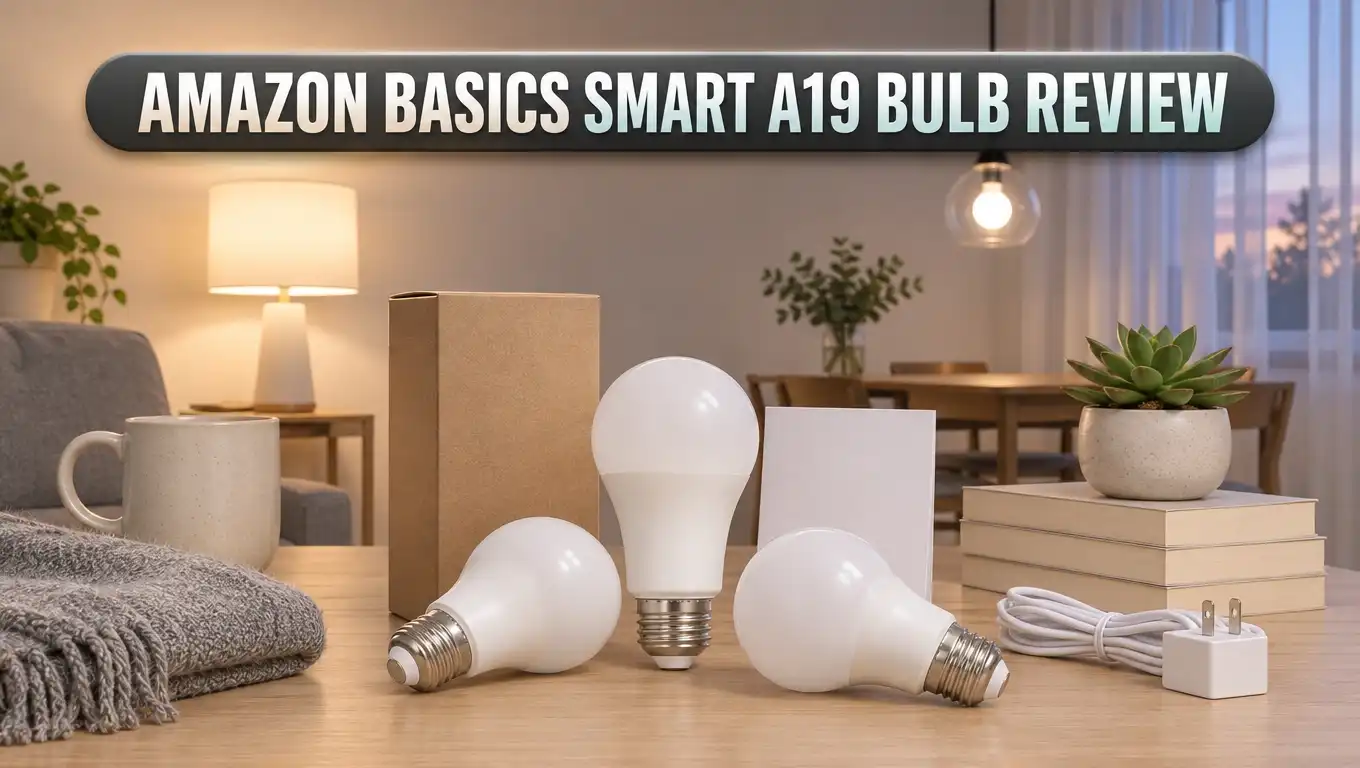
The Amazon Basics Smart A19 LED Light Bulb is Amazon’s own budget smart bulb. It uses a standard A19 shape and a regular E26 base. That means it fits most lamps and ceiling fixtures in American homes.
Amazon sells this bulb in a few versions. You can choose soft white, tunable white, or color changing. The color changing model is the most popular one, and it is the main focus of this review.
The bulb gives off 800 lumens of light. That is the same brightness as a classic 60W incandescent bulb. It uses only about 9 watts, depending on the version, so you save a lot of energy.
The biggest selling point is the price. At around $13 for one bulb, it is among the cheapest color smart bulbs from a known brand. A 4 pack often brings the price per bulb down even further.
The second big point is the Alexa integration. Amazon built this bulb for the Alexa app and Echo speakers. Setup feels smooth because both the bulb and the app come from the same company.
There is one catch you must know right away. This bulb works with Alexa only. If you use Google Home or Apple Home, this bulb will not work for you.
For Alexa homes, though, it offers great value. You get voice control, schedules, color scenes, and routines without paying for a hub. That makes it a strong pick for first time smart home buyers.
Key Specifications at a Glance
Before we go deeper, let’s look at the main specs. These numbers help you compare this bulb with others on the market.
The bulb uses the A19 shape, the most common bulb shape in the US. It has an E26 medium screw base. You can use it in table lamps, floor lamps, ceiling lights, and many enclosed fixtures.
The brightness rating is 800 lumens. This equals a 60W incandescent bulb. The color changing version uses about 9 watts, while some white versions use about 7.5 watts.
The color range covers millions of colors. The white range goes from warm white at 2700K to cool daylight at 6500K. Warm white feels cozy, like a classic bulb. Cool white feels crisp, like morning sunlight.
For connection, the bulb uses 2.4 GHz WiFi. It does not work on 5 GHz networks. Most home routers support both bands, so this is rarely a problem.
The bulb needs no hub or bridge. You control it through the Alexa app or any Echo device. It also supports dimming through the app and voice commands.
Here is a quick summary in plain words. It fits standard sockets. It shines as bright as a 60W bulb. It changes colors and white tones. It uses very little power. It talks to Alexa over your home WiFi.
These specs match what you get from most budget smart bulbs. The real difference comes from the Alexa setup and the low price. We will look at both in the next sections.
Design and Build Quality
The Amazon Basics Smart A19 Bulb looks like a normal light bulb. It has a white frosted globe and a white plastic base. Guests will not notice anything special about it until the colors start to change.
The frosted cover spreads the light evenly. You will not see harsh hot spots or visible LED dots. This matters a lot in lamps with thin shades, where cheap bulbs can look patchy.
The bulb feels light in your hand. The base is made of plastic, which keeps the weight and cost down. It does not feel premium, but it does not feel flimsy either.
One small detail matters more than you might think. The bulb has a QR code printed on it, and the box has one too. You use this code during setup in some cases.
Here is a smart tip: take a photo of the QR code before you install the bulb. Some users report that they had to set up the bulb again after an outage. Without the box, they had to remove the lampshade to scan the code on the bulb.
The bulb stays fairly cool during use. LEDs make far less heat than old incandescent bulbs. This makes it safer for kids’ rooms and small lamps.
The size matches a standard A19 bulb. It should fit inside most fixtures and lamp harps without any issue. If your current bulb is an A19, this one will fit the same space.
Overall, the design is simple and practical. It is not fancy, but it does the job. For the price, the build quality is fair and fits daily home use.
Top 3 Alternative for Amazon Basics Smart A19 Bulb
The Amazon Basics bulb is great for Alexa users. But what if you also use Google Home or want more features? Here are three strong alternatives worth checking.
1. Kasa Smart Bulb KL125

- Multicolor & Auto White: Dimmable 16 million colors and warm to cool whites(2500K-6500K). Set your bulb...
- Voice Control: Get hands-free control of your lights with your voice via Amazon Alexa or Google...
- Remote Control: Control your smart light bulb from anywhere with your smartphone using the free Kasa...
Last update on 2026-11-27 / Affiliate links / Images from Amazon Product Advertising API
The Kasa KL125 is a full color smart bulb with 800 lumens of brightness. It works with both Alexa and Google Home. It also needs no hub. The Kasa app offers extra features like energy tracking and away mode. It is a great pick if you want more control than the Alexa app gives you.
2. Govee Smart Light Bulbs (2 Pack)

- Easy Voice Control: Our Alexa light bulbs are compatible with Alexa and Google Assistant for easy voice...
- 16 Million DIY Colors: Govee smart light bulbs provide millions of colors and 54 preset scene modes...
- Music Sync: Our smart light bulbs change color and brightness when your phone's microphone detects sound...
Last update on 2026-11-26 / Affiliate links / Images from Amazon Product Advertising API
Govee bulbs support Matter, Alexa, and Google Assistant. They connect through WiFi and Bluetooth. The Govee app has fun extras like music sync and many preset scenes. These bulbs suit people who love colorful, dynamic lighting for parties or gaming.
3. Feit Electric Smart Bulb A19 RGBW

- RGBW COLOR OPTIONS & TUNABLE WHITE – Customize your space with over 16 million color choices and...
- VOICE CONTROL - Use simple voice commands with Alexa or Google Assistant to control this 60 watt Alexa...
- RELIABLE 2.4GHz WI-FI CONNECTIVITY – Connect each smart WiFi light bulb directly to your 2.4 GHz...
Last update on 2026-11-26 / Affiliate links / Images from Amazon Product Advertising API
The Feit Electric bulb offers CRI 90, which means colors in your room look more natural. It works with Alexa and Google. The white range goes from 2700K to 6500K. It often sells at a very low price, so it competes closely with the Amazon Basics bulb.
All three choices give you more platform freedom. The Amazon Basics bulb still wins on simple Alexa setup. Pick based on which voice assistant you use most.
Setup Process: How Easy Is It?
Setup is where the Amazon Basics bulb really shines. Amazon designed it to work smoothly with the Alexa app. For most people, the process takes only a few minutes.
First, screw the bulb into a lamp or fixture. Then turn on the power. The bulb lights up and enters pairing mode on its own.
Next, open the Alexa app on your phone. In many homes, the app spots the bulb right away. This happens because Amazon’s Frustration Free Setup can share your saved WiFi details with the bulb.
Some reviewers say they did almost nothing. By the time they opened the app, Alexa had already found the bulb and connected it to WiFi. That is a very smooth experience.
If the app does not find the bulb, you can add it by hand. Tap the Devices tab, choose Add Device, pick Light, and then follow the steps. The app may ask you to scan the QR code on the box or bulb.
After the bulb joins, give it a clear name. Names like “Bedroom Lamp” or “Porch Light” work well. Then add it to a group, such as “Living Room.” Groups let you control many bulbs with one voice command.
There is also a manual reset option. You can put the bulb into setup mode by turning it on and off five times quickly. Some users say this method works, but it can take a few tries.
Remember one key rule. Your phone and bulb must use a 2.4 GHz WiFi network. If setup fails, check your router settings first. In most cases, that solves the problem.
Light Quality and Color Performance
A smart bulb must first be a good bulb. So how does the light look in real rooms? For the price, the results are quite good.
The 800 lumens output is bright enough for most bedrooms, living rooms, and hallways. It works well for reading lamps and table lamps. For big rooms, you may want two or more bulbs.
The white light range is a strong point. At 2700K, the bulb gives a warm, cozy glow, much like an old incandescent bulb. At 6500K, it gives a cool, bright daylight tone that works well for home offices.
Colors look vivid and fun. Reds, blues, purples, and greens all look strong. You can set the mood for movie nights, holidays, or parties with a quick voice command.
Dimming works smoothly through the app and voice. You can say, “Alexa, set the bedroom light to 20 percent.” The bulb responds quickly and dims without flicker in most cases.
However, there is one common complaint. Some users say that bulbs do not match each other perfectly. When several bulbs are set to the same color and brightness, they can look slightly different.
This matters most if you put many bulbs in one room. For a single lamp, you will likely never notice. For a ceiling fixture with four bulbs, the small difference might bother you.
Premium brands like Philips Hue offer better color matching. But they also cost several times more. For a budget bulb, the Amazon Basics light quality is solid and pleasant for daily use.
Alexa Integration and Voice Control
Alexa integration is the heart of this bulb. Since Amazon makes both the bulb and Alexa, the two work together very well. This is the main reason to choose this bulb.
You can control the bulb with simple voice commands. Say “Alexa, turn on the kitchen light,” and it turns on. Say “Alexa, make the living room blue,” and it changes color right away.
You can also adjust white tones by voice. Try “Alexa, set the bedroom light to warm white” or “Alexa, make the office light cool white.” These commands feel natural and easy to remember.
The Alexa app gives you control when you are away from an Echo speaker. You can turn lights on or off from work, on vacation, or from the couch. You can also pick exact colors from a color wheel.
If you own an Echo Show, you get even more control. The screen shows your smart devices. You can tap to turn bulbs on, dim them, or change colors without saying a word.
Groups make voice control even better. Put your bulbs into rooms in the app. Then say “Alexa, turn off the downstairs lights” to control many bulbs at once.
There is one honest downside. This bulb is locked to Alexa. You cannot use Google Assistant, Siri, or Matter controllers. If you ever switch systems, these bulbs will not come with you.
For Alexa fans, this is not a problem. The integration feels clean and fast. For mixed smart homes, a bulb like the Kasa or Govee may suit you better.
Routines, Schedules, and Automation
Routines turn a simple smart bulb into a true smart home tool. The Amazon Basics bulb works with all Alexa Routines. This opens up many helpful options.
You can set lights to turn on at a certain time each day. For example, the porch light can turn on at sunset and off at sunrise. Many users love this feature for outdoor safety.
One great feature is Ramp Brightness. This lets the bulb slowly brighten or dim over a set time, up to about an hour. It works like a gentle sunrise alarm in the morning.
Parents find this feature very useful. You can create a slow dim routine at bedtime for kids. You can also create a slow wake up routine on school mornings.
To set this up, open the Alexa app and go to Routines. Tap the plus sign, then Add Action, then Smart Home, then Lights. Choose your bulb, pick Brightness, and select Ramp Brightness.
Routines can also link many devices together. Say “Alexa, good morning,” and your lights can turn on while Alexa reads the weather. Some people even link a smart kettle to start boiling water.
You can also trigger lights with other devices. A Ring doorbell press can turn on the porch light. A motion sensor can turn on hallway lights at night.
One reviewer set bedroom lights to turn on with a soft glow an hour before bedtime. It made the room feel calm and ready for sleep. Small touches like this make everyday life feel easier.
Energy Efficiency and Running Costs
Smart bulbs help you save money in two ways. First, LEDs use far less power than old bulbs. Second, schedules stop you from leaving lights on by mistake.
The Amazon Basics color bulb uses about 9 watts. An old incandescent bulb with the same brightness uses 60 watts. That means this bulb uses about 85 percent less power.
Let’s look at simple numbers. Say you use the bulb for three hours every day. At about 16 cents per kilowatt hour, the bulb costs roughly $1.60 per year to run.
A 60W incandescent bulb used the same way costs about $10.50 per year. So each bulb saves you around $9 each year. Swap out several bulbs, and the savings add up fast.
Remember that these are rough estimates. Your actual cost depends on your local power rates and how long you use the lights. Still, the savings are real and easy to see on your bill.
Smart control adds extra savings. You can turn off lights you forgot from your phone. You can also set lights to shut off at bedtime every night.
The bulb also uses a tiny bit of power while it stays connected to WiFi in standby. This standby use is very small for most smart bulbs. It does not cancel out the big savings from LED lighting.
LEDs also last much longer than incandescent bulbs. You will replace them far less often. Over time, that means less waste and fewer trips to the store.
Reliability and Connection Issues
No review is complete without an honest look at the problems. The Amazon Basics bulb works well for many people. But some users report reliability issues you should know about.
The most common complaint involves power or internet outages. Some users say the bulb does not always reconnect on its own after an outage. In those cases, they had to set it up again.
This is where the QR code matters. Some people threw away the box and then struggled to find the code. They had to remove the lampshade or the bulb to scan the code printed on it.
This is why my earlier tip helps so much. Snap a photo of the QR code before you install each bulb. Save the photos in a folder on your phone. It takes 30 seconds and can save you a big headache.
The manual reset option also gets mixed reviews. Flipping the switch five times should put the bulb in setup mode. Some users say this works well, while others say it takes many tries.
On the flip side, many owners report no issues at all. Some use the bulb on a front porch with daily sunset routines, and it runs smoothly. Experiences vary from home to home.
A strong WiFi signal helps a lot. If the bulb sits far from your router, it may drop off more often. A mesh WiFi system or a range extender can fix weak spots.
Also, try to keep the wall switch turned on. Smart bulbs need constant power to stay online. If someone flips the switch off, Alexa cannot reach the bulb.
Pros and Cons
Here is a clear look at the strengths and weaknesses of the Amazon Basics Smart A19 Bulb. This list helps you weigh your options quickly.
Pros
- Very affordable price. It is among the cheapest color smart bulbs from a trusted brand, and multipacks lower the cost even more.
- Easy setup with Alexa. The Alexa app often finds the bulb on its own, so setup can take less than two minutes.
- No hub needed. The bulb connects straight to your 2.4 GHz WiFi, which saves money and space.
- Millions of colors plus tunable white. You can choose cozy warm white, bright daylight, or fun party colors.
- Works with all Alexa Routines. Schedules, sunset triggers, and ramp brightness features all work well.
- Energy efficient. It uses about 9 watts while giving the same light as a 60W bulb.
- Soft, even light. The frosted globe spreads light nicely with no harsh hot spots.
Cons
- Alexa only. It does not work with Google Home, Apple HomeKit, or Matter.
- Color matching is not perfect. Several bulbs set to the same color may look slightly different.
- Reconnection issues. Some users report the bulb drops offline after outages and needs a new setup.
- QR code dependency. Setting it up again may require the QR code from the box or bulb.
- No 5 GHz support. It works only on 2.4 GHz WiFi networks.
- Fewer advanced features. It lacks music sync and the deep scene options found in some rival apps.
Overall, the pros outweigh the cons for Alexa users on a budget. If you need wider platform support, look at the alternatives above.
Who Should Buy This Bulb?
The Amazon Basics Smart A19 Bulb is not for everyone. But for the right person, it is a fantastic deal. Let’s look at who will love it most.
Alexa households are the perfect match. If you already own an Echo Dot, Echo Show, or other Alexa device, this bulb fits right in. Setup is smooth, and voice control feels natural.
Smart home beginners will enjoy it too. The low price means you can test smart lighting without a big risk. If you love it, you can add more bulbs later.
Budget shoppers get great value. You can fill a whole room with color smart bulbs for the price of one or two premium bulbs. That is a big win for families and renters.
Parents can use routines for bedtime and wake up times. The slow dim and slow brighten features help kids settle down and wake up gently.
People who want porch or outdoor schedules will find it useful. A simple sunset and sunrise routine works well in covered outdoor fixtures. Just make sure the fixture keeps the bulb out of rain.
Now, who should skip it? If you use Google Home or Apple Home, look elsewhere. The Kasa, Govee, or Feit bulbs work with more systems.
Skip it also if you need perfect color matching across many bulbs. Designers and people with large ceiling fixtures may prefer a premium brand.
Finally, think twice if your home has frequent power cuts. Reconnection issues could become annoying. A bulb with stronger offline recovery might suit you better.
Final Verdict
So, is the Amazon Basics Smart A19 Bulb worth buying? For most Alexa users, the answer is yes. It offers great value at a very low price.
The bulb does the basics very well. It turns on and off with your voice. It changes colors and white tones. It works with schedules and routines. It saves energy every single day.
The setup experience is a real highlight. Alexa often finds the bulb on its own, and you can start using it in minutes. Few budget bulbs feel this simple to install.
The light quality is good for the money. The 800 lumens output works for most rooms. The warm white tone feels cozy, and the colors look bright and fun.
Still, the bulb has real limits. It works with Alexa only. Some bulbs show small color differences. A few users report connection drops after outages.
These issues do not ruin the bulb, but they matter. Save the QR code photo, keep a strong WiFi signal, and leave the wall switch on. These small steps prevent most problems.
If you want more platform freedom, the Kasa KL125, Govee Smart Bulbs, and Feit Electric A19 are great choices. They cost about the same and work with more voice assistants.
But if your home runs on Alexa, the Amazon Basics bulb is an easy pick. It is cheap, simple, and fun. It is a smart first step into smart lighting, and it can make your home feel more modern for very little money.
Frequently Asked Questions
Does the Amazon Basics Smart A19 Bulb need a hub?
No, it does not need a hub. The bulb connects straight to your 2.4 GHz WiFi network. You control it with the Alexa app or an Echo device.
Does the Amazon Basics smart bulb work with Google Home?
No, it does not. The bulb works with Alexa only. If you use Google Home, try the Kasa KL125, Govee, or Feit Electric bulbs.
Can I use the bulb without an Echo speaker?
Yes, you can. The Alexa app on your phone lets you control the bulb without an Echo. However, voice control at home works best with an Echo device.
How bright is the Amazon Basics Smart A19 Bulb?
The bulb gives off 800 lumens. This matches the brightness of a classic 60W incandescent bulb. It works well for most bedrooms, living rooms, and lamps.
Does the bulb work on 5 GHz WiFi?
No, it only works on 2.4 GHz WiFi. Most home routers offer both bands. Make sure your phone and bulb use the 2.4 GHz band during setup.
How do I reset the Amazon Basics smart bulb?
Turn the bulb on and off five times quickly. This puts it into setup mode. Then add it again through the Alexa app.
What happens if I lose the box with the QR code?
The bulb also has a QR code printed on it. You may need to remove it from the fixture to scan it. Take a photo of the code before installing to avoid this hassle.
Can I use the bulb outdoors?
You can use it in covered outdoor fixtures, like a porch light. Keep it away from direct rain and water. Many users run it on sunset and sunrise schedules.
Does the bulb work with a dimmer switch?
No, do not use it with a wall dimmer switch. Dimmer switches can damage smart bulbs. Use the Alexa app or voice commands to dim the light.
Is the Amazon Basics smart bulb worth the money?
For Alexa users, yes. It offers color, dimming, routines, and easy setup at a low price. If you need support for more platforms, choose one of the alternatives.

DK is the founder and lead writer at Smart Lighting Finds, where he helps readers discover the best lighting products through honest, hands-on reviews and in-depth comparisons. With a deep passion for home improvement and smart technology, DK is dedicated to making every lighting decision easier and brighter for his readers.