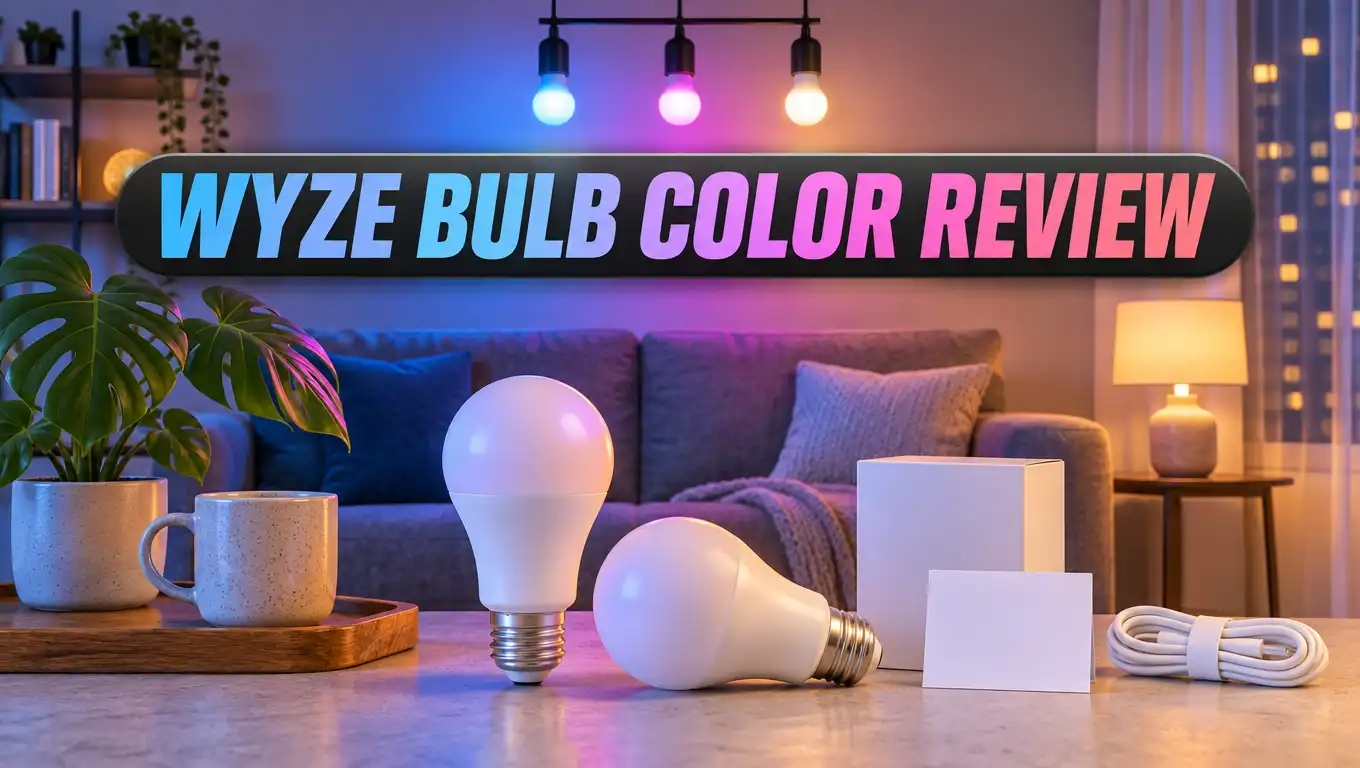
Wyze Bulb Color Review: A Bright Smart Bulb Worth Buying?
Do you want colorful smart lights without paying Philips Hue prices? The Wyze Bulb Color promises 16 million colors, 1100 lumens, and a 90+ CRI for a small price. That is a big claim for a budget bulb.
I looked closely at its features, real user feedback, and how it holds up against rivals. This review covers brightness, color quality, app features, setup, and reliability. By the end, you will know if this bulb suits your home.
In a Nutshell
- Very bright for the price: The A19 version reaches 1100 lumens, which equals a 75 watt bulb. Most smart bulbs stop at 800 lumens, so this one lights a room better.
- Natural white light: The bulb has a 90+ CRI rating. Skin tones, food, and decor look more natural than they do under typical 80 CRI bulbs.
- Wide color temperature range: You can tune white light from 1800K to 6500K. That covers a warm candle glow up to cool daylight.
- Smart features at no extra cost: You get Sun Match, Sleep Routines, Vacation Mode, and schedules in the free Wyze app. No hub is needed.
- Works with Alexa and Google Assistant: Voice control is simple. However, the bulb only works on 2.4 GHz WiFi and does not support Apple HomeKit.
- Best for budget buyers: The bulb suits renters, students, and anyone building a smart home on a tight budget. Users who want rich, deep colors may prefer a premium brand.
Wyze Bulb Color at a Glance

- WYZE WLPA19C-2 LED SMART HOME COLORED LIGHT BULBS - TWO-PACK

Last update on 2026-11-25 / Affiliate links / Images from Amazon Product Advertising API
The Wyze Bulb Color is a WiFi smart bulb from Wyze Labs. Wyze is known for cheap security cameras, but its lighting line has a loyal fan base too. This bulb is the color upgrade to the original Wyze Bulb White.
The bulb comes in two versions. The A19 version gives 1100 lumens and fits standard lamps. The BR30 version gives 950 lumens and suits recessed ceiling cans.
What makes this bulb stand out? It mixes high brightness, high CRI, and a low price in one package. Few budget bulbs offer all three at once.
You control it through the Wyze app on your phone. You can also use Alexa or Google Assistant for hands free control. There is no hub to buy, and the bulb connects straight to your home WiFi.
The bulb lets you pick any color from a color wheel. You can also save your favorite shades as Scenes. This makes it easy to switch between a cozy movie night look and a bright work mode.
In short, the Wyze Bulb Color gives you premium style features at a budget price. It is not perfect, but it delivers strong value. Let us look at the details to see where it shines and where it falls short.
Key Specs You Should Know
Specs matter when you compare smart bulbs. The Wyze Bulb Color has numbers that beat many rivals in its price range. Here is a simple breakdown.
The A19 bulb reaches 1100 lumens. This equals a 75 watt incandescent bulb. Most budget smart bulbs only reach 800 lumens, which equals a 60 watt bulb.
The bulb uses about 12 watts of power. That is far less than an old incandescent bulb. Your energy bill will thank you over time.
The color temperature range runs from 1800K to 6500K. 1800K looks like warm candlelight. 6500K looks like crisp, cool daylight. Many rivals start at 2700K, so Wyze gives you a warmer option for evenings.
The CRI rating is 90 or higher. CRI stands for Color Rendering Index. It measures how close a bulb’s light looks to natural sunlight. A higher number means colors look more true to life.
The bulb supports 16 million colors through RGB LEDs. It also has tunable white LEDs for clean white light.
Other key specs include:
- Connection: 2.4 GHz WiFi only, with Bluetooth used during setup.
- Base: Standard E26 base for most US lamps and fixtures.
- Voice assistants: Works with Amazon Alexa and Google Assistant.
- Hub: None required.
These specs put the Wyze Bulb Color ahead of many bulbs that cost twice as much.
Design and Setup Experience
The Wyze Bulb Color looks like a normal LED bulb. It has a white frosted dome and a white plastic body. Nothing about it screams “smart bulb,” and that is a good thing.
The A19 shape fits most table lamps, floor lamps, and ceiling fixtures. The bulb is a bit heavier than a cheap LED because of the smart parts inside. Still, it fits fine in standard fixtures.
Setup is quick and simple. You download the Wyze app and create an account. Then you screw in the bulb and turn on the switch.
The app finds the bulb using Bluetooth. Next, you pick your 2.4 GHz WiFi network and enter your password. The bulb connects within a minute or two.
One great feature is bulk setup. You can add several bulbs at once without switching WiFi networks for each one. This saves a lot of time if you buy a four pack.
After setup, you can name each bulb and assign it to a room. You can also group bulbs together. This lets you control a whole room with one tap.
A few users report trouble on mesh networks or routers that mix 2.4 GHz and 5 GHz bands. If that happens, you may need to set up a separate 2.4 GHz network.
Overall, the setup process feels friendly even for first time smart home users. Most people finish in under five minutes per bulb.
Top 3 Alternative for Wyze Bulb Color
The Wyze Bulb Color is a great value, but it is not the only option. Some buyers want Matter support, better color saturation, or a different app. Here are three strong alternatives worth checking.
Govee Smart Light Bulbs (1000 Lumen, Matter)

- Higher Brightness: With over 1000 lumens (120V), these smart bulbs can brighten large space for your...
- Millions of Color Options: Select from 16 million colors and 1-100% dimmable brightness to make your...
- Light It Your Way: With Govee Home App, you can access up to 54 scene modes for your Wi-Fi light bulbs...
Last update on 2026-11-25 / Affiliate links / Images from Amazon Product Advertising API
The Govee smart bulb gives 1000 lumens and RGBWW colors. Its biggest perk is Matter support. This means it works with Apple Home, Alexa, and Google Home. Govee also offers lots of fun scenes and effects in its app.
Kasa Smart Bulb KL125

- Multicolor & Auto White: Dimmable 16 million colors and warm to cool whites(2500K-6500K). Set your bulb...
- Voice Control: Get hands-free control of your lights with your voice via Amazon Alexa or Google...
- Remote Control: Control your smart light bulb from anywhere with your smartphone using the free Kasa...
Last update on 2026-11-25 / Affiliate links / Images from Amazon Product Advertising API
The Kasa KL125 from TP Link is a reliable choice. It gives 800 lumens and full color. The Kasa app is clean and stable. Many users praise its strong WiFi connection and long term reliability.
WiZ Connected Full Color Smart Bulb

- CONVENIENT SMART LIGHTING: Manage WiZ LED light bulbs using the WiZ app, the WiZ remote, or with voice...
- EASY TO AUTOMATE: The smart LED light bulb turns on automatically from sunset to sunrise or when motion...
- CUSTOMIZABLE: Adjust schedules, choose from 16 million colors or shades of warm to cool whites, change...
Last update on 2026-11-25 / Affiliate links / Images from Amazon Product Advertising API
The WiZ Full Color bulb comes from the same parent company as Philips Hue. It offers 800 lumens, great color accuracy, and a simple app. It also has a neat SpaceSense motion feature that uses your WiFi signal to detect movement.
Each of these alternatives has strengths, but Wyze still wins on raw brightness for the money. Pick based on the features that matter most to you.
Brightness and White Light Quality
Brightness is where the Wyze Bulb Color truly shines. At 1100 lumens, it lights up a room far better than standard 800 lumen smart bulbs. You notice the difference right away.
I like this for living rooms, kitchens, and home offices. These spaces need strong, clear light. A dim smart bulb can make a room feel gloomy, but Wyze avoids that problem.
The bulb also dims very low. Wyze says it goes dimmer than the original Wyze Bulb. You can use it as a soft nightlight in a bedroom or hallway.
White light quality is excellent. The 90+ CRI rating makes colors look natural. Wood floors look warm, food looks fresh, and skin tones look healthy.
The 1800K to 6500K range gives you great flexibility. At 1800K, the light feels like a cozy fire. This is perfect for winding down at night. At 6500K, the light feels sharp and energizing, which suits work or reading.
Many users say the warm white settings look better than those of pricier bulbs. The low 1800K setting is a standout feature at this price.
There is one small catch. At very low dim levels, some users notice slight color shifts. This is common in budget bulbs and rarely causes a real problem.
If bright, natural white light is your top need, the Wyze Bulb Color is hard to beat. It feels like a premium bulb in daily use.
Color Performance
The Wyze Bulb Color offers 16 million colors. You pick a shade from a color wheel in the app. The bulb changes color almost instantly.
Bright colors like red, green, and blue look vivid and punchy. Pastel shades also look soft and pleasant. For mood lighting, the bulb does a great job.
However, colors are not as rich as premium brands. Bulbs from LIFX or Philips Hue show deeper, more saturated colors. Some Wyze users say deep blues and purples look slightly washed out at full brightness.
Is this a dealbreaker? For most people, no. The color quality is more than good enough for movie nights, parties, and holiday themes. You only notice the gap if you compare bulbs side by side.
The app lets you save colors as Scenes. You can create a “Movie Night” scene with dim blue light or a “Party” scene with bright purple. One tap brings the scene back.
You can also use Music Mode, but there is a catch. Music Mode only works when you group the bulb with a Wyze Light Strip or Light Strip Pro. The bulb alone cannot sync to music.
Colors stay consistent across multiple bulbs in most cases. This matters when you light one room with several bulbs. Mismatched shades look odd, but Wyze handles this well.
The Wyze Bulb Color gives you fun, bright colors that suit everyday use, even if pros want deeper tones.
Wyze App Features
The Wyze app is the control center for your bulb. It is free and has no required subscription for lighting features. That is a big plus.
Sun Match is one of my favorite features. It adjusts the color temperature through the day to match natural sunlight. You get cool light in the morning and warm light in the evening.
Sleep Routines help you wake up and wind down. The bulb can slowly brighten in the morning like a sunrise. At night, it can gradually dim as you fall asleep.
Vacation Mode adds security. When you leave town, the bulb turns on and off on a variable schedule. This makes your home look occupied to anyone watching.
Schedules and automations give you more control. You can set lights to turn on at sunset or off at bedtime. You can also link the bulb to other Wyze devices. For example, a Wyze motion sensor can trigger the light.
Group control lets you manage many bulbs at once. You can control a whole room or each bulb on its own.
The app does have some downsides. It handles cameras, plugs, locks, and more, so it can feel crowded. New users may need time to find lighting settings.
Overall, the Wyze app packs useful features that many brands charge extra for or skip entirely.
Voice Control and Smart Home Support
The Wyze Bulb Color works with Amazon Alexa and Google Assistant. You link your Wyze account in the Alexa or Google Home app. After that, voice control is easy.
You can say things like “Alexa, turn the living room lights blue” or “Hey Google, dim the bedroom to 30 percent.” The bulb responds quickly in most cases.
Voice control works well for on and off, brightness, color, and color temperature. You can also add the bulb to Alexa Routines or Google Home Routines. This lets you tie it to other smart devices.
Now for the limits. The bulb does not support Apple HomeKit. iPhone users who rely on Siri and the Home app will miss out. Some people use third party bridges like Homebridge, but that takes extra work.
The bulb also lacks Matter support. Matter is the new smart home standard that lets devices work across platforms. Newer bulbs from Govee and others include it. If you want a future proof setup, this matters.
IFTTT support has been limited over the years, so do not count on it. Home Assistant users can connect Wyze bulbs through community integrations, though these are unofficial.
The bulb only uses 2.4 GHz WiFi. Most homes have this band, but some modern routers hide it by default.
For Alexa and Google homes, the Wyze Bulb Color fits right in. Apple fans should look elsewhere.
Performance and Reliability
Daily performance is solid for most users. The bulb responds to app commands in about a second. Voice commands take a bit longer but still feel fast.
Many owners report months of trouble free use. The bulb stays connected and runs schedules on time. Sun Match and Sleep Routines work as promised.
However, some users report occasional disconnects. The bulb may show as offline in the app. A quick power cycle usually fixes it. This issue appears more often on busy or mesh WiFi networks.
The bulb needs constant power to stay smart. If someone flips the wall switch off, the app cannot control it. This is true for all smart bulbs, but it catches new users off guard. A smart switch cover or a family rule can solve this.
Wyze also pushes firmware updates through the app. These updates often fix bugs and improve stability. Keep your bulbs updated for the best experience.
Heat output is low thanks to LED technology. The bulb stays warm but not hot, even after hours of use.
There is one concern to keep in mind. Wyze has faced security issues with its cameras in the past. These issues did not involve bulbs, but privacy minded buyers should know the brand history.
The bulb comes with a one year limited warranty. Wyze support can help with defective units.
In real use, the Wyze Bulb Color performs reliably for most homes, with minor hiccups on complex networks.
Price and Value
Price is the strongest reason to buy the Wyze Bulb Color. It costs far less than Philips Hue or LIFX bulbs. You can often buy several Wyze bulbs for the price of one premium bulb.
Wyze sells the bulb in single packs, two packs, and four packs. Multi packs give you the best price per bulb. Watch for sales on Amazon and the Wyze website for extra savings.
So what do you get for that low price? You get 1100 lumens, 90+ CRI, 1800K to 6500K tuning, and 16 million colors. You also get a free app with advanced features. Few bulbs at this price match that list.
Compare this with Philips Hue. Hue bulbs offer richer colors and a mature ecosystem. However, many Hue bulbs work best with a Hue Bridge, which adds to the cost.
Compare it with budget rivals like Kasa or WiZ. These bulbs often stop at 800 lumens. Wyze gives you more light for similar money.
The main value tradeoffs are no HomeKit, no Matter, and less saturated colors. If those features matter to you, paying more may make sense.
Energy savings add to the value. At about 12 watts, the bulb uses a fraction of the power of an old 75 watt bulb. Over years of use, the savings add up.
For most buyers, the Wyze Bulb Color delivers more value per dollar than almost any other color smart bulb.
Pros and Cons
Every product has strengths and weaknesses. Here is a clear look at what the Wyze Bulb Color does well and where it falls short.
Pros
- Very high brightness: The A19 bulb reaches 1100 lumens, which beats most smart bulbs in its class.
- Excellent white light quality: The 90+ CRI rating makes colors and skin tones look natural.
- Wide color temperature range: The 1800K setting gives a warmer glow than many rivals offer.
- No hub required: The bulb connects straight to WiFi, which keeps costs low.
- Feature rich free app: Sun Match, Sleep Routines, and Vacation Mode come at no extra cost.
- Easy bulk setup: You can add several bulbs at once without switching networks.
- Great price: You get premium style features for a budget cost.
Cons
- No Apple HomeKit support: iPhone users cannot use Siri or the Home app natively.
- No Matter support: The bulb lacks the newest cross platform smart home standard.
- Less saturated colors: Deep blues and purples look weaker than on premium bulbs.
- 2.4 GHz only: Some modern routers need extra setup to work with it.
- Music Mode needs extra gear: You must own a Wyze Light Strip to use music sync.
- Occasional disconnects: Some users report the bulb going offline on busy networks.
The pros clearly outweigh the cons for budget minded Alexa and Google users.
Who Should Buy the Wyze Bulb Color?
The Wyze Bulb Color suits many people, but not everyone. Here is a simple guide to help you decide.
Budget buyers will love this bulb. If you want to fill a home with smart lights without spending much, Wyze is a top pick. You get strong features at a low cost.
Alexa and Google Assistant users will find it easy to use. The bulb fits well into both ecosystems. Voice control and routines work smoothly.
Existing Wyze owners get extra benefits. If you already own Wyze cameras, sensors, or plugs, the bulb links with them in one app. You can create automations across devices.
People who want bright light should consider it. The 1100 lumen output makes it great for large rooms and work spaces.
Renters and students benefit too. There is no wiring or hub to install. You screw in the bulb and take it with you when you move.
Now, who should skip it? Apple HomeKit users should look at Matter bulbs like Govee or Nanoleaf instead. Color enthusiasts who want deep, rich hues may prefer LIFX or Philips Hue.
People with complex mesh networks may face some connection trouble. Test one bulb before buying a full set.
If you fit the budget, Alexa, or Google profile, the Wyze Bulb Color is an easy recommendation.
Final Verdict on the Wyze Bulb Color
The Wyze Bulb Color is one of the best value color smart bulbs you can buy. It mixes high brightness, natural white light, and useful features at a low price.
Its 1100 lumen output beats most rivals. Its 90+ CRI rating makes your home look natural and inviting. The 1800K warm setting adds a cozy glow that many bulbs cannot match.
The free Wyze app adds real value. Sun Match, Sleep Routines, Vacation Mode, and schedules make daily life easier. You do not need a hub or subscription.
The bulb does have flaws. It lacks HomeKit and Matter support. Its colors are not as deep as premium brands. Some users face occasional WiFi hiccups.
Still, these issues feel small when you look at the price. For the cost of one premium bulb, you can light several rooms with Wyze.
My rating sits at 4.3 out of 5. It loses points for limited ecosystem support but earns high marks for brightness and value.
If you use Alexa or Google and want bright, colorful smart lighting on a budget, the Wyze Bulb Color is a smart buy. Start with a two pack, test it in your home, and expand from there.
Frequently Asked Questions
Does the Wyze Bulb Color need a hub?
No, it does not need a hub. The bulb connects straight to your 2.4 GHz WiFi network. You control it with the free Wyze app.
How bright is the Wyze Bulb Color?
The A19 version reaches 1100 lumens, which equals a 75 watt bulb. The BR30 version reaches 950 lumens.
Does the Wyze Bulb Color work with Apple HomeKit?
No, it does not support HomeKit natively. It works with Amazon Alexa and Google Assistant.
Does the Wyze Bulb Color support Matter?
No, the bulb does not support Matter. If you need Matter, the Govee 1000 lumen smart bulb is a good alternative.
Can the Wyze Bulb Color work on 5 GHz WiFi?
No, it only works on 2.4 GHz WiFi. Most dual band routers support 2.4 GHz, but you may need to enable it.
Does the Wyze Bulb Color sync with music?
Yes, but only when you group it with a Wyze Light Strip or Light Strip Pro. The bulb cannot sync to music on its own.
What does the 90+ CRI rating mean?
CRI measures how natural colors look under a light. A 90+ rating means objects look close to how they appear in sunlight.
Will the bulb work if I turn off the wall switch?
No, the bulb needs constant power to stay connected. Leave the wall switch on and control the bulb through the app or voice.
Does the Wyze Bulb Color come with a warranty?
Yes, the bulb comes with a one year limited warranty from Wyze.

DK is the founder and lead writer at Smart Lighting Finds, where he helps readers discover the best lighting products through honest, hands-on reviews and in-depth comparisons. With a deep passion for home improvement and smart technology, DK is dedicated to making every lighting decision easier and brighter for his readers.