Kasa Smart Bulb KL125 Review: Bright & Colorful Worth Buying?
Do you want colorful smart lighting without paying Philips Hue prices? Many people do. The Kasa Smart Bulb KL125 is one of the cheapest ways to get it.
This bulb gives you 16 million colors, 800 lumens of brightness, and voice control with Alexa or Google. You don’t need a hub. You only need your home WiFi and a free app.
But is it worth buying in 2026? Does it work well every day? We tested every feature and compared it with its rivals. Keep reading. By the end, you will know if the KL125 suits your home.
In a Nutshell
- Strong value: The Kasa KL125 is one of the cheapest full color smart bulbs from a trusted brand. It often sells for less than its $14.99 list price, and multipacks cut the cost per bulb even more.
- Good light quality: It gives off 800 lumens, which matches an old 60W bulb. Its CRI of 90 or higher makes colors and skin tones look natural. White light goes from a warm 2500K to a cool 6500K.
- No hub needed: The bulb connects to your 2.4 GHz WiFi network directly. You control it with the free Kasa Smart app on iOS or Android, from anywhere.
- Smart extras: You get schedules, scenes, groups, energy tracking, and an Auto White mode that follows natural daylight. It also works with Alexa, Google Assistant, SmartThings, and IFTTT.
- Small drawbacks: Setup takes several steps, and the bulb does not work on 5 GHz WiFi. It also does not support Apple Home, and it has no music sync feature like some Govee bulbs.
- Best for: Beginners, renters, and anyone who wants cheap color lighting with a simple, dependable app.
Kasa Smart Bulb KL125 Overview

- Multicolor & Auto White: Dimmable 16 million colors and warm to cool whites(2500K-6500K). Set your bulb...
- Voice Control: Get hands-free control of your lights with your voice via Amazon Alexa or Google...
- Remote Control: Control your smart light bulb from anywhere with your smartphone using the free Kasa...

Last update on 2026-11-21 / Affiliate links / Images from Amazon Product Advertising API
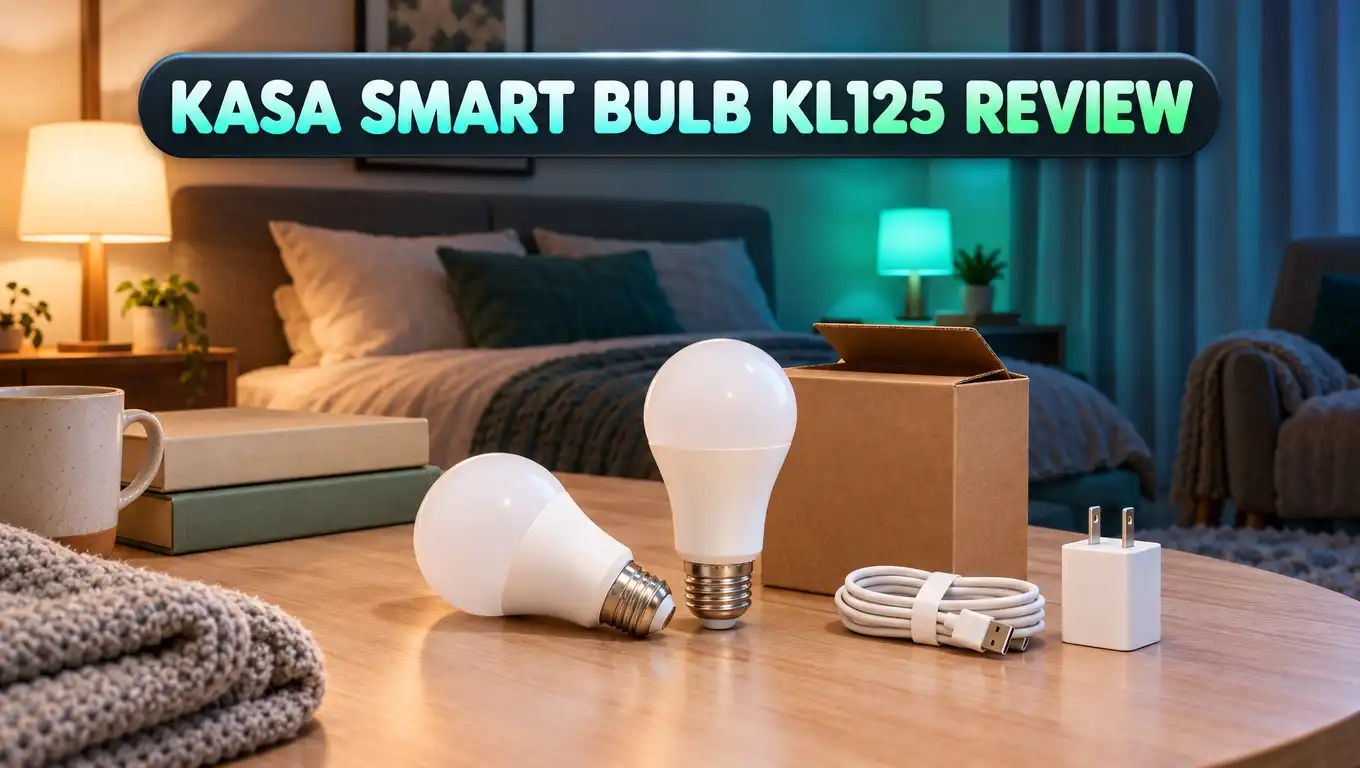
The Kasa Smart Bulb KL125 is a multicolor WiFi LED bulb from TP Link. It is the cheapest color bulb in the Kasa lineup. It sits below the KL130 and KL135 models.
The bulb uses the classic A19 shape. It fits any standard E26 socket in your home. So you can put it in table lamps, floor lamps, and ceiling fixtures.
TP Link built this bulb for people who want smart lighting without much effort. You screw it in and link it to the Kasa app. After that, you control it with your phone or your voice.
The main selling point is value. The list price is $14.99 for one bulb. A 2 pack lists for $24.99, and a 4 pack lists for $39.99. Sale prices often drop even lower than that.
You can buy it as a single bulb or in packs of 2, 4, or 5. Bigger packs make sense if you plan to light a whole room or a whole floor.
The KL125 does not need a hub. Brands like Philips Hue work best with a bridge, which adds cost. Kasa skips that step completely.
The bulb also comes with a 2 year limited warranty in the US. It carries FCC and UL certification, so you know it meets basic safety standards.
In short, the KL125 gives you the core smart lighting features at a low price. Now let’s look at what is inside the box and on the spec sheet.
Key Specifications at a Glance
Specs matter when you choose a smart bulb. Here are the numbers for the Kasa KL125, explained in plain words.
Brightness: The bulb produces a typical 800 lumens. That equals a traditional 60W incandescent bulb. It works well for most bedrooms, living rooms, and offices.
Power draw: It uses about 9 watts at full brightness. In standby mode, it uses less than 0.2 watts. That is very low for a device that stays connected all day.
Color range: You get 16 million colors. White light goes from 2500K to 6500K. Warm 2500K feels cozy, like candlelight. Cool 6500K feels like bright daylight.
Color accuracy: The CRI rating is 90 or higher. A high CRI means objects look true to life under the light. Food, clothes, and faces look natural.
Dimming: You can dim from 1% to 100%. That goes from about 10 lumens up to the full 800 lumens.
Beam angle: The light spreads at a typical 220 degrees. This gives wide, even light across a room.
Connectivity: It uses 2.4 GHz WiFi with 802.11b/g/n support. It does not work on 5 GHz bands.
Size and weight: The bulb measures 2.36 by 4.41 inches. It weighs just 0.306 pounds.
Operating range: It works from 5°F to 104°F. Humidity can range from 10% to 90%, without condensation.
Voltage: It runs on 120V at 60Hz, which is the standard in US homes.
These specs put the KL125 on par with many bulbs that cost more. The brightness and CRI stand out the most.
Design and Build Quality
The KL125 looks like a normal light bulb. That is a good thing. It blends into any fixture and does not draw attention.
It has a round A19 globe with a plain tapered white shell. The pricier KL130 has a more stylish, flatter shape. The KL125 keeps things simple.
The globe is frosted. This spreads the light evenly and hides the LEDs inside. You won’t see harsh hot spots when the bulb is on.
The build feels solid for the price. The plastic body does not feel cheap or flimsy. The E26 metal base screws in smoothly without any wobble.
At 2.36 by 4.41 inches, the bulb is close to standard size. It fits most lamps with no trouble. However, a few tight lamp shades or enclosed fixtures may feel a little snug, so check your space first.
The bulb is light at just over 0.3 pounds. That makes it safe for hanging pendants and small desk lamps.
One thing to note is heat. Like all LEDs, the base gets warm during long use. It never gets as hot as an old incandescent bulb, though.
TP Link rates this bulb for indoor use. It handles normal home temperatures well. Avoid putting it in damp outdoor fixtures or fully exposed spots.
Overall, the design is clean, practical, and familiar. It won’t win style awards. But it does its job and fits almost anywhere in your home.
Top 3 Alternatives for Kasa Smart Bulb KL125
The KL125 is a great value. Still, it is not the only choice. Here are three strong alternatives worth a look.
1. Kasa Smart Bulb KL135

- 【Multicolor & Auto White】Dimmable 16 million colors and 1000 lumens warm to cool whites(2500K-9000K...
- 【Voice & App Control】Hands-free light control via Amazon Alexa/Google Assistant. Use free Kasa app...
- 【Energy Monitoring & Scheduling】Real-time energy tracking helps reduce consumption without...
Last update on 2026-11-21 / Affiliate links / Images from Amazon Product Advertising API
The KL135 is the big brother of the KL125. It gives 1000 lumens instead of 800. That makes it a better pick for large rooms or spaces with high ceilings.
It also uses the same Kasa app. So if you already own Kasa devices, it fits right in. The trade off is a slightly higher price.
2. Govee Smart Light Bulbs A19

- 16 Million DIY Colors: Govee smart light bulbs own millions of color and 54 preset scene modes, you can...
- Music Sync: Our smart light bulbs change color and brightness simultaneously when sounds are detected by...
- Smart Control: Govee color changing light bulbs make it possible to control your bulbs with simple voice...
Last update on 2026-11-21 / Affiliate links / Images from Amazon Product Advertising API
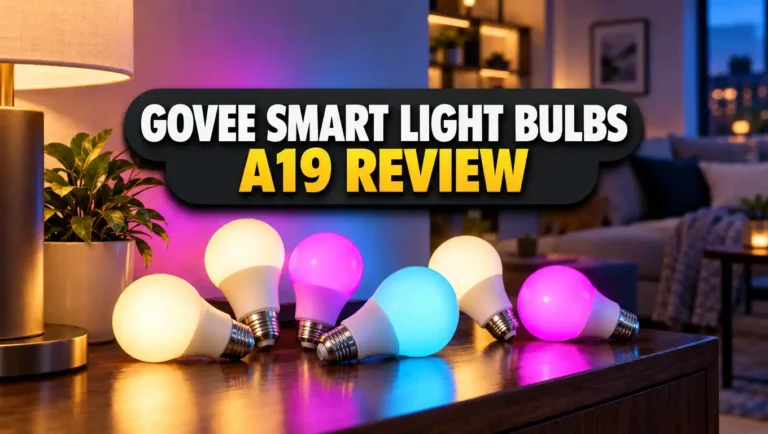
Govee bulbs are famous for fun color effects. This A19 model gives 800 lumens and RGBWW color. It also supports Matter, Alexa, and Google Assistant.
The highlight here is music sync. The light can react to the sound in your room. That is great for parties and gaming setups.
3. WiZ Connected Color A19 Smart Bulbs

- CONVENIENT SMART LIGHTING: Manage WiZ lights using the WiZ app, the WiZ remote, or with voice commands to...
- SPACESENSE TECHNOLOGY: Smart bulb that detects motion and turns on automatically, this technology senses...
- CUSTOMIZABLE: Adjust schedules with wifi light bulbs and choose from 16 million colors or shades of warm...
Last update on 2026-11-21 / Affiliate links / Images from Amazon Product Advertising API
WiZ comes from the same company that makes Philips lighting. These bulbs give 800 lumens and full color. They also include a motion detection feature called SpaceSense.
WiZ bulbs cost about the same as Kasa. The app is simple and offers plenty of light modes and scenes.
Each of these bulbs has its own strengths. The KL135 is brighter, Govee is more playful, and WiZ adds motion features. The KL125 still wins on its simple app and low price.
Setup Process: How Easy Is It?
Setup is the weakest part of the KL125. It works, but it takes more steps than some rivals.
First, you download the Kasa Smart app. It works on iOS 10 or Android 5.0 and higher. Then you create a Kasa account with your email and a password.
Next, you tap the plus icon in the app. You choose your device type from a list of menus. This part can feel slow. Scanning a QR code would be faster, but the older setup flow often skips it.
Then you screw in the bulb and turn it on. The bulb blinks three times. That means it is ready to pair.
You connect your phone to the bulb’s temporary WiFi network. After that, you enter your home WiFi password in the app. Finally, you give the bulb a name, such as “Bedroom Lamp.”
That’s it. The whole process takes about five minutes per bulb. It’s easy but slow if you have many bulbs.
There is good news for Alexa users. Newer KL125 units support Amazon Frustration Free Setup. If you have a compatible Echo device, the bulb can connect almost on its own.
Here are a few quick tips for smooth setup. Make sure your phone is on the 2.4 GHz band. Keep the bulb close to your router during pairing. Turn off any VPN on your phone during setup.
Once setup is done, you rarely need to repeat it. The bulb remembers your network even after power cuts.
Brightness and Color Performance
Light quality is where the KL125 shines. For its price, the results are impressive.
The 800 lumen output is bright enough for most rooms. It easily lights a bedroom, a living room corner, or a home office desk. You won’t need to squint while reading.
The white light range covers 2500K to 6500K. At 2500K, the room feels warm and relaxing. It is perfect for evenings and winding down before bed. At 6500K, the light feels crisp and alert, which suits work and study.
The bulb can show 16 million colors. Reds look rich and blues look deep. Greens are bright and clear. Some pastel shades look a bit washed out, but that is common with budget bulbs.
The CRI of 90 or higher is a real bonus. Many cheap bulbs score lower. With the KL125, food on the table and colors in your closet look natural.
Dimming works smoothly. You can drop the light to 1% for a soft night light. You can push it up to 100% for full brightness. The changes happen without flicker.
The 220 degree beam angle spreads light widely. This means you get fewer dark corners in the room.
There is one limit to keep in mind. In color mode, the bulb is a bit less bright than in white mode. That is normal for RGB bulbs. For pure brightness, stick with white light.
Overall, the light quality beats what you would expect at this price.
Kasa App Features and Daily Use
The Kasa Smart app is the control center for your bulb. It is one of the better apps among budget smart lighting brands.
When you open the bulb in the app, you see a large power button. Above it sit five handy shortcuts. Below it, you find tabs for brightness, white temperature, and color.
The brightness tab uses a circle slider. The white tab lets you pick an exact Kelvin value. The color tab gives you a full color wheel. Picking a color feels quick and natural.
The shortcuts are a great time saver. Four of them are presets you can edit. You can set one for “Reading,” one for “Movie Night,” and so on. A single tap then brings back that exact look.
The fifth shortcut turns on Auto White mode. We will cover that in the next section.
The app also lets you group bulbs together. For example, you can put all your living room bulbs in one group. Then one tap controls them all at once.
You can control your bulbs from anywhere. You can be at work, on vacation, or in bed. As long as you have internet, the app works.
The app does have a lot of tabs. New users may feel a bit lost at first. But after a day or two, it becomes easy to use.
Another plus is that the app handles other Kasa devices too. Smart plugs, switches, and cameras all live in the same place. That makes it simple to grow your smart home over time.
Schedules, Scenes, and Auto White Mode
This is where the KL125 shows off its smart side. The scheduling tools are deep and flexible.
You can set the bulb to turn on or off at a specific time each day. You can also pick certain days of the week. For example, lights can turn on at 6:30 AM on weekdays only.
Sunrise and sunset schedules are also available. You can offset them by up to an hour. So your porch area lamp can glow 20 minutes before sunset, every day, without any effort.
The fade feature is a nice touch. You can make lights fade in or out over a time span from 5 seconds to 1 hour. A slow fade in the morning feels like a gentle sunrise. It is a calm way to wake up.
Scenes let you save a full lighting setup. One scene can control many Kasa bulbs and devices at once. You might create a “Dinner” scene with soft warm light in the kitchen and dining room.
Smart Actions take scenes further. You can schedule scenes or trigger them with other Kasa devices. For example, a Kasa camera can turn lights on when it detects motion.
Then there is Auto White mode. This mode changes the color temperature through the day. It follows natural sunlight patterns. Mornings feel cool and bright, while evenings feel warm and soft.
Auto White can help support your natural sleep rhythm. Warm light at night is easier on your eyes before bed.
These tools turn a simple bulb into a smart routine helper.
Voice Assistant and Smart Home Compatibility
The KL125 plays well with the most popular smart home systems. That makes it a flexible choice.
It works with Amazon Alexa. You can say, “Alexa, turn the bedroom light blue.” You can also add the bulb and Kasa scenes to Alexa routines. For example, the light can turn on when a camera sees motion.
It also works with Google Assistant. Voice commands for on, off, brightness, and color all work well. You can add the bulb to Google routines too. However, Google cannot trigger Kasa light scenes directly.
Samsung SmartThings support is included. This is great if you already use a SmartThings hub or app for your home.
IFTTT support adds even more options. You can link the bulb to weather apps, calendars, and many web services. For example, the light could flash red when rain is on the way.
There are a few gaps you should know about. The KL125 does not list Apple Home support. iPhone users can still use the Kasa app and Siri Shortcuts. But they won’t find it in the Apple Home app.
The bulb also does not support Matter. Newer bulbs like some Govee models do. Matter makes it easier to mix brands in one system.
For most homes with Alexa or Google, these gaps won’t matter. The bulb fits right into your current setup with no hub and no extra cost.
Energy Use and Cost Savings
Smart bulbs can save you money. The KL125 is a good example of this.
The bulb uses about 9 watts at full power. An old 60W incandescent bulb gives the same light. That means the KL125 uses roughly 85% less energy.
Standby power is very low, too. It uses less than 0.2 watts while it waits for your commands. Some cheap smart bulbs waste more power in standby.
The bulb is also certified under California’s CEC Title 20 standards. This rule sets strict limits on energy waste. Passing it shows the bulb is efficient.
The Kasa app includes a Usage tab. It shows daily, weekly, and monthly energy stats. You can see how many kilowatt hours the bulb has used. It even shows how much energy you have saved compared to a 60W bulb.
This data is helpful if you want to cut your power bill. You can spot which lights stay on too long. Then you can fix it with a schedule.
The app does not predict yearly costs, though. You need to do that math on your own.
Dimming saves energy too. A bulb at 50% brightness uses less power than one at full brightness. Using schedules and dimming together can lower your bills over time.
LED bulbs also last much longer than old bulbs. You won’t need to buy replacements nearly as often.
Reliability and WiFi Performance
A smart bulb must work every day. Nobody wants a light that drops offline. So how does the KL125 hold up?
For most users, the bulb stays connected well. Commands from the app and voice assistants respond quickly. There is usually only a short delay before the light changes.
The bulb only uses 2.4 GHz WiFi. This band reaches farther through walls than 5 GHz. That helps bulbs in far rooms stay online.
However, a WiFi bulb depends on your router. If your router is weak or crowded, bulbs may drop offline sometimes. This happens with every WiFi bulb brand, not just Kasa.
Some users with many smart devices report occasional disconnects. A mesh WiFi system usually fixes this. Placing your router in a central spot also helps.
Here are some simple tips for better reliability. Give each bulb a fixed IP address in your router settings. Keep the bulb firmware updated through the Kasa app. Avoid using a wall switch to turn the bulb off, because that cuts its power and connection.
That last tip is important. If you flip the wall switch off, the bulb goes offline. You can still turn the switch back on and the bulb will light up. But you lose app and voice control until it has power.
Many users solve this by adding a Kasa smart switch or a switch cover. That way, family members won’t cut power by accident.
Overall, the KL125 is dependable with a good WiFi setup.
Kasa KL125 vs KL130 vs KL135
Kasa sells three main color bulbs. Picking the right one can feel confusing. Here is a simple breakdown.
The KL125 is the budget model. It gives 800 lumens, 2500K to 6500K white light, and 16 million colors. It has a classic round bulb shape. It is the cheapest of the three.
The KL130 has a sleeker, flatter design. Its big advantage is a wider white range, from 2500K up to 9000K. That cool 9000K light feels very bright and blue. It also costs more than the KL125.
Most people rarely need light cooler than 6500K. So the extra range of the KL130 is a small bonus for most homes.
The KL135 is the brightest option. It gives 1000 lumens, which is about equal to a 75W bulb. It also has a more energy efficient design. It works with Alexa Frustration Free Setup too.
So which one should you buy? Choose the KL125 if you want the best value for normal rooms. Choose the KL130 if you love very cool daylight tones. Choose the KL135 if you need extra brightness for big spaces.
All three use the same Kasa app. They all work with Alexa and Google. They all skip the need for a hub.
For most buyers, the KL125 hits the sweet spot. It gives you nearly all the features at the lowest price.
Pros and Cons of the Kasa Smart Bulb KL125
Every product has strengths and weak spots. Here is an honest look at the KL125.
Pros
- Low price: It is one of the most affordable color smart bulbs from a big brand, and multipacks lower the cost even more.
- Bright output: It gives 800 lumens, which is enough light for most rooms in your home.
- High CRI: A CRI of 90 or higher makes colors and skin tones look natural and true.
- No hub needed: The bulb connects straight to your WiFi, so you save money on extra gear.
- Deep scheduling: You get sunrise and sunset timers, fades, and weekly schedules with lots of control.
- Auto White mode: The light changes through the day to match natural sunlight patterns.
- Wide compatibility: It works with Alexa, Google Assistant, SmartThings, and IFTTT.
- Energy tracking: The app shows how much power the bulb uses and how much you save.
- 2 year warranty: This gives you peace of mind on a budget purchase.
Cons
- Slow setup: The setup process has many steps, especially without Alexa Frustration Free Setup.
- 2.4 GHz only: The bulb won’t connect to 5 GHz WiFi networks.
- No Apple Home or Matter: iPhone users who rely on Apple Home will miss native support.
- No music sync: It lacks the fun sound reactive effects that Govee bulbs offer.
- Busy app layout: The app has many tabs, which can confuse new users at first.
The pros clearly outweigh the cons for most buyers. The weak spots mainly affect Apple fans and power users.
Final Verdict: Is the Kasa KL125 Worth It?
So, should you buy the Kasa Smart Bulb KL125? For most people, the answer is yes.
This bulb gives you bright, accurate light at a very low price. The 800 lumens and high CRI beat many budget rivals. The 16 million colors add fun to any room.
The Kasa app is clean and full of useful tools. Schedules, scenes, and Auto White mode make daily life easier. You can set it once and forget about it.
It works with Alexa and Google right out of the box. You don’t need a hub, so you save money from day one.
The KL125 is a perfect fit for beginners. If this is your first smart bulb, you will find it easy to live with. It is also great for renters, since you just screw it in and take it with you when you move.
It also suits people who already own Kasa plugs or switches. Everything works together in one app.
However, it is not for everyone. Apple Home users may prefer a bulb with HomeKit or Matter support. Party lovers may want Govee for music sync. People with huge rooms may want the brighter KL135.
Bottom line: The KL125 delivers strong value, reliable features, and great light quality. It does the basics very well and adds smart extras on top.
If you want affordable color lighting that just works, the Kasa KL125 is an easy pick. Start with one bulb, and you will likely want more.
Frequently Asked Questions
Does the Kasa KL125 need a hub?
No, it does not. The bulb connects straight to your home WiFi network. You only need the free Kasa Smart app.
Does the Kasa KL125 work with 5 GHz WiFi?
No. The bulb only works on 2.4 GHz WiFi. Most routers broadcast both bands, so this is rarely a problem.
Can I use the KL125 with Alexa and Google Home?
Yes. It works with both Amazon Alexa and Google Assistant. You can use voice commands and add the bulb to routines.
Does the Kasa KL125 work with Apple HomeKit?
No, the KL125 does not list Apple Home support. iPhone users can still use the Kasa app and Siri Shortcuts.
How bright is the Kasa KL125?
It gives 800 lumens at full power. That equals a traditional 60W incandescent bulb.
What happens if I turn off the wall switch?
The bulb loses power and goes offline. When you turn the switch back on, the bulb lights up again. But you can’t control it through the app while the switch is off.
Can I use the KL125 outdoors?
TP Link rates it for indoor use. It may work in covered outdoor fixtures within 5°F to 104°F, but avoid wet or exposed spots.
Does the bulb remember settings after a power outage?
Yes. The bulb remembers your WiFi network and settings. It reconnects on its own once power returns.
What is the difference between KL125 and KL135?
The KL135 is brighter at 1000 lumens. The KL125 gives 800 lumens and costs less. Both offer full color and use the same app.
How long does the Kasa KL125 last?
LED bulbs last many years with normal use. Kasa also covers the KL125 with a 2 year limited warranty in the US.

DK is the founder and lead writer at Smart Lighting Finds, where he helps readers discover the best lighting products through honest, hands-on reviews and in-depth comparisons. With a deep passion for home improvement and smart technology, DK is dedicated to making every lighting decision easier and brighter for his readers.