Govee Floor Lamp 2 Review: Smart Corner Lamp Worth It?
Your room looks dull at night. The ceiling light feels harsh and flat. You want a soft glow that makes your space feel warm and alive.
The Govee Floor Lamp 2 promises to fix that problem. It paints your walls with color, syncs with your music, and works with Matter. But does it live up to the hype?
In this review, I break down the design, brightness, app, smart home support, and real weak spots. By the end, you will know if this lamp belongs in your corner.
In a Nutshell
Short on time? Here is what you need to know about the Govee Floor Lamp 2 before you read the full review.
- Bright and colorful light: The lamp puts out up to 1725 lumens with RGBICWW LEDs. It shows several colors at once and has dedicated white LEDs that range from 2200K warm to 6500K cool. Colors look rich and saturated on the wall.
- Glowing base is the big upgrade: Govee added LEDs to the base. You can control the base separately from the main light bar in the app. This small touch makes the lamp look far more premium in a dark room.
- Matter support out of the box: The Floor Lamp 2 works with Apple Home, Alexa, Google Assistant, and Matter from day one. You do not need to wait for a future update, which is a real win over some rival lamps.
- Lots of fun effects: You get 82 scene modes and 11 music modes, plus a DIY mode for custom effects. The built in mic lets the lamp react to your songs in real time.
- Great value for the price: The lamp often sells around $100 on sale, down from a $159.99 list price. That makes it far cheaper than Philips Hue options with similar effects.
- A few small flaws: The base uses glossy plastic, it only works on 2.4GHz WiFi, and the remote battery drains fast for some users. It also lacks the Bluetooth speaker found on the Pro model.
Govee Floor Lamp 2

- Upgraded Modern Design: This 60-in floor lamp body lights up a larger area, while the lighting effects of...
- Matter-Supported Smart Control: This modern floor lamp offers voice control and smart dimming...
- RGBICWW Technology and Brightness: Enjoy multi-color displays, 1725 lm brightness (higher than previous...
Last update on 2026-11-02 / Affiliate links / Images from Amazon Product Advertising API
The Govee Floor Lamp 2 (model H607C) is the follow up to the popular Lyra floor lamp. Govee kept the slim corner lamp idea and improved almost every part of it.
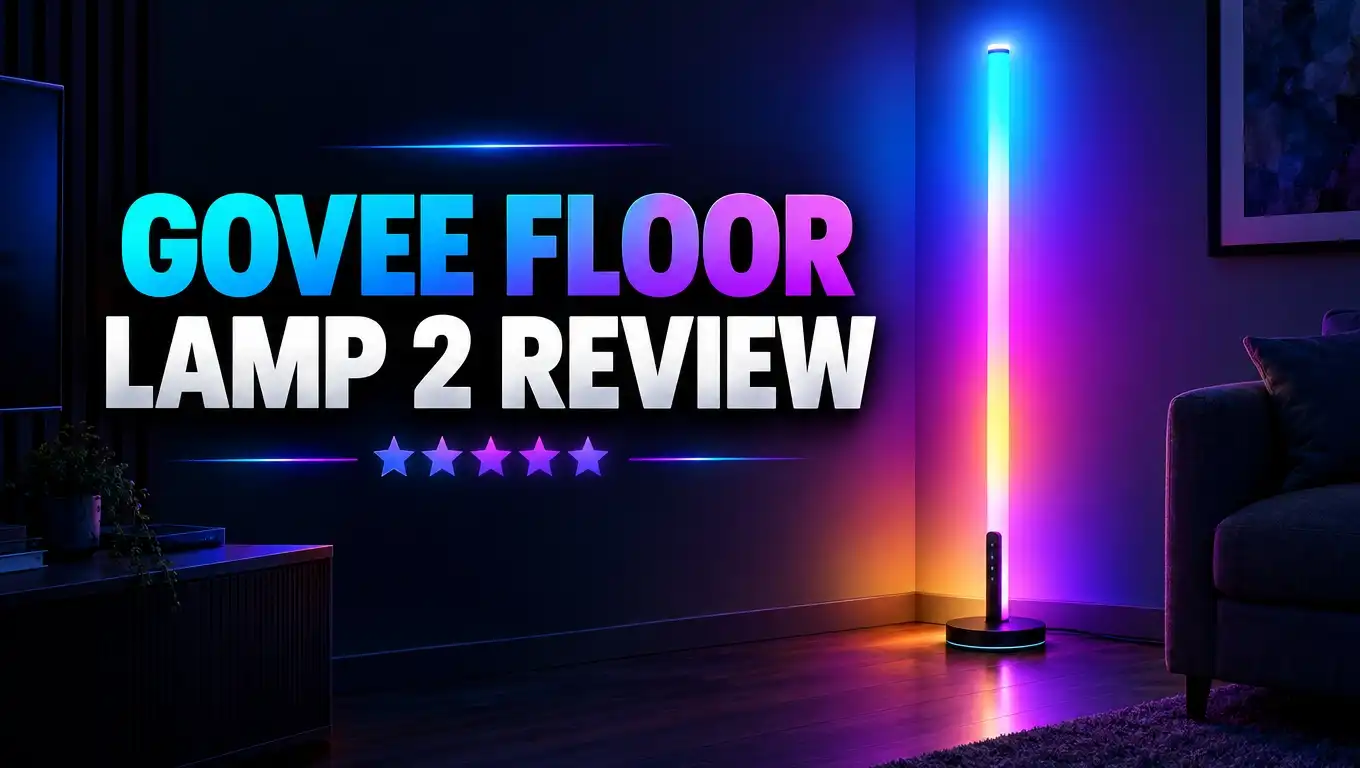
This is not a normal lamp with a shade. It is a tall, thin light bar that stands in your room. You point the light at a wall or into a corner. The light then washes the wall with color and fills the space with a soft glow.
The lamp stands about 59.84 inches tall. Its base measures only 5.51 inches across. That tiny footprint means it fits behind a couch, next to a TV, or in a tight bedroom corner.
Govee uses RGBICWW technology here. Let me explain that in plain words. RGB means it can show millions of colors. IC means it can show more than one color at the same time along the bar. WW means it has separate warm white and cool white LEDs.
This mix gives you two lamps in one. You get a party light for gaming or movie nights. You also get a clean white light for reading or relaxing.
The lamp uses 48 watts of power and runs on 24 volts. It connects through 2.4GHz WiFi and Bluetooth. You can control it with the Govee Home app, your voice, or the included remote.
Govee sells it in black and silver finishes. The black model has a cool fade effect near the bottom of the base. It looks sleek and modern without trying too hard.
Design and Build Quality
The design is simple, and that is a good thing. The Floor Lamp 2 has a thin aluminum tube that holds the LED strip. A silicone cover sits over the LEDs and spreads the light evenly.
The tube clicks into a round base. Govee color matched the tube and the base, so the lamp looks like one clean piece. The black version has a glossy finish that turns clear near the bottom edge.
That clear edge is where the magic happens. Govee placed LEDs inside the base, so the bottom of the lamp glows too. You can set the base to a different color than the main bar. For example, you can run a warm white bar with a soft blue base.
This glowing base makes a big difference in a dark room. The lamp feels like a design piece instead of a plain light stick.
The build feels solid for the price. The metal base stays steady, so the lamp does not wobble on carpet or hardwood. Govee also includes a metal clip that attaches to the tube. The remote sticks to this clip with a magnet, so you always know where it is.
There is one weak spot. The base uses glossy plastic on the lit section. It picks up fingerprints and dust fast. Some reviewers felt it looked a bit cheap up close.
Still, most people will see this lamp from across the room. From a few feet away, it looks clean, slim, and stylish. It blends into modern, minimal, and gaming setups with ease.
Brightness and Light Quality
Brightness is where the Floor Lamp 2 surprises most people. It reaches 1725 lumens, which beats the older Lyra lamp at 1500 lumens. That is bright enough to light up a big wall.
Govee packed more LED nodes into the strip this time. More nodes mean smoother color blends and less visible banding. Rainbow effects flow nicely from top to bottom.
The colors look deep and saturated. Reds look rich, blues look cool and calm, and purples pop on a white wall. CNET praised its great light dispersion and good color saturation.
The white light is just as important. You can adjust it from 2200K to 6500K. At 2200K, the light feels like a cozy candle glow. At 6500K, it feels crisp like daylight. This range lets you read, work, or relax under the same lamp.
Here is a key tip. This lamp works best as ambient lighting. It shines on walls and bounces light back into the room. Govee itself says you should not use it as the only light in a small bedroom.
If you point the bar straight at your eyes, it can cause glare. So place it in a corner or behind furniture. Let the wall do the work.
In my view, the light quality is the best reason to buy this lamp. It turns a boring corner into the best looking spot in the room. Even at low brightness, the soft glow makes evenings feel calm.
Top 3 Alternative for Govee Floor Lamp 2
The Floor Lamp 2 is a great pick, but it is not the only option. Your needs may call for more brightness, a speaker, or a different smart home system. Here are three strong alternatives worth a look.
Govee RGBICWW Floor Lamp Pro

- Benchmark Lighting Experience: Govee floor lamp pro contains a denser distribution of lamp beads...
- High Brightness: With 162 RGB LEDs for brilliant colors and 162 white light LEDs for 2200k-6500k whites...
- Upgraded Music Sync: Play music from this LED floor lamp built-in bluetooth speaker and sync lighting to...
Last update on 2026-11-02 / Affiliate links / Images from Amazon Product Advertising API
The Floor Lamp Pro is the bigger sibling. It stands about 7 inches taller and reaches 2100 lumens. It also has a fabric wrapped base with a Bluetooth speaker inside. You can play music or use 29 white noise sounds like rain and rivers. CNET rated it 8.5 out of 10. It costs more, but it is the brightest lamp in the Govee lineup.
Philips Hue Gradient Signe Floor Lamp

- WHAT’S IN THE BOX: Includes one black Hue Signe Gradient modern floor lamp with White and Color...
- UNLOCK THE POWER OF HUE: Add a Hue Bridge to enjoy automations, control anywhere, secure, stable...
- MILLIONS OF COLORS: The White & Color Ambiance range offers both warm-to-cool white and millions of...

Last update on 2026-11-02 / Affiliate links / Images from Amazon Product Advertising API
The Hue Signe is the premium choice. It reaches up to 2550 lumens and shows smooth gradient effects. It works with Alexa, Google Assistant, and Apple HomeKit. It fits best if you already own Hue bulbs. Keep in mind it costs much more than the Govee lamp.
Nanoleaf Matter Smart Floor Lamp

- 【Matter-enabled】Nanoleaf Matter smart floor lamp with slim & minimalistic design fits into any home...
- 【Dynamic Color-Changing Animations】Create & customize your own colorful lighting effects with over...
- 【Screen Mirror & Music Sync】Watch the colors on your screen reflect seamlessly onto your corner floor...
Last update on 2026-10-12 / Affiliate links / Images from Amazon Product Advertising API
The Nanoleaf Floor Lamp gives you 1700 lumens and full Matter support. It works with Apple Home, Google Home, and Amazon Alexa right away. This lamp suits people who want a simple setup in a Matter based home. Its brightness is close to the Floor Lamp 2.
Setup and Assembly
Setting up the Floor Lamp 2 takes about ten minutes. You do not need tools, and you do not need any tech skills.
First, you connect the tube sections and push them into the base. Next, you attach the metal clip for the remote. Then, you plug the power cable into the wall. That is all the hardware work.
Many buyers say the lamp goes together super quick. One Govee customer wrote that it was easy to assemble and the quality looks sleek. The process feels simple and stress free.
Now comes the app setup. Download the Govee Home app on your phone. Turn on Bluetooth and open the app. The app finds the lamp in a few seconds. You then connect it to your home WiFi network.
Here is one thing to watch. The lamp only supports 2.4GHz WiFi. It will not connect to a 5GHz network. Most home routers broadcast both bands, so this rarely causes trouble. But if your router merges both bands under one name, you may need to split them for a few minutes.
After that, the app may ask you to update the firmware. Let it finish. Updates often add new scenes and fix bugs.
If you use Matter, you can scan the Matter code on the lamp or in the box. This adds the lamp to Apple Home, Google Home, or Alexa. Keep the code safe in case you need to reset the lamp later.
Overall, setup is one of the easiest parts of owning this lamp.
Govee Home App and Scene Modes
The Govee Home app is the brain of the Floor Lamp 2. It is also one of the best smart light apps around. CNET called the app and its custom options a highlight of Govee products.
On the main screen, you can turn the lamp on and off and change brightness. You can also pick a color for the bar and the base. These controls respond fast with little delay.
The fun starts with 82 preset scene modes. They have names like Sunset, Glacier, Cherry Blossoms, Fireworks, and Moonlit Night. Each scene uses moving colors to bring your walls to life.
Some scenes fit holidays. Others fit moods like romance, focus, or sleep. You can change the whole feel of your room with one tap.
If you do not like the presets, try DIY mode. You pick colors, motion styles, and speed. Then you save your own custom effect. This works great if you want your team colors or a theme for a party.
The app also lets you set timers and schedules. You can make the lamp fade on at sunset and turn off at bedtime. This makes the lamp feel more like a smart home device than a toy.
You can also sync the lamp with other Govee lights through the app. Govee notes this group control covers basics like on, off, and color sync.
My one complaint is that the app has a lot of menus. New users may feel lost at first. But after a day or two, it all makes sense.
Music Mode and Entertainment
Music mode is where the Floor Lamp 2 turns into a party light. The lamp has a built in microphone in the base. It listens to sound in the room and moves the lights to the beat.
You get 11 music modes to pick from. Some modes pulse with the bass. Others flow and shift colors with the rhythm. You can also adjust sensitivity, so quiet songs still make the lights move.
You can choose between the lamp mic or your phone mic. The lamp mic works best when the speaker sits nearby. Try both and see which one reacts better in your room.
This feature shines during game nights, house parties, and movie marathons. Put on a playlist and watch the corner of your room dance with color. Kids and guests love this part.
Gamers also enjoy the lamp. Set it behind your desk with a deep purple or blue glow. It reduces eye strain in a dark room and makes your setup look great on stream.
Keep your expectations real, though. Music mode relies on a microphone. So it reacts to all sound, not only music. Loud talking or a barking dog can trigger it too.
If you want a lamp that also plays music, this is not the one. The Floor Lamp 2 has no speaker. You will need the Floor Lamp Pro for that. But if you already own a good speaker, music mode on this lamp gives you plenty of fun for the price.
Smart Home Support and Matter
Smart home support is a major selling point here. The Floor Lamp 2 is Matter ready right out of the box. That was a big deal at launch because the Floor Lamp Pro did not have Matter at first.
So what is Matter? It is a common smart home standard. It lets devices from different brands work together. With Matter, you can control the lamp through Apple Home, Google Home, Amazon Alexa, and SmartThings.
This matters most for iPhone users. Many Govee lights do not support Apple HomeKit directly. With Matter, the Floor Lamp 2 shows up in the Apple Home app. You can ask Siri to turn it on or dim it.
You can also use Alexa and Google Assistant voice commands. Say “Alexa, set the floor lamp to blue” and it changes in a second. It feels like magic the first few times.
Through Matter, you get basic controls like on, off, brightness, color, and white temperature. For fancy scenes and music modes, you still need the Govee app. This is normal for most Matter lights today.
You can also add the lamp to routines. For example, it can turn on when you arrive home. Or it can glow warm when your morning alarm goes off. Pair it with a motion sensor for hands free lighting at night.
Tip: Set up the lamp in the Govee app first, then add it to Matter. This order gives you access to both the Govee features and your main smart home system.
Remote Control and Everyday Use
Not everyone wants to grab a phone to change a light. Govee gets this, so it includes a physical remote in the box.
The remote lets you turn the lamp on and off, change brightness, pick colors, and switch modes. It snaps onto the magnetic clip on the lamp tube. This simple idea keeps the remote from getting lost in your couch.
In daily use, the lamp feels easy to live with. Most people set a schedule and forget about it. The lamp turns on in the evening and shuts off at night. You just enjoy the glow.
Guests and family members can use the remote without learning the app. This makes the lamp friendly for shared homes.
There is one common complaint. Some buyers say the remote battery does not last long. It is a small issue, but it can be annoying. Keep a spare coin battery in a drawer to avoid surprises.
The lamp also remembers your last setting. If the power goes out, it comes back with the same color and brightness. That saves time.
Power use is low. At 48 watts max, it costs very little to run, even for several hours each night. At lower brightness, it uses even less.
Cleaning is easy too. Wipe the tube and base with a soft dry cloth once a week. The glossy base shows dust fast, so a quick wipe keeps it looking new.
Govee Floor Lamp 2 vs Floor Lamp Pro
Many shoppers get stuck choosing between these two lamps. Both launched together, and both look similar. Here is how they differ in simple terms.
Brightness: The Pro reaches 2100 lumens. The Floor Lamp 2 reaches 1725 lumens. The Pro is brighter by 375 lumens, but both light up a wall well.
Height: The Pro stands about 66.9 inches tall. The Floor Lamp 2 stands about 59.84 inches. The taller Pro covers more wall space.
Speaker: The Pro has a Bluetooth speaker and white noise sounds in its base. The Floor Lamp 2 has no speaker.
Base style: The Pro uses a fabric covered base in gray or black. The Floor Lamp 2 uses a glossy plastic base with a fade effect. Both bases light up.
Smart home: The Floor Lamp 2 had Matter from launch. The Pro got Matter later through an update.
Price: The Floor Lamp 2 costs much less. It often sells near $100 on sale.
So which one should you buy? If you want a speaker and maximum brightness, pick the Pro. It is a great all in one device for bedrooms and sleep sounds.
If you already own speakers and want the best value, pick the Floor Lamp 2. You get most of the same lighting magic for a lower price. Tech reviewer Adam Talks Tech also recommended the Floor Lamp 2 over the Pro in his comparison. For most people, the savings make more sense.
Pros and Cons
Every product has strong points and weak points. Here is an honest look at both sides of the Govee Floor Lamp 2.
Pros
- Bright light output: At 1725 lumens, the lamp fills a large wall with color and makes small rooms glow.
- Rich, saturated colors: RGBICWW LEDs show several colors at once with smooth blends and deep tones.
- Wide white range: The 2200K to 6500K range covers cozy evening light and crisp reading light.
- Glowing base: The lit base adds style, and you can control it apart from the main bar.
- Matter support at launch: It works with Apple Home, Alexa, Google Assistant, and SmartThings right away.
- Tons of effects: You get 82 scenes, 11 music modes, and a flexible DIY mode.
- Small footprint: The slim 5.51 inch base fits in tight corners and behind furniture.
- Great value: It often costs far less than rival smart floor lamps.
Cons
- No speaker: Unlike the Pro model, this lamp cannot play music or white noise.
- Glossy plastic base: The base picks up fingerprints and feels less premium up close.
- 2.4GHz WiFi only: It will not connect to 5GHz networks, which can slow setup for some users.
- Remote battery life: Some users report the remote battery drains quickly.
- Fewer scenes than Pro: The Pro offers a few more preset scenes.
- Not a main light: It works best as ambient light, not as the only light in a room.
Overall, the pros clearly outweigh the cons for most buyers.
Who Should Buy the Govee Floor Lamp 2
This lamp is not for everyone. But it is perfect for many types of people. Let us see if you fit one of these groups.
Gamers and streamers will love it. The lamp adds a colorful glow behind your desk. It makes your setup look great on camera. It also cuts down harsh contrast between a bright screen and a dark room.
Movie lovers get a lot of value too. Place the lamp beside your TV for soft bias style lighting. Pick a calm color during films and a bright scene during sports.
Apartment renters benefit a lot. Many renters cannot change ceiling lights. This lamp plugs into any outlet and needs no drilling. It is one of the easiest ways to upgrade a rental.
Apple Home users finally get a Govee lamp that works smoothly with Siri, thanks to Matter.
Budget smart home fans get premium style effects without the premium price.
Who should skip it? If you need a bright main light for a whole room, look at a regular floor lamp with a shade. If you want a lamp with a speaker, the Floor Lamp Pro is a better fit. And if you already own many Hue lights on a Hue Bridge, the Hue Signe may blend better into your system.
For most people who want mood, color, and fun in one slim lamp, the Floor Lamp 2 is a smart choice.
Final Verdict on Govee Floor Lamp 2
- Upgraded Modern Design: This 60-in floor lamp body lights up a larger area, while the lighting effects of...
- Matter-Supported Smart Control: This modern floor lamp offers voice control and smart dimming...
- RGBICWW Technology and Brightness: Enjoy multi-color displays, 1725 lm brightness (higher than previous...
Last update on 2026-11-02 / Affiliate links / Images from Amazon Product Advertising API
The Govee Floor Lamp 2 is one of the best value smart floor lamps you can buy. It takes everything people loved about the Lyra lamp and makes it better.
You get brighter light, richer colors, and a stylish glowing base. You get Matter support from day one, so it works with almost any smart home system. And you get a huge library of scenes and music modes to play with.
The lamp is not perfect. The glossy plastic base looks a bit cheap up close. The remote battery can drain fast. And there is no speaker like on the Pro. But none of these issues ruin the experience.
CNET gave the Floor Lamp 2 a score of 7.5 out of 10. I think that score is fair, but the value pushes it higher for budget buyers. At around $100 on sale, it costs a fraction of a Hue Signe.
My advice is simple. If you want a lamp that turns a dull corner into the coolest spot in your home, buy the Floor Lamp 2. Place it in a corner, pick a warm scene, and enjoy the glow.
If you want extra brightness and a speaker, spend more on the Floor Lamp Pro. Either way, Govee gives you a fun and easy upgrade for your space.
Frequently Asked Questions
Is the Govee Floor Lamp 2 bright enough to light a room?
The lamp reaches 1725 lumens, which is quite bright. But it works best as ambient light. Govee does not suggest using it as the only light in a small bedroom.
Does the Govee Floor Lamp 2 work with Apple HomeKit?
Yes. The lamp supports Matter, so you can add it to Apple Home. You can then control it with Siri and add it to Home routines.
Does the Govee Floor Lamp 2 have a speaker?
No. The Floor Lamp 2 has no speaker. If you want a built in Bluetooth speaker and white noise sounds, choose the Govee Floor Lamp Pro.
What WiFi does the Govee Floor Lamp 2 need?
The lamp only works with 2.4GHz WiFi. It also uses Bluetooth for first time setup through the Govee Home app.
How tall is the Govee Floor Lamp 2?
The lamp stands about 59.84 inches tall. Its base measures 5.51 inches wide, so it fits well in small corners.
Can I control the lamp base separately?
Yes. The Govee Home app lets you set a different color or effect for the base and the main light bar.
How many scenes does the Govee Floor Lamp 2 have?
The lamp offers 82 preset scene modes and 11 music modes. You can also build your own effects with DIY mode.
Does the lamp sync with music?
Yes. It has a built in microphone that reacts to sound in the room. You can also use your phone mic for music sync.
Can I group the Floor Lamp 2 with other Govee lights?
Yes. You can group it with other Govee lights in the app. Govee notes that group control covers basic on, off, and color sync.
How much does the Govee Floor Lamp 2 cost?
The list price is $159.99. It often goes on sale for around $99.99 on the Govee store and Amazon. Prices change often, so check the current deal before you buy.

DK is the founder and lead writer at Smart Lighting Finds, where he helps readers discover the best lighting products through honest, hands-on reviews and in-depth comparisons. With a deep passion for home improvement and smart technology, DK is dedicated to making every lighting decision easier and brighter for his readers.