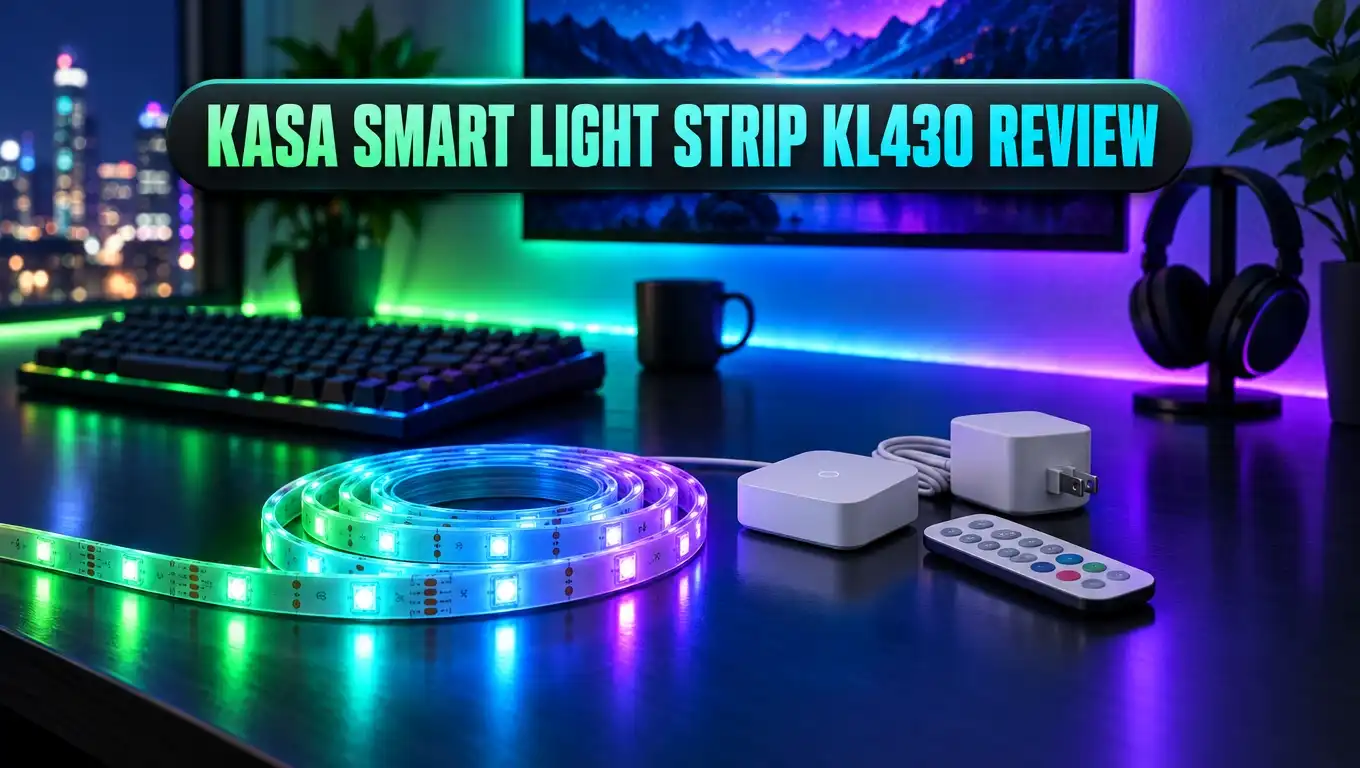
Kasa Smart Light Strip KL430 Review: Bright & Colorful Worth It?
Do you want to change the mood of a room in seconds? A smart light strip can do that, and the Kasa Smart Light Strip KL430 is one of the easiest ways to start.
This strip packs 16 color zones, high brightness, and simple app control. It also works with Alexa and Google Assistant, and you don’t need a hub.
So, is it worth your money? In this review, we look at its design, setup, brightness, app features, and value. By the end, you will know if this strip fits your home.
In a Nutshell
- Bright and Colorful Output: The KL430 gives about 1,400 lumens across a 6.6 foot strip. It shows millions of colors and whites from warm 2,500K to cool 9,000K, which suits accent lighting very well.
- 16 Separate Color Zones: The strip can show several colors at the same time. This allows rainbow, flicker, and holiday effects that look far better than single color strips.
- No Hub Needed: A small controller connects straight to your 2.4GHz WiFi. You plug it in, open the Kasa app, and finish setup in a few minutes.
- Smart Home Friendly: It works with Amazon Alexa, Google Assistant, and IFTTT. However, it does not support Apple HomeKit, so iPhone users should note this.
- Expandable but Pricey to Grow: You can add 3.3 foot extensions up to 33 feet in total. Extensions cost extra, and cutting the strip stops you from adding extensions later.
- Useful Extras: Energy monitoring, schedules, custom presets, and a two year warranty add real value at this price.
Kasa Smart Light Strip KL430 Overview

- Millions of colors: Your 80" light strip features millions of colors for combinations built to suit every...
- Animated lighting effects - Kasa's light strip features advanced animated lighting effects, with a dozen...
- Adjustable length - Add additional Kasa light strip extensions easily with a strong and secure 4-pronged...
Last update on 2026-11-26 / Affiliate links / Images from Amazon Product Advertising API
The Kasa Smart Light Strip KL430 is a WiFi LED strip from TP Link’s Kasa brand. Kasa makes smart plugs, switches, cameras, and bulbs. This strip joins that family and uses the same Kasa app.
The strip is 6.6 feet long and about half an inch wide. It holds 96 LED clusters. Each cluster has one color LED and one white LED. This design is important, because the white light looks clean and natural instead of bluish.
The strip is split into 16 color zones. Each zone can show its own color. Many cheap strips can only show one color along the whole length. The KL430 can show a full rainbow at once.
Brightness is another strong point. The strip puts out around 1,400 lumens. That is very bright for an accent light. It won’t light a whole room by itself, but it lights up shelves, TV walls, and cabinets with ease.
The strip also has a PU coating on top. This coating protects the LEDs from dust and light splashes. It also gives the strip a neat, finished look.
Kasa rates the LEDs for about 25,000 hours based on three hours of use per day. That works out to many years of normal use. The product also comes with a two year warranty.
In short, the KL430 aims at people who want good quality without a complex setup. It costs more than budget strips. It costs less than premium brands like Philips Hue.
What Comes in the Box and Design
The box is simple and clean. Inside, you get the 6.6 foot light strip, a WiFi controller, a power adapter, and a quick start guide. You don’t need any extra parts to get started.
The controller sits on a cord about 80 inches long. One end connects to the strip, and the other connects to the power adapter. This long cord helps you hide the adapter behind furniture.
The controller has one physical button. Press it to turn the strip on or off. You can also press it to cycle through presets. This button helps a lot when your phone is not nearby.
The back of the strip has pre applied double sided tape. You peel off the backing and press the strip onto a clean surface. The tape holds well on smooth wood, metal, and painted walls.
The strip itself feels flexible but sturdy. It bends easily around corners and curves. The PU coating gives it a slightly glossy, rubbery feel. It looks more premium than bare budget strips.
At the far end, you will find a female connector. This port lets you add KL430E extension strips. You can link more strips for longer runs.
There are cut marks every 5 inches along the strip. You can trim the strip to fit tight spaces. Just remember one rule. Once you cut it, you cannot reconnect the leftover piece or add extensions.
Overall, the design is thoughtful. Everything you need is in the box, and the parts feel well made. The only small issue is that 6.6 feet may feel short for large TVs or long counters.
Setup and Installation
Setting up the Kasa KL430 is quick and easy. Most people finish in under ten minutes. You don’t need any tools or wiring skills.
First, plan where the strip will go. Measure the space and clean the surface with a dry cloth. Dust and grease weaken the tape, so this step matters.
Next, download the Kasa Smart app on Android or iOS. Create a free account if you are new to Kasa. Then tap the plus icon and choose Smart Light Strip from the list.
Now plug in the strip. After a few seconds, it flashes green and orange. This means it is ready to pair. The app then guides you to connect your phone to the strip’s temporary network.
After that, you choose your home WiFi and enter the password. The strip turns white once it connects. The whole process takes only a few seconds in most homes.
One key detail: the strip only works on 2.4GHz WiFi. It does not support 5GHz networks. Most routers broadcast both bands, so this is rarely a problem.
If you already use Alexa with Kasa, the strip may appear in Alexa automatically. You can then name it, update the firmware, and start using it right away.
Finally, peel the tape and press the strip into place. Work slowly around corners. Press firmly along the full length so it sticks well.
Some users mount it behind a TV or under kitchen cabinets. Others run it along a bed frame or desk. Because there is no hub, you can place it anywhere your WiFi reaches.
Top 3 Alternative for Kasa Smart Light Strip KL430
The KL430 is a great pick, but it is not the only option. Your needs may call for a longer strip, a lower price, or HomeKit support. Here are three solid alternatives.

- Smart RGBIC Effects: RGBIC LED Strip lights for bedroom display multiple colors on one line at a time...
- Smart APP Control: You can unlock various features to personalize smart LED strip lighting via Govee Home...
- DIY with Inspiration: You can choose from a variety of lighting effects (16 million colors) and share...
Last update on 2026-11-26 / Affiliate links / Images from Amazon Product Advertising API
The Govee 16.4ft RGBIC LED Strip is a strong budget choice. It gives you much more length for less money. Like the KL430, it uses RGBIC technology, so it can show several colors at once. It also has music sync through a built in mic. Brightness and build quality are lower than the Kasa strip, but the value is hard to beat.

- WHAT’S IN THE BOX - Includes one 6-feet, color-changing single-color effect light strip plus base kit...
- UNLOCK THE FULL POWER OF HUE - Add a Hue Bridge to enjoy automations, control from anywhere in the world...
- MILLIONS OF COLORS - These light strips produce a single color light effect. It can dim, brighten, and...

Last update on 2026-11-26 / Affiliate links / Images from Amazon Product Advertising API
The Philips Hue Lightstrip Plus is the premium pick. It offers excellent color accuracy and works with Alexa, Google Assistant, and Apple HomeKit. It uses Bluetooth for basic control, and a Hue Bridge unlocks the full feature set. It costs more than the KL430, but it fits perfectly into a Hue home.

- Hands-Free Voice Control: The Smart RGB LED Light Strip work with both Alexa & Google Assistant. Free up...
- Wireless Smart App: The Govee Home app offers you advanced control over your led strip lights and access...
- Music Sync: As halloween decorations, a built-in mic allows the smart LED strip lights to sync to any...
Last update on 2026-11-26 / Affiliate links / Images from Amazon Product Advertising API
The Govee Smart RGB LED Strip 16.4ft is the cheapest of the three. It shows one color at a time across the whole strip. Still, it offers app control, voice control, scenes, and music modes. It suits people who want simple color lighting on a tight budget.
So, which should you pick? Choose Govee RGBIC for length and value. Choose Philips Hue for HomeKit and top quality. Choose the basic Govee strip if price matters most.
Kasa App Experience
The Kasa Smart app is one of the best parts of this product. It is clean, fast, and easy to understand. Even first time smart home users will feel comfortable.
Once the strip connects, it shows up as a tile on the main Devices screen. The tile shows the strip’s name, current color, and brightness. A power button on the tile turns it on or off with one tap.
Tap the tile to open the full control screen. Here you will see a large on and off button. Below it, you can adjust brightness, white color temperature, and color.
You also get five custom preset buttons. You can save your favorite colors and brightness levels to these buttons. After you save a preset, the button takes on that color. This makes it easy to switch moods fast.
The Effects screen offers 15 quick color choices and 14 lighting effects. These include Christmas, Hanukkah, Valentines, Flicker, Lightning, and more. Tap any effect to start it right away.
Kasa has also added options to adjust effects. You can change colors, speed, and timing in many effects. This gives you more creative control than before.
The app also supports Scenes. A scene can control several Kasa devices at once. For example, you can dim your Kasa bulbs and turn the strip blue with one tap.
There is one gap. The app lacks a true music sync mode that reacts to sound. Govee offers this feature on many strips. If music sync matters to you, keep this in mind.
Overall, the Kasa app feels polished. It responds quickly, and commands reach the strip almost instantly.
Brightness and Color Quality
Brightness is where the KL430 shines, literally. With about 1,400 lumens, it is brighter than many strips in its class. You can clearly see the light even in a room with daylight.
The strip will not replace your ceiling light. It is still an accent light. However, it lights up an entertainment center, bookshelf, or under cabinet area with ease.
Color quality is excellent. Reds look deep, blues look rich, and greens look vivid. Thanks to the dedicated white LEDs, whites look clean and natural. Many budget strips mix red, green, and blue to fake white, which often looks odd.
The white range runs from 2,500K to 9,000K. At 2,500K, you get a warm, cozy, candle like glow. At 9,000K, you get a cool, crisp, daylight tone. This range covers almost every need.
Warm white works great for evenings and relaxing. Cool white works well for work areas and kitchens. You can switch between them in seconds through the app or your voice.
The LEDs sit close together, with six clusters in every 5 inch section. This creates a smooth, even glow. If you place the strip behind furniture or a TV, you won’t see harsh dots on the wall.
Dimming is also smooth. You can lower brightness to a soft night light level. This is perfect for a bedroom or hallway at night.
In short, the KL430 delivers bright and accurate light. It looks more like a premium product than its price suggests.
16 Color Zones and Lighting Effects
The 16 color zones make the KL430 stand out from basic strips. Each zone acts like its own small light. This allows the strip to show many colors at the same time.
Picture a rainbow flowing across your TV wall. Or picture red and green alternating along your kitchen cabinets for Christmas. The KL430 can do both with one tap.
The built in effects use these zones well. Aurora creates soft, shifting color waves. Lightning adds sudden bright flashes. Flicker gives a warm, fire like glow. Holiday effects add festive patterns for Christmas, Hanukkah, and Valentines Day.
Each zone covers about 5 inches of strip. This means the color changes look smooth, not blocky. Effects move along the strip in a natural way.
You can also create custom effects. The app lets you pick colors and adjust speed and transitions. This feature is great for parties, game nights, or themed rooms.
Gamers and movie fans often use these effects behind a TV or monitor. The colors add depth to the screen and reduce eye strain in a dark room. Note that the KL430 does not sync with screen content, though.
Effects also pair well with schedules. For example, you can set a holiday effect to start each evening in December. This saves you from turning it on by hand.
The zone system turns a simple strip into a fun decor piece. It is one of the main reasons to choose the KL430 over cheaper single color strips.
Smart Home and Voice Control
The Kasa KL430 works with the most popular smart home platforms. It supports Amazon Alexa, Google Assistant, and IFTTT. This gives you many ways to control it.
Voice control works smoothly. You can say “Alexa, turn on the light strip” or “Hey Google, make the light strip blue.” The strip responds within a second or two in most homes.
You can also change brightness and white temperature by voice. Some users even trigger scenes and effects using routines. This makes the strip feel like a true part of your smart home.
IFTTT support adds even more options. You can link the strip to cameras, sensors, and other services. For example, the strip can turn red when a camera detects motion. Or it can flash when your favorite team scores.
Alexa routines also open fun options. You can make the strip glow blue at 50 percent brightness when a doorbell rings. You can also set it to turn on with your morning alarm.
However, there is one big gap. The KL430 does not support Apple HomeKit. iPhone users can still use the Kasa app, but they cannot use Siri or the Apple Home app natively.
If HomeKit matters to you, the Philips Hue Lightstrip Plus is a better choice. For Alexa and Google homes, the KL430 is an excellent fit.
The best part is that you don’t need a hub. The strip connects straight to WiFi, which keeps setup simple and saves money.
Energy Use and Scheduling
The KL430 includes features that many strips skip. Energy monitoring and scheduling are two great examples. Both help you save money and time.
The Usage screen shows how much power the strip uses each day. It also tracks total on time. The app even estimates your daily and yearly savings compared to a standard 100 watt bulb.
This data helps you understand your habits. You can see if the strip stays on too long. Then you can adjust your settings to cut waste.
LED strips use little power to begin with. Still, this feature gives you peace of mind. It also fits well with other Kasa energy monitoring plugs.
The Schedule feature lets you set on and off times. You can choose specific days of the week. For example, the strip can turn on at sunset on weekdays and later on weekends.
Kasa also supports sunrise and sunset timing based on your location. This means the strip adjusts with the seasons on its own. You won’t need to update your schedule every month.
There is also an Away Mode in the Kasa app. It turns the lights on and off at random times when you are out. This makes your home look occupied and may help deter intruders.
These tools make the strip feel smart, not just colorful. You can set it once and let it run on its own. That is the real value of a smart light.
Extensions and Cutting Options
Flexibility matters with light strips. Every room is different. The KL430 gives you two ways to adjust length: cutting and extending.
The strip has cut marks every 5 inches. You can trim it with regular scissors to fit a short shelf or small desk. This is handy for tight spaces.
However, cutting has a catch. Once you cut the strip, you cannot reconnect the leftover piece. You also lose the ability to add extensions, because the end connector is gone. So measure twice and cut once.
If you need more length, you can buy KL430E extension strips. Each extension adds 3.3 feet. You can link up to eight of them. This brings the total length to about 33 feet.
The extensions connect easily to the female port at the end of the strip. They share the same controller and app controls. The whole run acts like one long strip.
The downside is cost. Each extension costs extra. A full 33 foot setup can get expensive fast. Budget brands offer longer strips for much less money.
Also, note that extensions cannot work on their own. They need the main KL430 strip and controller.
Some users find the base 6.6 feet too short. For example, it may not wrap all four sides of a 42 inch TV. Plan your layout before buying so you know if you need an extension.
For most shelves, desks, and cabinets, the base length works fine. For larger projects, factor in the extension cost.
Pros and Cons
Every product has strengths and weak spots. Here is a clear look at what the Kasa Smart Light Strip KL430 does well and where it falls short.
Pros
- High brightness of about 1,400 lumens makes it one of the brightest strips in its class.
- 16 color zones allow multicolor effects and smooth, flowing patterns.
- Dedicated white LEDs produce clean, natural whites from 2,500K to 9,000K.
- No hub needed, since it connects straight to your home WiFi.
- Easy setup through the Kasa app takes only a few minutes.
- Works with Alexa, Google Assistant, and IFTTT for flexible smart home control.
- Energy monitoring and schedules help you save power and automate your lights.
- PU coating protects the LEDs and gives the strip a premium look.
- Two year warranty offers added peace of mind.
Cons
- No Apple HomeKit support, which limits iPhone users.
- Only 6.6 feet in the base kit, which may feel short for large spaces.
- Extensions cost extra and make long runs expensive.
- Cutting removes the extension option for good.
- No music sync or screen sync features.
- Only works on 2.4GHz WiFi, not 5GHz.
Overall, the pros clearly outweigh the cons for most buyers. The main deal breakers are HomeKit and length. If neither matters to you, the KL430 is an easy recommendation.
Who Should Buy the Kasa KL430
The KL430 suits many people, but not everyone. Let’s look at who will love it and who should look elsewhere.
Kasa users are the best match. If you already own Kasa plugs, switches, or bulbs, this strip fits right in. You can control everything in one app and build scenes across devices.
Alexa and Google Assistant homes will also enjoy it. Voice control works well, and setup takes minutes. You don’t need to buy a hub or bridge.
People who want quality accent lighting should consider it too. The strip looks great behind TVs, under cabinets, and on bookshelves. Its brightness and clean whites beat most budget strips.
Beginners will like the simple setup. The app guides you step by step. You won’t need to deal with complex settings or wiring.
However, some people should skip it. Apple HomeKit users may feel let down. The strip lacks native HomeKit support, so Philips Hue is a better match.
Buyers who want long runs on a budget should also think twice. Govee strips offer much more length for less money. The KL430 extensions add up quickly.
Music lovers who want lights that dance to sound may also prefer other brands. The KL430 has great effects, but no audio sync.
In short, buy the KL430 if you value brightness, color quality, and easy control. Skip it if you need HomeKit, music sync, or very long lengths at a low price.
Final Verdict
The Kasa Smart Light Strip KL430 is a bright, colorful, and easy to use smart light. It hits a sweet spot between cheap strips and premium brands.
Its biggest strengths are clear. You get about 1,400 lumens, 16 color zones, and clean white light. The Kasa app is polished and fast. Voice control with Alexa and Google works smoothly.
Setup is one of the easiest you will find. There is no hub, no wiring, and no stress. You can go from box to glowing strip in about ten minutes.
Extra features add real value. Energy monitoring, schedules, Away Mode, and IFTTT support make the strip truly smart. The two year warranty adds confidence.
The weak points are fair to mention. There is no HomeKit support. The base length is short, and extensions cost extra. There is also no music sync.
Still, for most people, these issues are minor. If you use Alexa or Google and want great accent lighting, the KL430 is a smart buy.
It turns a plain shelf, desk, or TV wall into a cozy, colorful space. And it does so with almost no effort on your part.
Our rating: 4.5 out of 5. The KL430 is one of the best smart light strips for Kasa and Alexa users who want quality without a complex setup.
Frequently Asked Questions
Does the Kasa KL430 need a hub?
No, it does not need a hub. The strip connects straight to your 2.4GHz WiFi through its controller. You only need the Kasa app.
Can I cut the Kasa KL430 light strip?
Yes, you can cut it at the marks every 5 inches. However, after you cut it, you cannot reconnect the leftover piece or add extensions.
How long can the KL430 strip go?
The base strip is 6.6 feet long. You can add up to eight 3.3 foot KL430E extensions for a total of about 33 feet.
Does the KL430 work with Apple HomeKit?
No, it does not support Apple HomeKit natively. It works with Amazon Alexa, Google Assistant, and IFTTT instead.
How bright is the Kasa KL430?
It gives about 1,400 lumens. This makes it very bright for accent lighting, though it won’t replace a main ceiling light.
Does the KL430 sync with music?
No, it does not have a music sync mode. It offers 14 built in effects and custom effects, but they don’t react to sound.
Can I use the KL430 outdoors?
The strip is made for indoor use. Its PU coating protects against dust and light splashes, but it is not rated for outdoor weather.
Does the Kasa KL430 work with 5GHz WiFi?
No, it only works with 2.4GHz WiFi. Most routers offer both bands, so you can connect it to the 2.4GHz network.
How long do the LEDs last?
Kasa rates the LEDs for about 25,000 hours based on three hours of use per day. That equals many years of normal use.

DK is the founder and lead writer at Smart Lighting Finds, where he helps readers discover the best lighting products through honest, hands-on reviews and in-depth comparisons. With a deep passion for home improvement and smart technology, DK is dedicated to making every lighting decision easier and brighter for his readers.