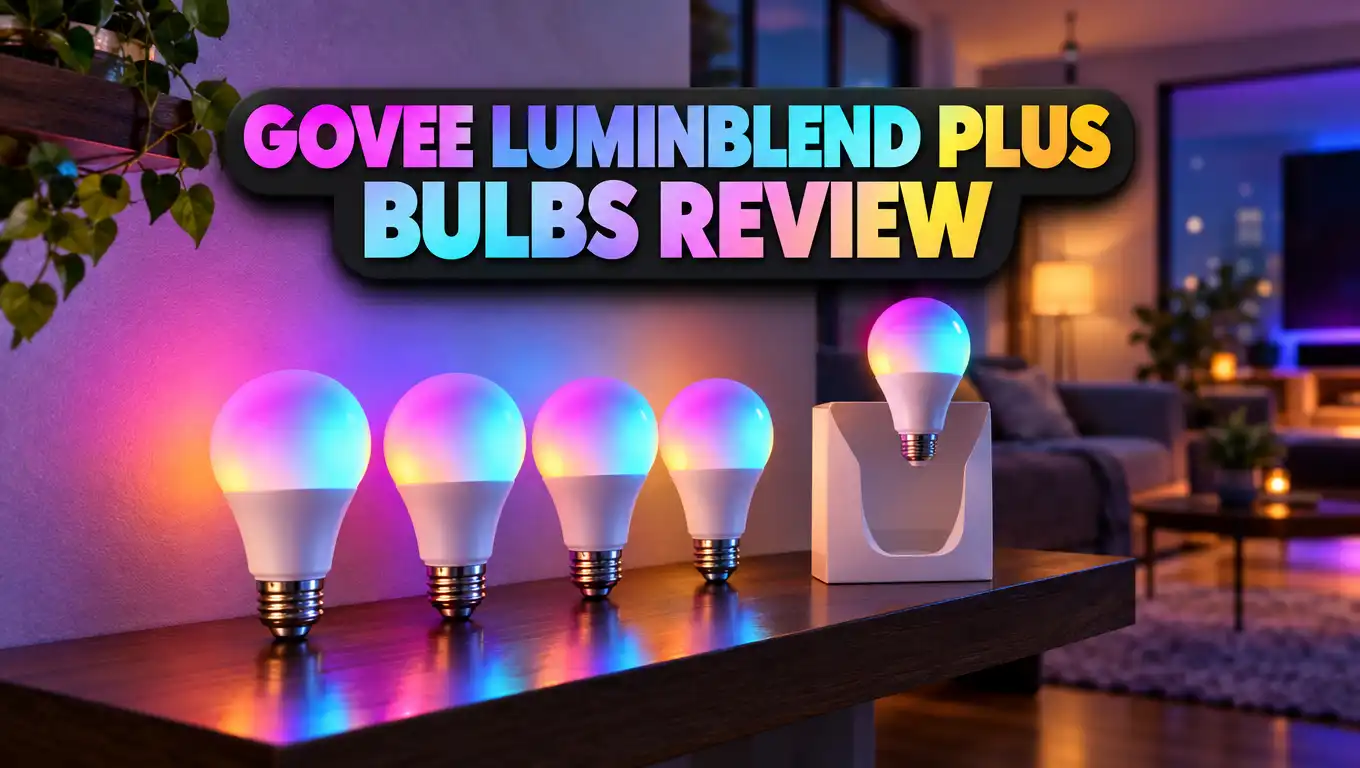
Govee LuminBlend Plus Bulbs Review: Bright, Accurate & Smart
Most smart bulbs promise millions of colors. Very few get those colors right. Pastel pinks often come out muddy, and warm whites can look a bit green. Dim the light and the color often drifts even more.
The Govee LuminBlend Plus bulb sets out to fix these problems. It packs 1600 lumens, a CRI above 90, and a very wide white range from 1000K to 10000K. It also works with Matter, Alexa, Google Assistant, and SmartThings.
So is it the bulb that finally gets color right? Or is it just another big promise in a crowded market? This review covers brightness, color, setup, app features, and value. Read on before you spend money on your next set of smart bulbs.
In a Nutshell
- Very bright output: The bulb gives out 1600 lumens from just 13 watts. That matches an old 100 watt incandescent bulb. It can light a whole living room or bedroom on its own.
- LuminBlend Plus color system: A 16 bit chip and Gamma calibration keep colors stable at every brightness level. Govee says colors stay within a 6 step MacAdam ellipse. That puts it among the more accurate color bulbs out there.
- Wide white range: You can tune the white light from a candle-warm 1000K to a sky-cool 10000K. Most rival bulbs stop at about 2000K to 6500K. You get more mood choices for evening, work, and relaxing.
- High CRI above 90: Skin tones, food, and decor look natural under this bulb. It’s a good choice for kitchens, vanities, and reading spots.
- Broad smart home support: The bulb runs on 2.4GHz WiFi plus Bluetooth. It works with Matter, Alexa, Google Assistant, and SmartThings, and you don’t need a hub.
- Fair price for the specs: It usually comes as a two pack. The cost per bulb is lower than most premium brands with similar brightness.
Govee LuminBlend Plus A21 Smart Bulb Overview

- Premium Color Accuracy: Powered by LuminBlend+, these Govee Smart Light Bulbs deliver superior color...
- Powerful Task Lighting: Our A21 LED light bulb delivers 1600 lumens with 90+ CRI for exceptional color...
- Mood Immersion: Set the right mood instantly with preset scene modes, or unleash your creativity by...
Last update on 2026-11-02 / Affiliate links / Images from Amazon Product Advertising API
The Govee LuminBlend Plus bulb uses model number H1401. It has an A21 shape, so it’s a bit larger than a standard A19 bulb. It screws into a normal E26 socket and runs on 120 volts.
Govee first showed off its LuminBlend Plus technology at CES 2026, along with new floor lamps and ceiling lights. The company then brought the tech to its A21 bulb. That makes this one of the cheapest ways to try LuminBlend Plus in your home.
The headline numbers look strong. You get 1600 lumens, a CRI above 90, 16 million colors, and a white range from 1000K to 10000K. The bulb uses only 13 watts of power.
Who is this bulb for? It fits people who want one bulb to do two jobs. It gives bright, clean white light for daily tasks. It also gives rich, accurate colors for movie nights and parties.
Most budget smart bulbs do one of these jobs well and the other poorly. Cheap bulbs often have weak whites. Premium bulbs often cost twice as much. Govee aims for the middle ground with premium features at a mid range price.
The bulb also skips the hub. Many top brands once needed a bridge to unlock full features. Here, you just screw in the bulb, open the app, and start. That keeps the total cost down and makes setup much simpler.
Design and Build Quality
The bulb looks clean and simple. It has a frosted white dome and a white base. When it’s off, it looks like any regular LED bulb, so it blends into open fixtures and lamps.
The A21 shape matters. It’s taller and wider than an A19 bulb. Most table lamps and ceiling fixtures fit it with no issue. Still, small enclosed fixtures or tight lamp shades may not have room, so measure your fixture first if space is tight.
The frosted diffuser does a good job. It spreads light evenly and hides the LED chips inside. You won’t see hot spots or color dots on the surface. This matters most for pastel shades, which can look patchy on cheaper bulbs.
The base feels solid. The plastic body stays cool enough to touch after short use. LED bulbs do warm up over time, but this one handles heat well thanks to its low 13 watt draw.
There are no physical buttons on the bulb. All control happens through the app, your voice, or your wall switch. If you flip the wall switch off, the bulb loses power and smart control stops.
That’s normal for smart bulbs. Just tell your family to leave the switch on. You can also add a smart switch cover or a remote if that habit is hard to break.
Overall, the design is plain and practical. It doesn’t try to look fancy. It just aims to fit into almost any home without standing out.
Setup and Installation
Setting up the Govee LuminBlend Plus bulb is quick and easy. Most people will finish in about five minutes. You don’t need tools, wiring skills, or a hub.
First, screw the bulb into an E26 socket and turn on the power. Next, download the Govee Home app on your phone. The app finds the bulb over Bluetooth and walks you through each step.
Then you connect the bulb to your home WiFi. Keep in mind that it only supports 2.4GHz WiFi. If your router mixes 2.4GHz and 5GHz under one name, setup usually still works. If it fails, turn on a separate 2.4GHz band for a few minutes.
After pairing, update the firmware right away. Govee notes that you need the latest firmware to unlock the full 1000K to 10000K range. Skipping this step may leave you with a smaller white range.
Matter setup is simple too. The box and app give you a Matter code. You scan that code in Apple Home, Google Home, Alexa, or SmartThings. The bulb then shows up next to your other smart devices.
You can also link the bulb to Alexa or Google Assistant through the Govee skill. This route gives you access to more Govee scenes by voice. Matter gives you faster local control in some setups.
Grouping takes only a few taps. You can put all living room bulbs in one group. Then a single tap or voice command controls them all at once. This makes multi bulb rooms easy to manage.
Top 3 Alternative for Govee LuminBlend Plus Bulbs
The Govee LuminBlend Plus bulb is a strong pick, but it isn’t the only good option. Your needs, budget, and smart home setup may point you to another bulb. Here are three good alternatives worth a look.

- WHAT’S IN THE BOX - Includes one White and Color Ambiance smart 75W-equivalent A19 color-changing light...
- UNLOCK THE FULL POWER OF HUE - Add a Hue Bridge to enjoy automations, control from anywhere in the world...
- MILLIONS OF COLORS - The White & Color Ambiance range offers both warm-to-cool white and millions of...
Last update on 2026-11-02 / Affiliate links / Images from Amazon Product Advertising API
The Philips Hue White and Color Ambiance A19 1100 lumen bulb is a long-time favorite. Hue has great app polish, steady performance, and a huge accessory range. It works over Bluetooth, or with the Hue Bridge for extra features. It’s not as bright as the Govee A21, and it costs more per bulb. Still, it’s a top choice for people who want a mature and reliable ecosystem.

- 【Dynamic Color-Changing Animations】With Nanoleaf color changing light bulb, you could create...
- 【Set Schedules】Automate your smart bulbs to turn on/off at specific times and days to make your daily...
- 【Voice & Group Control】Go deep into customizing your lights with the Nanoleaf App (colors, lighting...
Last update on 2026-11-02 / Affiliate links / Images from Amazon Product Advertising API
The Nanoleaf Essentials Matter A19 bulb is great for Apple Home and Thread users. It connects through Matter for fast, local control. Setup in Apple Home, Google Home, or Alexa is smooth. It’s a smaller 60 watt equivalent bulb, so it fits bedrooms and side lamps better than big rooms. Pick it if Matter over Thread is your top priority.

- Reliable Brightness: With over 1200 Lumens(110-240V), these smart bulbs can brighten your home than most...
- Adjust Your Bulb Colors: Our color-changing smart bulbs can change from a variety of different RGB colors...
- Multiple App Modes: With the Govee Home App, you can access a variety of modes to use with your Wi-Fi...
Last update on 2026-11-02 / Affiliate links / Images from Amazon Product Advertising API
The Govee Smart Light Bulbs 1200 Lumens A19 is a lower cost Govee option. It gives 1200 lumens, Matter support, and the same Govee Home app. It doesn’t have LuminBlend Plus or the ultra wide white range. But it’s a solid budget friendly pick for people who want Govee features without the higher price.
LuminBlend Plus Technology Explained
LuminBlend Plus is Govee’s upgraded color management system. It controls how the bulb mixes its red, green, blue, and white LEDs. The goal is simple: make every color look accurate and stable.
The system runs on a next generation 16 bit chip. A 16 bit chip can make much finer brightness steps than older 8 bit designs. Finer steps mean smoother fades and fewer jumps when you dim the light.
Govee also uses an upgraded Gamma calibration algorithm. This keeps colors steady from low to high brightness. On many bulbs, a soft pink at 100 percent turns orange or white at 10 percent. LuminBlend Plus works to stop that color shift.
Govee says the system now handles tricky mixed colors better. These include blue green tones and skin tone pinks. These shades are hard for most RGB bulbs. They often look washed out or tinted.
The company claims color deviation stays within a 6 step MacAdam ellipse. In simple terms, a MacAdam ellipse measures how much a color can vary before your eyes notice it. A smaller number means more consistent color.
LuminBlend Plus also adds smarter RGB to white blending. This is what unlocks the huge 1000K to 10000K white range. The bulb blends colored LEDs with white LEDs to reach extreme warm and cool tones.
What does this mean for you? Your pastels look like pastels. Your whites look clean. And your dimmed scenes keep the same mood they had at full brightness.
Brightness and 1600 Lumen Output
Brightness is one of this bulb’s biggest strengths. At 1600 lumens, it matches a classic 100 watt incandescent bulb. Most smart color bulbs stop at 800 or 1100 lumens.
That extra output makes a real difference. A single bulb can light a medium living room. Two bulbs in a ceiling fixture can brighten a large space with ease. You don’t need to fill every lamp with extra bulbs.
This brightness helps in task areas. Kitchens, home offices, garages, and reading corners all benefit from strong light. You can see small text clearly and work without eye strain.
The bulb also dims smoothly. Thanks to the 16 bit chip, you can drop to very low levels without flicker. This is great for night lights and bedtime routines. A soft glow at 1 percent brightness feels calm and cozy.
Keep in mind that peak brightness usually comes in white mode. Colored light, like deep red or blue, looks dimmer to your eye. That’s normal for all RGB bulbs, not a flaw in this one.
The high output can feel strong in small rooms. In a tiny bedroom or bathroom, you may rarely use full brightness. That’s fine, since you can dim it down. Still, an 800 lumen bulb might fit small spaces just as well and cost less.
For big rooms and high ceilings, the 1600 lumen output is a clear advantage over most rivals.
Color Accuracy and CRI Performance
The bulb has a CRI above 90. CRI stands for Color Rendering Index. It measures how naturally a light shows the true colors of objects. Sunlight scores 100.
A CRI above 90 is excellent for home lighting. Many cheap LED bulbs sit around 80. At that level, skin can look dull, and food can look flat. A 90+ CRI bulb makes everything look more lifelike.
You’ll notice this most in certain rooms. In the kitchen, fresh fruit and vegetables look vibrant. In the bathroom, makeup and skin tones look true. In the living room, wood, fabric, and art look rich and warm.
The colored modes also look clean. Thanks to LuminBlend Plus, pastel shades stand out. Soft lavender, mint, peach, and baby pink look smooth and even. Many budget bulbs fail at these shades and give you blotchy or tinted results.
Saturated colors look bold too. Deep blue, vivid red, and rich green fill a room with strong color. These work great for parties, gaming, and movie nights.
The real win is consistency across brightness. Set a color at full power, then dim it down. The shade stays close to the original. This keeps your scenes looking the way you planned.
For people who care about color, this bulb is a real step up. Photographers, makeup lovers, and design fans will notice the difference most.
Ultra Wide Color Temperature Range
The white range on this bulb is truly special. It goes from 1000K all the way to 10000K. Most smart bulbs only cover 2000K or 2700K up to 6500K.
So what does that wide range give you? At 1000K, the light looks like a candle flame. It’s deep amber and very warm. This shade is perfect for late evenings, winding down, and relaxing before bed.
Around 2700K to 3000K, you get the classic soft white glow. This feels cozy for living rooms and dining spaces. Most people use this range for everyday evening light.
At 4000K to 5000K, the light turns neutral and crisp. This range is great for kitchens, offices, and reading. It helps you stay alert and focused.
At the top, 10000K looks like a clear blue sky. It feels cool and energizing. Some people use it on dark winter mornings to feel more awake.
You can also build a circadian lighting schedule. The app lets you set timers that shift the color temperature through the day. Cool light in the morning helps you wake up. Warm light at night helps you relax.
Remember to update the firmware to unlock the full range. Without the update, you may not reach the extreme ends.
For anyone who loves fine control over white light, this range is a standout feature. Few bulbs at any price offer this much flexibility.
Smart Home Compatibility
The Govee LuminBlend Plus bulb plays well with most major smart home platforms. This makes it a safe choice no matter which system you use.
It supports Matter, the new universal smart home standard. Matter lets one bulb work across Apple Home, Google Home, Amazon Alexa, and SmartThings. You don’t get locked into one brand.
The bulb also works with Alexa and Google Assistant directly. You can say “Alexa, set the living room to warm white” or “Hey Google, dim the bedroom to 20 percent.” Voice commands respond quickly in most setups.
Govee also teamed up with Samsung SmartThings. SmartThings users can add the bulb to routines with other devices. For example, the light can turn on when a motion sensor detects movement.
The bulb connects with 2.4GHz WiFi and Bluetooth. WiFi handles remote control when you’re away from home. Bluetooth helps with first setup and nearby control.
Apple users can add the bulb to Apple Home through Matter. That gives you Siri control and Apple Home automations. This is a big plus, since many Govee products once lacked Apple support.
One small note: some Govee scenes and effects only live in the Govee Home app. Matter and voice assistants mainly handle on, off, brightness, color, and white tone. For fancy scenes, you’ll still open the Govee app.
Overall, compatibility is a major strength. The bulb fits into almost any smart home with little effort.
Govee Home App Experience
The Govee Home app is your main control center. It’s free on iOS and Android. The app gives you full access to every feature the bulb offers.
The main screen is simple. You see a power button, a brightness slider, and a color wheel. You can switch between color mode and white mode with one tap.
The app includes dozens of preset scenes. These range from sunrise and sunset to candlelight, romance, and party modes. You can also build your own custom scenes and save them for later.
Timers and schedules are easy to set. You can have the lights fade on in the morning and turn off at bedtime. You can also build circadian plans that shift the white tone through the day.
Group control is useful. You can group bulbs by room or by purpose. One tap then controls the whole group. This saves time in homes with many smart lights.
The app also handles firmware updates. Govee pushes updates to improve features and fix bugs. As noted, updating unlocks the full white range on this bulb.
Some users have voiced frustration with Govee’s app in the past. Common complaints include the occasional slow response or crowded menus. The app has improved over time, but it’s not as polished as Philips Hue.
Still, the app is feature rich and free. Most people will find it easy to learn after a few minutes. It gives you deep control without a monthly fee.
Energy Efficiency and Running Costs
This bulb uses only 13 watts of power. Yet it gives the same light as a 100 watt incandescent bulb. That’s a huge energy saving.
Let’s look at simple numbers. Say you run the bulb 4 hours a day at about 16 cents per kWh. The Govee bulb costs around $3 per year to run. An old 100 watt bulb costs around $23 per year for the same use.
That’s a saving of about $20 per bulb each year. With several bulbs in your home, the savings add up fast. Over a few years, the bulbs can pay for a big part of their own cost.
LED bulbs also last much longer than incandescent bulbs. You won’t need to replace them often. That saves money and cuts down on waste.
Smart features add more savings. You can schedule lights to turn off when nobody is home. You can control lights remotely if you forget to switch them off. Dimming the bulb also reduces power use.
There is a tiny standby draw. Smart bulbs stay connected to WiFi even when off, so they use a small amount of power. The LuminBlend Plus chip has lower static power use, so this draw stays minimal.
For a bright, full color smart bulb, the efficiency is excellent. You get premium brightness with a low energy bill. That makes this bulb a smart long term choice.
Who Should Buy the Govee LuminBlend Plus Bulbs?
This bulb fits a wide range of people. Still, some users will love it more than others.
Color lovers should put this bulb high on their list. If muddy pastels and tinted whites annoy you, LuminBlend Plus fixes those issues. Colors look clean and stay steady.
Big room owners will enjoy the 1600 lumen output. Living rooms, open kitchens, and spaces with high ceilings need strong light. This bulb delivers it without a cluster of extra lamps.
Multi platform households benefit from Matter support. If one person uses an iPhone and another uses Android, the bulb works for both. You can mix Alexa, Google, Apple Home, and SmartThings.
Circadian lighting fans will like the 1000K to 10000K range. You can build a smooth daily light cycle that feels natural.
Budget minded shoppers get premium features for less. The two pack keeps the per bulb cost lower than many top brands.
Who might skip it? People with small enclosed fixtures may struggle with the A21 size. People who only need basic warm white light may not need all these features. A simple smart white bulb would cost less.
Users who want Thread connectivity may prefer Nanoleaf. Users deep in the Hue world may stay with Philips Hue.
For most people, though, this bulb is a very solid all rounder.
Pros and Cons
Every product has strengths and weak spots. Here’s a clear look at both sides of the Govee LuminBlend Plus bulb.
Pros:
- Very bright 1600 lumen output: It equals a 100 watt bulb and can light large rooms with ease.
- Excellent color accuracy: LuminBlend Plus keeps colors stable at every brightness level, so pastels look clean.
- High CRI above 90: Skin, food, and decor look natural and true to life.
- Ultra wide white range: The 1000K to 10000K range beats most rival bulbs by a wide margin.
- Broad compatibility: It works with Matter, Alexa, Google Assistant, SmartThings, and Apple Home through Matter.
- No hub needed: Setup is quick and saves you the cost of a bridge.
- Energy efficient: It uses only 13 watts and lowers your electricity bill.
- Smooth dimming: The 16 bit chip gives fine control at low brightness without flicker.
Cons:
- Larger A21 size: It may not fit small enclosed fixtures or tight lamp shades.
- 2.4GHz WiFi only: Some routers need tweaks during setup.
- Firmware update required: You must update the firmware to unlock the full white range.
- App polish: The Govee app is feature rich but not as smooth as Philips Hue.
- Some scenes stay in the app: Matter and voice assistants can’t reach every Govee effect.
- Overkill for small rooms: Tiny spaces may never need full brightness.
The pros clearly outweigh the cons for most homes. The main drawbacks involve size and setup quirks, not light quality.
Final Verdict
The Govee LuminBlend Plus bulb is one of the most impressive color smart bulbs at its price. It fixes the biggest weak spots of budget smart lighting. Colors look accurate, whites look clean, and dimming stays smooth.
The 1600 lumen output makes it bright enough for large rooms. The CRI above 90 makes everyday objects look natural. The 1000K to 10000K range gives you more white light choices than almost any rival.
Smart home support is wide. Matter, Alexa, Google Assistant, and SmartThings all work. Apple users can join through Matter too. You don’t need a hub, which keeps costs low and setup easy.
There are a few trade-offs. The A21 size won’t fit every fixture. The app isn’t as polished as Hue. You also need a firmware update to unlock every feature. None of these issues hurts the actual light quality.
So should you buy it? If you want bright, accurate, and flexible light without paying top brand prices, the answer is yes. It works well in living rooms, kitchens, offices, and bedrooms with roomy fixtures.
If you only need basic white light or have very small fixtures, look at the alternatives above. For everyone else, this bulb is a smart upgrade that makes your home look and feel better.
Frequently Asked Questions
What is LuminBlend Plus on Govee bulbs?
LuminBlend Plus is Govee’s color management system. It uses a 16 bit chip and Gamma calibration to keep colors accurate and stable at every brightness level. It also enables the 1000K to 10000K white range.
How bright is the Govee LuminBlend Plus bulb?
The bulb gives 1600 lumens. That matches a traditional 100 watt incandescent bulb. It uses only 13 watts of power.
Does the Govee LuminBlend Plus bulb work with Apple HomeKit?
Yes, it works with Apple Home through Matter. You scan the Matter code in the Apple Home app. You can then control the bulb with Siri and Apple Home automations.
Do I need a hub for this Govee bulb?
No, you don’t need a hub. The bulb connects directly to your 2.4GHz WiFi network. It also uses Bluetooth for setup and nearby control.
Will the bulb work with 5GHz WiFi?
No, the bulb only supports 2.4GHz WiFi. Most dual band routers work fine. If setup fails, turn on a separate 2.4GHz network for a short time.
What is the color temperature range of this bulb?
The bulb covers 1000K to 10000K. 1000K looks like warm candlelight. 10000K looks like a cool blue sky. Update the firmware to unlock the full range.
Is the Govee LuminBlend Plus bulb good for reading?
Yes, it works very well for reading. The high brightness and CRI above 90 help you see text clearly. Set it to a neutral 4000K to 5000K for the best focus.
Will the A21 bulb fit my lamp?
It fits most lamps and fixtures with an E26 socket. The A21 shape is a bit larger than A19, though. Measure small enclosed fixtures before you buy.
Can I dim the bulb with a regular wall dimmer?
No, use the app, your voice, or a smart home platform to dim the bulb. Regular wall dimmers can cause flicker or damage smart bulbs. Keep the wall switch fully on.
How much does it cost to run the Govee LuminBlend Plus bulb?
At 4 hours per day and average US power rates, it costs about $3 per year to run. That’s around $20 less per year than a 100 watt incandescent bulb.

DK is the founder and lead writer at Smart Lighting Finds, where he helps readers discover the best lighting products through honest, hands-on reviews and in-depth comparisons. With a deep passion for home improvement and smart technology, DK is dedicated to making every lighting decision easier and brighter for his readers.