Govee Glide Hexa Light Panels Review: Bright, Fun & Worth It?
Do you want a wall that looks like the setup of your favorite streamer? Many people do. Smart light panels can give a plain room real personality in under an hour.
The Govee Glide Hexa Light Panels are some of the most popular hexagon lights on Amazon. They cost much less than the big premium brands. But is a lower price a good deal, or does it just mean a weaker product?
In this review, I cover everything you need to know. You will learn about setup, brightness, the app, music sync, and value. I also share three alternatives in case these panels are not right for you. Let’s get started.
In a Nutshell
- Strong value for the price: The Govee Glide Hexa (model H6061) gives you RGBIC hexagon lighting for much less than Nanoleaf. You get many of the same fun effects at a lower price. It is a smart pick for buyers on a budget.
- Multiple colors on each panel: RGBIC technology lets every panel show more than one color at a time. This creates smooth gradients and flowing effects. Basic RGB panels can only show one color per panel.
- Easy, tool free installation: Adhesive pads hold each panel to the wall. Small connectors link the panels together. Most people finish the setup in 30 to 60 minutes.
- Great music sync: A microphone in the control box listens to music and sound. The lights pulse and change with the beat. Gamers and party hosts love this feature.
- Smart control options: You can control the lights with the Govee Home app, the control box, Alexa, or Google Assistant. The panels connect over 2.4GHz WiFi and Bluetooth.
- A few small downsides: The adhesive can damage paint when you remove it. The app has a lot of menus. Panels from the newer Ultra and Pro lines do not mix with this model.
Govee Glide Hexa Light Panels Overview

- Customize Your Home Aesthetics: Design your hexagon light panels layout or choose from massive...
- Unique RGBIC: Each edge has different light colors to produce more effects like ultra-smooth flowing or...
- Visualize Your Songs: 6 kinds of Music Sync Modes make every lights panels dance to the rhythm. Turn your...
Last update on 2026-11-02 / Affiliate links / Images from Amazon Product Advertising API
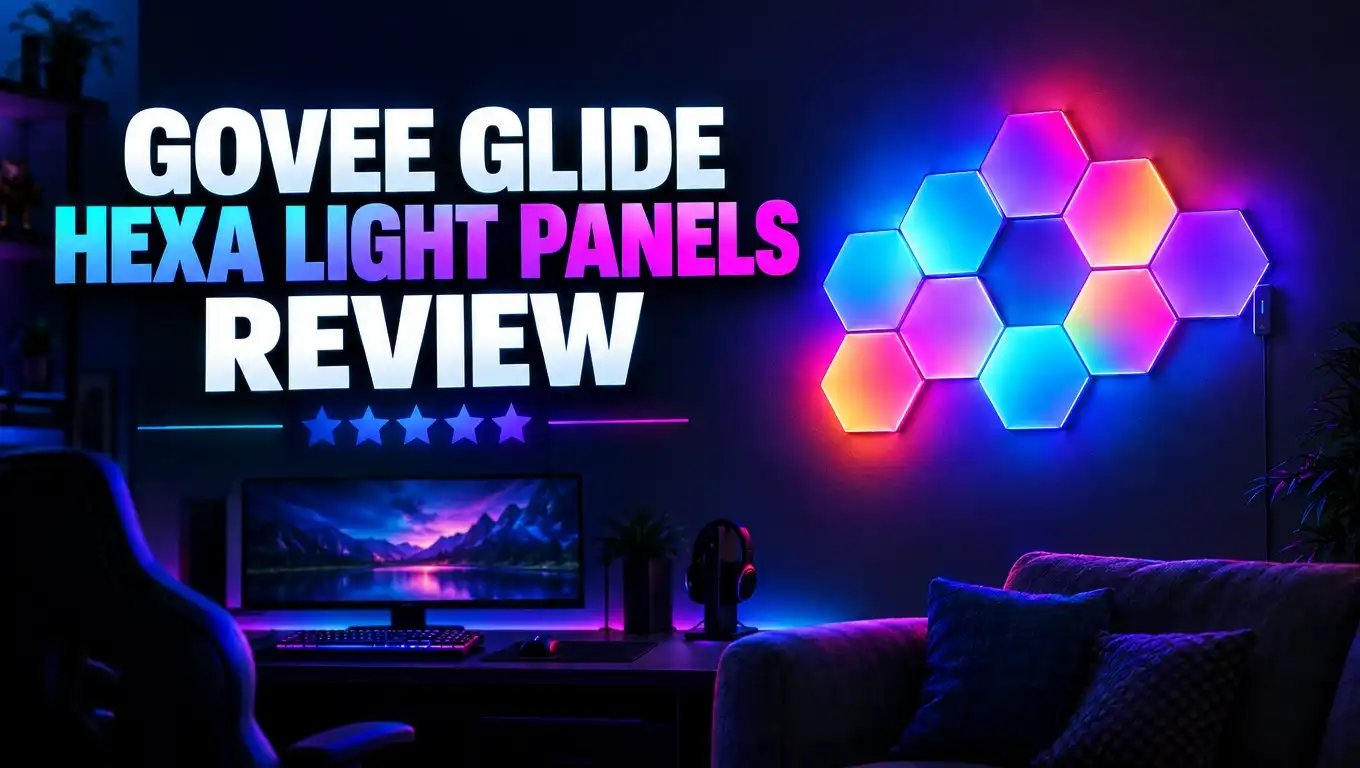
The Govee Glide Hexa Light Panels are smart LED wall lights shaped like hexagons. Govee sells them under the model number H6061. They come in packs of 7 or 10 panels.
You can arrange the panels in many shapes. A honeycomb cluster is the most common design. Some people build long lines, arrows, or even letters.
Each panel uses RGBIC technology. That means each panel can show several colors at once. This is the key feature that makes Govee lights look so lively.
The system runs on 24 volts and uses about 36 watts. Govee rates the total brightness at around 500 lumens. That is enough to light a dark room softly, but these panels are mostly for decoration.
You get more than 40 preset scenes. Popular choices include Rainbow, Fire, Aurora, and Energetic. The Govee Home app also detects your layout, so effects flow across your design the right way.
The panels connect to your phone through 2.4GHz WiFi and Bluetooth. They work with Amazon Alexa and Google Assistant. You can turn them on with one simple voice command.
Govee has released newer hexagon models since then, like the Hexa Pro and the Hexagon Ultra. Still, the original Glide Hexa stays popular. It hits a sweet spot between price and features that many buyers love.
Govee covers these panels with a 12 month warranty. You can contact support through Amazon, email, or the live chat on the Govee website.
What Comes in the Box
Opening the box feels easy and organized. Govee packs each part neatly, so you can find everything fast.
Here is what you get in the standard kit:
- Hexagon light panels: You get 7 or 10 panels, based on the pack you buy.
- Control box: This small box has physical buttons and the microphone for music sync.
- Power adapter: It plugs into a standard wall outlet.
- Connectors and linking cables: These join the panels together.
- Adhesive mounting pads: You stick these on the back of each panel.
- Quick start guide: The guide shows basic setup steps.
The panels feel light but solid. The front covers are smooth and diffuse the light well. You do not see harsh LED dots when the lights are on.
The control box is a nice extra. Many smart lights force you to use the app for everything. With Govee, you can change modes and brightness with a button press.
The power cord is a good length for most rooms. Still, plan your design near an outlet. A cord running across the wall can spoil the clean look. Some users hide it with a paintable cord cover.
One thing to note is that the box does not include extra adhesive pads. If you plan to move the panels later, buy spare pads first. This small step saves you a lot of frustration.
Design and Build Quality
The Glide Hexa panels have a clean, modern look. When they are off, they appear as plain white hexagons. They blend into most walls without standing out.
When they are on, the panels change the whole room. The light spreads evenly across each face. The color gradients look smooth and natural.
Each panel is thin and lightweight. This low weight helps the adhesive hold well over time. Heavier panels can sag or fall, but most owners report no problems here.
The plastic feels sturdy for the price. It does not bend or creak when you press it. Many reviewers say the panels feel durable and well made.
The edges of each hexagon fit together cleanly. You will see small gaps between panels. These gaps are normal and do not hurt the look much from a distance.
The design is also very flexible. You can mount the panels sideways, in a cluster, or in a wave pattern. Your creativity is the only real limit.
One small drawback is the visible connectors on some layouts. If you build a spread out design, the connectors can show. A tight honeycomb layout hides them best.
Overall, the build quality beats what you might expect at this price. The panels look like a premium product once they are on the wall. Your guests will likely assume you paid much more.
Top 3 Alternative for Govee Glide Hexa Light Panels
The Glide Hexa is a great choice, but it does not suit everyone. Some people want a 3D look. Others want more brightness or premium features. Here are three strong alternatives.
Govee Glide Hexa Pro Light Panels

- Innovative 3D Light Panels: H6066, an upgrade from H6061, is changing the lighting game by taking your...
- Expressive Scenes: Find the lighting that expresses your mood or celebrates your favorite holidays such...
- Customize Your Home Aesthetics: Our light panels are designed for those who think outside the box with...
Last update on 2026-11-02 / Affiliate links / Images from Amazon Product Advertising API
The Hexa Pro is the upgraded sibling of the original Glide Hexa. Its panels have a raised 3D design. The light shows depth and shadows that flat panels cannot match.
It still uses RGBIC technology and supports music sync. If you like the Govee style but want a bolder look, the Pro is a natural step up.
Govee Glide Hexagon Light Panels Ultra

- Innovative 3D Light Panels: H606A, an upgrade from H6061, changes your game room by taking your wall...
- Multifaceted Ultra Lighting: The panels are equipped with 129 LED beads. The flagship product, with...
- Open Patching: The six sides of the upgraded hexagon light panel can be spliced. Offering virtually...
Last update on 2026-11-02 / Affiliate links / Images from Amazon Product Advertising API
The Hexagon Ultra is Govee’s most advanced hexagon line. Each light has 33 IC chips. That is over five times more than the previous Glide Hexa generation.
It can light the lines, the panels, or both together. It also uses 72 watts, so it shines brighter. This model suits buyers who want the most detailed effects.
Nanoleaf Shapes Hexagon Lights

- [Build & Expand Your Designs] Create beautiful symmetry in any room, or get completely abstract - the...
- [Color-Changing Animations] Customize your lights with colors and motions; transition colors slowly for...
- [16M+ RGBW Colors] Virtually limitless color options. Select from or create your own color-changing...
Last update on 2026-11-02 / Affiliate links / Images from Amazon Product Advertising API
Nanoleaf Shapes is the premium brand in this space. The panels use RGBW LEDs, which give cleaner whites. They also offer touch control on the panels themselves.
Nanoleaf costs more per panel. Still, many people love its polished app and smart home support. It suits buyers who care most about brand and polish.
Installation Process
Installation is one of the best parts of the Glide Hexa. You do not need drills, screws, or special tools. Most people finish in less than an hour.
Start by planning your layout. The Govee Home app offers design ideas. Many users trace their design on paper or painter’s tape first. This step helps you avoid mistakes.
Next, clean the wall. Dust and grease stop the adhesive from sticking. A quick wipe with rubbing alcohol works well. Let the wall dry fully before you continue.
Now connect the panels together on a table or the floor. Snap the connectors into place. Then test the lights before you mount anything. This quick test can save you from pulling panels off the wall later.
Peel the backing from the adhesive pads. Press each panel firmly against the wall for about 30 seconds. Work from the panel nearest the power source outward.
Finally, plug in the power adapter. Open the Govee Home app and add the device. The app will guide you through WiFi pairing and layout setup.
A word of caution: the adhesive is strong. Removing it can peel off paint, especially on fresh or textured walls. Smooth, fully cured walls give the best results. Glass and wood surfaces also work well.
RGBIC Colors and Brightness
Color quality is the main reason people buy these panels. And the Glide Hexa does not disappoint.
RGBIC stands for Red, Green, Blue, plus Independent Control. Basic RGB lights show one color per panel at a time. RGBIC lights show several colors on each panel at once.
This difference matters a lot. A rainbow effect flows smoothly across each panel instead of jumping in blocks. Fire effects look like real flickering flames. Aurora scenes drift like the northern lights.
The colors are bright and saturated. Reds look deep. Blues look rich. Greens and purples pop on the wall.
Govee rates the system at about 500 lumens. That is plenty for ambient lighting in a bedroom, office, or game room. It works best in dim or dark rooms.
In a bright, sunny room, the effect looks softer. These panels add mood, not main room lighting. You will still need a ceiling light or lamp for tasks like reading.
You can adjust brightness from 1 to 100 percent in the app. Low settings make a great night light. High settings make a bold statement during a party.
White light is decent but not perfect. Since the panels lack a separate white LED, whites can look slightly tinted. Nanoleaf’s RGBW panels handle whites better, but they cost more.
Govee Home App Experience
The Govee Home app controls almost every feature. It is free on iOS and Android. Setup takes just a few minutes.
Once you connect, the app shows a map of your layout. The app recognizes where each panel sits. This lets effects move in the right direction across your design.
The main screen gives you several modes. You can choose Scenes, Color, Music, and DIY. Each mode offers its own set of options.
Scene mode holds more than 40 presets. You can tap one and watch the wall change right away. It is a fun way to explore the lights on day one.
Color mode lets you pick a single shade or color each panel by hand. You can create a custom pattern panel by panel.
DIY mode is where creative users shine. You can set colors, motion, speed, and direction. Then save your design and reuse it later.
The app also supports schedules and timers. You can set the lights to turn on at sunset. You can also set them to fade off at bedtime.
The app does have a learning curve. It packs in a lot of menus and features. New users may feel lost at first. After a day or two, most people find their way around easily.
Some users report occasional WiFi drops. A quick restart of the control box usually fixes this. Keeping your router close helps too.
Music Sync and Gaming Use
Music sync is one of the most fun features of the Glide Hexa. The microphone sits inside the control box. It listens to sounds in the room and reacts in real time.
Play a song and watch the panels dance. Bass hits make the lights pulse. Fast songs trigger quick color changes. Slow songs create gentle waves.
The app offers several music modes. Some modes focus on rhythm. Others focus on energy or spectrum. You can also adjust sensitivity to match your room’s volume.
This makes the panels great for parties. Guests often notice the lights first. They make any small gathering feel more lively.
Gamers love these panels too. A hexagon wall behind a desk looks great on camera. It is a popular choice for streamers and content creators.
During games, music mode reacts to explosions, music, and sound effects. It adds energy to every match. Some players use calm scenes for focus instead.
One limit to know is that the panels react to sound, not screen colors. They do not match your game or movie visuals directly. For screen sync, you would need a separate Govee camera or sync box product.
The microphone also picks up room noise. Talking loudly can trigger the lights. Lowering the sensitivity helps fix this issue.
Smart Home and Voice Control
The Glide Hexa fits well into most smart homes. It works with Amazon Alexa and Google Assistant. You link your Govee account in the Alexa or Google Home app.
Once linked, voice control is simple. Say “Alexa, turn on the hexa lights.” Or say “Hey Google, set the panels to blue.” The lights respond within a second or two.
You can also change brightness by voice. This feels handy when your hands are full or you are in bed.
Routines add even more value. You can make the panels turn on when your alarm goes off. You can also add them to a “movie night” routine with other smart devices.
The control box offers backup control. It has buttons for power, modes, and brightness. You never need your phone to use the basic features.
Apple HomeKit users should know a few things. This model does not work with HomeKit on its own. Some users connect it through third party tools, but that adds extra steps.
The panels need a 2.4GHz WiFi network. They do not connect to 5GHz bands. Most modern routers broadcast both, so this is rarely an issue.
Bluetooth acts as a backup connection. If WiFi goes down, you can still control the lights from your phone at close range. This dual connection gives you peace of mind.
Expansion Options and Layout Ideas
One great feature of the Glide Hexa is how easy it is to grow. You can start small and add panels later.
Govee sells expansion packs for the H6061 model. The system supports up to 20 panels in total. Many owners buy two 10 packs and join them into one large design.
Expansion packs include linking cables. They plug right into your current setup. The app then updates your layout map.
Keep in mind that expansion packs only work with the H6061. You cannot mix these panels with the Hexa Pro or Ultra lines. Check the model number before you buy.
Here are some popular layout ideas:
- Classic honeycomb: A tight cluster that looks clean and balanced.
- Rising wave: Panels that climb diagonally across the wall.
- Gaming arrow: A shape that points toward your monitor or TV.
- Floating line: A long row above a bed or couch.
- Letters or symbols: Initials, hearts, or simple icons.
The best layout depends on your wall size. Small walls look best with compact clusters. Large walls can handle wide, spread out designs.
Consider your viewing angle too. Panels above a desk look great on webcam. Panels behind a TV create a cool backlight effect.
Take your time with planning. A few extra minutes of design work leads to a much better final result.
Price and Value for Money
Price is where the Glide Hexa really stands out. Govee lists the 10 pack at around $189.99. However, sales are very common.
The Govee website has offered the panels for about $99.99 during sales. Amazon prices have often landed near $129.99. Prices change often, so check before you buy. Stock also changes, and the panels sometimes sell out on Amazon.
Compare this with Nanoleaf. A Nanoleaf Shapes Hexagon kit with fewer panels often costs more. Govee gives you more panels for less money.
So what do you get for your money? You get RGBIC color, music sync, voice control, and an easy setup. Those are the core features most buyers want.
You do miss a few premium extras. There is no touch control on the panels. There is no dedicated white LED. And the app feels less polished than Nanoleaf’s.
For most people, those trade offs are fine. The Glide Hexa delivers about 80 percent of the premium experience at a fraction of the cost.
Refurbished units are another option. Govee sometimes sells refurbished panels at a lower price. They still come with support, which makes them a smart budget pick.
If you want the best effects, consider the Ultra. But if you want great value, the original Glide Hexa is hard to beat.
Pros and Cons
Every product has strengths and weaknesses. Here is a clear look at both sides of the Glide Hexa.
Pros
- Excellent value: You get premium style lighting for a mid range price. Sales make it an even better deal.
- Vivid RGBIC colors: Each panel shows several colors at once. Effects look smooth and lively.
- Easy setup: You do not need tools. Most people finish installation in under an hour.
- Fun music sync: The lights react to music and game sounds in real time. It is great for parties.
- Physical control box: You can use buttons instead of your phone. This is handy for guests.
- Voice assistant support: Alexa and Google Assistant work smoothly with simple commands.
- Expandable system: You can grow your setup up to 20 panels with expansion packs.
Cons
- Adhesive can damage walls: Removing panels may peel paint. Plan your layout carefully first.
- Not very bright for main lighting: The panels add mood but cannot replace a ceiling light.
- App has a learning curve: The many menus can confuse new users at first.
- No HomeKit support on its own: Apple users need workarounds for HomeKit control.
- Limited compatibility: These panels do not mix with Hexa Pro or Ultra panels.
- Whites look slightly tinted: There is no dedicated white LED for pure white tones.
Who Should Buy These Panels
The Glide Hexa is a great fit for many people. But it suits some users better than others.
Gamers and streamers are the top match. The panels look amazing on camera. They add color and energy to any gaming setup.
Teens and college students love these lights too. They turn a plain bedroom or dorm into a cool space. Just check dorm rules about wall adhesives first.
Music lovers will enjoy the sync feature. The lights make every playlist feel like a small concert.
Budget buyers get the most value here. If Nanoleaf feels too pricey, Govee offers a strong alternative.
Smart home beginners will find the setup simple. Alexa and Google support makes daily use easy.
Now, who should skip these panels? Renters with strict wall rules should think twice. The adhesive can leave marks or peel paint.
Apple HomeKit fans may feel let down. Native HomeKit support is missing on this model.
People who want main room lighting should look elsewhere. These panels add mood lighting, not bright task light.
Finally, buyers who want the most detail should consider the Ultra. Its extra IC chips create far finer effects. It costs more, but the upgrade is noticeable.
Think about your space, budget, and goals. That will help you choose the right panels for your needs.
Final Verdict
So, are the Govee Glide Hexa Light Panels worth buying? For most people, the answer is yes.
These panels offer bright RGBIC colors, fun music sync, and easy setup. They work with Alexa and Google Assistant. They also come with a handy control box for quick changes.
The price is the biggest win. You get a premium look without paying a premium price. Frequent sales make the deal even sweeter.
There are some downsides. The adhesive can harm paint. The app takes time to learn. And the brightness suits mood lighting more than room lighting.
Still, these issues are small compared with the overall value. Most owners feel very happy with their purchase. Reviews praise the bright lights, durable build, and simple install.
If you want a 3D look, try the Hexa Pro. If you want the finest effects, choose the Hexagon Ultra. If you want premium polish, Nanoleaf Shapes is the way to go.
But if you want great hexagon lights at a fair price, the Glide Hexa is an easy choice. It turns any plain wall into a bright, colorful centerpiece. Your room will feel brand new the moment you switch them on.
Frequently Asked Questions
How many panels come in the Govee Glide Hexa kit?
The kit comes in 7 or 10 panel packs. Each kit includes a control box and power adapter. You can expand the system up to 20 panels.
Do the Govee Glide Hexa panels damage walls?
They can. The adhesive is strong and may peel paint when you remove it. Smooth, fully cured walls give the best results.
Can I control the panels without a phone?
Yes. The control box has buttons for power, brightness, and modes. You can also use Alexa or Google Assistant.
Do these panels work with 5GHz WiFi?
No. They only connect to 2.4GHz WiFi. Bluetooth works as a backup connection at close range.
Can I mix Glide Hexa panels with Hexa Pro or Ultra panels?
No. Each line uses its own system. Expansion packs must match the H6061 model.
Are the Govee Glide Hexa panels bright enough to light a room?
They give soft ambient light of about 500 lumens. They work best in dim rooms. You still need a main light for tasks.
Can I use the panels outdoors?
No. The panels are for indoor use only. Keep them away from bathrooms and other humid areas.
Does the music sync need a phone?
No. The microphone sits inside the control box. It listens to sound in the room and reacts on its own.
What warranty does Govee offer?
Govee offers a 12 month warranty. You can reach support through your Amazon order, by email, or through live chat on the Govee website.

DK is the founder and lead writer at Smart Lighting Finds, where he helps readers discover the best lighting products through honest, hands-on reviews and in-depth comparisons. With a deep passion for home improvement and smart technology, DK is dedicated to making every lighting decision easier and brighter for his readers.